
Fitbit FB201B
Manual do usuário da balança inteligente Fitbit Aria Wi-Fi
Model: FB201B | Brand: Fitbit
Produto acimaview
The Fitbit Aria Wi-Fi Smart Scale is designed to help you track your weight, body fat percentage, and Body Mass Index (BMI) with ease. This stylish black scale connects to your home Wi-Fi network and can recognize up to 8 different users, automatically syncing individual data to their respective Fitbit accounts.

Figura 1: Visão de cima para baixo view of the Fitbit Aria Wi-Fi Smart Scale.
Os principais recursos incluem:
- Automatic Wi-Fi Sync: Aria syncs automatically and wirelessly through your home Wi-Fi network.
- Reconhecimento multiusuário: Automatically recognizes up to eight different people, syncing data to their private Fitbit dashboards.
- Medições abrangentes: Measures weight, percentage body fat, and BMI.
- Operado por bateria: Uses 4 AA batteries (included), eliminating the need for a power cord.
- Design durável: Features a tempered glass platform and ABS base, designed to work in humid bathroom environments.
Guia de configuração
Follow these steps to set up your Fitbit Aria Wi-Fi Smart Scale:
- Instale as baterias: Open the battery compartment on the underside of the scale and insert the 4 AA batteries provided.
- Download Fitbit App: To set up for the first time and view your stats, you'll need the Fitbit app. Download it on your smartphone (iPhone 4S and later, iPad 3rd Gen and later, leading Android and Windows devices) or use a computer (Windows XP and later, Mac OS X 10.5 and up).
- Conectar ao Wi-Fi: The Aria scale syncs automatically and wirelessly through your home Wi-Fi network. Ensure your network meets the requirements: Wireless 802.11b, WEP/WPA/WPA2 personal security, Automatic (DHCP) IP setup (static IP configuration not supported). Follow the in-app instructions to connect your scale to your Wi-Fi network.
- Create/Log In to Fitbit Account: If you don't have one, create a free Fitbit account. Log in to your account through the app.
- Adicionar usuários: The scale automatically recognizes up to eight different people. You can add and manage users through your Fitbit account settings.
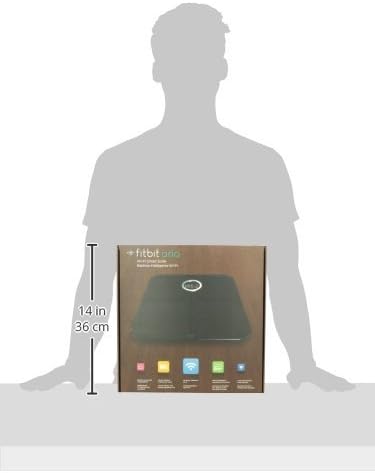
Figure 2: Packaging showing the approximate dimensions of the Fitbit Aria scale (31.2 cm x 31.2 cm x 3.3 cm).
Instruções de operação
Using your Fitbit Aria Wi-Fi Smart Scale is straightforward:
- Colocação: For the most reliable readings, place the scale on a hard, flat surface (not carpet).
- Passo em frente: Step onto the scale barefoot. Ensure your feet are dry and positioned evenly on the tempered glass platform. The scale will automatically turn on.
- Medição: The scale will display your weight first, then calculate and display your body fat percentage and BMI. It will also show your initials if it recognizes you.
- Sincronização de dados: Once the measurement is complete, the scale will automatically sync the data to your Fitbit account via Wi-Fi. You can view your progress, trends, and other health metrics on the Fitbit app or dashboard.
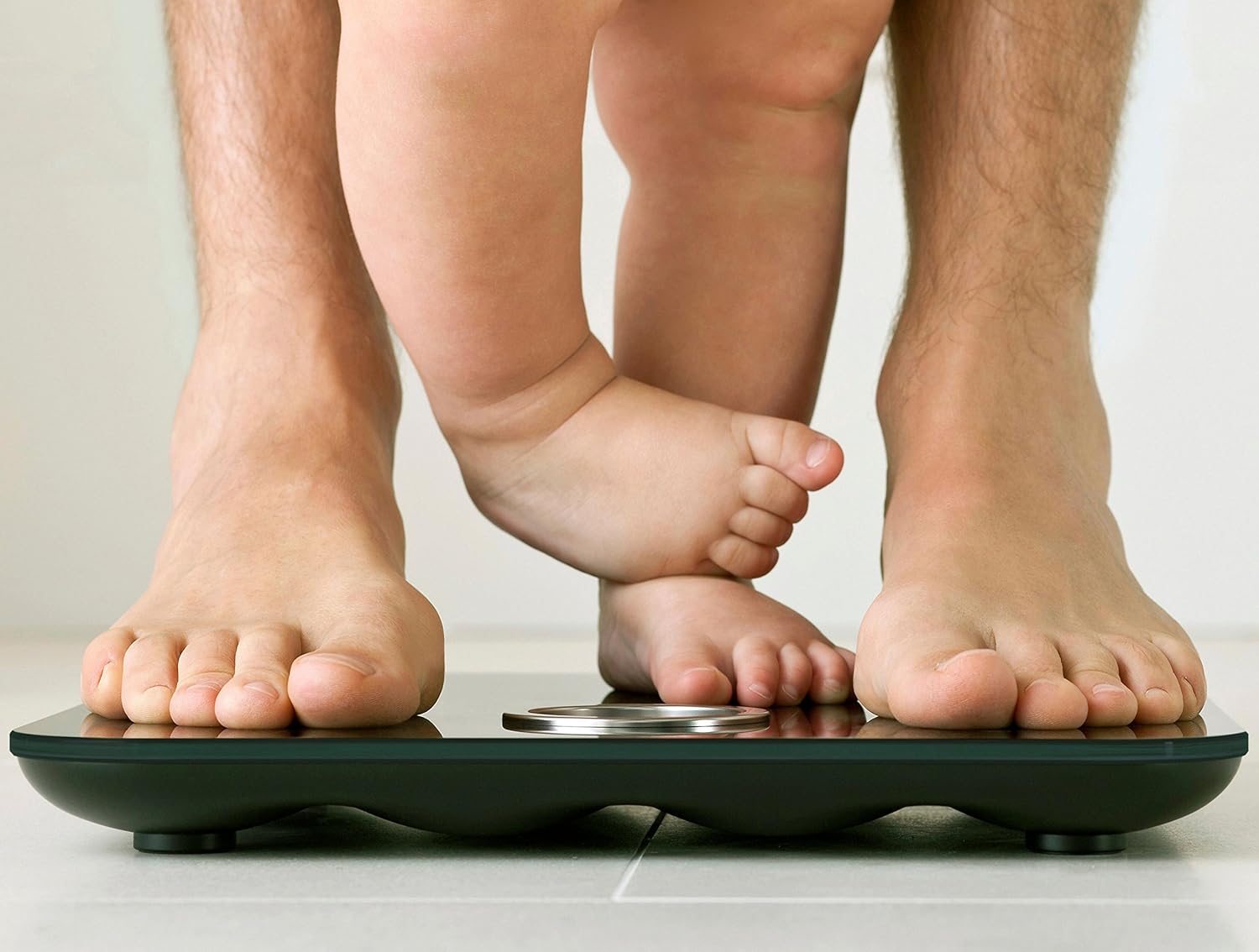
Figure 3: Proper foot placement on the Fitbit Aria Wi-Fi Smart Scale for accurate measurements.
Aviso de segurança importante:
- • Do not use if you have a pacemaker or other internal medical device, or are pregnant.
- • Not intended for use by children under 10.
Manutenção
To ensure the longevity and accuracy of your Fitbit Aria Wi-Fi Smart Scale, follow these maintenance guidelines:
- Limpeza: Wipe the glass platform with a damp cloth and mild detergent. Avoid abrasive cleaners. Thoroughly dry the glass top after cleaning.
- Resistência à água: The Aria is designed for humid bathroom environments. Some condensation will not damage it. However, the scale should not be submerged. Avoid splashing large amounts of water on the scale.
- Substituição da bateria: The scale uses 4 standard 1.5V size AA batteries. Replace them when the low battery indicator appears on the display or in the Fitbit app.
- Armazenar: Guarde a balança em local seco, longe de temperaturas extremas.
Solução de problemas
If you encounter issues with your Fitbit Aria Wi-Fi Smart Scale, consider the following:
- Leituras imprecisas: Ensure the scale is placed on a hard, flat surface. Soft surfaces like carpet can affect accuracy.
- Sem tela/energia: Verifique se as pilhas estão instaladas corretamente e se têm carga suficiente. Substitua as pilhas, se necessário.
- Problemas de conectividade Wi-Fi:
- Verify your Wi-Fi network is 802.11b compatible and uses WEP/WPA/WPA2 personal security.
- Ensure your router is set to Automatic (DHCP) IP setup. Static IP configuration is not supported.
- Try restarting your Wi-Fi router and the scale.
- Ensure the scale is within range of your Wi-Fi network.
- User Recognition Problems: Garanta seu profissionalfile information (height, age, gender) is accurate in your Fitbit account. Step on the scale barefoot and dry.
- Slipping Hazard: To prevent slipping or accidents, thoroughly dry the glass top and your feet before stepping on the scale.
Especificações
| Recurso | Detalhe |
|---|---|
| Número do modelo | FB201B |
| Dimensões do produto | 12.28 x 1.31 x 12.28 polegadas; 4.7 libras |
| Faixa de peso | 9-158 kg (20-350 libras) |
| Tecnologia de Conectividade | Wi-Fi (802.11b) |
| Fonte de energia | 4 pilhas AA (incluídas) |
| Temperatura de operação | 41° a 104° F (5° a 40° C) |
| Humidade relativa | 0-95% |
| Fabricante | Fitbit Inc. |
| Primeira data disponível | 9 de abril de 2012 |
Garantia e Suporte
For detailed warranty information and further support, please refer to the official Fitbit website or the comprehensive user guide available in PDF format:
For any issues not covered in this manual, please contact Fitbit customer support.
Ask a question about this manual
Ask about setup, troubleshooting, compatibility, parts, safety, or missing instructions. Manuals+ will review the question and use this page’s manual context to help answer it.