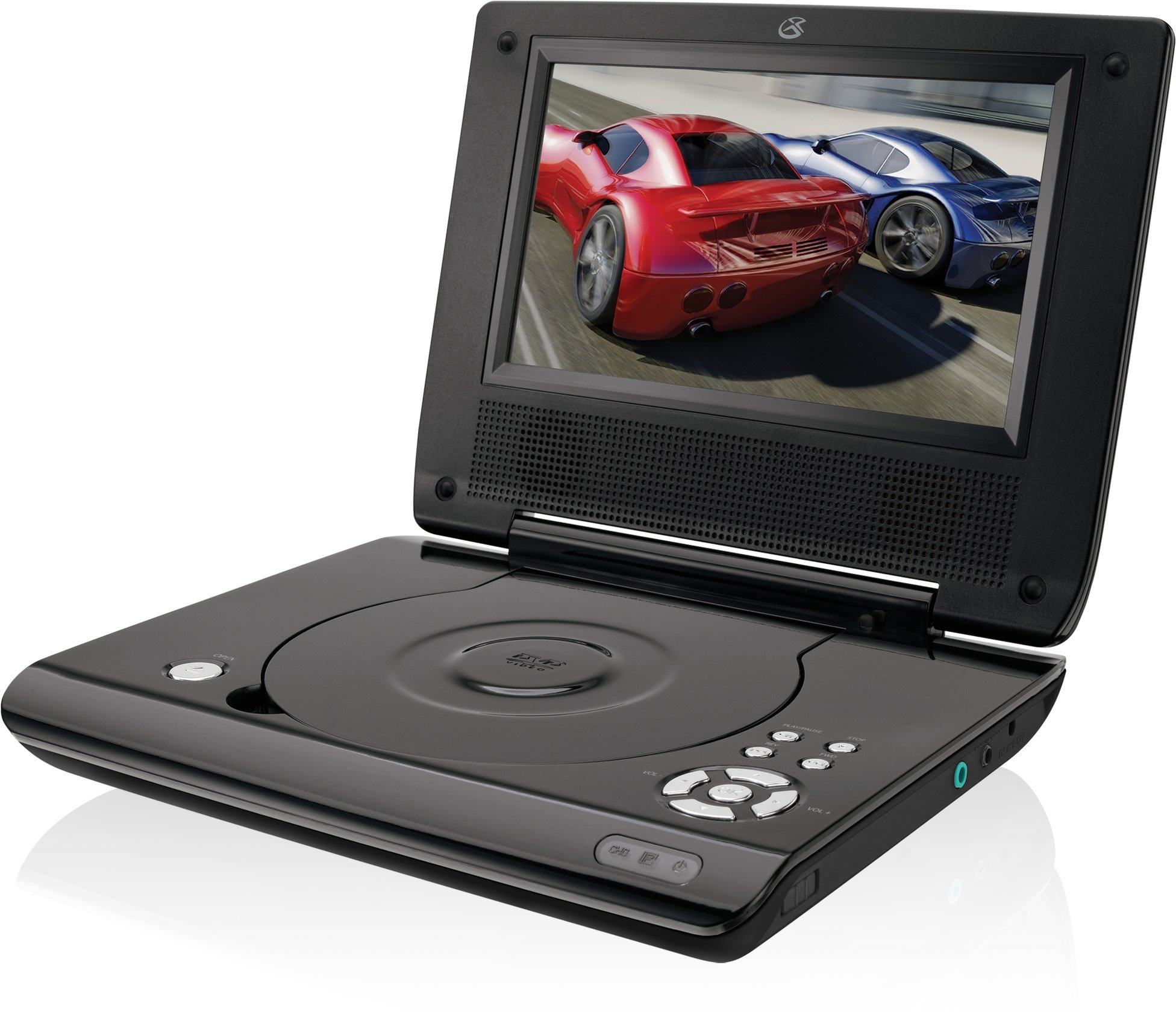
This manual provides essential instructions for the safe and efficient operation of your GPX PD730B 7-inch Portable DVD Player. Please read this manual thoroughly before using the device and retain it for future reference. The GPX PD730B is designed for portable entertainment, allowing you to enjoy DVDs, CDs, and JPEG files on its 7-inch TFT LCD screen.
Conteúdo da embalagem
Verifique se todos os itens listados abaixo estão incluídos em seu pacote:
GPX PD730B Portable DVD Player
Adaptador de energia CA/CC
DC Car Adapter (12V)
Fones de ouvido estéreo
Controle remoto (com 2 pilhas AAA)
Manual do usuário (este documento)
Produto acimaview
Figure 1: GPX PD730B Portable DVD Player (Closed)
This image shows the GPX PD730B portable DVD player in its closed position, highlighting its compact and sleek design. The top surface is smooth and black, with control buttons visible on the right edge.
Controles e Conexões
Familiarize yourself with the various controls and connection ports on your portable DVD player.
Botão de energia: Liga ou desliga a unidade.
Botão Reproduzir/Pausar: Inicia ou pausa a reprodução.
Botão de parada: Interrompe a reprodução.
Botões de pular/pesquisar: Navigates tracks or chapters, or fast-forwards/rewinds.
Controle de volume: Ajusta o nível de saída de áudio.
Plug do fone de ouvido: For private listening with stereo earbuds or headphones.
DC no porto: Connects to the AC/DC or car power adapter for charging and power.
Configurar
1. Carregando a bateria
Before initial use, fully charge the built-in rechargeable battery. A full charge provides approximately 2 hours of playback time.
Connect the AC/DC power adapter to the DC In port on the DVD player.
Conecte o adaptador de alimentação CA/CC a uma tomada de parede padrão.
The charging indicator light (if present) will illuminate. Charging is complete when the light changes color or turns off (refer to device for specific indicator behavior).
Alternatively, use the 12V DC car adapter to charge the player in a vehicle.
2. Ligar / desligar
Pressione e segure o Poder button on the unit to turn the player on or off. The screen will illuminate when powered on.
Instruções de operação
1. Inserting and Removing Discs
Gently open the disc compartment lid.
Place a DVD or CD onto the spindle with the label side facing up. Press down gently on the center of the disc until it clicks into place.
Close the disc compartment lid firmly.
To remove a disc, open the lid, gently press the spindle button (if present) or lift the disc from the edges, avoiding touching the data surface.
2. Reprodução básica
After inserting a disc, the player will typically begin playback automatically.
Use o Reproduzir/Pausar botão para pausar ou retomar a reprodução.
Pressione o Parar botão para parar a reprodução.
Use o Pular buttons (usually labeled with arrows) to navigate between chapters or tracks.
Use o Pesquisar buttons (often combined with Skip) to fast-forward or rewind.
3. Usando o controle remoto
The included remote control provides convenient access to all player functions from a distance. Ensure the 2 AAA batteries are correctly installed. Point the remote control directly at the player's remote sensor.
4. Conectando fones de ouvido
For private listening, plug the stereo earbuds (or your own headphones) into the Entrada para fone de ouvido on the side of the player. The built-in speakers will automatically mute when headphones are connected.
Figure 2: Portable DVD Player in use (Bedroom)
This image illustrates the portable DVD player being used by a girl in a bedroom setting, demonstrating its suitability for personal entertainment at home.
Figure 3: Portable DVD Player in use (Vehicle)
This image shows a boy watching the portable DVD player in the back seat of a car, highlighting its utility for entertainment during travel.
Figure 4: Portable DVD Player in use (Airplane)
This image depicts a woman using the portable DVD player with headphones on an airplane, showcasing its versatility for quiet, personal entertainment during flights.
Manutenção
Limpando o reprodutor
Disconnect the player from all power sources before cleaning.
Use um pano macio e seco para limpar as superfícies externas. Não utilize produtos de limpeza abrasivos, ceras ou solventes.
For the screen, use a soft, lint-free cloth specifically designed for LCD screens. Avoid excessive pressure.
Mantenha o compartimento do disco livre de poeira e detritos.
Cuidados com a bateria
Para prolongar a vida útil da bateria, evite descarregá-la completamente com frequência.
If the player will not be used for an extended period, charge the battery to about 50% before storing.
Store the player in a cool, dry place.
Solução de problemas
If you encounter issues with your GPX PD730B, refer to the following common problems and solutions:
Problema
Possível causa
Solução
O aparelho não liga.
A bateria está descarregada; o adaptador de energia não está conectado corretamente.
Charge the battery; Ensure power adapter is securely connected to both the player and power source.
Sem reprodução de disco.
Disco inserido incorretamente; Disco sujo ou riscado; Formato de disco incorreto.
Reinsert disc correctly (label side up); Clean disc with a soft cloth; Ensure disc is DVD, CD, or JPEG CD format.
Não há som nos alto-falantes/fones de ouvido.
Volume too low; Headphones not fully plugged in; Mute function active.
Increase volume; Ensure headphones are fully inserted; Check if mute is active on remote or player.
O controle remoto não funciona.
Pilhas descarregadas ou inseridas incorretamente; Obstrução entre o controle remoto e o aparelho.
Replace remote batteries; Ensure correct polarity; Remove any obstructions and point remote directly at sensor.
Especificações
Número do modelo
PD730B
Tamanho da tela
7 polegadas
Tipo de exibição
TFT-LCD
Resolução Nativa
480x234
Proporção da tela
16:9
Mídia Compatível
DVD, DVD+R/RW, CD, CD-R/RW, JPEG CD
Duração da bateria (média)
2 horas
Entrada de energia
AC/DC Adapter, 12V DC Car Adapter
Conectividade
Entrada auxiliar (conector para fone de ouvido)
Peso do item
1.72 libras
UPC
047323007309
Garantia e Suporte
For warranty information, technical support, or service inquiries, please refer to the warranty card included with your product or visit the official GPX website. Guarde o recibo de compra como comprovante para solicitações de garantia.
Ask about setup, troubleshooting, compatibility, parts, safety, or missing instructions. Manuals+ will review the question and use this page’s manual context to help answer it.