
Edifier R1600TIII
Edifier R1600TIII Active Bookshelf Speakers User Manual
Model: R1600TIII
Introdução
Obrigado pela compra.asing the Edifier R1600TIII Active Bookshelf Speakers. This manual provides detailed instructions for setting up, operating, and maintaining your speakers to ensure optimal performance and longevity. Please read this manual thoroughly before use and retain it for future reference.
Instruções importantes de segurança
- Leia estas instruções cuidadosamente.
- Guarde estas instruções para referência futura.
- Preste atenção a todos os avisos.
- Siga todas as instruções.
- Não utilize este aparelho perto de água.
- Limpe apenas com um pano seco.
- Não obstrua as aberturas de ventilação. Instale de acordo com as instruções do fabricante.
- Não instale perto de fontes de calor, como radiadores, registros de calor, fogões ou outros aparelhos (incluindo amplificadores) que produzem calor.
- Proteja o cabo de alimentação para que não seja pisado ou comprimido, principalmente nos plugues, nas tomadas de conveniência e no ponto de saída do aparelho.
- Utilize somente acessórios/anexos especificados pelo fabricante.
- Desligue este aparelho durante tempestades com raios ou quando não for utilizado por longos períodos de tempo.
- Entregue todos os serviços de manutenção a pessoal de serviço qualificado. O serviço é necessário quando o aparelho foi danificado de alguma forma, como cabo de alimentação ou plugue danificado, líquido foi derramado ou objetos caíram no aparelho, o aparelho foi exposto à chuva ou umidade, não opera normalmente ou foi derrubado.
Conteúdo da embalagem
Por favor, verifique o conteúdo da sua embalagem. Se algum item estiver faltando ou danificado, entre em contato com o vendedor.
- Edifier R1600TIII Active Bookshelf Speakers (1 pair)
- Controle remoto sem fio
- Cabo de conexão do alto-falante
- Cabo de áudio RCA para RCA
- Cabo de energia
- Manual do usuário (este documento)
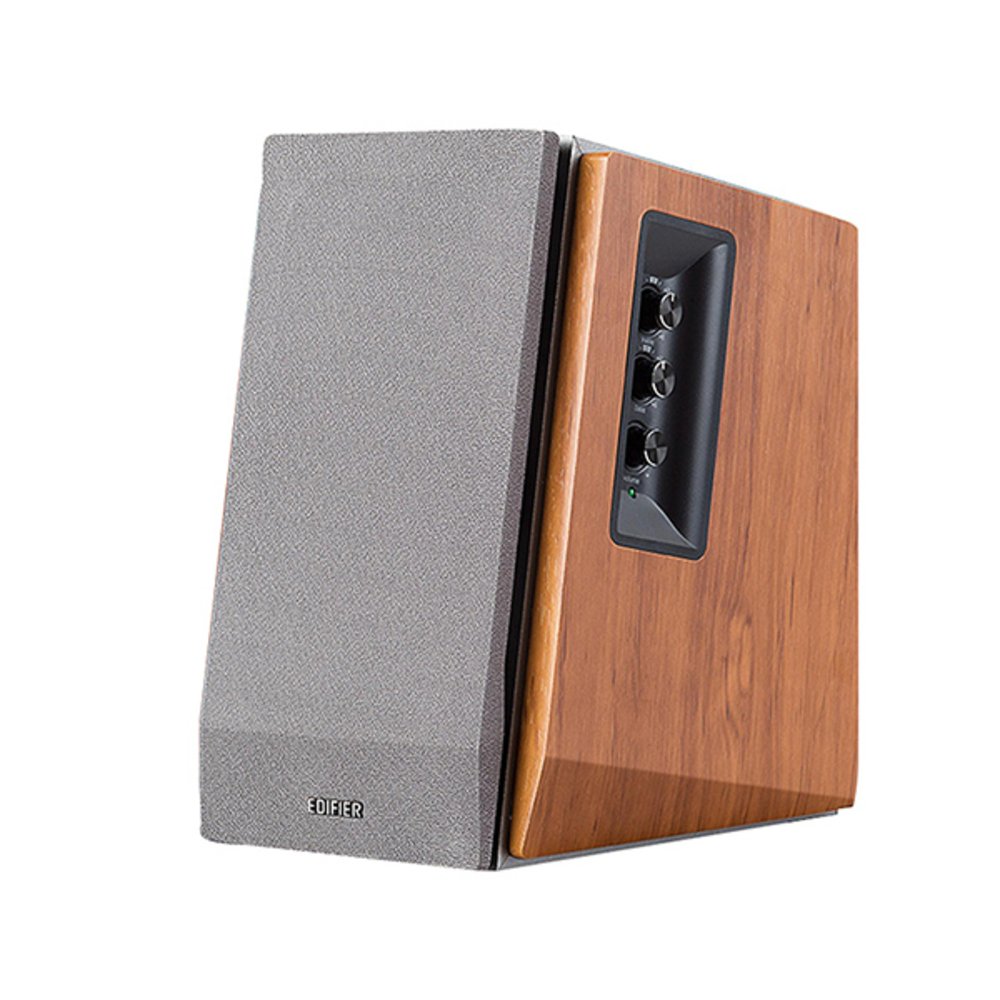
Image: Edifier R1600TIII Active Bookshelf Speakers. This image shows the two speakers, typically one active (with controls) and one passive, connected by a cable. The speakers feature a classic wooden finish and front-facing drivers.
Produto acimaview
The Edifier R1600TIII is a 2.0 active bookshelf speaker system designed to deliver high-quality audio. It features a total output of 60 Watts and offers versatile connectivity options including RCA and Bluetooth.
Controles e Conexões
- Controles do painel lateral: The active speaker features rotary controls for Volume, Bass, and Treble adjustments.
- Controle remoto sem fio: Adjust volume and mute functions conveniently from a distance.
- Entradas RCA: Two sets of RCA inputs for connecting to various audio sources like PCs, TVs, or MP3 players.
- Conectividade Bluetooth: Seamlessly connect your Bluetooth-enabled devices for wireless audio streaming.
Configurar
1. Posicionamento do alto-falante
Place the speakers on a stable, flat surface such as a bookshelf or desk. For optimal stereo imaging, position the speakers equidistant from your listening position and angle them slightly inwards towards you.
2. Conectando os alto-falantes
- Identifique a caixa de som ativa (com controles e entrada de energia) e a caixa de som passiva.
- Connect the speaker connection cable from the active speaker's output to the passive speaker's input. Ensure a secure connection.
3. Conectando fontes de áudio
You can connect audio sources via RCA cables or Bluetooth.
Conexão RCA:
- Using the provided RCA to RCA cable, connect one end to the RCA input ports on the active speaker (Input 1 or Input 2).
- Connect the other end of the cable to the audio output ports of your source device (e.g., PC, TV, MP3 player).
Conexão Bluetooth:
- Certifique-se de que as caixas de som estejam ligadas.
- Select the Bluetooth input mode on the speakers (usually by pressing the volume knob or a dedicated input button until the indicator light shows blue).
- On your Bluetooth-enabled device, search for "Edifier R1600TIII" in the Bluetooth settings.
- Select the speaker to pair. Once paired, the indicator light will remain solid blue.
4. Conexão de energia
- Conecte o cabo de alimentação à entrada de energia da caixa de som ativa.
- Conecte o cabo de alimentação a uma tomada.
- Turn on the power switch, usually located on the rear panel of the active speaker.
Instruções de operação
Controles básicos
- Controle de volume: Rotate the master volume knob on the side panel or use the volume buttons on the remote control to adjust the overall sound level.
- Controle de graves: Rotate the bass knob on the side panel to increase or decrease the low-frequency output.
- Controle de agudos: Rotate the treble knob on the side panel to increase or decrease the high-frequency output.
- Seleção de entrada: Press the master volume knob on the side panel or the input button on the remote to cycle through available inputs (RCA 1, RCA 2, or Bluetooth).
- Mudo: Press the mute button on the remote control to silence the audio. Press again to unmute.
Usando o controle remoto sem fio
The wireless remote control allows convenient adjustment of volume and mute functions. Ensure the remote has working batteries and is pointed towards the active speaker for best performance.
Manutenção
- Limpeza: Wipe the speaker cabinets with a soft, dry cloth. Do not use liquid cleaners or abrasive chemicals.
- Pó: Limpe regularmente as grelhas e superfícies das colunas para evitar a acumulação de pó.
- Ambiente: Avoid exposing the speakers to extreme temperatures, humidity, or direct sunlight.
- Armazenar: Se for guardar as caixas de som por um longo período, desconecte-as da tomada e armazene-as em local fresco e seco.
Solução de problemas
| Problema | Possível causa | Solução |
|---|---|---|
| Sem som |
|
|
| Qualidade de som ruim / Distorção |
|
|
| Problemas de conexão Bluetooth |
|
|
Especificações
- Modelo: R1600TIII
- Potência total de saída: 60 Watts (RMS)
- Tipo de alto-falante: Estante de livros ativa
- Tamanho do alto-falante: 4 polegadas (woofer)
- Modo de saída de áudio: Estéreo
- Tecnologia de conectividade: RCA,Bluetooth
- Tecnologia de comunicação sem fio: Bluetooth
- Método de controle: Remote Control, Side Panel Knobs
- Dispositivos compatíveis: Karaoke device, Home cinema, Game console, MP3 player, Desktop computer, Projector, Television
- Material: Madeira
- Cor: Branco
- Dimensões do produto (C x L x A): 290 x 39.3 x 30.8 cm (11.4 x 15.5 x 12.1 polegadas)
- Peso do produto: 7.38 kg (16.27 libras)
- Fonte de energia: Elétrico com fio
- Características especiais: Conectividade Bluetooth
- Impermeável: Sim (Note: While listed as waterproof, it is generally recommended to protect electronic devices from water exposure.)
Garantia e Suporte
The Edifier R1600TIII speakers come with a Garantia limitada. Please refer to the warranty card included in your package or visit the official Edifier website para obter termos e condições detalhados.
For technical support, service, or further inquiries, please contact Edifier customer service through their official website ou as informações de contato fornecidas na documentação do produto.
Ask a question about this manual
Ask about setup, troubleshooting, compatibility, parts, safety, or missing instructions. Manuals+ will review the question and use this page’s manual context to help answer it.