
1. Introdução
This manual provides essential instructions for the safe and efficient operation of your ICOM BC-152 charger. Please read this manual thoroughly before using the charger to ensure proper setup, operation, and maintenance. Keep this manual for future reference.
2. Informações de segurança
Always observe the following safety precautions to prevent injury, damage to the charger, or damage to the device being charged.
- Use only with compatible ICOM battery packs. Using incompatible batteries may cause fire, explosion, or injury.
- Não exponha o carregador à chuva, umidade ou temperaturas extremas.
- Não desmonte nem modifique o carregador. Encaminhe todos os serviços de manutenção a pessoal qualificado.
- Verifique a voltagem da tomada.tage matches the charger's specifications.
- Mantenha o carregador longe de fontes de calor e da luz solar direta.
- Desconecte o carregador da tomada quando não estiver em uso ou antes de limpá-lo.
3. Configuração
3.1 Desembalagem
Carefully remove the ICOM BC-152 charger from its packaging. Verify that all components are present:
- ICOM BC-152 Charger Unit
- AC Adapter (if included)
- Manual de Instruções (este documento)
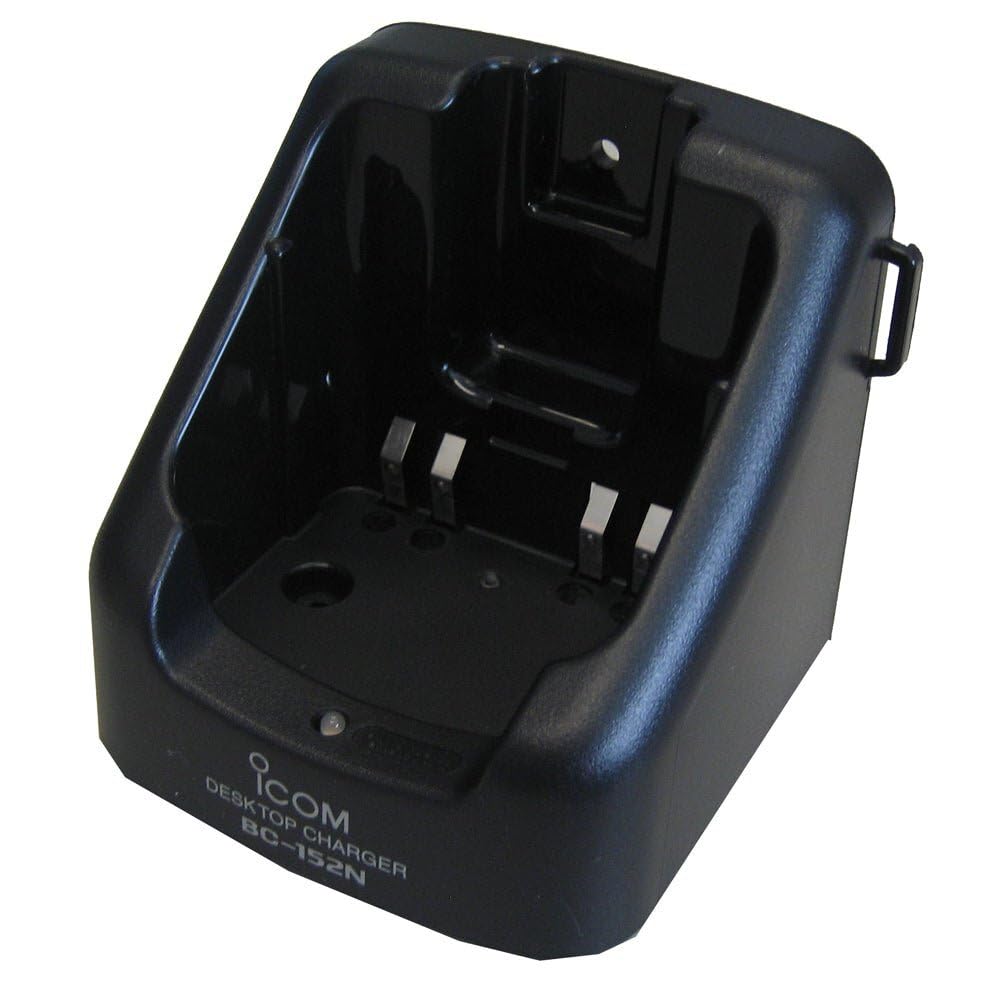
Figure 1: The ICOM BC-152 charger unit. This image shows the compact black charger with a single slot for a battery pack.
3.2 Conexão de energia
- Connect the AC adapter cable to the DC input jack on the rear of the BC-152 charger unit.
- Conecte o adaptador CA a uma tomada de parede padrão.
- O carregador agora está pronto para uso.
4. Instruções de operação
4.1 Carregando uma bateria
Follow these steps to charge a compatible ICOM battery pack:
- Certifique-se de que o carregador esteja conectado a uma fonte de energia conforme descrito na Seção 3.2.
- Carefully insert the battery pack into the charging slot of the BC-152 charger. Ensure it is seated firmly.
- Observe the charging indicator light.
4.2 Luzes indicadoras
The BC-152 charger features an LED indicator to show the charging status:
- Vermelho (Sólido): A bateria está carregando.
- Verde (sólido): Charging is complete. The battery pack is fully charged.
- Vermelho piscando: Charging error or battery fault. Remove the battery and re-insert. If the error persists, consult the troubleshooting section.
- Sem luz: Charger is not connected to power, or no battery is inserted.
Charging time may vary depending on the battery's capacity and its current charge level. Typically, a fully depleted battery will take approximately 2-4 hours to charge.
5. Manutenção
5.1 Limpeza
Para manter o desempenho e a aparência ideais:
- Sempre desconecte o carregador da tomada antes de limpar.
- Use um pano macio e seco para limpar a parte externa do carregador.
- Não utilize produtos de limpeza abrasivos, solventes ou produtos químicos agressivos.
- Ensure no moisture enters the charging slot or power input.
5.2 Armazenamento
When not in use for extended periods, store the charger in a cool, dry place, away from direct sunlight and extreme temperatures. Disconnect it from the power supply.
6. Solução De Problemas
If you encounter issues with your BC-152 charger, refer to the table below for common problems and solutions.
| Problema | Possível causa | Solução |
|---|---|---|
| Charger indicator light is off. | No power supply or battery not inserted. | Check AC adapter connection. Ensure battery is correctly inserted. |
| A luz indicadora pisca em vermelho. | Battery fault or charging error. | Remove and re-insert the battery. Try a different compatible battery if available. |
| A bateria não carrega. | Faulty battery, charger, or power supply. | Verify power connection. Test with a known good battery. If problem persists, contact support. |
7. Especificações
| Marca | ICOM |
| Modelo | BC-152 |
| Vol de entradatage | 12-16V DC (via AC adapter) |
| Volume de saídatage | 8.4 V CC |
| Corrente de carga | Aproximadamente. 450mA |
| Dimensões (L×A×P) | Approx. 80 × 50 × 90 mm (3.1 × 2.0 × 3.5 inches) |
| Peso | 0.18 libras (aprox. 82g) |
| Cor | Preto |
Nota: As especificações estão sujeitas a alterações sem aviso prévio para fins de melhoria.
8. Informações de garantia
ICOM products are manufactured with high-quality components and are subject to rigorous quality control. This product is covered by a limited warranty against defects in materials and workmanship. The specific terms and duration of the warranty may vary by region. Please refer to the warranty card included with your purchase or visit the official ICOM website para obter informações detalhadas sobre a garantia.
Esta garantia não cobre danos causados por uso indevido, acidente, modificação não autorizada ou instalação incorreta.
9. Suporte ao cliente
If you have any questions, require technical assistance, or need to report a problem that cannot be resolved using the troubleshooting guide, please contact ICOM customer support.
ICOM America Inc.
Visit ICOM America's Contact Page
Please have your product model (BC-152) and serial number ready when contacting support.