
Introdução
Obrigado pela compra.asing the GARRISON Royal Cove 2477852 2-in-1 Clip & Table Fan. This manual provides important information regarding the safe operation, installation, maintenance, and troubleshooting of your fan. Please read this manual thoroughly before using the product and retain it for future reference.
Instruções importantes de segurança
- Leia todas as instruções antes de usar este ventilador.
- Não opere nenhum ventilador com um cabo ou plugue danificado. Descarte o ventilador ou devolva-o a uma oficina de serviço autorizada para exame e/ou reparo.
- Não passe o fio por baixo do carpete. Não cubra o fio com tapetes, passadeiras ou coberturas semelhantes. Não passe o fio por baixo de móveis ou eletrodomésticos. Arrume o fio longe da área de tráfego e onde não haja tropeços.
- Para desligar o ventilador, gire os controles para a posição DESLIGADO e, em seguida, retire o plugue da tomada.
- Não introduza nem permita que dedos ou objetos estranhos entrem em qualquer abertura de ventilação ou exaustão, pois isso pode causar choque elétrico, incêndio ou danificar o ventilador.
- Não bloqueie as entradas ou exaustões de ar de nenhuma maneira.
- Utilize este ventilador apenas conforme descrito neste manual. Qualquer outro uso não recomendado pelo fabricante pode causar incêndio, choque elétrico ou ferimentos.
- Always place the fan on a stable, flat surface when used as a table fan.
- Ensure the clip is securely fastened when used as a clip fan.
- Este produto é somente para uso doméstico.
Produto acimaview
The GARRISON Royal Cove 2477852 is a versatile 6-inch fan designed for personal cooling. It features a 2-in-1 design, allowing it to function as both a clip-on fan and a table fan. It offers two speed options for customized airflow.
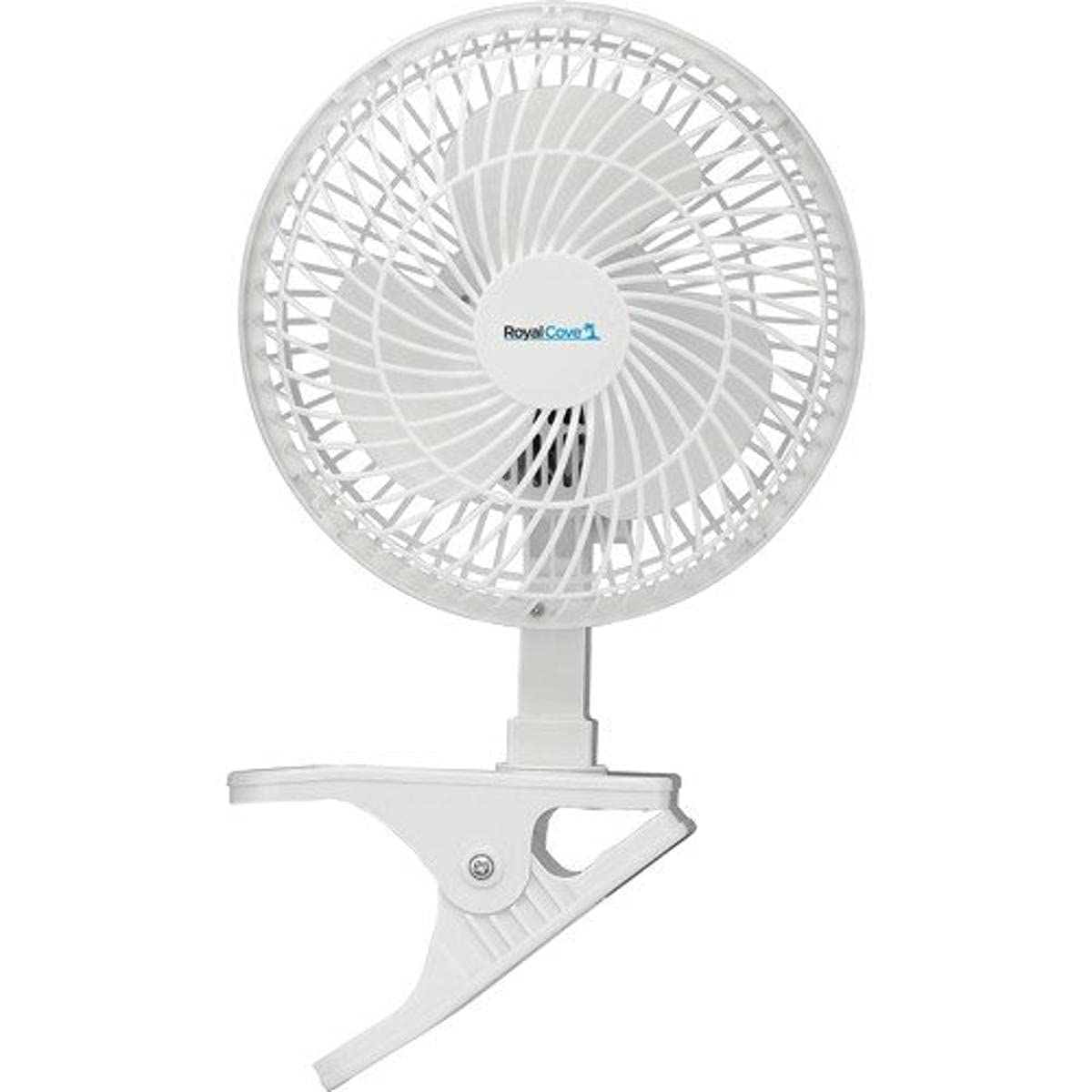
Image: GARRISON Royal Cove 2477852 2-in-1 Clip & Table Fan. This image displays the fan in its table configuration, highlighting its compact design and control buttons.
Principais características:
- 2-in-1 design: Easily converts between clip and table fan.
- Two speed options for adjustable airflow.
- Compact 6-inch size, ideal for personal use.
- Simple push-button control.
Configurar
Converting from Clip to Table Fan (and vice-versa):
- To use as a Table Fan: Ensure the fan head is securely attached to the table base. Place the fan on a flat, stable surface.
- To use as a Clip Fan: Detach the fan head from the table base (if currently assembled as a table fan). Securely attach the fan head to the clip mechanism. Open the clip and firmly attach it to a stable edge, such as a desk, shelf, or bed frame. Ensure the clip has a strong grip and the fan is stable before powering on.
Colocação:
- Place the fan in a location where it can provide optimal airflow without obstruction.
- Mantenha o ventilador longe de fontes de água, luz solar direta e fontes de calor.
- Certifique-se de que o cabo de alimentação não esteja preso ou colocado sob objetos pesados.
Instruções de operação
- Conecte a energia: Ligue o cabo de alimentação do ventilador a uma tomada elétrica padrão.
- Turn On/Select Speed: Locate the control buttons on the fan. Press the appropriate button to turn the fan on and select your desired speed (typically Speed 1 for low, Speed 2 for high).
- Ajustar direção: Manually tilt the fan head to direct the airflow as needed.
- Desligar: Press the OFF button or cycle through the speed settings until the fan turns off. Unplug the fan from the outlet when not in use for extended periods.
Manutenção
Limpeza:
- Sempre desligue o ventilador antes de limpá-lo.
- Use um pano macio e macioamp Use um pano para limpar as superfícies externas do ventilador. Não utilize produtos de limpeza abrasivos ou solventes.
- To clean dust from the fan blades, use a vacuum cleaner with a brush attachment or a soft, dry cloth. Do not immerse the fan in water or allow water to drip into the motor housing.
- Certifique-se de que todas as peças estejam completamente secas antes de ligar o ventilador novamente.
Armazenar:
Quando não estiver em uso, guarde o ventilador em local fresco e seco, de preferência na embalagem original ou coberto para protegê-lo da poeira.
Solução de problemas
| Problema | Possível causa | Solução |
|---|---|---|
| O ventilador não liga. |
|
|
| Fluxo de ar fraco. |
|
|
| O ventilador está fazendo um barulho incomum. |
|
|
Especificações
| Recurso | Detalhe |
|---|---|
| Marca | GARRISON |
| Número do modelo | 2477852 |
| Projeto de ventilador elétrico | Table Fan (Convertible to Clip Fan) |
| Fonte de energia | Elétrico com fio |
| Dimensões do produto | 6"P x 6"L x 6"A |
| Recurso especial | Convertible (Clip to Table) |
| Tipo de montagem | Clip On, Table Fan |
| Tipo de controlador | Controle de botão |
| Número de velocidades | 2 |
| O quetage | 60 watts |
| Número de lâminas | 3 |
| Tipo de interruptor | Botão de pressão |
| Material | Plástico |
| Material da lâmina | Plástico |
| Cor | branco |
Garantia e Suporte
This GARRISON Royal Cove 2477852 fan comes with a Garantia limitada de 1 ano a partir da data da compra. Esta garantia cobre defeitos de fabricação em materiais e mão de obra sob uso normal.
The warranty does not cover damage resulting from misuse, abuse, accident, alteration, or unauthorized repair. Please retain your proof of purchase for warranty claims.
For warranty service or technical support, please contact the manufacturer or your retailer. Do not attempt to repair the fan yourself.