
1. Introdução
The JBL Boost TV is an ultra-compact TV speaker designed to significantly enhance your television's audio experience with JBL signature sound. Measuring only 15 inches (380mm) in length, it delivers high-quality sound suitable for various room sizes. This soundbar features deep bass, virtual surround sound, and Dolby Digital support for HD movies. It also supports Bluetooth audio streaming from wireless mobile devices and includes JBL SoundShift™ technology, allowing seamless switching between TV audio and a connected mobile device.
2. O que está na caixa
- JBL Boost TV Soundbar
- Controle remoto
- Cabo de áudio analógico de 3.5 mm
- Cabo de áudio óptico
- Cabo de energia
- Guia de início rápido
- Cartão de garantia
- Ficha de Segurança
3. Produto acabadoview
3.1 frente View
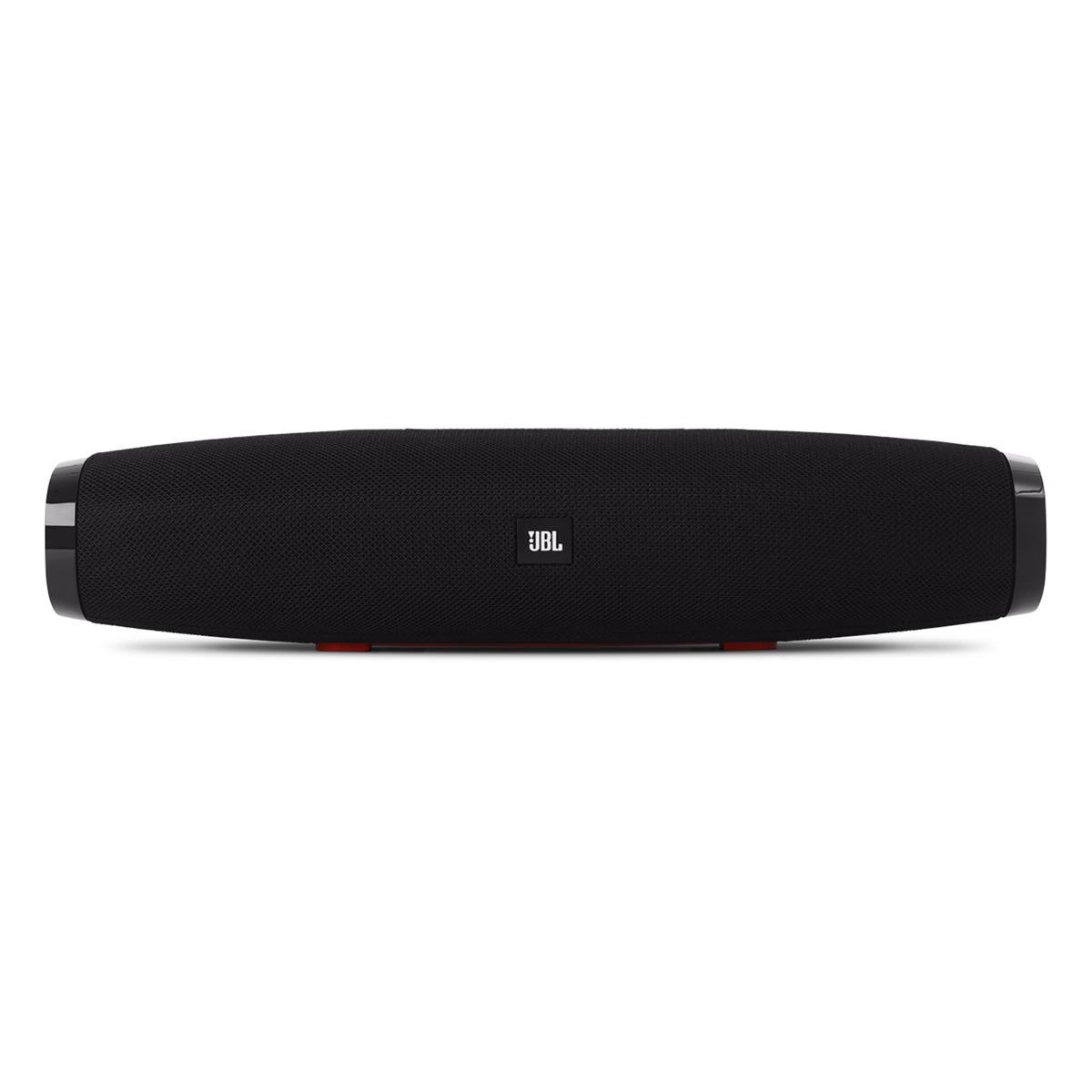
Imagem 1: Frente view of the JBL Boost TV soundbar, showcasing its compact design and JBL logo.
The JBL Boost TV features a sleek, compact design, approximately 15 inches (380mm) long and 4 inches wide, making it ideal for placement beneath most televisions without obstructing the screen. The front grille covers the main speaker drivers, and the JBL logo is prominently displayed.
3.2 Conexões do Painel Traseiro

Imagem 2: Rear panel of the JBL Boost TV, showing the various input ports.
The rear panel, highlighted in orange, provides the following connectivity options:
- Entrada óptica: For connecting to your TV using the included optical cable, providing high-quality digital audio.
- Entrada AUX (3.5 mm): For connecting external audio devices via a 3.5mm analog cable.
- Entrada de energia: For connecting the power cable to supply electricity to the soundbar.
- Software Update Port: A micro-USB port for potential future software updates (typically for manufacturer use).
3.3 Controles do painel superior

Imagem 3: Top panel controls of the JBL Boost TV soundbar.
The top panel features intuitive controls for easy operation:
- Botão Bluetooth: Inicia o modo de emparelhamento Bluetooth para conectar dispositivos sem fio.
- SoundShift Button: Allows switching between connected devices (e.g., TV and Bluetooth).
- Volume baixo (-): Diminui o volume do áudio.
- Botão de energia: Ativa ou desativa a barra de som.
- Aumentar volume (+): Aumenta o volume do áudio.
- Harman Display Surround Button: Activates or deactivates the virtual surround sound mode for an expanded audio experience.
- TV Sound Mode Button: Optimizes audio for TV viewing, enhancing dialogue clarity and overall TV viewexperiência.
4. Configuração
4.1 Posicionamento
Place the JBL Boost TV soundbar on a stable, flat surface directly in front of your television. Ensure there are no obstructions blocking the sound from the front or the side-firing ports.
4.2 Conectando à sua TV
- Conexão óptica (recomendada):
- Conecte uma extremidade do cabo óptico à porta OPTICAL OUT da sua TV.
- Connect the other end to the OPTICAL IN port on the rear of the JBL Boost TV.
- Ensure your TV's audio output settings are configured to "Optical" or "External Speaker."
- Conexão analógica:
- Connect one end of the 3.5mm analog cable to the AUDIO OUT (headphone jack) or RCA L/R audio output on your TV (using an adapter if necessary).
- Connect the other end to the AUX IN port on the rear of the JBL Boost TV.
4.3 Conexão de Energia
Connect the power cable to the Power Input port on the soundbar, then plug the other end into a wall outlet.
4.4 Emparelhamento Bluetooth
- Press the Bluetooth button on the top panel of the soundbar or on the remote control. The Bluetooth indicator light will begin to flash.
- No seu dispositivo móvel (smartphone, tablet, etc.), ative o Bluetooth e procure por dispositivos disponíveis.
- Select "JBL Boost TV" from the list of devices. Once connected, the Bluetooth indicator light will turn solid.
4.5 Programming Your TV Remote (SoundShift™)
The JBL Boost TV can learn volume and power commands from your existing TV remote control. This allows you to control the soundbar's basic functions with a single remote.
- Entre no modo de aprendizagem: Press and hold the SoundShift button (the one with the headphone icon) on the soundbar for 5 seconds until the indicator light flashes orange.
- Potência do programa: Press the Power button on the soundbar once. Then, point your TV remote at the soundbar and press its Power button. The indicator light will flash white once to confirm.
- Program Volume Up: Press the Volume Up (+) button on the soundbar once. Then, point your TV remote at the soundbar and press its Volume Up button. The indicator light will flash white once to confirm.
- Program Volume Down: Press the Volume Down (-) button on the soundbar once. Then, point your TV remote at the soundbar and press its Volume Down button. The indicator light will flash white once to confirm.
- Sair do Modo de Aprendizagem: The soundbar will automatically exit learning mode after a short period of inactivity, or you can press the SoundShift button again.
5. Instruções de operação
5.1 Ligar/Desligar
Pressione o botão liga / desliga (①) on the top panel or the remote control to turn the soundbar on or off.
5.2 Controle de volume
Use o botão Aumentar Volume (+) e Diminuir Volume (-) buttons on the top panel or the remote control to adjust the audio level.
5.3 Source Selection (SoundShift™)
The SoundShift™ feature allows you to seamlessly switch between your TV audio and a connected Bluetooth device. When a Bluetooth device starts playing, the soundbar will automatically switch to that source. When the Bluetooth audio stops, it will switch back to the TV audio. You can also manually switch sources using the SoundShift button (⑁) on the top panel or remote.
5.4 Harman Display Surround
Press the Harman Display Surround button (⏴) on the top panel or remote to activate or deactivate the virtual surround sound mode. This feature expands the soundstage, providing a more immersive audio experience without additional speakers.
5.5 TV Sound Mode
Press the TV Sound Mode button (📺) on the top panel or remote to optimize the soundbar's audio for television content, enhancing dialogue clarity and overall TV viewexperiência.
6. Manutenção
- Limpeza: Use um pano macio e seco para limpar a superfície da barra de som. Não use produtos de limpeza líquidos ou materiais abrasivos.
- Armazenar: Se for guardar a barra de som por um longo período, desligue-a da tomada e guarde-a em local fresco e seco.
- Evite Obstruções: Ensure the speaker grilles and ports are free from dust and debris to maintain optimal sound performance.
7. Solução De Problemas
| Problema | Possível causa | Solução |
|---|---|---|
| Sem energia | Cabo de alimentação não conectado ou tomada inativa. | Certifique-se de que o cabo de alimentação esteja firmemente conectado à barra de som e a uma tomada elétrica em funcionamento. |
| Sem som | Incorrect input source selected, TV audio settings incorrect, or volume too low. | Verify the correct input source is selected (Optical, AUX, or Bluetooth). Check your TV's audio output settings. Increase the volume on both the soundbar and your TV. |
| Falha no pareamento Bluetooth | A barra de som não está em modo de emparelhamento, o dispositivo está muito longe ou há interferência. | Ensure the soundbar's Bluetooth indicator is flashing. Move your device closer to the soundbar. Try restarting both the soundbar and your Bluetooth device. |
| Controle remoto não funciona | Batteries depleted or line of sight blocked. | Replace the remote control batteries. Ensure there are no obstructions between the remote and the soundbar. |
8. Especificações
| Recurso | Detalhe |
|---|---|
| Marca | JBL |
| Número do modelo | Impulsionar TV |
| Potência máxima de saída do alto-falante | 60 Watts |
| Resposta de frequência | 20 kHz (Limite superior, limite inferior não especificado) |
| Tecnologia de Conectividade | 1 Analog, 1 Optical, Bluetooth |
| Modo de saída de áudio | Estéreo |
| Tipo de montagem | Suporte de mesa |
| Tipo de alto-falante | Barra de som |
| Características adicionais | Display, Dolby Enabled |
| Tipo de controlador | Elétrico com fio |
| Cor | Preto |
| Método de controle | Remoto |
| Peso do item | 4.25 libras |
| Tecnologia sem fio | Bluetooth |
| Número de canais de áudio | 2.0 |
| Sinal-Ruído | 60 dB |
| Dispositivos compatíveis | Computador portátil, smartphone, televisão |
| Fonte de energia | Elétrico com fio |
9. Garantia e suporte
The JBL Boost TV comes with a limited warranty. Please refer to the included Warranty Card in your product packaging for detailed terms and conditions, including warranty period and coverage. For technical support, product registration, or further assistance, please visit the official JBL website ou entre em contato com o departamento de atendimento ao cliente.
Suporte online: www.jbl.com/support