
1. Introdução
This manual provides detailed instructions for the installation, operation, and maintenance of your Thomson 512331 720p WiFi IP Camera. This wireless security camera features 720p HD resolution, advanced night vision, motion detection, and remote viewing capabilities via a smartphone or tablet application. Designed for outdoor use, it boasts an IP66 weather-resistant rating and a durable metal construction.
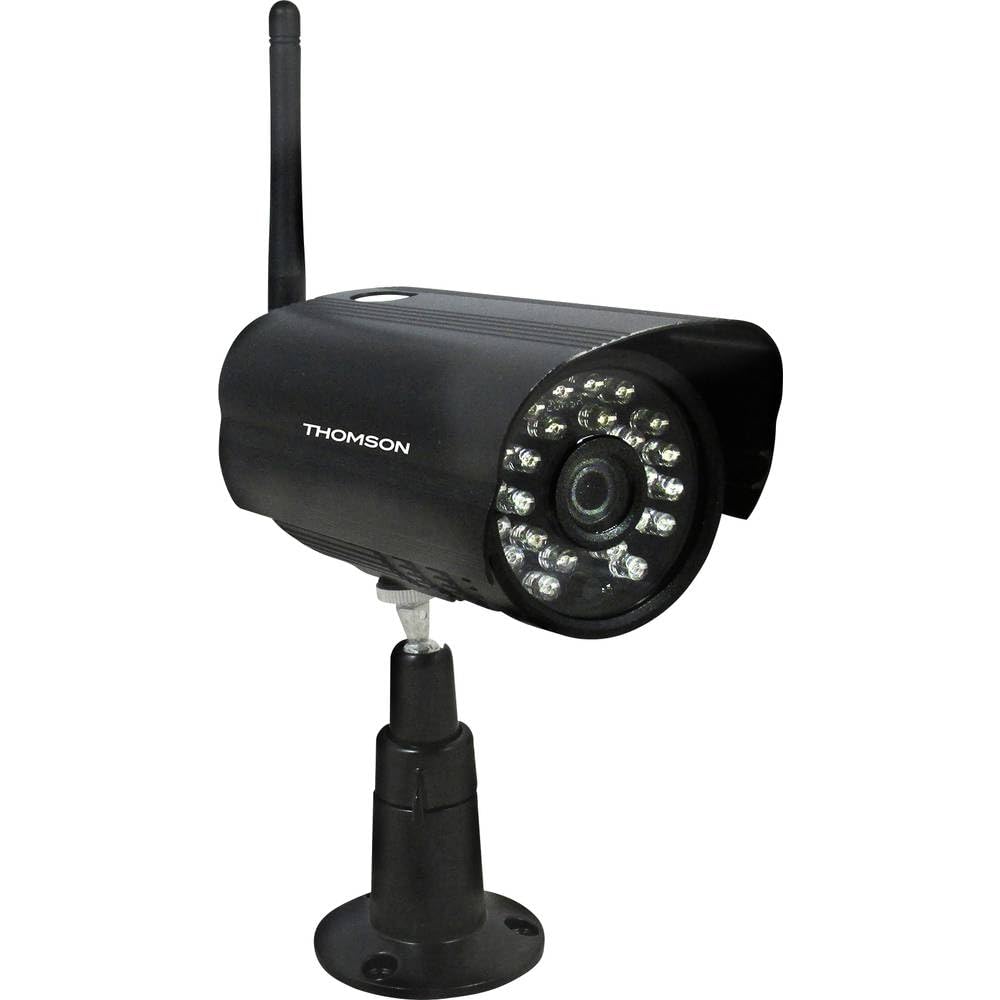
Figura 1: Frente view of the Thomson 512331 720p WiFi IP Camera. This image shows the camera's main body, lens, and antenna connection point, highlighting its compact and robust design suitable for outdoor surveillance.
2. Conteúdo da embalagem
Verifique se todos os itens listados abaixo estão incluídos em seu pacote. Caso algum item esteja faltando ou danificado, entre em contato com o suporte ao cliente.
- Thomson 512331 IP Camera
- Power Adapter (230VAC/12VDC 500mA)
- Antena WiFi
- Kit de montagem (parafusos e buchas)
- Manual do usuário (este documento)
3. Produto acabadoview
The Thomson 512331 camera is designed for reliable surveillance with the following key features:
- Lente: 3.6mm fixed lens for a wide field of view.
- Resolução: 1280x720 (720p) HD video capture.
- Visão noturna: Infrared night vision with 24 LEDs, providing a range of up to 20 meters. Features color night vision capability.
- Áudio: Integrated microphone for audio acquisition.
- Conectividade: Wireless Wi-Fi connectivity for flexible placement.
- Resistência às intempéries: IP66 rated for outdoor use, protecting against dust and powerful water jets.
- Material: Carcaça metálica resistente.
- Poder: 12VDC 500mA power input, maximum consumption 5W.
- Compressão de vídeo: H.264 for efficient storage and streaming.
- Armazenar: Supports SD card for local storage (SD card not included).
4. Configuração
4.1 Instalação Física
- Escolha um local: Select a suitable outdoor location for the camera, ensuring it has a clear view da área que você deseja monitorar e que esteja dentro do alcance da sua rede Wi-Fi.
- Monte a câmera: Use the provided mounting kit to securely attach the camera to a wall or other stable surface. Drill pilot holes if necessary, insert wall plugs, and fasten the camera bracket with screws.
- Attach WiFi Antenna: Screw the WiFi antenna firmly onto the designated port on the camera.
- Conecte a energia: Connect the power adapter to the camera's 12VDC input port and plug the adapter into a suitable power outlet. Ensure the power outlet is protected from weather if installed outdoors.
4.2 Network Configuration and App Setup
- Baixe o aplicativo: Procurar the official Thomson IP Camera application on your smartphone's or tablet's app store (iOS or Android). Download and install the application.
- Criar uma conta: Abra o aplicativo e siga as instruções na tela para criar uma nova conta de usuário ou faça login, caso já possua uma.
- Adicionar câmera: In the app, select the option to "Add Device" or "Add Camera." Follow the in-app wizard to connect your camera to your Wi-Fi network. This typically involves scanning a QR code on the camera or entering your Wi-Fi credentials.
- Configurar definições: Once connected, you can configure various settings such as motion detection sensitivity, recording schedules, and alert notifications within the app.
5. Instruções de operação
5.1 Ao vivo View
Open the Thomson IP Camera app on your smartphone or tablet. Select your camera from the device list to view the live video feed. You can typically switch between standard and HD resolution, and access controls for audio and recording.
5.2 Detecção de Movimento e Alertas
The camera is equipped with motion detection. When motion is detected, the camera can trigger recordings and send push notifications to your connected device. Adjust motion detection sensitivity and alert preferences in the app's settings.
5.3 Visão noturna
The camera automatically switches to infrared night vision in low-light conditions, providing clear black and white video. It also supports color night vision in certain conditions. The 24 built-in IR LEDs illuminate up to 20 meters.
5.4 Gravação e Reprodução
If an SD card is installed (not included), the camera can record video locally. Recordings can be triggered by motion or set on a schedule. Access recorded footage através da função de reprodução do aplicativo.
6. Manutenção
- Limpeza: Limpe periodicamente a lente e o corpo da câmera com um pano macio e seco.amp Use um pano para remover poeira e sujeira. Não utilize produtos químicos agressivos ou abrasivos.
- Atualizações de firmware: Check the app regularly for firmware updates. Keeping your camera's firmware up-to-date ensures optimal performance and security.
- Fonte de energia: Ensure the power adapter and cable are in good condition and free from damage.
- Conexão Wi-Fi: Verify your Wi-Fi signal strength periodically to ensure a stable connection for continuous surveillance.
7. Solução De Problemas
- Câmera não conecta ao Wi-Fi:
- Certifique-se de que a câmera esteja dentro do alcance do seu roteador Wi-Fi.
- Verifique se a senha do Wi-Fi foi digitada corretamente no aplicativo.
- Reinicie o roteador e a câmera.
- Ensure your Wi-Fi network is 2.4GHz, as 5GHz networks may not be supported.
- Sem transmissão de vídeo:
- Check if the camera is powered on.
- Confirm a stable internet connection on both the camera and your viewdispositivo de alimentação.
- Reinicie a câmera e o aplicativo.
- A detecção de movimento não funciona:
- Check motion detection settings in the app; ensure it is enabled and sensitivity is adjusted correctly.
- Certifique-se de que não haja obstruções bloqueando a visão da câmera. view.
- Visão noturna de má qualidade:
- Limpe a lente da câmera para remover qualquer sujeira ou manchas.
- Ensure there are no reflective surfaces close to the camera that might interfere with IR illumination.
8. Especificações
| Nome do modelo | 512331 |
| Marca | Thomson |
| Dimensões (C x L x A) | 50 x 50 x 28 cm |
| Peso | 500 gramas |
| Tecnologia de Conectividade | Sem fio, Wi-Fi |
| Recurso especial | Visão noturna |
| Dispositivos compatíveis | Tablet, Smartphone |
| Fonte de energia | AC Power (12VDC 500mA adapter) |
| Tipo de controlador | iOS (via application) |
| Tipo de montagem | Montagem na parede |
| Características do produto | Visão noturna, detecção de movimento |
| Material | Metal |
| Nível de resistência à água | IP66 (à prova d'água) |
| Tipo de alerta | Somente movimento |
| Tipo de fonte de luz | LIDERADO |
| Método de controle | Aplicativo |
| Consumo de energia | 5 Watts |
| Pilhas necessárias | Não |
| Número de canais | 1 |
| Tipo de foco | Foco automático |
| Tecnologia de Sensor Óptico | BSI CMOS |
| Resolução de vídeo | 720p (1280x720 pixels) |
| Alcance de visão noturna | 20 metros |
| Tipo de visão noturna | Infrared with Color Night Vision capability |
| Tipo de Memória Flash | SD (for local storage) |
9. Garantia e Suporte
For warranty information and technical support, please refer to the documentation provided with your purchase or visit the official Thomson website. Guarde o comprovante de compra para solicitações de garantia.
Recursos on-line: www.thomson.eu