
Introdução
This manual provides instructions for the assembly, operation, and maintenance of your BONTEC MTR-B2 2-Tier Wood Monitor Stand Riser. This product is designed to elevate your monitor to an ergonomic height, reduce neck and back strain, and organize your workspace with its integrated storage and cable management features.
Características do produto
- Materiais de qualidade premium: Constructed from eco-friendly MDF wood with a smooth finish for durability and stability.
- Design ergonômico: Elevates your screen by 5.6 inches to eye level, promoting healthier posture and reducing strain.
- Spacious 2-Tier Storage: Fornece ample space (21.3 inches wide) for laptops, keyboards, and other desk essentials.
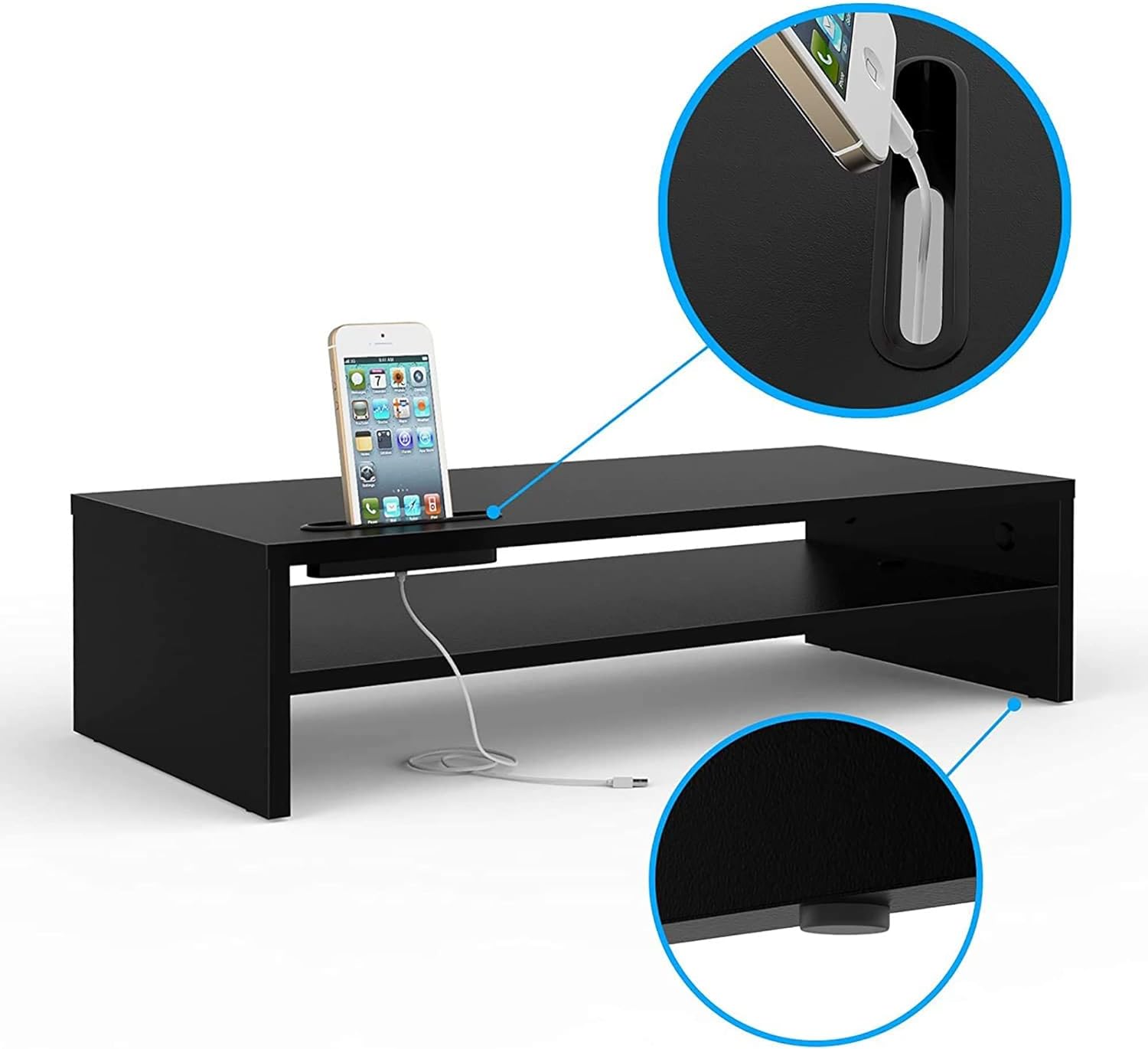
- Gerenciamento de cabos integrado: Features a built-in system and cellphone holder to keep your workspace organized and clutter-free.
- Montagem fácil: Projetado para montagem rápida e simples.
- Projeto estável: Includes soft rubber feet to ensure stability and protect your desk surface.

Conteúdo da embalagem
Please verify that all components are present before beginning assembly. Refer to the assembly diagram for visual identification.
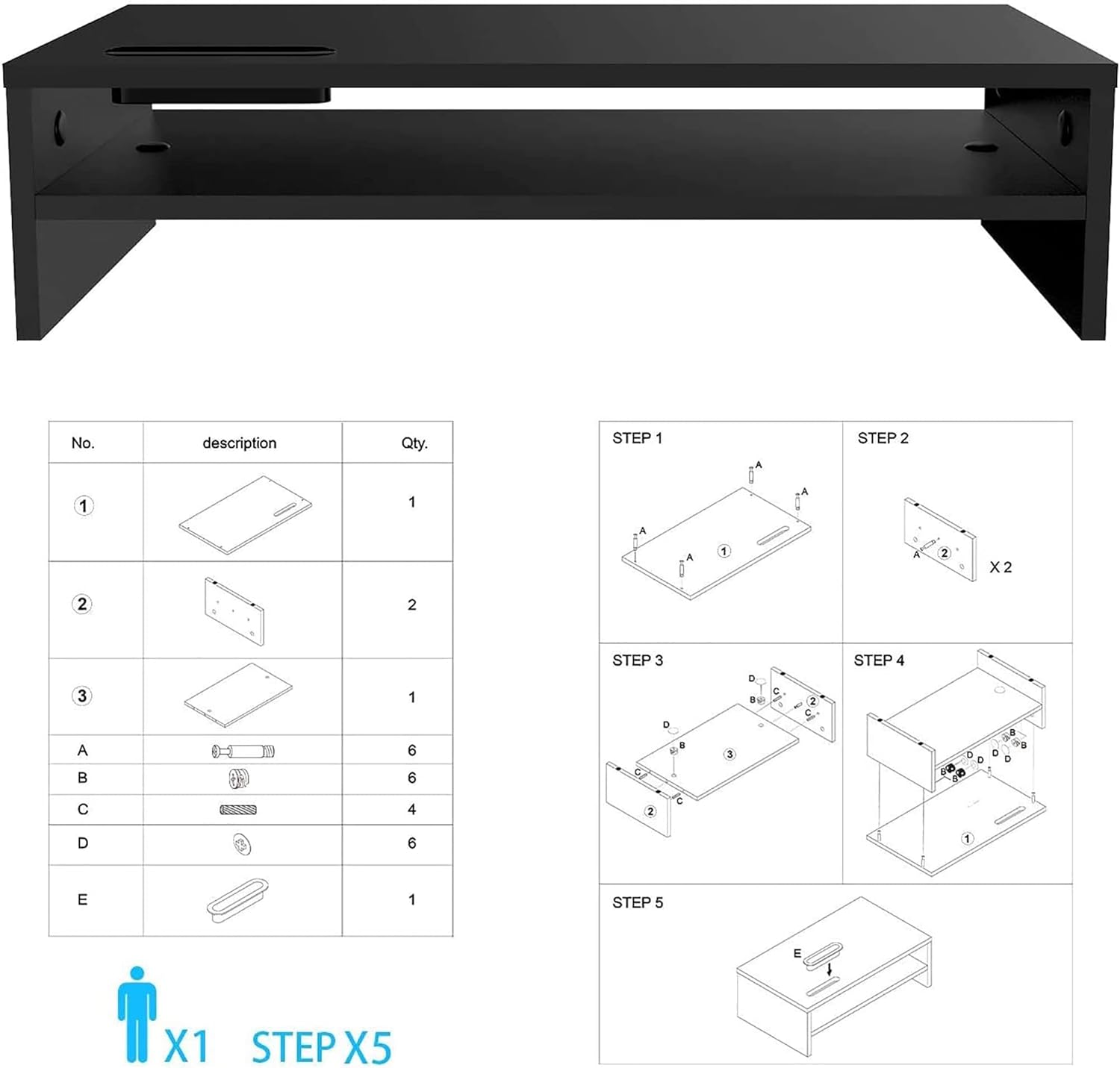
- Top Shelf Board (x1)
- Side Support Boards (x2)
- Prateleira do meio (x1)
- Connecting Screws (Type A, x6)
- Cam Locks (Type B, x6)
- Wooden Dowels (Type C, x4)
- Rubber Feet (Type D, x6)
- Cable Management Clip (Type E, x1)
Instruções de montagem
Follow these steps to assemble your BONTEC MTR-B2 Monitor Stand Riser. A screwdriver is required (not included).
- Step 1: Attach Connecting Screws to Top Shelf. Insert 4 connecting screws (Type A) into the pre-drilled holes on the underside of the top shelf board. Ensure they are securely fastened.
- Step 2: Attach Wooden Dowels to Side Supports. Insert 2 wooden dowels (Type C) into the corresponding holes on the inner side of each side support board.
- Step 3: Connect Side Supports to Middle Shelf. Align the middle shelf board with the wooden dowels on the side support boards. Secure the middle shelf to the side supports using 2 cam locks (Type B) on each side. Turn the cam locks clockwise until tight.
- Step 4: Attach Top Shelf to Assembled Base. Align the top shelf (with connecting screws from Step 1) with the holes on the top edges of the assembled side and middle shelves. Secure the top shelf using the remaining 2 cam locks (Type B) on each side. Turn clockwise until tight.
- Step 5: Apply Rubber Feet. Attach the 6 rubber feet (Type D) to the bottom corners and center of the stand to prevent scratching and ensure stability.
- Step 6: Install Cable Management Clip. Attach the cable management clip (Type E) to the desired side of the stand for organizing cables.
Note: Do not overtighten screws to avoid damaging the wood.
Instruções de operação
Your BONTEC MTR-B2 Monitor Stand Riser is designed for versatile use to enhance your workspace.
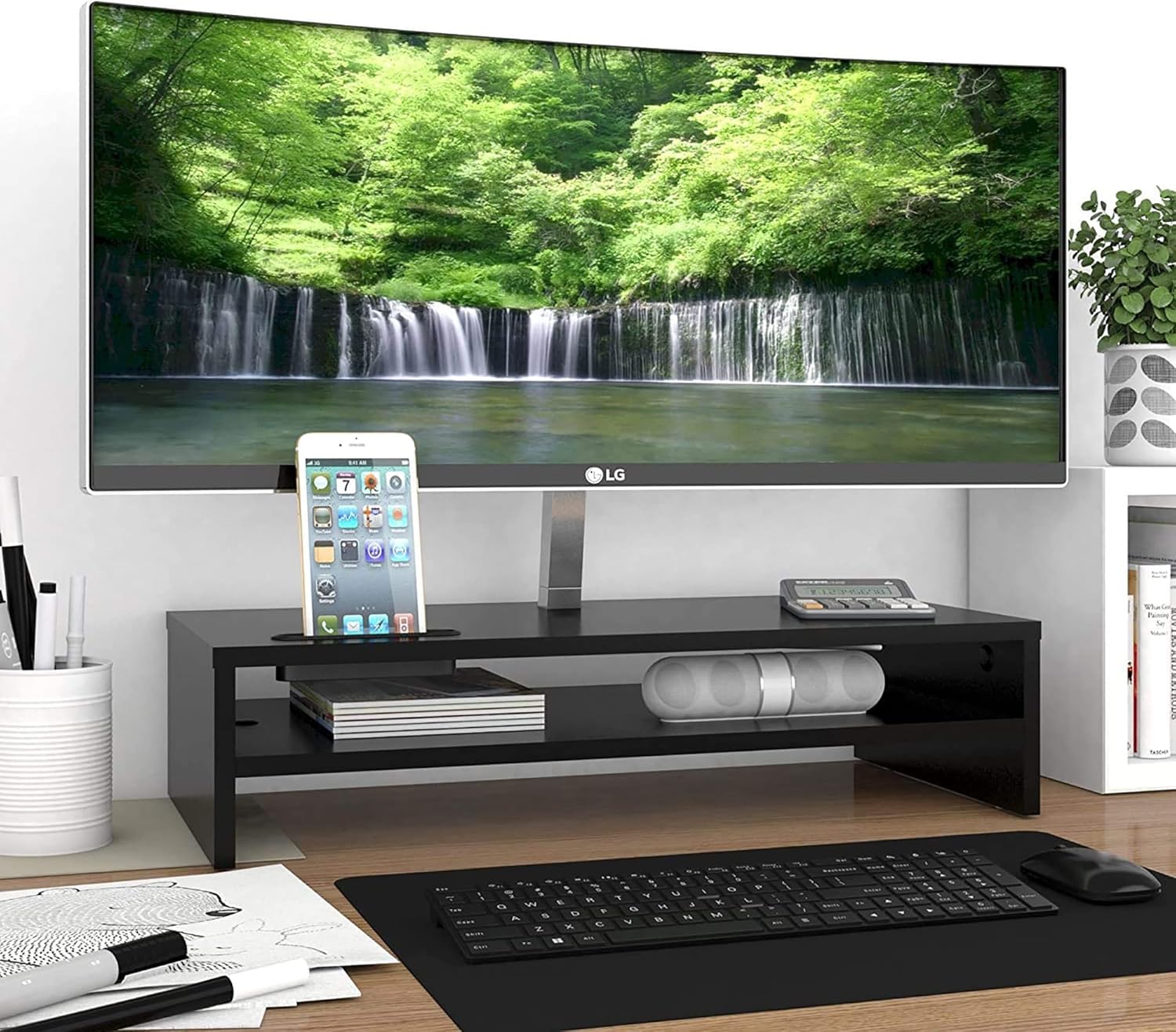
- Posicionamento do monitor: Place your monitor securely on the top surface of the stand. Ensure the monitor's base fits within the dimensions of the stand.
- Keyboard Storage: Utilize the space beneath the middle shelf to store your full-size keyboard when not in use, freeing up desk space.
- Armazenamento de acessórios: The middle shelf and side compartments are ideal for organizing notebooks, pens, external hard drives, or other small office supplies.
- Suporte para celular: Use the integrated slot on the top surface to hold your cellphone upright. The slot is designed to allow charging cables to pass through for convenience.
- Gerenciamento de cabos: Route power cords and data lines through the attached cable management clip to keep them tidy and prevent tangles.


Manutenção
To ensure the longevity and appearance of your monitor stand, follow these simple maintenance guidelines:
- Limpeza: Limpe a superfície com um pano macio, damp pano. Evite usar produtos químicos agressivos ou abrasivos, pois podem danificar o acabamento.
- Pó: Limpe regularmente o suporte para evitar o acúmulo de poeira.
- Verificação de estabilidade: Verifique periodicamente todos os parafusos e conexões para garantir que permaneçam firmes. Reaperte-os, se necessário.
- Evite o excesso de peso: Do not exceed the maximum load capacity of 66 pounds (30 kg) to prevent damage or instability.
- Proteja da umidade: Keep the stand away from excessive moisture or direct sunlight to prevent warping or discoloration of the wood.
Solução de problemas
If you encounter any issues with your BONTEC MTR-B2 Monitor Stand Riser, refer to the following common solutions:
| Problema | Possível causa | Solução |
|---|---|---|
| O suporte está bambo ou instável. | Screws are loose; uneven surface; missing rubber feet. | Ensure all connecting screws and cam locks are tightened. Place the stand on a flat, stable surface. Verify all rubber feet are attached. |
| Dificuldade durante a montagem. | Orientação incorreta da peça; hardware ausente. | Review the assembly instructions and diagrams carefully. Ensure parts are oriented correctly. Check package contents against the list. Do not force parts together. |
| Monitor does not fit on the stand. | Monitor base is too large for the stand's top surface. | Verify your monitor's base dimensions against the stand's top surface dimensions (21.26 x 10.04 inches). |
Especificações
| Atributo | Detalhe |
|---|---|
| Número do modelo | MTR-B2 |
| Marca | BONTEC |
| Material | Madeira engenheirada (MDF) |
| Cor | Preto |
| Dimensões do produto (C x L x A) | 21.26 x 10.04 x 5.59 polegadas (540 x 255 x 142 mm) |
| Peso do item | 7 libras (3.17 kg) |
| Capacidade de carga | 66 libras (30 kg) |
| Montagem necessária | Sim |
| Recurso especial | Lightweight, 2-Tier Storage, Cable Management, Cellphone Holder |

Vídeos de produtos
BONTEC 2-Tier Wood Monitor Stand Riser Overview
Video 1: Product Features and Installation Steps. Este vídeo fornece uma visão abrangenteview of the BONTEC 2-Tier Wood Monitor Stand Riser, highlighting its key features, dimensions, and a visual guide for assembly. It demonstrates how the stand helps organize your desktop and supports a full-size keyboard.
BONTEC Extra Long 21.3 Inch 2 Tiers Wood Monitor Stand
Video 2: Detailed Product View. This video offers a closer look at the extra-long 21.3-inch BONTEC monitor stand, emphasizing its two-tier design and how it accommodates various desk setups for improved organization and ergonomics.
Garantia e Suporte ao Cliente
BONTEC is committed to providing high-quality products and exceptional customer service. If you encounter any issues with your monitor stand, please do not hesitate to contact our dedicated support team.
Our customer support is available to address any concerns you may have and ensure your experience is satisfactory. Please refer to your purchase documentation or the BONTEC webPara obter detalhes específicos sobre a garantia e informações de contato, consulte o site.