
Amazon Basics B074SVCYZY
Amazon Basics Heavy-Duty Tilting TV Wall Mount & High-Speed HDMI Cable User Manual
Model: B074SVCYZY
Introdução
This manual provides comprehensive instructions for the safe and proper installation, operation, and maintenance of your Amazon Basics Heavy-Duty Tilting TV Wall Mount and High-Speed HDMI Cable. This wall mount is designed to securely hold flat-panel televisions ranging from 37 inches to 80 inches, with a maximum weight capacity of 120 pounds. The included HDMI cable supports Ethernet, 3D, and 4K video, along with Audio Return Channel (ARC) for versatile connectivity.
Please read this manual thoroughly before beginning installation to ensure correct setup and to prevent damage to the product or injury.
Informações de segurança
AVISO: Failure to read and follow all instructions can result in personal injury or property damage. The manufacturer is not responsible for damage or injury caused by incorrect mounting, incorrect assembly, or incorrect use.
- Ensure the wall structure can safely support the combined weight of the mount and the television. Consult a qualified professional if unsure.
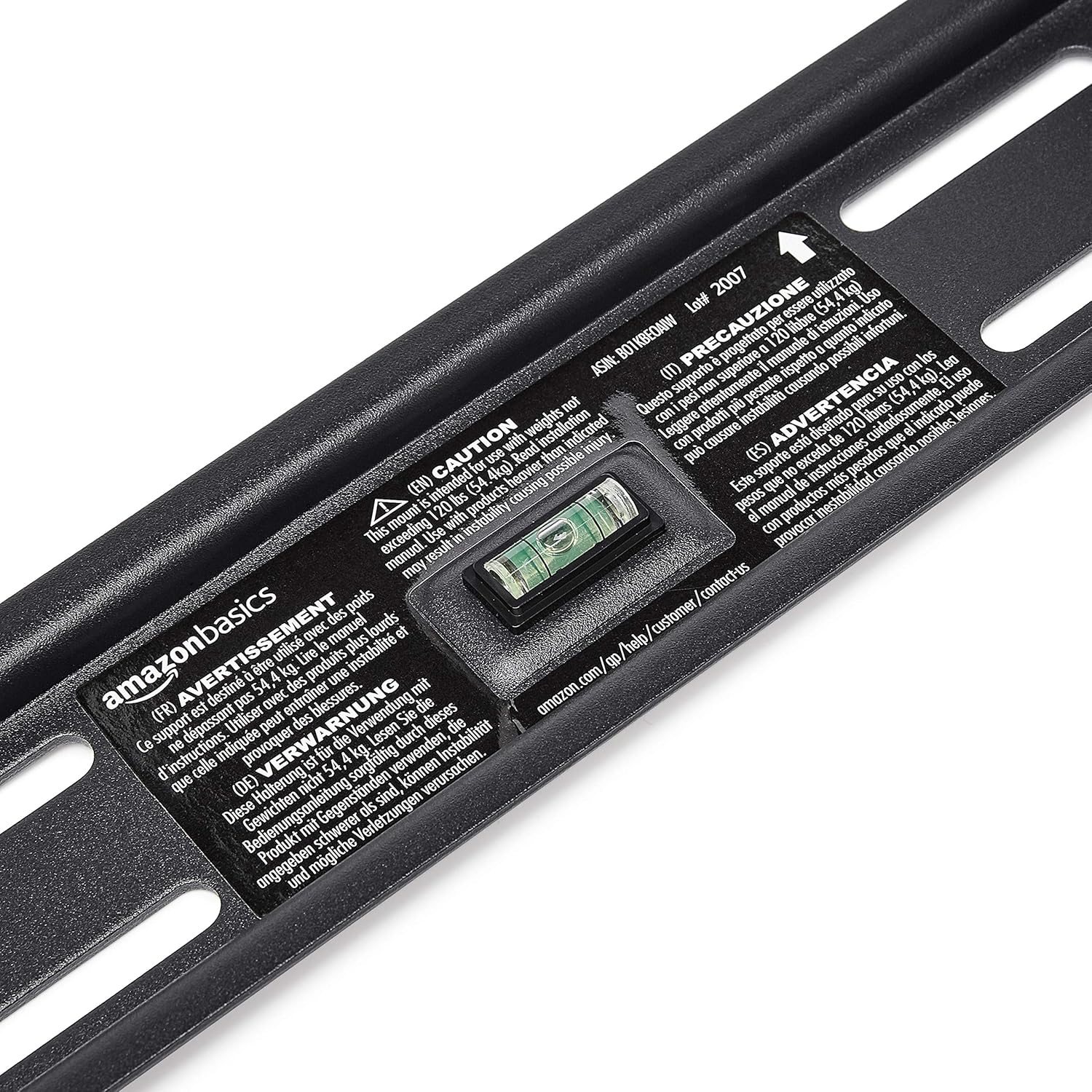
- Não exceda a capacidade máxima de peso de 120 libras (54.4 kg).
- Este suporte foi projetado para uso com TVs de tela plana entre 37 e 80 polegadas.
- Always use appropriate safety gear, including eye protection, during installation.
- Verify the location of electrical wires, water pipes, and gas lines behind the wall before drilling.
- Two people are recommended for installation due to the size and weight of TVs.
- Mantenha todas as peças pequenas e materiais de embalagem fora do alcance de crianças.
Conteúdo da embalagem
Carefully unpack the box and ensure all components are present and undamaged. If any parts are missing or damaged, do not attempt to install. Contact customer support for assistance.
- Conjunto da placa de parede (1)
- Suportes de montagem de TV (2)
- High-Speed HDMI Cable (1)
- Kit de ferragens (diversos parafusos, arruelas, espaçadores, buchas)
- Manual de Instruções (este documento)


Configuração e instalação
Ferramentas necessárias (não incluídas):
- Localizador de pinos
- Use brocas apropriadas (madeira/concreto).
- Level (though one is built into the mount)
- Chave de fenda Phillips
- Chave de soquete ou chave ajustável
- Lápis
- Fita métrica
Etapa 1: determinar o local de montagem
Choose a location on your wall that is structurally sound and free from electrical wires, water pipes, or gas lines. Use a stud finder to locate wood studs if mounting to drywall, or ensure you have appropriate concrete anchors if mounting to masonry.
Etapa 2: Monte a placa de parede
- Hold the wall plate against the wall at the desired height. Use the built-in level to ensure it is perfectly horizontal.
- Mark the drilling locations through the holes on the wall plate with a pencil.
- Drill pilot holes at the marked locations. The size of the drill bit will depend on your wall type and the anchors/lag bolts being used.
- Secure the wall plate to the wall using the provided lag bolts and washers. Ensure it is firmly attached and level.

Passo 3: Fixe os suportes de montagem da TV à TV.
- Para evitar danos à tela, coloque a TV com a face para baixo sobre uma superfície macia e limpa.
- Identifique os orifícios de montagem VESA na parte traseira da sua TV.
- Selecione os parafusos, arruelas e espaçadores adequados do kit de ferragens que se encaixem nos furos de montagem da sua TV.
- Attach the two vertical TV mounting brackets to the back of your TV, ensuring they are centered and aligned with the VESA pattern. The hooks on the brackets should face upwards.

Passo 4: Monte a TV na placa de parede.
- With assistance, carefully lift the TV and hook the brackets onto the top edge of the wall plate.
- Gently lower the TV until the brackets fully engage with the wall plate. You should hear a click or feel it lock into place.
- Pull the release strings (if applicable) to ensure the TV is securely latched to the mount. Some models have safety screws to further secure the TV; tighten these if present.


Step 5: Connect HDMI Cable
Connect one end of the included High-Speed HDMI cable to the HDMI output port on your source device (e.g., Blu-ray player, game console, streaming device) and the other end to an HDMI input port on your TV.

Instruções de operação
Tilting the TV:
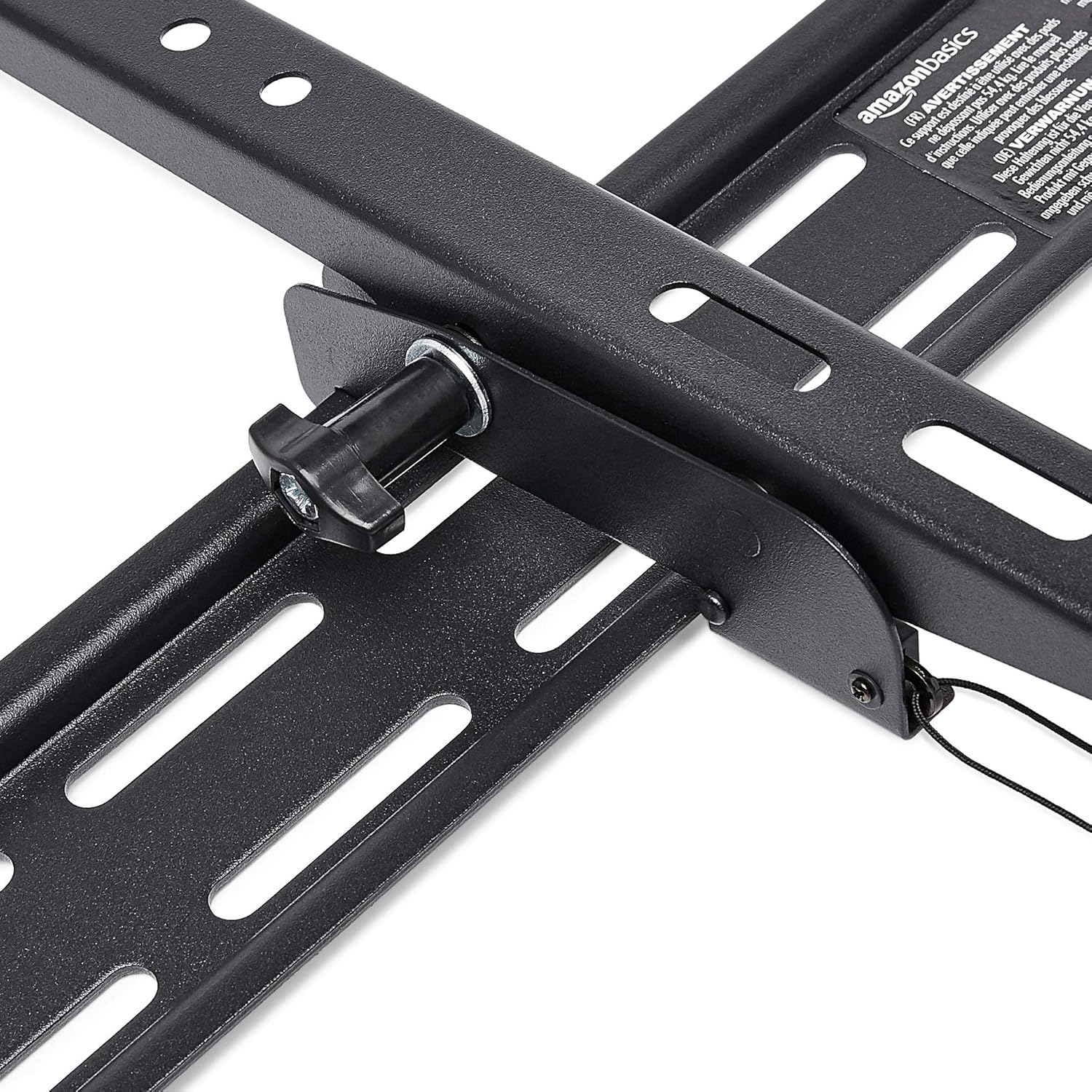
This wall mount allows for 18 degrees of tilt, ranging from +15 degrees (upward) to -3 degrees (downward), to achieve an optimal viewing angle and reduce glare. To adjust the tilt:
- Locate the tilt adjustment knobs or levers on the side of the TV mounting brackets.
- Loosen the knobs or levers to allow the TV to tilt freely.
- Incline cuidadosamente a TV para o ângulo desejado.
- Tighten the knobs or levers to secure the TV in place.
Manutenção
- Verifique periodicamente todos os parafusos e porcas para garantir que permaneçam apertados e seguros.
- Clean the mount and HDMI cable with a soft, dry cloth. Avoid abrasive cleaners or solvents.
- Do not hang anything from the mount or TV that exceeds the weight capacity.
Solução de problemas
| Problema | Possível causa | Solução |
|---|---|---|
| A TV não está nivelada após a instalação. | A placa de parede não estava nivelada durante a instalação. | Carefully remove TV, loosen wall plate screws, adjust level using built-in bubble level, and re-tighten. Re-mount TV. |
| TV not securely attached to mount. | Brackets not fully engaged or safety screws not tightened. | Ensure brackets are fully seated on the wall plate. Tighten any safety screws on the bottom of the brackets. |
| No picture/sound via HDMI. | Incorrect input selected on TV, loose cable connection, or faulty source device. | Verify TV input matches the connected HDMI port. Ensure HDMI cable is firmly connected at both ends. Test with another HDMI cable or source device if possible. |
Especificações
- Marca: Noções básicas sobre a Amazon
- Modelo: Heavy-Duty Tilting TV Wall Mount & High-Speed HDMI Cable
- ASIN: B074SVCYZY
- Tipo de montagem: Inclinar
- Tamanhos de TV compatíveis: 37 a 80 polegadas
- Capacidade Máxima de Peso: 120 libras (54.4 kg)
- Ângulo de inclinaçao: +15 to -3 degrees (18 degrees total)
- Comprimento do cabo HDMI: 10 pés
- Características HDMI: Supports Ethernet, 3D, 4K video, Audio Return Channel (ARC)
Garantia e Suporte
Para informações sobre garantia e suporte ao cliente, consulte o site oficial da Amazon Basics. webou entre em contato diretamente com o serviço de atendimento ao cliente da Amazon. Guarde o comprovante de compra para eventuais solicitações de garantia.
Website: Loja Amazon Basics
Ask a question about this manual
Ask about setup, troubleshooting, compatibility, parts, safety, or missing instructions. Manuals+ will review the question and use this page’s manual context to help answer it.