
1. Introdução
This manual provides essential information for the proper installation, operation, and maintenance of your Garmin 010-12523-03 Extension Cable. Please read these instructions carefully before using the product to ensure optimal performance and longevity. This cable is specifically designed to extend the reach of your Garmin GHS 11 Handset, enhancing flexibility in marine communication system setups.
2. Produto acabadoview
The Garmin 010-12523-03 is a 10-meter (approximately 33 feet) electronic extension cable engineered to provide additional length for connecting your GHS 11 Handset to a compatible marine VHF radio system. Its robust design ensures reliable communication and flexible placement options on various vessels or remote stations. The cable features a male-to-female connector gender and is designed to be tangle-free for ease of use and storage.
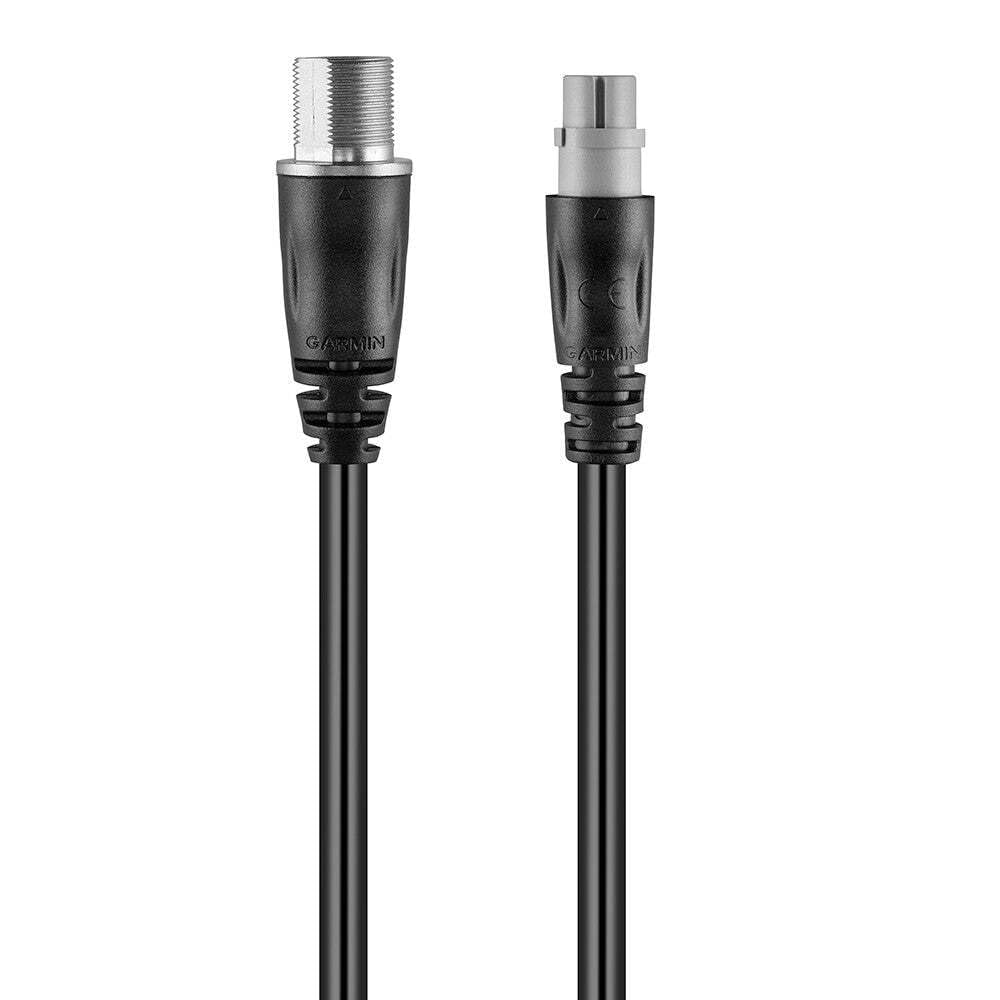
Figure 1: Garmin 010-12523-03 Extension Cable. This image displays the black, coiled extension cable with its male and female connectors visible at each end, ready for connection.
Componentes incluídos:
- Garmin 010-12523-03 Extension Cable (1 unit)
3. Configuração
Follow these steps to properly connect your Garmin 010-12523-03 Extension Cable:
- Identificar conectores: Locate the male and female connectors on the extension cable. The male end will plug into the GHS 11 Handset, and the female end will connect to the existing cable from your VHF radio system.
- Desligar: Ensure that your marine VHF radio system and any connected devices are powered off before making any connections.
- Conectar aparelho: Carefully align the male connector of the extension cable with the port on your GHS 11 Handset. Push firmly until it clicks into place, ensuring a secure connection.
- Conecte-se ao sistema: Align the female connector of the extension cable with the corresponding male connector from your VHF radio system's existing cable. Push firmly to establish a secure connection.
- Cabo seguro: Route the cable safely, avoiding areas where it might be pinched, cut, or exposed to excessive strain. Use cable ties or clips if necessary to secure it in place.
- Ligar: Once all connections are secure, power on your marine VHF radio system and GHS 11 Handset.
4. Operação
The Garmin 010-12523-03 Extension Cable is a passive component designed to extend the physical reach of your GHS 11 Handset. Once properly installed, it requires no specific operational steps. The handset will function as normal, but with the added flexibility of extended placement. Ensure that the cable is not subjected to excessive bending or pulling during use to maintain connection integrity.
5. Manutenção
To ensure the longevity and reliable performance of your extension cable, follow these maintenance guidelines:
- Limpeza: Periodically wipe the cable and connectors with a clean, damp cloth. Avoid using harsh chemicals or abrasive cleaners. Ensure connectors are dry before re-connecting.
- Inspeção: Regularly inspect the entire length of the cable for any signs of wear, cuts, kinks, or damage to the insulation. Check connectors for corrosion or bent pins.
- Armazenar: When not in use, store the cable in a cool, dry place, away from direct sunlight and extreme temperatures. Coil the cable loosely to prevent kinking.
- Proteção Ambiental: While designed for indoor and outdoor use, minimize prolonged exposure to harsh marine environments (e.g., direct saltwater spray) when possible to extend its lifespan.
6. Solução De Problemas
If you experience issues with your GHS 11 Handset after installing the extension cable, consider the following troubleshooting steps:
- Sem conexão/Conexão intermitente:
- Ensure both ends of the extension cable are fully and securely connected to the GHS 11 Handset and the main VHF system cable.
- Power cycle the VHF radio and handset.
- Inspect the cable for any visible damage (cuts, severe kinks, bent pins in connectors). If damage is found, the cable may need replacement.
- Test the GHS 11 Handset directly with the main VHF system cable (without the extension cable) to determine if the issue lies with the extension cable or another component.
- Má qualidade de áudio:
- Verifique todas as conexões quanto ao aperto.
- Certifique-se de que o cabo não esteja instalado próximo a fontes de forte interferência eletromagnética.
If these steps do not resolve the issue, contact Garmin customer support for further assistance.
7. Especificações
| Recurso | Especificação |
|---|---|
| Marca | Garmin |
| Número do modelo | 010-12523-03 |
| Comprimento do cabo | 10 metros (aproximadamente 33 pés) |
| Tipo de produto | Electronic Cable |
| Conector Sexo | Masculino para Feminino |
| Número de pinos | 12 |
| Vol Máximotage | 5 Volts |
| Dispositivos compatíveis | Garmin GHS 11 Handset |
| Características especiais | Emaranhado grátis |
| Ambiente de uso | Interior, Exterior |
| Cor | Preto |
| Peso do item | 0.721 Kg (1.2 Pounds) |
| Dimensões da embalagem | 7.4 cm (C) x 16.3 cm (L) x 20.7 cm (A) |
8. Garantia e Suporte
Informações sobre garantia:
This Garmin product is covered by a limited warranty. For detailed information regarding the warranty period, terms, and conditions applicable to the 010-12523-03 Extension Cable, please refer to the official Garmin website or contact Garmin customer support directly. Proof of purchase may be required for warranty claims.
Suporte ao cliente:
For technical assistance, product inquiries, or warranty service, please contact Garmin customer support through their official channels:
- Website: Visit the official Garmin support website for FAQs, manuals, and contact options.
- Telefone: Consulte o Garmin webSite com números de telefone regionais de atendimento ao cliente.
Please have your product model number (010-12523-03) and proof of purchase available when contacting support.