
Introdução
This manual provides instructions for the setup, operation, maintenance, and troubleshooting of your Sony HT-S200F 2.1ch Soundbar. This soundbar features a built-in subwoofer and Bluetooth connectivity, designed to enhance your television audio experience.
The soundbar offers a compact design and includes HDMI ARC and Bluetooth technology for seamless connection to your TV. Input and output terminals include HDMI (ARC), Optical-audio input, and USB Type A.
Conteúdo da embalagem
Before beginning setup, ensure all items are present in the box:
- Sony HT-S200F Soundbar
- Controle remoto
- Batteries for remote commander (2 AA batteries)
- Cabo Óptico
- Adaptador CA
- Cabo AC
- Almofada para os pés
Configurar
1. Localização
Place the soundbar directly in front of your television, ensuring it does not obstruct the TV screen or the remote control sensor. The compact design allows for versatile placement in various home environments.
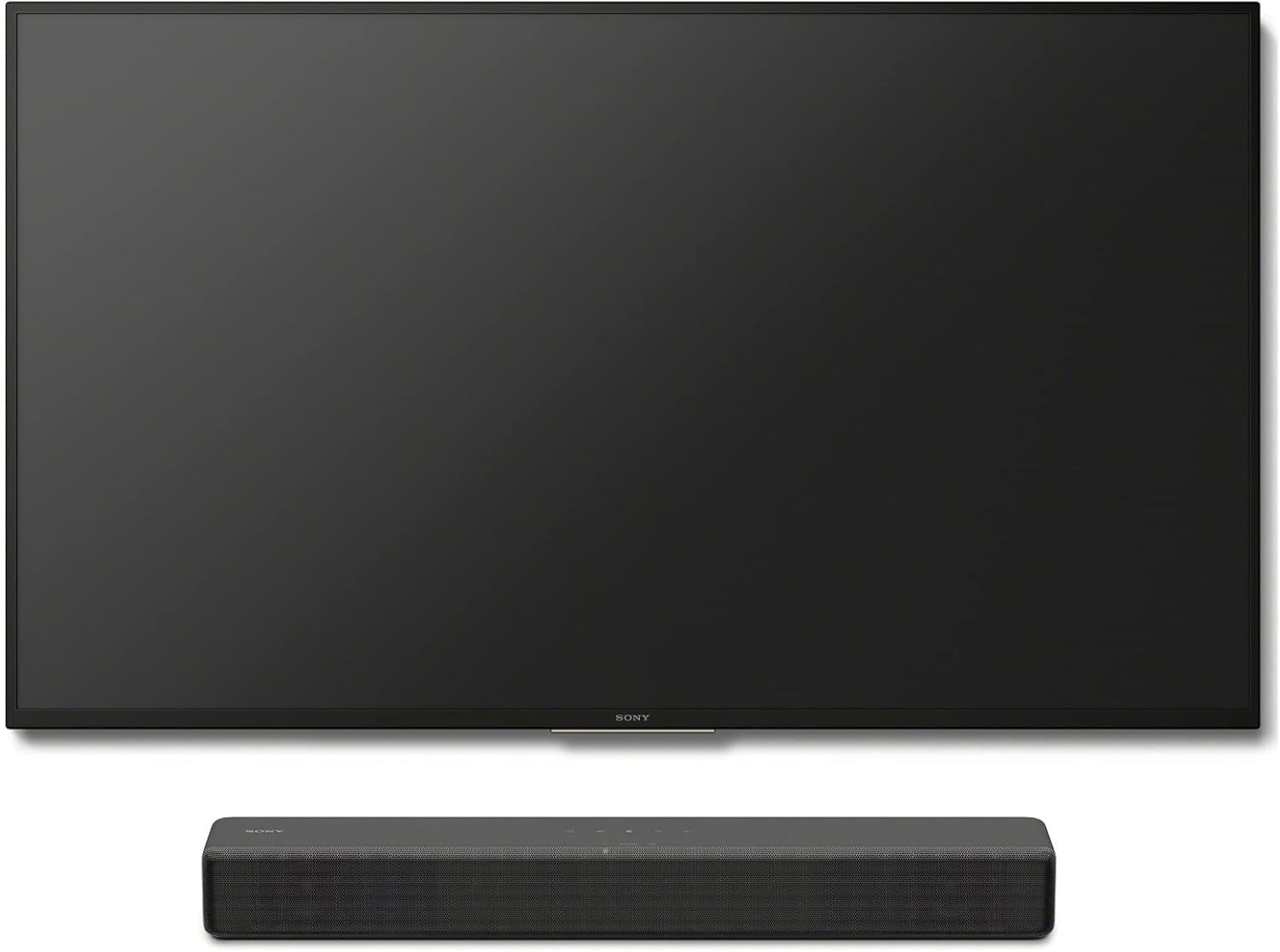
Image: Sony HT-S200F Soundbar positioned below a television.

Image: The soundbar integrated into a modern living room setup.
2. Conexões
Conecte a barra de som à sua televisão usando um dos seguintes métodos:
- HDMI ARC (Recomendado): Connect an HDMI cable from the HDMI ARC port on the soundbar to the HDMI ARC port on your TV. This allows for audio return channel functionality, enabling TV audio to be sent to the soundbar and control of the soundbar with your TV remote.
- Optical-audio input: Connect the included optical cable from the OPTICAL IN port on the soundbar to the optical digital audio output port on your TV.
- USB Tipo A: For playing audio from a USB device.

Image: Rear panel of the soundbar, highlighting the various input ports for connectivity.
3. Conexão de energia
Connect the AC adapter to the soundbar and then plug the AC cord into a wall outlet.
Instruções de operação
1. Ligar/desligar
Press the power button on the soundbar or the remote control to turn the unit on or off.
2. Seleção de entrada
Use the 'Input' button on the remote control to cycle through available input sources: HDMI, Optical, or Bluetooth.
3. Controle de volume
Adjust the volume using the Volume + and - buttons on the remote control. If connected via HDMI ARC, your TV remote may also control the soundbar volume.
4. Modos de som
The soundbar offers various sound modes to optimize your listening experience:
- Auto Sound: Automatically optimizes sound settings based on the content.
- Padrão: Provides balanced audio for general listening.
- Cinema: Enhances the sound for movies, creating a wider soundstage.
- Música: Otimizado para reprodução de música.
- Voz: Strengthens dialogue, ideal for TV content with hushed conversations or conference calls.
- Modo noturno: Reduces dynamic range for quieter listening without losing clarity.
5. Emparelhamento Bluetooth
Para conectar um dispositivo Bluetooth:
- Press the Bluetooth button on the soundbar or remote control to enter pairing mode.
- On your mobile device, search for available Bluetooth devices and select 'HT-S200F'.
- Once paired, you can stream audio from your device to the soundbar.
Manutenção
To ensure the longevity and optimal performance of your Sony HT-S200F Soundbar, follow these maintenance guidelines:
- Limpeza: Use a soft, dry cloth to wipe the exterior surfaces of the soundbar. Avoid using abrasive cleaners, waxes, or solvents as they can damage the finish.
- Evite líquidos: Do not expose the soundbar to water or excessive moisture. If liquid spills on the unit, immediately disconnect it from the power source and contact customer support.
- Ventilação: Ensure adequate ventilation around the soundbar to prevent overheating. Do not block any ventilation openings.
- Armazenar: Quando não estiver em uso por longos períodos, guarde a barra de som em local fresco e seco, longe da luz solar direta e de temperaturas extremas.
Solução de problemas
Se você encontrar problemas com sua barra de som, consulte as etapas comuns de solução de problemas a seguir:
Sem som
- Check all cable connections between the soundbar and your TV/audio source.
- Certifique-se de que a fonte de entrada correta esteja selecionada na barra de som.
- Verify that the volume on both the soundbar and your TV is not muted or set too low.
- If using an optical connection, check your TV's audio output settings to ensure it's set to 'PCM' or 'Stereo'.
Má qualidade de som
- Try different sound modes (e.g., Standard, Music, Cinema) to see if it improves audio.
- Ensure the audio source (TV, streaming device) is providing high-quality audio.
- Check for any obstructions around the soundbar that might be affecting sound dispersion.
Controle remoto não funciona
- Substitua as pilhas do controle remoto.
- Certifique-se de que haja uma linha de visão desobstruída entre o controle remoto e o sensor da barra de som.
Problemas de emparelhamento Bluetooth
- Certifique-se de que a barra de som esteja no modo de emparelhamento Bluetooth.
- Make sure your Bluetooth device is within the 10-meter range.
- Tente desemparelhar e emparelhar o dispositivo novamente.
TV Control Issues (HDMI ARC)
- Verify that your TV's HDMI port supports ARC and that the feature is enabled in your TV's settings.
- Ensure the HDMI cable is securely connected to both the soundbar and the TV.
Especificações
| Recurso | Especificação |
|---|---|
| Nome do modelo | HT-S200F |
| Tipo de alto-falante | Subwoofer, barra de som |
| Configuração do canal de som surround | 2.1 |
| Tecnologia de Conectividade | Bluetooth, HDMI, Óptico, USB |
| Tecnologia de comunicação sem fio | Bluetooth |
| Alcance Bluetooth | 10 metros |
| Potência máxima de saída do alto-falante | 80 Watts |
| Dimensões do produto | 6.31"P x 25.38"L x 7"A |
| Peso do item | 7.45 libras |
| Material | Plástico |
| Cor | Preto |
| Método de controle | Remoto |

Image: Dimensions of the Sony HT-S200F Soundbar.
Informações de garantia
The Sony HT-S200F Soundbar comes with a Limited Warranty. For detailed information regarding the terms, conditions, and duration of your warranty, please refer to the warranty card included in your product packaging or visit the official Sony support website.
Apoiar
Para obter mais assistência, suporte técnico ou informações sobre serviços, entre em contato com o suporte ao cliente da Sony. Você pode encontrar informações de contato e recursos adicionais no site oficial da Sony. website.