
360 S6
Manual do Usuário do Robô Aspirador e Limpador de Mop 360
Modelo: S6
Introdução
Thank you for choosing the 360 Robot Vacuum and Mop Cleaner. This intelligent cleaning device is designed to provide efficient and thorough cleaning for your home, featuring advanced laser navigation, powerful suction, and smart app control. This manual will guide you through the setup, operation, and maintenance of your new robot vacuum to ensure optimal performance and longevity.

The 360 Robot Vacuum and Mop Cleaner, Model S6, shown with its companion mobile application interface.
Informações de segurança
- Leia todas as instruções cuidadosamente antes de usar o aparelho.
- Não permita que crianças operem o robô aspirador. Supervisione crianças e animais de estimação enquanto o robô estiver funcionando.
- Certifique-se de que a base de carregamento esteja colocada em uma superfície plana contra uma parede, com espaço livre ao redor.
- Do not use the robot vacuum in wet environments or near liquids.
- Antes de limpar, remova quaisquer cabos soltos, objetos pequenos ou itens frágeis do chão para evitar que se enrosquem ou sejam danificados.
- Do not use the robot vacuum to pick up large debris, sharp objects, or burning/smoking materials.
- Only use the original charger and battery provided by the manufacturer.
- Realize a manutenção regular conforme descrito neste manual para garantir uma operação segura e eficiente.
Conteúdo da embalagem
Verifique se todos os componentes estão presentes na embalagem:
- 360 Robot Vacuum and Mop Cleaner (S6)
- Doca de carregamento
- Adaptador de energia
- Tanque de água
- Pano de esfregão
- Escovas laterais (2 pares)
- Ferramenta de limpeza
- Manual do usuário
- Bateria (pré-instalada)
- Filtro (pré-instalado)
Produto acimaview
Familiarize yourself with the main components of your 360 Robot Vacuum and Mop Cleaner.

Sobreview of the robot vacuum's intelligent features including anti-collision, anti-drop sensors, long-lasting battery, LDS laser navigation, and SLAM algorithm for mapping.
Principal View:
- Sensor de navegação a laser LDS: For accurate mapping and navigation.
- Botão Ligar/Limpar: Press to start/pause cleaning, long press to turn on/off.
- Botão de recarga: Pressione para enviar o robô de volta à base de carregamento.
- Dustbin Compartment: Localizado sob a tampa superior.
Fundo View:
- Escova principal: Para limpeza profunda de carpetes e pisos duros.
- Escovas laterais: Varra os detritos das bordas e cantos.
- Rodas motrizes: Para movimentação em diversas superfícies.
- Roda omnidirecional: For steering.
- Contatos de carregamento: To connect with the charging dock.
- Sensores de penhasco: Para evitar quedas em escadas.
- Sensor de parede: To sweep along walls and corners effectively.
Configurar
1. Carregando o aspirador robô
- Place the charging dock on a hard, level surface against a wall. Ensure there is at least 0.5 meters (1.6 feet) of clear space on both sides and 1.5 meters (4.9 feet) in front of the dock.
- Connect the power adapter to the charging dock and plug the other end into a power outlet.
- Place the robot vacuum onto the charging dock, ensuring the charging contacts align. The robot will announce that it is charging. For first use, fully charge the robot before operation.
2. Connecting to the 360 Robot App
- Download the "360 Robot" app from the App Store (iOS) or Google Play Store (Android).
- Abra o aplicativo e crie uma conta ou faça login.
- Follow the in-app instructions to add your device. This typically involves selecting your robot model, connecting to its Wi-Fi hotspot, and then connecting the robot to your home Wi-Fi network (2.4GHz only).
- Uma vez conectado, você poderá controlar o robô. view cleaning maps, set schedules, and access advanced features through the app.
Operacional
Iniciando um ciclo de limpeza
- Através do botão do robô: Press the Power/Clean button on the robot once to start a cleaning cycle. Press again to pause.
- Através do aplicativo: Open the 360 Robot app and tap the "Clean" button. You can also select specific cleaning modes (e.g., Spot cleaning, Proximity cleaning) or set schedules.
- Via Voice Command (Alexa): If integrated with Alexa, you can use voice commands like "Alexa, ask 360 Robot to start cleaning."
Modos de limpeza

The robot vacuum is capable of both sweeping (vacuuming) and mopping, utilizing its main brush, side brushes, and mop cloth.
- Limpeza automática: The robot intelligently maps your home and cleans systematically. It identifies carpet and automatically switches to Max Mode with 1800Pa suction power for deep cleaning.
- Limpeza de manchas: Direciona o robô para limpar intensivamente uma pequena área específica.
- Proximity Cleaning: Cleans a designated area around the robot.
- Modo de limpeza: Anexe o tanque de água com o anúncio.amp mop cloth. The robot will mop hard floors. Note: The mopping function is designed for light mopping and not for heavy stains.
Recursos avançados do aplicativo
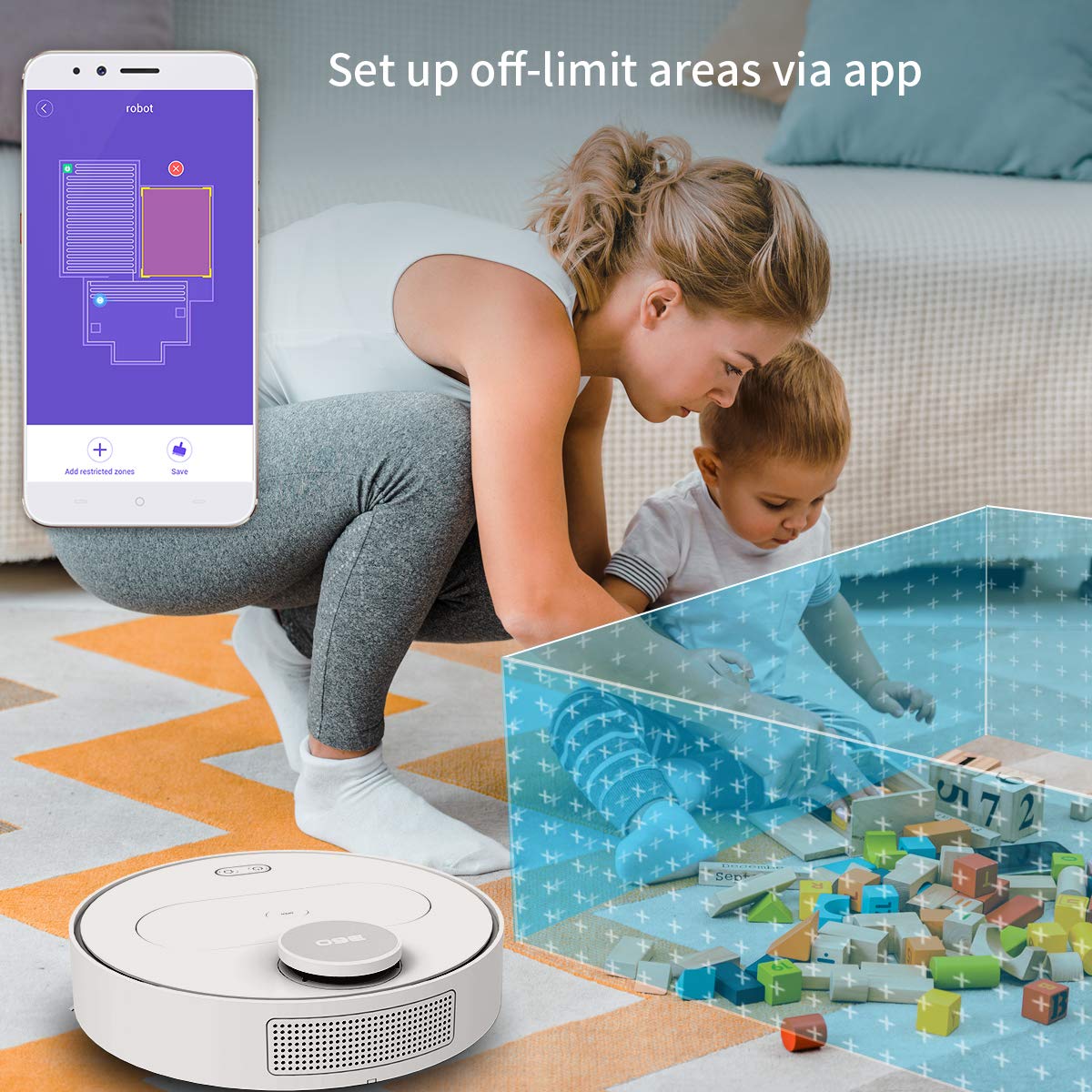
The 360 Robot app allows users to define and set up off-limit areas on the cleaning map, preventing the robot from entering specific zones.
- Multi-map Management: Save and manage multiple floor plans for different levels of your home.
- Off-limit Area: Draw virtual boundaries or no-go zones on the map to prevent the robot from entering specific areas.
- Agendamento: Defina horários específicos para que o robô inicie a limpeza automaticamente.
- Controle remoto: Manually control the robot's movement using the app.
- Limpeza de trilhos: Monitor the robot's real-time cleaning path and progress on the map.
- Níveis de sucção: Adjust suction power (Quiet, Normal, Powerful, Max) according to your cleaning needs.
Automatic Recharge and Breakpoint Resume
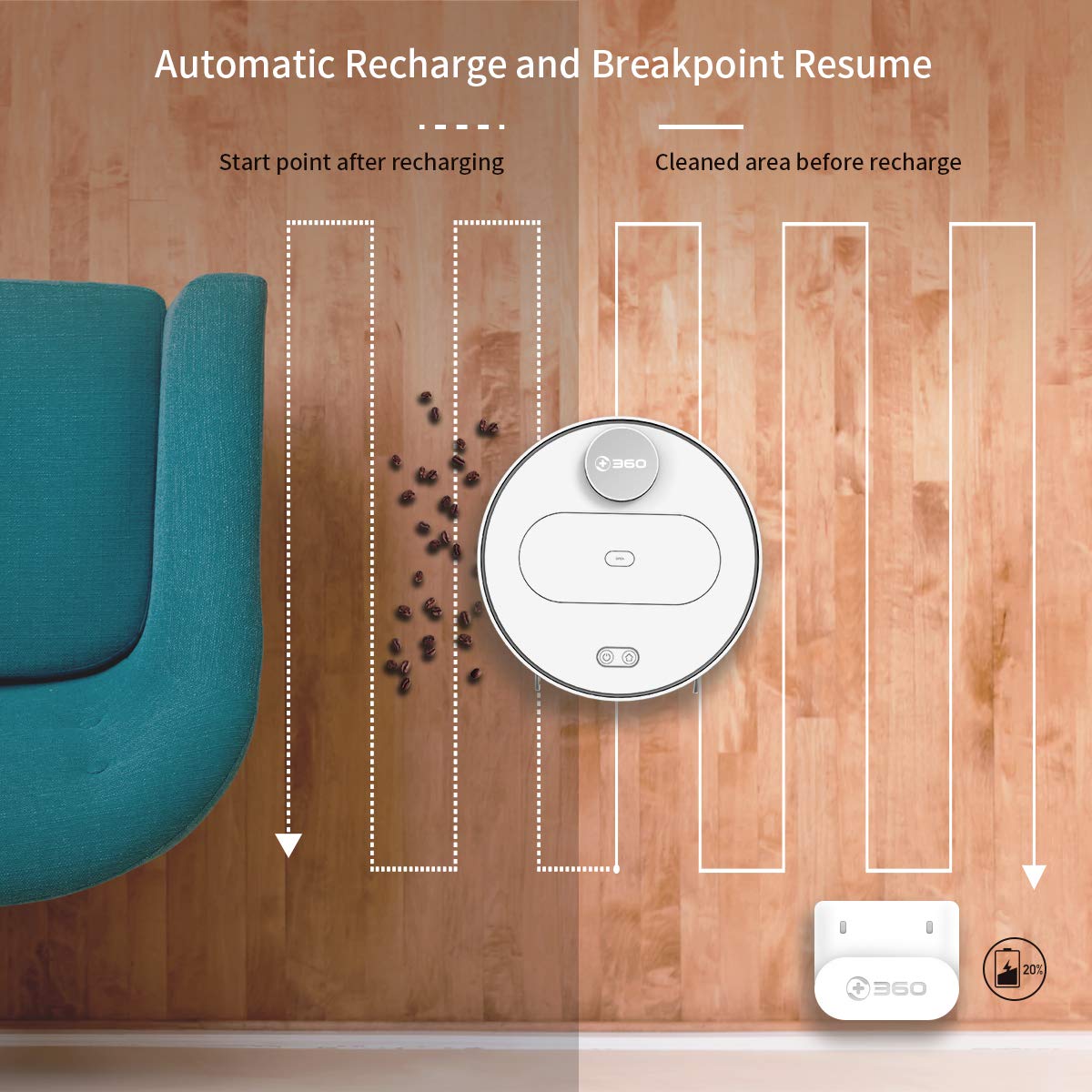
The robot automatically returns to its charging dock when the battery is low and resumes cleaning from the last uncleaned spot after recharging.
When the battery level is low during a cleaning cycle, the robot will automatically return to its charging dock. Once fully recharged, it will resume cleaning from where it left off, ensuring complete coverage of your home.
Manutenção
A manutenção regular é crucial para o desempenho ideal e a longevidade do seu robô aspirador.
1. Esvaziando a lata de lixo
- Abra a tampa superior do robô e remova a lixeira.
- Abra a tampa da lixeira e despeje o conteúdo em uma lata de lixo.
- Recomenda-se esvaziar o recipiente de lixo após cada ciclo de limpeza.
2. Limpando o Filtro

The 360 Robot Vacuum features a washable HEPA filter, which helps maintain high filtration efficiency and contributes to cleaner indoor air.
- Retire o filtro do recipiente de lixo.
- Bata levemente no filtro para remover a sujeira solta.
- Rinse the filter under running water. Ensure it is completely dry before reinserting it into the dustbin. Do not use a brush or other tools to clean the filter, as this may damage it.
- It is recommended to clean the filter weekly and replace it every 3-6 months, depending on usage.
3. Limpeza de escovas
- Escova principal: Remove the main brush cover and then the main brush. Use the provided cleaning tool to remove hair and debris tangled around the brush. Reinstall the brush and cover. Clean weekly.
- Escovas laterais: Check side brushes for tangled hair or debris. If necessary, remove them (they can be pulled off) and clean. Reinstall, ensuring they click into place. Replace if worn or damaged. Clean monthly.
4. Limpeza dos sensores e contatos de carregamento
- Wipe the cliff sensors (on the bottom of the robot), wall sensor (on the side), and charging contacts (on the robot and charging dock) with a clean, dry cloth. This ensures proper navigation and charging. Clean monthly.
5. Water Tank and Mop Cloth Maintenance
- After mopping, remove the water tank and empty any remaining water.
- Remove the mop cloth and wash it thoroughly. Allow it to air dry completely before reattaching or storing.
- Do not leave water in the tank when the robot is not in use for extended periods.
Solução de problemas
| Problema | Possível causa | Solução |
|---|---|---|
| O robô não liga. | A bateria está fraca ou descarregada. | Coloque o robô na base de carregamento e certifique-se de que ele está carregando. |
| O robô não consegue se conectar ao Wi-Fi. | Senha de Wi-Fi incorreta; rede de 5 GHz; robô muito longe do roteador. | Ensure correct 2.4GHz Wi-Fi password. Move robot closer to router. Restart robot and router. |
| O robô fica preso com frequência. | Obstacles on the floor; narrow spaces. | Clear obstacles. Use the app to set off-limit areas for problematic zones. |
| Desempenho de limpeza insatisfatório. | Lixeira cheia; filtro entupido; escovas emaranhadas. | Empty dustbin. Clean or replace filter. Clean main and side brushes. |
| O robô não retorna à base de carregamento. | Charging dock obstructed; charging contacts dirty. | Ensure clear space around the dock. Clean charging contacts on both robot and dock. |
Especificações
| Recurso | Detalhe |
|---|---|
| Marca | 360 |
| Nome do modelo | S6 |
| Características especiais | Anti-Collision, Anti-Fall, Washable Filter |
| Cor | Multicolorido |
| Tipo de filtro | Pano |
| Duração da bateria | 110 minutos |
| Fonte de energia | Alimentado por bateria |
| Método de controle | Aplicativo |
| Dispositivos compatíveis | Alexa |
| Peso do item | 3 kg 490 g |
| Dimensões do item (CxLxA) | 35 x 35 x 10 centímetros |
Garantia e Suporte
For warranty information and technical support, please refer to the warranty card included in your product packaging or visit the official 360 SmartAI website. You can also contact customer service through the 360 Robot app for assistance.
Para obter recursos adicionais e perguntas frequentes, visite o 360 Store on Amazon.
Ask a question about this manual
Ask about setup, troubleshooting, compatibility, parts, safety, or missing instructions. Manuals+ will review the question and use this page’s manual context to help answer it.