Introdução
Thank you for choosing the Riwbox CT-7S Kids Wireless Headphones. These headphones are designed with children in mind, featuring a fun cat-ear design with LED lights, 85dB volume limiting for hearing protection, and versatile wired/wireless connectivity. This manual provides detailed instructions to help you get the most out of your new headphones.
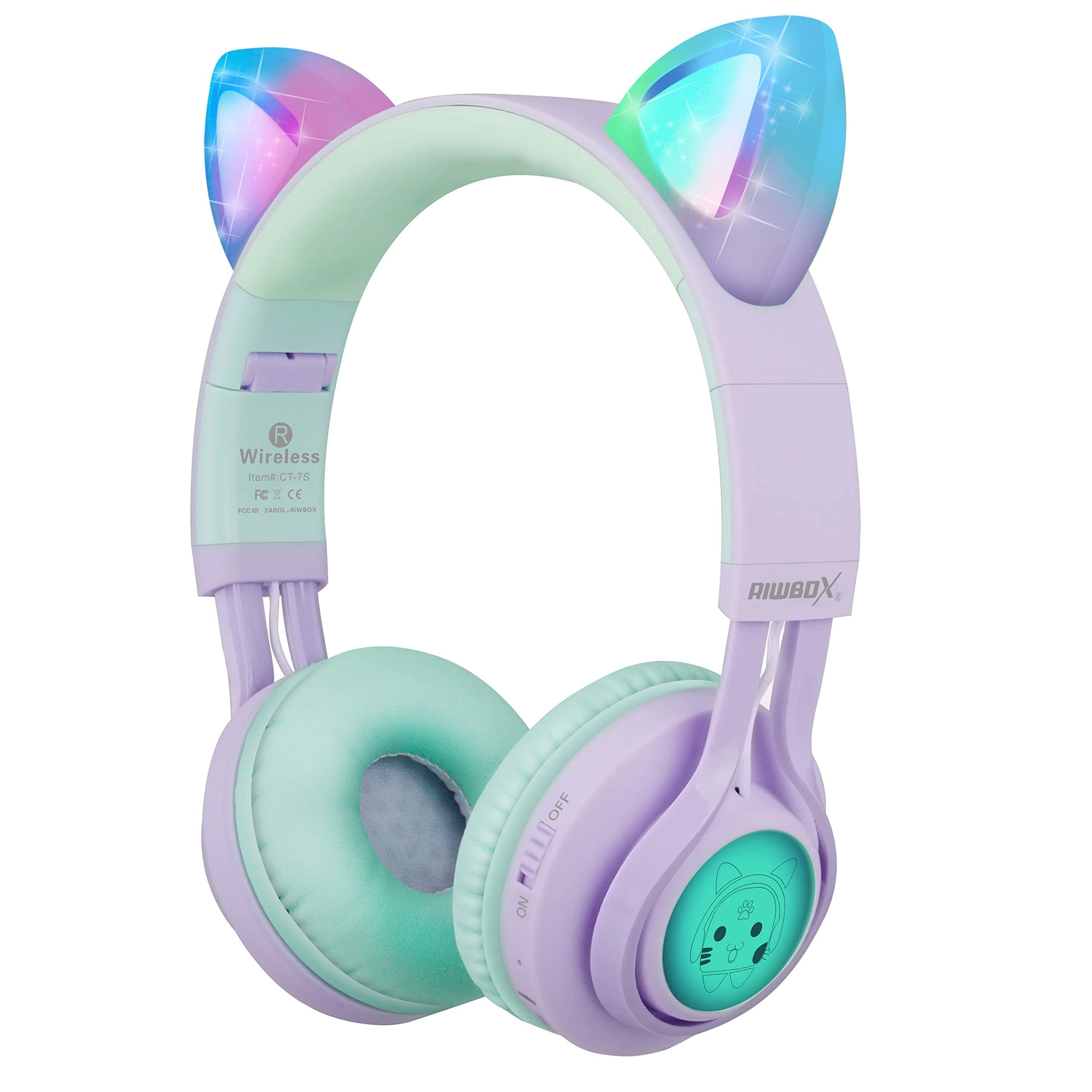
Image: Riwbox CT-7S Kids Wireless Headphones in purple and green, showcasing the cat-ear design and soft earcups.
O que está na caixa
- Volume limiting cat ear headphones (Wireless)
- 3.5mm Anti-Tangle Audio Cable with Mic
- Cabo de carregamento USB-C
- Manual do usuário

Image: The included 3.5mm audio cable and USB-C charging cable.
Configurar
1. Carregando os fones de ouvido
Before first use, fully charge the headphones. Connect the provided USB-C charging cable to the charging port on the headphone and the other end to a USB power source (e.g., computer, wall adapter). The LED indicator will show charging status. A full charge takes approximately 2 hours and provides up to 40 hours of playback.
2. Ligar / desligar
Locate the ON/OFF switch on the side of the headphone. Slide the switch to the "ON" position to power on. Slide to "OFF" to power off.
3. Emparelhamento Bluetooth
- Certifique-se de que os fones de ouvido estejam desligados.
- Slide the ON/OFF switch to the "ON" position. The headphones will automatically enter pairing mode, and the LED indicator will flash.
- No seu dispositivo (smartphone, tablet, laptop), ative o Bluetooth e procure por dispositivos disponíveis.
- Select "CT-7S" from the list of devices.
- Once paired, the LED indicator will stop flashing and remain solid, and a voice reminder will confirm the connection.
- The connection status and battery level will be shown on your smartphone screen.

Image: Detailed diagram showing the location of the ON/OFF switch, microphone, LED indicator, USB charge port, and 3.5mm audio AUX port on the headphones.
Instruções de operação
1. Wired Mode (Optional)
If the headphone battery runs out, or if you prefer a wired connection, you can use the provided 3.5mm anti-tangle audio cable. Simply plug one end into the headphone's AUX port and the other end into your device's 3.5mm audio jack. The cable includes a built-in microphone for phone calls.
2. Controle de volume
In Bluetooth mode, use the volume control buttons on the headphone to adjust the sound level. The 85dB volume limiting feature ensures safe listening levels for children.
3. Music Playback & Call Management
- Reproduzir/Pausar: Pressione rapidamente o botão Reproduzir/Pausar.
- Próxima música: Pressione e segure o botão Aumentar Volume (+).
- Música anterior: Pressione e segure o botão Diminuir Volume (-).
- Atender/encerrar chamada: Pressione rapidamente o botão Reproduzir/Pausar.
4. Controle de luz LED
The cat ears and side panels feature colorful LED lights that can blink and change color with the rhythm of the music. To turn the LED lights ON or OFF, press and hold the 'M' button for 3 seconds. Turning off the LED lights can help conserve battery for longer music playback.

Image: Illustration showing the LED lights on the cat ears and side panels of the headphones.
Manutenção
- Mantenha os fones de ouvido limpos, limpando-os com um pano macio e seco.
- Evite expor os fones de ouvido a temperaturas extremas ou luz solar direta.
- Guarde os fones de ouvido em local fresco e seco quando não estiverem em uso. O design dobrável permite um armazenamento compacto.
- Não tente desmontar ou reparar os fones de ouvido por conta própria, pois isso pode anular a garantia.
- Keep away from water. While the product description mentions "Waterproof" in one specification, it's generally safer to avoid direct water exposure for electronic devices.

Image: Riwbox CT-7S headphones shown in their folded position, highlighting portability.
Solução de problemas
| Problema | Solução |
|---|---|
| Os fones de ouvido não ligam. | Ensure the headphones are charged. Connect the USB-C charging cable and try again. |
| Não foi possível emparelhar via Bluetooth. |
|
| Sem som no modo sem fio. |
|
| Sem som no modo com fio. |
|
| As luzes LED não estão funcionando. | Press and hold the 'M' button for 3 seconds to toggle the LED lights on/off. Ensure headphones are charged. |
Especificações
| Recurso | Detalhe |
|---|---|
| Número do modelo | CT-7S |
| Marca | ripbox |
| Tecnologia de Conectividade | Bluetooth, com fio, sem fio |
| Versão Bluetooth | 5.3 |
| Alcance Bluetooth | 50 pés |
| Tamanho do driver de áudio | 40 milímetros |
| Sensibilidade | 85 dB (Volume Limiting) |
| Resposta de frequência | 2 kHz |
| Tempo de carga da bateria | 2 horas |
| Vida média da bateria | 40 horas |
| Tipo de controle | Controle de volume, toque, botão |
| Colocação da orelha | Na orelha |
| Fator de forma | Sobre a orelha, dobrável |
| Material | Plástico |
| Peso do item | 0.35 libras |
Garantia e Suporte
Riwbox offers a Garantia de 1 ano for products purchased from Amazon. To register for warranty service, please email support@riwbox.com within one week of purchase. Don't forget to offer your order number for verification.
For further assistance or inquiries, please visit the official Riwbox website ou entre em contato com o suporte ao cliente.