
Introdução
This manual provides detailed instructions for the installation, operation, and maintenance of your NEC SL2100 IP7WW-12TXH-B1 12-Button Display Speaker Telephone. Please read this manual thoroughly before using the telephone to ensure proper functionality and to prevent damage.
Informações de segurança
Sempre siga as precauções básicas de segurança ao usar este produto para reduzir o risco de incêndio, choque elétrico e ferimentos.
- Não use este produto perto de água, por exemploampOu seja, perto de uma banheira, lavatório, pia de cozinha ou tanque de roupa, em um porão úmido ou perto de uma piscina.
- Avoid using the telephone during an electrical storm. There may be a remote risk of electric shock from lightning.
- Não use o telefone para relatar um vazamento de gás nas proximidades do local do vazamento.
- Use only the power source specified in this manual or marked on the product. This telephone is powered by the phone system.
- Desligue este produto da tomada antes de limpá-lo. Não use limpadores líquidos ou em aerossol. Use adamp pano para limpeza.
Conteúdo da embalagem
Verifique se todos os itens estão presentes na embalagem:
- NEC SL2100 IP7WW-12TXH-B1 12-Button Display Speaker Telephone (Black)
- Aparelho portátil
- Cabo do telefone
- Base Stand (for desk or wall mounting)
- Ethernet Cable (if applicable for IP connection)
Produto acimaview
The NEC SL2100 IP7WW-12TXH-B1 is a corded 12-button display speaker telephone designed for use with NEC SL2100 systems. It features a clear display for call information and menu navigation, a built-in speakerphone for hands-free communication, and 12 programmable function keys.
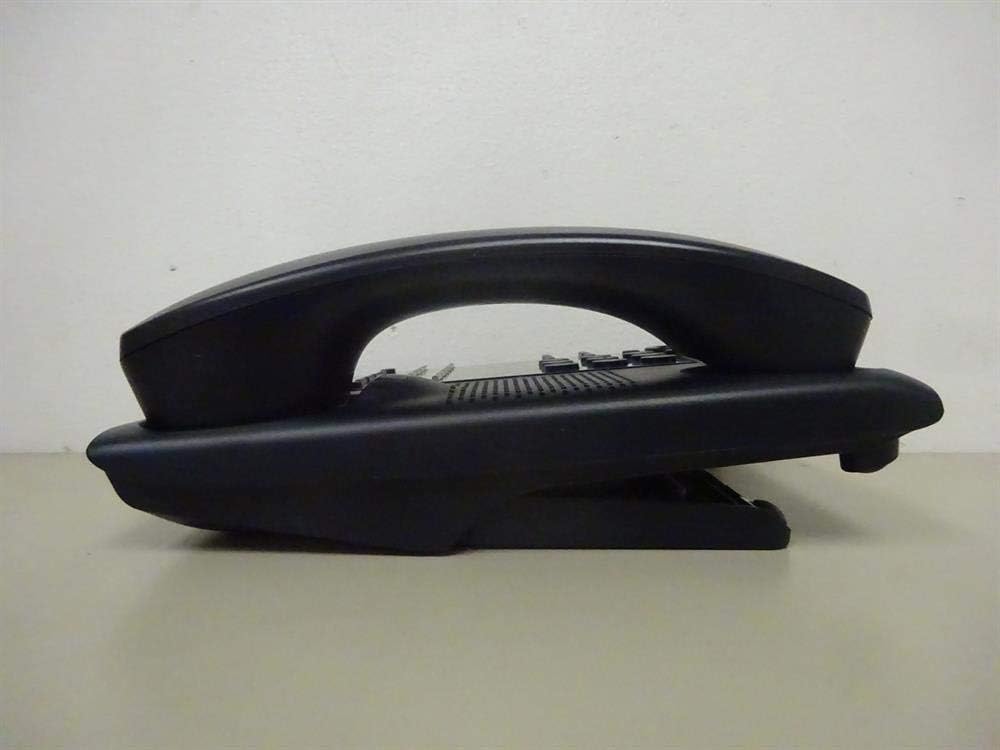
Figura 1: Lado view of the NEC SL2100 IP7WW-12TXH-B1 telephone, showing the ergonomic design of the handset and base unit.

Figura 2: Traseira view of the telephone, illustrating the various connection ports for the handset and network, as well as the integrated wall-mounting slots.
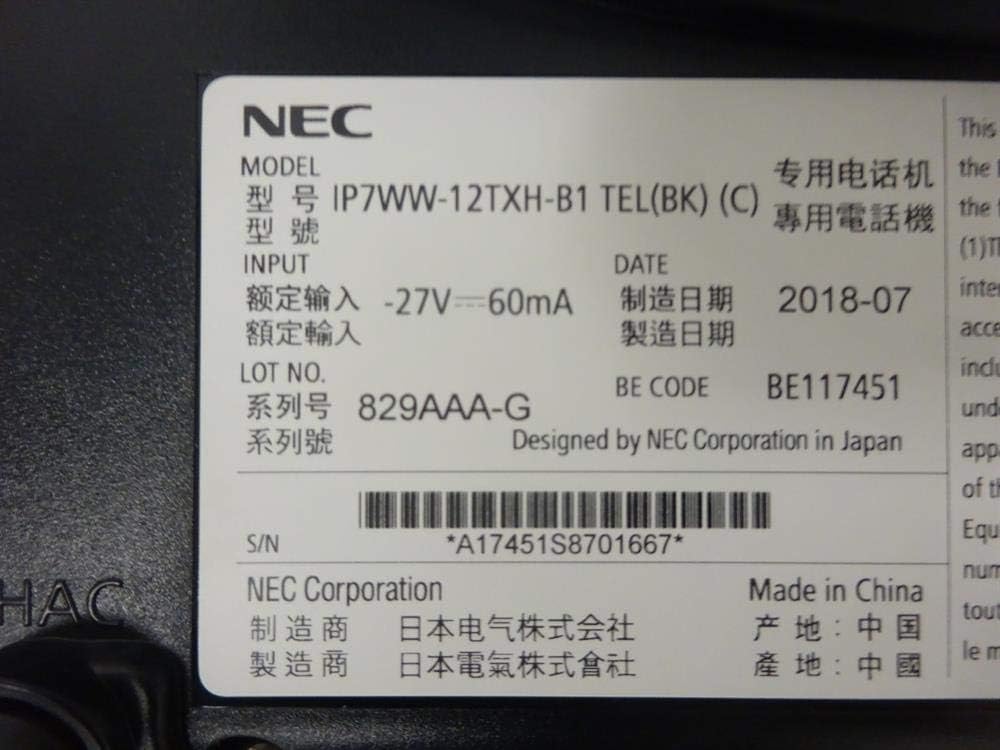
Figura 3: Close-up of the product label, displaying model number IP7WW-12TXH-B1, input specifications, and manufacturer details.
Configurar
1. Assembling the Telephone
- Fixe o suporte de base: Align the base stand with the slots on the bottom of the telephone. Slide it into place until it clicks securely. The stand can be adjusted for different viewing angles or reversed for wall mounting.
- Conecte o aparelho: Conecte uma extremidade do cabo espiral do monofone ao monofone e a outra extremidade à porta designada na lateral da base do telefone.
2. Conectando ao Sistema
This telephone is designed to connect to an NEC SL2100 system. Ensure your SL2100 system is properly installed and configured.
- Conecte o cabo de rede: Plug one end of an Ethernet cable into the LAN port on the back of the telephone. Plug the other end into an available port on your NEC SL2100 system or a network switch connected to the system.
- Ligar: The telephone receives power directly from the NEC SL2100 system (Power over Ethernet - PoE) or via a separate power adapter (not included, if PoE is not available). Once connected, the telephone should power on automatically.
- Configuração inicial: The telephone will typically register with the SL2100 system automatically. If prompted, follow the on-screen instructions or consult your system administrator for specific extension number assignment or network settings.
Instruções de operação
Fazendo chamadas
- Controle remoto do elevador: Levante o monofone e ouça o tom de discagem.
- Número de discagem: Disque o número de telefone desejado usando o teclado.
- Viva voz: Pressione o PALESTRANTE button to activate the speakerphone, then dial the number.
Recebendo chamadas
- Controle remoto do elevador: Quando o telefone tocar, levante o fone para atender.
- Viva voz: Pressione o PALESTRANTE button to answer the call hands-free.
Usando a tela
The display shows call information, menu options, and system status. Use the navigation buttons (usually arrow keys) to scroll through menus and the DIGITAR or SELECIONAR botão para confirmar as seleções.
Programmable Function Keys (12 Buttons)
The 12 buttons on the telephone can be programmed for various functions such as speed dial, line access, feature activation, or direct station selection. Consult your system administrator for the specific programming of these keys.
Teleconferências
The telephone supports 3-way conference calls. To initiate a conference call:
- Estabeleça uma chamada com a primeira parte.
- Pressione o CONF. (Conference) button or the designated programmable key. The first party will be put on hold.
- Dial the second party's number.
- Once connected to the second party, press the CONF. button again to join all three parties.
Identificador de chamadas
When an incoming call is received, the caller's information (name and number, if available) will be displayed on the screen.
Operação Multilinhas
This telephone supports multi-line operation, allowing you to manage multiple calls simultaneously. Use the designated line keys or programmable keys to switch between active lines or place calls on hold.
Manutenção
Limpeza
To clean the telephone, unplug it from the network connection. Use a soft, slightly damp cloth. Do not use harsh chemicals, abrasive cleaners, or excessive moisture. Avoid spraying cleaners directly onto the telephone.
Armazenar
If storing the telephone for an extended period, ensure it is clean and dry. Store it in a cool, dry place away from direct sunlight and extreme temperatures.
Solução de problemas
- Não esta dando sinal:
- Check all cable connections, especially the network cable to the SL2100 system.
- Ensure the SL2100 system is powered on and functioning correctly.
- If using a separate power adapter (not PoE), ensure it is properly connected and receiving power.
- Tela não funciona:
- Verify the telephone is receiving power.
- Try disconnecting and reconnecting the network cable.
- Não consigo fazer/receber chamadas:
- Verifique o tom de discagem.
- Ensure the telephone is properly registered with the SL2100 system.
- Contact your system administrator to verify line assignments and system status.
- Má qualidade de áudio:
- Check handset and network cable connections.
- Certifique-se de que não haja interferência de outros dispositivos eletrônicos.
- Test with another telephone if possible to isolate the issue.
Especificações
| Recurso | Especificação |
|---|---|
| Marca | NEC |
| Número do modelo | IP7WW-12TXH-B1 (Mfr Part Number: BE117451) |
| Cor | Preto |
| Tipo de telefone | Corded |
| Material | Plástico |
| Fonte de energia | Phone System (PoE compatible) |
| Tipo de discador | Teclado único |
| Dimensões do item (C x L x A) | 15 x 12 x 6 polegadas |
| Tipo de sistema de atendimento | Digital (dependente do sistema) |
| Dispositivos compatíveis | NEC SL2100 Systems, NEC SL2100 IP7WW-082U-B1 8 Port Digital Station Card |
| Capacidade de chamada em conferência | 3 vias |
| Operação Multilinhas | Sim |
| Identificador de chamadas | Sim |
Garantia e Suporte
For warranty information, please refer to the documentation provided with your NEC SL2100 system or contact your NEC authorized dealer. For technical support, please contact your system administrator or NEC customer service.
Corporação NEC
For further assistance, please visit the official NEC website or contact your local support representative.