
1. Introdução
This manual provides comprehensive instructions for the proper use and maintenance of your Zerone Replacement TV Remote Control, model BN59-01199G. This remote is designed as a direct replacement for compatible Samsung Smart TVs, ensuring seamless operation without complex setup.

Image 1.1: The Zerone Replacement TV Remote Control, showcasing its button layout and ergonomic design.
2. Conteúdo da embalagem
- 1 x Zerone Replacement TV Remote Control (Model: BN59-01199G)
3. Especificações
| Recurso | Detalhe |
|---|---|
| Material da concha | abdômen |
| Distância do controle remoto | Greater than 8 meters (actual distance may vary based on TV model and environment) |
| Modelo de bateria | 2 pilhas AA (não incluídas) |
| Dimensões do produto | Aproximadamente 175 x 45 x 20 mm (6.9 x 1.8 x 0.8 polegadas) |
| Peso do item | Aproximadamente. 67 g (2.46 onças) |
| Dispositivos compatíveis | Samsung Smart TVs requiring BN59-01199G remote |

Image 3.1: Dimensions of the remote control: 175mm (6.9in) length, 45mm (1.8in) width, and 20mm (0.8in) thickness.
4. Configuração
4.1 Instalação da bateria
- Localize o compartimento da bateria na parte traseira do controle remoto.
- Deslize a tampa da bateria para baixo para abri-la.
- Insira duas (2) pilhas AA, certificando-se de que os terminais positivo (+) e negativo (-) estejam alinhados corretamente com as marcações dentro do compartimento.
- Deslize a tampa da bateria de volta no lugar até que ela se encaixe com segurança.
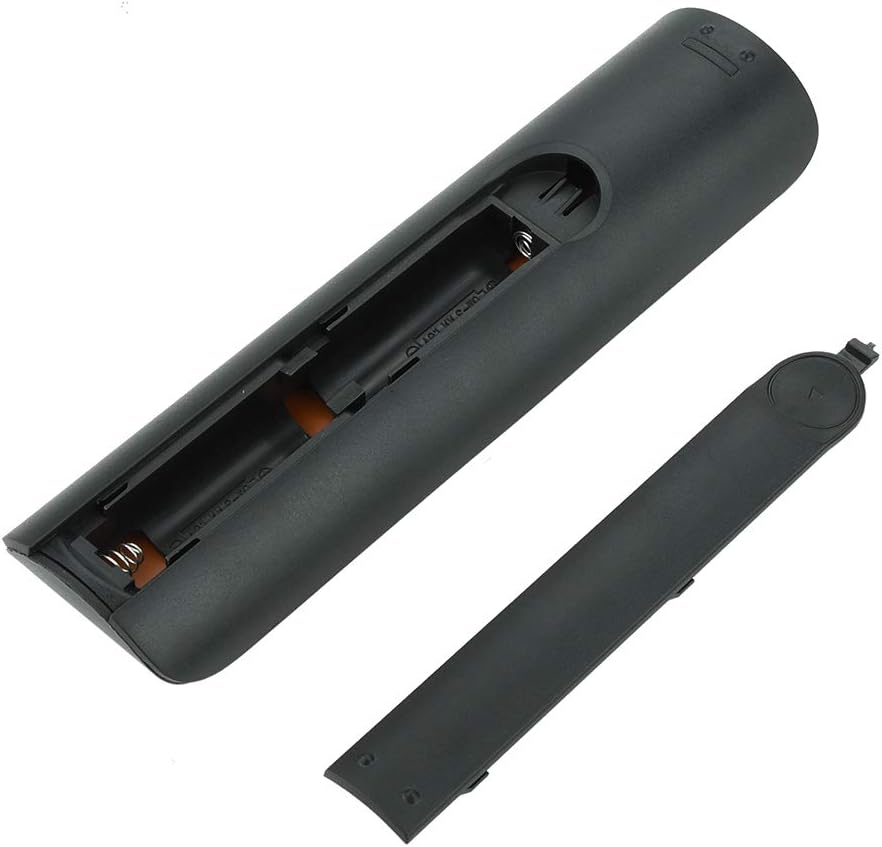
Imagem 4.1: View of the remote control with the battery cover removed, showing the two AA battery slots.
4.2 Uso inicial
This remote control is designed to work directly with compatible Samsung Smart TVs that originally used the BN59-01199G model. No programming or pairing is typically required. Simply install the batteries and point the remote towards your television.

Image 4.2: The remote control positioned near a television, illustrating its intended use with compatible Samsung models.
5. Instruções de operação
The remote control features standard buttons for TV operation. Refer to the image below for a visual guide to the button layout.

Imagem 5.1: Uma descrição detalhada view of the remote control's buttons, including power, number pad, volume, channel, and smart functions.
- Botão liga/desliga (vermelho): Liga ou desliga a TV.
- Teclado numérico (0-9): Para entrada direta de canal.
- Aumentar/diminuir volume (+/-): Ajusta o volume da TV.
- Canal para cima/para baixo (CH +/-): Muda de canal na TV.
- Mudo: Silencia o áudio da TV.
- Central Inteligente: Accesses the Smart Hub interface for apps and streaming services.
- Menu: Abre o menu principal da TV.
- Ferramentas: Provides quick access to common TV functions.
- Informações: Exibe informações sobre o programa ou entrada atual.
- Teclado de navegação (cima, baixo, esquerda, direita, Enter): Utilizado para navegar pelos menus e selecionar opções.
- Retornar: Retorna à tela ou menu anterior.
- Saída: Closes the current menu or application.
- Colored Buttons (A, B, C, D): Functionality varies by TV model and application.
- Controles de reprodução: Play, Pause, Stop, Fast Forward, Rewind for media playback.
6. Manutenção
6.1 Limpeza
Para limpar o controle remoto, limpe-o delicadamente com um pano macio e seco. Para sujeira mais persistente, esfregue levemente com um pano úmido.ampen the cloth with water or a mild, non-abrasive cleaner. Avoid using harsh chemicals or excessive moisture, as these can damage the remote's electronics.
6.2 Substituição da bateria
Replace batteries when the remote control's response becomes sluggish or stops working. Always replace both AA batteries at the same time with new ones. Do not mix old and new batteries, or different types of batteries.
7. Solução De Problemas
- O controle remoto não está respondendo:
- Verifique se as pilhas estão inseridas corretamente e com a polaridade correta.
- Substitua as baterias por novas.
- Certifique-se de que não haja obstruções entre o controle remoto e o receptor infravermelho da TV.
- Confirme se o controle remoto está apontado diretamente para a TV.
- Short remote control distance:
- This can indicate low battery power; replace the batteries.
- Environmental factors or strong light sources can interfere with the infrared signal. Try using the remote in different lighting conditions.
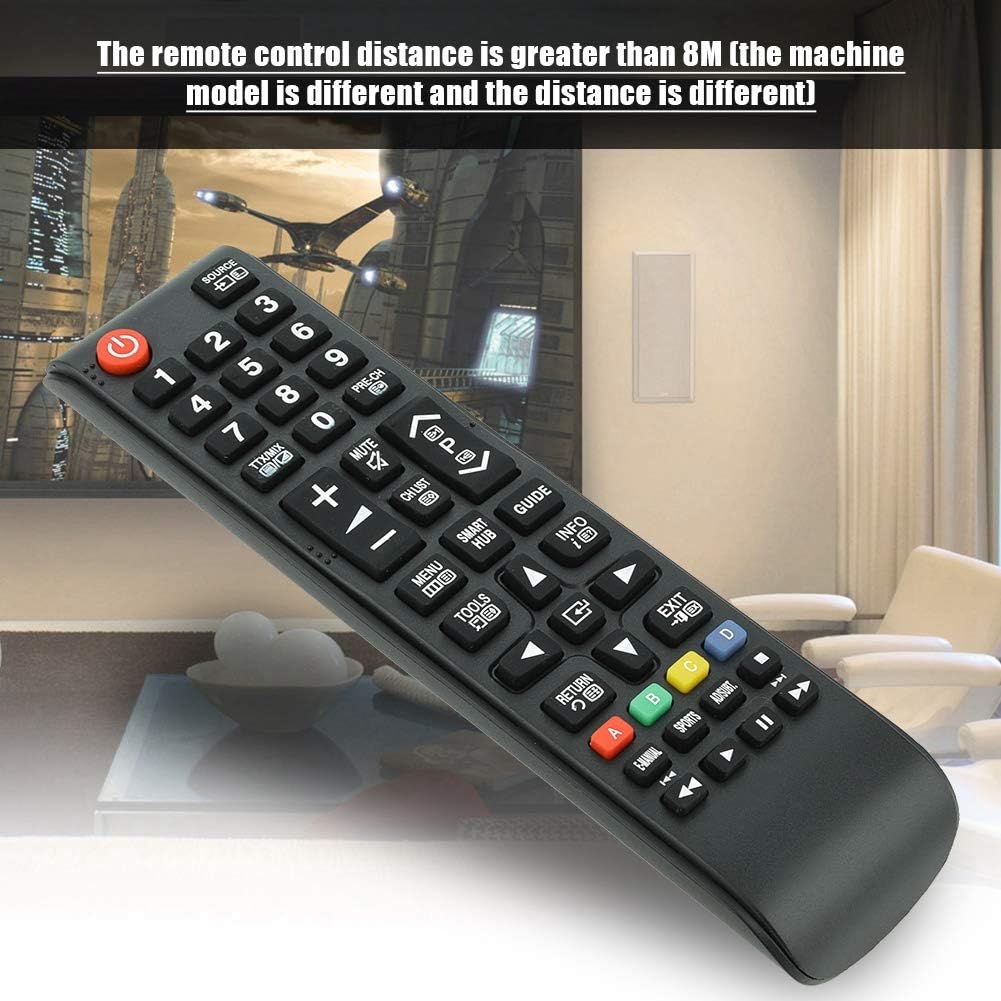
Image 7.1: The remote control in a typical home environment, demonstrating its effective range for TV operation.
8. Garantia e Suporte
Zerone products are manufactured with quality in mind. If you encounter any issues or are not satisfied with your product, please contact the seller or manufacturer for support. Refer to your purchase documentation for specific warranty terms and contact information.