
1. Introdução
This manual provides essential information for the safe and efficient use of your TCL 32B400 32-inch HD LCD TV. Please read it thoroughly before operating the television and retain it for future reference.
The TCL 32B400 features a direct-lit LED backlight for uniform high brightness and image quality. Its VA panel technology delivers superior contrast, allowing for natural expression of subtle light and dark details. Equipped with a dual tuner, this TV supports terrestrial digital, BS digital, and 110-degree CS digital broadcasts, enabling simultaneous recording of one program while watching another. It supports various recording functions including instant, scheduled, daily/weekly repeat, and event recording. Connectivity options include two HDMI Ver1.4a input terminals (Port 1 supports ARC) and one USB2.0 input/output terminal, allowing connection to Blu-ray/DVD players/recorders and external speakers via ARC.

Figura 1: Frente view of the TCL 32B400 TV.
2. Configuração
2.1 Desembalagem e verificação dos componentes
Retire cuidadosamente todos os componentes da embalagem. Certifique-se de que todos os itens listados abaixo estejam presentes:
- x1 controlo remoto
- Pilhas AAA x2
- miniB-CAS card x1
- Cabo de alimentação x1
- Tip-over prevention parts set x1
- Suporte x2
- Screws (ST4, 20mm) x4 (for 32-inch model)
- Manual de instruções
- Guia rápido
- Cartão de garantia

Figura 2: Acessórios incluídos.
2.2 Instalação do suporte
- Coloque a TV com a tela virada para baixo sobre uma superfície macia e plana para evitar danos.
- Align the stands with the corresponding slots on the bottom of the TV.
- Secure each stand using the provided screws (ST4, 20mm).
2.3 cabos de conexão
Connect the necessary cables to the appropriate ports on the TV. Refer to the connection diagram below.
- Cabo de alimentação: Conecte o cabo de alimentação à entrada de energia da TV e, em seguida, a uma tomada de parede.
- Antena: Connect your terrestrial digital antenna cable to the 'Antenna Input' port. For BS/CS broadcasts, connect the satellite antenna cable to the 'BS/CS 110°' port.
- Dispositivos HDMI: Connect external devices like Blu-ray players or game consoles to the HDMI input ports. HDMI Port 1 supports Audio Return Channel (ARC).
- Dispositivos USB: Connect external USB storage devices for recording to the USB port.
- miniB-CAS Card: Insert the miniB-CAS card into its dedicated slot.

Figure 3: Connection terminals overview.
2.4 Configuração inicial
After connecting all cables and powering on the TV, follow the on-screen instructions to complete the initial setup, including channel tuning and network configuration (if applicable).
3. Instruções de operação
3.1 Operação básica
- Ligar/desligar: Pressione o botão liga/desliga no controle remoto ou na TV.
- Seleção de canais: Use the 'CH +/-' buttons or number buttons on the remote control.
- Ajuste de volume: Use the 'VOL +/-' buttons on the remote control.
- Fonte de entrada: Press the 'Input' button on the remote to select between HDMI, TV, and other connected sources.
3.2 Programas de Gravação
Your TCL 32B400 TV supports recording to an external USB Hard Disk Drive (HDD) thanks to its dual tuner. This allows you to record one program while watching another.
- Connect a compatible external USB HDD to the TV's USB port.
- Format the HDD if prompted by the TV.
- To record, select the desired program and use the recording options in the TV menu (e.g., instant recording, scheduled recording via EPG).

Figure 4: Dual tuner allows watching one program while recording another.
3.3 Configurações de imagem e som
Access the TV's menu to adjust picture (brightness, contrast, color, sharpness) and sound (bass, treble, balance, sound mode) settings to your preference.
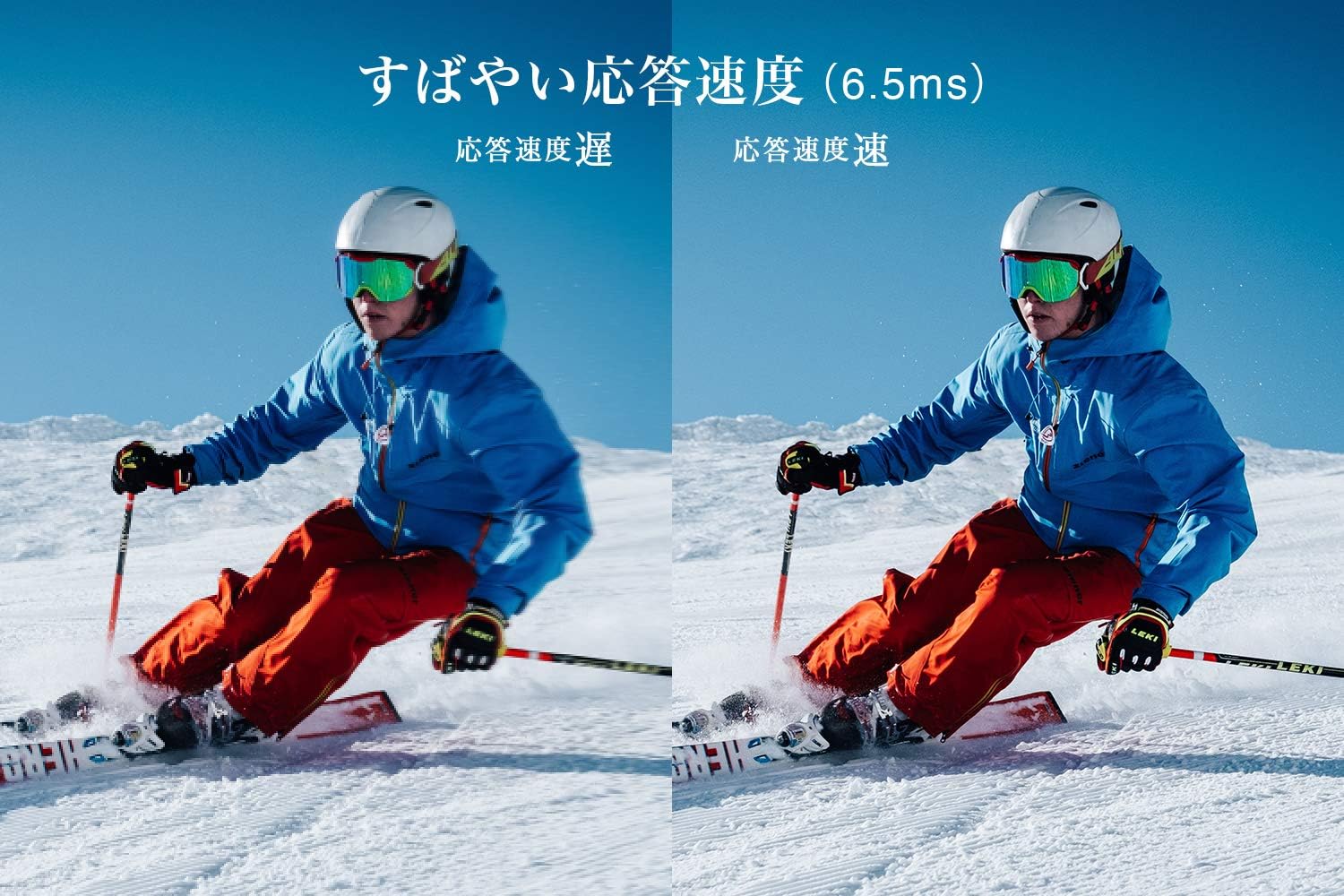
Figure 5: The TV features a fast response speed of 6.5ms for clear motion.
4. Manutenção
4.1 Limpeza da tela
Limpe suavemente a tela com um pano macio, seco e sem fiapos. Para manchas persistentes, esfregue levemente.ampen the cloth with water or a specialized screen cleaner (ensure it's suitable for LCD screens) and wipe carefully. Avoid applying excessive pressure.
4.2 Limpeza da carcaça da TV
Wipe the TV body with a soft, dry cloth. Do not use abrasive cleaners, waxes, or solvents as they can damage the finish.
4.3 Cuidados Gerais
- Evite expor a TV à luz solar direta ou a temperaturas extremas.
- Garanta ventilação adequada ao redor da TV para evitar superaquecimento.
- Desligue a TV da tomada durante tempestades com raios ou quando ela não for ser usada por longos períodos.
5. Solução De Problemas
If you encounter issues with your TV, refer to the following common troubleshooting steps. If the problem persists, contact customer support.
5.1 Sem energia
- Check if the power cord is securely connected to both the TV and the wall outlet.
- Verifique se a tomada está funcionando conectando outro aparelho.
- Pressione o botão liga/desliga na própria TV, não apenas no controle remoto.
5.2 No Picture/No Signal
- Certifique-se de que a fonte de entrada correta esteja selecionada (por exemplo, HDMI 1, TV).
- Verifique se todas as conexões dos cabos (HDMI, antena) estão soltas ou danificadas.
- Se estiver usando um dispositivo externo, certifique-se de que ele esteja ligado e funcionando corretamente.
- Perform a channel scan if you are watching broadcast TV.
5.3 Sem som
- Verifique o nível de volume e certifique-se de que a TV não esteja no mudo.
- Se estiver usando alto-falantes externos, certifique-se de que estejam devidamente conectados e ligados.
- Verifique as configurações de áudio no menu da TV.
5.4 Controle remoto não funciona
- Substitua as pilhas por novas.
- Certifique-se de que não haja obstruções entre o controle remoto e o sensor infravermelho da TV.
6. Especificações
| Recurso | Especificação |
|---|---|
| Tamanho da tela | 32 polegadas |
| Tecnologia de exibição | LCD |
| Resolução | Alta definição (1366 x 768) |
| Taxa de atualização | 60 Hz |
| Proporção da tela | 16:9 |
| Taxa de contraste | 3000:1 |
| Viewângulo de engate | 178/178 degrees (JEITA standard, CR>=10) |
| Tipo de luz de fundo | LED de iluminação direta |
| Velocidade de resposta | 6.5ms |
| Dimensões (com suporte) | L731 x A491 x P186 mm |
| Dimensões (sem suporte) | L731 x A436 x P76 mm |
| Peso (com suporte) | 4.4 kg |
| Peso (sem suporte) | 4.3 kg |
| Wall Mount (VESA) | 100x100mm |
| Consumo anual de energia | 45 kWh/ano |
| Portas HDMI | 2 (HDMI Ver1.4a, Port 1 supports ARC) |
| Portas USB | 1 (USB 2.0) |
| Tipo de afinador | Terrestrial Digital, BS Digital, 110-degree CS Digital (Dual Tuner) |
| Ano do modelo | 2019 |

Figure 6: TV dimensions and recommended viewdistância.

Figure 7: VA panel technology provides superior contrast and depth.
7. Garantia e Suporte
7.1 Garantia do Fabricante
Este produto possui garantia de fábrica de 1 ano a partir da data da compra. Guarde o comprovante de compra para eventuais solicitações de garantia.
7.2 Suporte ao cliente
For any inquiries, technical assistance, or repair requests, please contact TCL customer support. Our dedicated Japanese staff are available to assist you.
- Telefone: 0120-955-517
- Horário de funcionamento: 9:00 - 18:00 (Weekdays and Holidays, excluding year-end and New Year holidays)
- Website: https://www.tcl.com/jp/ja/services.html
Nationwide repair service is available.
Figure 8: TCL Customer Support details.