
1. Produto acabadoview
The Midea WDC-86E/KD is a wired individual control unit designed for managing Midea air conditioning indoor units. It features a square, wall-mounted design with an LCD screen for clear display of settings and operational status. This unit supports control of up to 16 indoor units and includes a 24-hour timer, error code display, touch control interface, and a built-in infrared receiver.
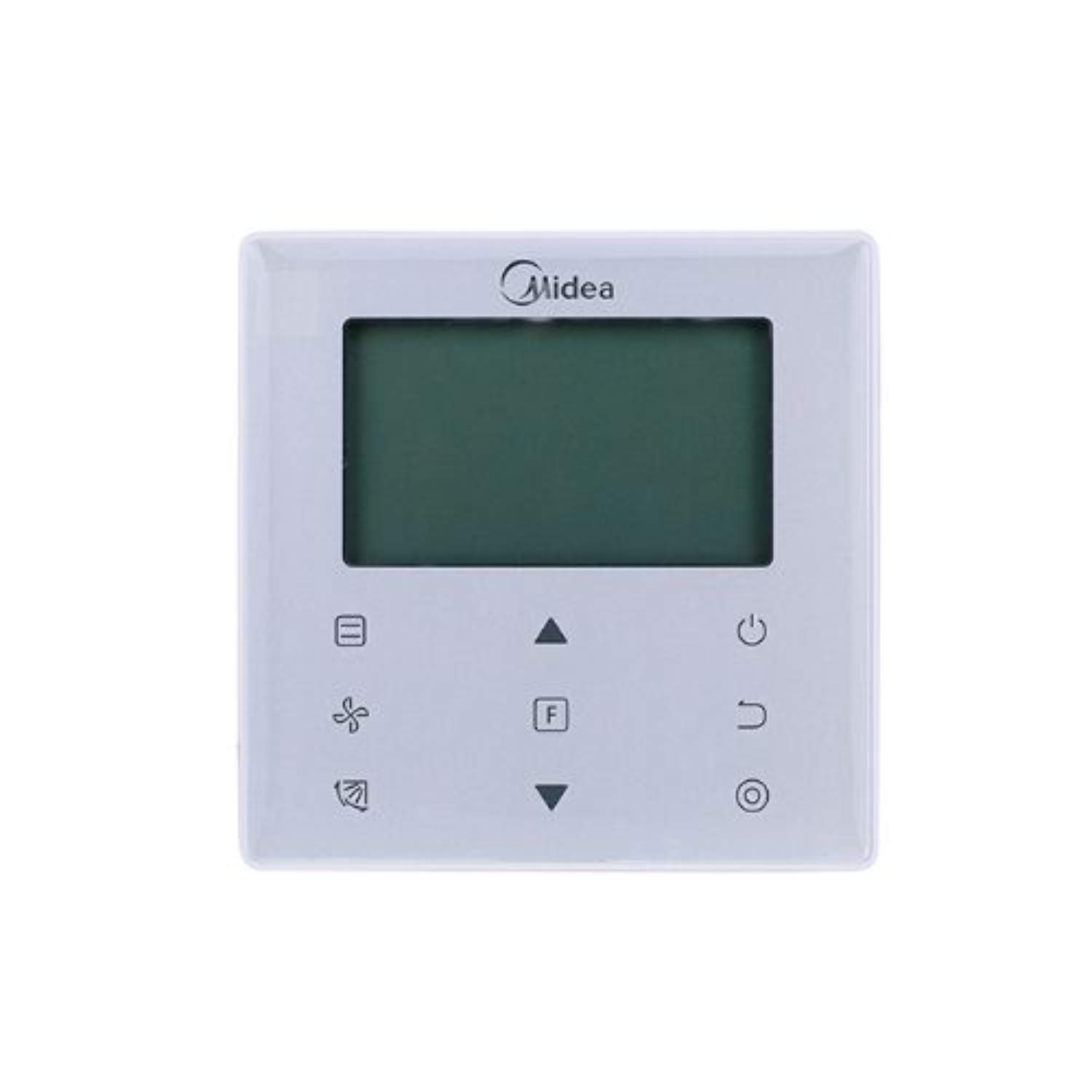
Imagem 1.1: Frente view of the Midea WDC-86E/KD wired individual control unit, showing its square design and LCD screen.
2. Instalação e configuração
2.1 Montagem
The WDC-86E/KD unit is designed for wall mounting. Ensure the installation location is free from direct sunlight, heat sources, or areas with high humidity. Mount the unit at a convenient height for operation, typically around 1.2 to 1.5 meters from the floor.
2.2 fios
Connect the control unit to the indoor air conditioning unit(s) using the appropriate communication cable. Refer to the specific wiring diagram provided with your air conditioning system for detailed connection instructions. Ensure all connections are secure and correctly polarized to prevent damage.
2.3 Inicialização
After installation and wiring are complete, apply power to the air conditioning system. The control unit's LCD screen should illuminate, indicating it is ready for initial setup or operation. Follow the on-screen prompts if any, or proceed to basic operation.
3. Operating Your Control Unit
3.1 Funções Básicas
- Ligar/desligar: Pressione o PODER button to turn the air conditioning system on or off.
- Ajuste de temperatura: Use o UP e ABAIXO arrow buttons to set the desired room temperature.
Seleção de 3.2 modos
Pressione o MODO Botão para alternar entre os modos de operação disponíveis:
- LEGAL: Para refrescar o ambiente.
- AQUECER: Para aquecer o quarto.
- VENTILADOR: For circulating air without heating or cooling.
- SECO: Para desumidificação.
- CARRO: The system automatically selects the appropriate mode based on the room temperature.
3.3 Ajuste da velocidade da ventoinha
Pressione o FAN button to adjust the fan speed (e.g., Low, Medium, High, Auto). The available speeds may vary depending on the indoor unit model.
3.4 Função do temporizador
A unidade possui um temporizador de 24 horas. Pressione o CRONÔMETRO button to set a specific time for the unit to turn on or off. Follow the on-screen instructions to configure the timer settings.
3.5 Receptor infravermelho
The built-in infrared receiver allows for control via a compatible Midea infrared remote control (sold separately). Ensure there are no obstructions between the infrared remote and the control unit for proper operation.
3.6 Exibição do código de erro
In the event of a system malfunction, the LCD screen will display an error code. Refer to the troubleshooting section of this manual or your air conditioning unit's manual for the meaning of specific codes and recommended actions.
4. Manutenção
To ensure optimal performance and longevity of your Midea WDC-86E/KD control unit, follow these maintenance guidelines:
- Limpeza: Gently wipe the surface of the control unit with a soft, dry cloth. For stubborn dirt, use a slightly damp cloth with a mild detergent, then wipe dry. Do not use abrasive cleaners, solvents, or chemical sprays, as these can damage the unit's finish and electronics.
- Evite líquidos: Prevent liquids from entering the control unit, as this can cause electrical shorts and damage.
- Inspeção: Periodically check the wiring connections for any signs of wear or looseness. If any issues are found, contact a qualified technician.
5. Solução De Problemas
If you encounter issues with your control unit, refer to the table below for common problems and solutions. If the problem persists, contact Midea customer support or a qualified service technician.
| Problema | Possível causa | Solução |
|---|---|---|
| A unidade não liga. | No power supply to the air conditioning system or control unit. | Check the main power supply to the air conditioning system. Ensure wiring connections are secure. |
| A tela LCD está em branco ou piscando. | Conexão solta ou problema de energia. | Verify power supply and wiring. If problem persists, contact service. |
| Unit not responding to touch. | Falha temporária no software ou obstrução física. | Restart the air conditioning system by cycling power. Ensure the screen is clean and dry. |
| Código de erro exibido. | Mal funcionamento do sistema. | Note the error code and consult your air conditioning unit's manual or contact Midea support for specific guidance. |
| Infrared remote not working. | Obstruction or remote control issue. | Ensure line of sight between remote and unit. Check remote batteries. |
6. Especificações técnicas
| Recurso | Especificação |
|---|---|
| Número do modelo | WDC-86E/KD |
| Fabricante | Midea |
| Dimensões (C x L x A) | 20 x 30 x 20 cm |
| Peso | 300 g |
| Cor | Cinza |
| Tipo de exibição | LCD |
| Tipo de montagem | Montagem na parede |
| Capacidade de controle | Up to 16 indoor units |
| Características especiais | 24-hour timer, Error code display, Touch control, Built-in infrared receiver |
| Pilhas necessárias | Não |
7. Garantia e Suporte
For warranty information and technical support, please refer to the documentation provided with your Midea air conditioning system or visit the official Midea website. You may also contact Midea customer service directly for assistance with your WDC-86E/KD control unit.