
Produto acimaview
The LEZII BT525 is a compact and portable Bluetooth speaker designed for versatile use, particularly in environments where water resistance is essential. Its robust construction and IPX7 waterproof rating make it suitable for use in showers, by the pool, on the beach, or during outdoor activities like kayaking and biking. This manual provides detailed instructions for setting up, operating, and maintaining your speaker to ensure optimal performance.
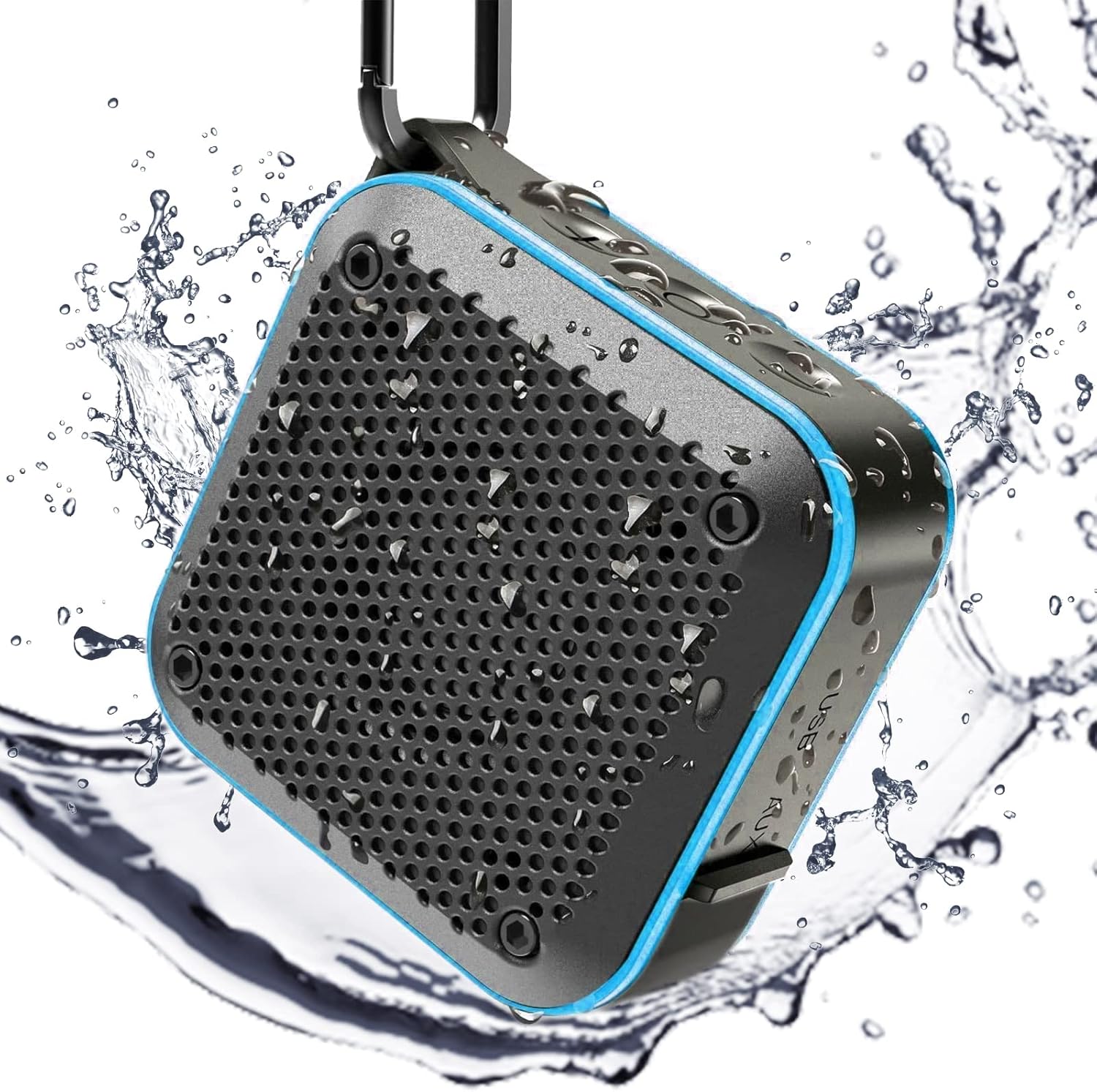
Figure 1: LEZII BT525 Shower Bluetooth Speaker, showcasing its waterproof capabilities with water droplets.
Principais características
- IPX7 Impermeável: Designed to withstand immersion in water up to 1 meter for 30 minutes, making it ideal for wet environments.
- Loud HD Sound: Equipped with a built-in 5W subwoofer and premium microphone for high-fidelity audio and clear calls.
- Emparelhamento estéreo TWS: Connect two BT525 speakers wirelessly for enhanced 360° surround sound.
- Reprodução multifuncional: Supports Bluetooth 5.0, TF/SD card playback, AUX-in, and FM Radio (on blue and orange models).
- Design portátil: Compact size (3.5"D x 3.5"W x 1.8"H) and lightweight (9.6 ounces) with an integrated carabiner for easy transport.
- Bateria de longa duração: Proporciona maior tempo de jogo com uma única carga.

Figure 2: Internal components illustrating the HIFI sound quality of the speaker.

Figure 3: The speaker submerged in water, confirming its IPX7 waterproof capability.
Configurar
1. Ligar / desligar
- To power on: Press and hold the power button (center button) for approximately 2 seconds until you hear an audible prompt.
- To power off: Press and hold the power button for approximately 5 seconds.
2. Emparelhamento Bluetooth
- Ensure the speaker is powered on and in Bluetooth mode (indicated by a blue light).
- On your mobile device, open Bluetooth settings and search for "BT525".
- Select "BT525" to connect. A successful connection will be confirmed by an audible prompt from the speaker.
- O alto-falante tentará se reconectar automaticamente ao último dispositivo emparelhado ao ser ligado.
Video 1: Demonstrates the power on/off function, mode switching, and Bluetooth pairing process for the LEZII BT525 speaker.
Instruções de operação
Controles básicos
- Ajuste de volume: Pressione o botão '+' para aumentar o volume e o botão '-' para diminuir o volume.
- Controle de trilha: Pressione e segure o botão '+' para a próxima faixa e pressione e segure o botão '-' para a faixa anterior.
- Reproduzir/pausar/atender chamada: Press the power button (center button) once to play/pause music or answer/end a call.
- Assistente de voz: After powering on, press and hold the power button for 2 seconds to activate the voice assistant function.
TWS Stereo Pairing
To achieve true wireless stereo sound with two BT525 speakers:
- Certifique-se de que ambos os alto-falantes estejam ligados.
- First, pair and connect one of the speakers to your mobile device via Bluetooth. This speaker will serve as the primary unit. The speaker's light will illuminate blue.
- While music is playing from the primary speaker, quickly click the composite key (power button) of the outro speaker three times.
- You will hear a prompt tone indicating that TWS pairing is complete. Both speakers will now play the same music simultaneously, creating a stereo effect.

Figure 4: Two speakers paired together for TWS stereo sound.
FM Radio Mode (Blue & Orange Models Only)
If you have a blue or orange model of the BT525 speaker, it includes an FM radio function:
- After booting, double-click the power button to enter FM mode.
- Triple-click the power button to search for available channels. The speaker will scan and save stations.
- Long press the '+' or '-' buttons to change between saved channels.
Carregando
The LEZII BT525 speaker is powered by a rechargeable Lithium Ion battery. To charge the speaker:
- Locate the USB charging port, typically found under a protective rubber flap to maintain waterproofing.
- Connect the provided USB charging cable to the speaker and a compatible USB power source (e.g., computer, wall adapter).
- Uma carga completa normalmente leva cerca de 3 horas.
- O alto-falante indicará bateria fraca quando for necessário carregar.

Figure 5: Multi-functional playback ports including USB charging, TF/SD card slot, and AUX-in.
Manutenção
To ensure the longevity and optimal performance of your LEZII BT525 speaker, follow these maintenance guidelines:
- Limpeza: Limpe o alto-falante com um suave, damp pano. Evite usar produtos químicos agressivos ou produtos de limpeza abrasivos.
- Impermeabilização: Always ensure the protective rubber flap covering the charging and AUX ports is securely closed when using the speaker near water or in wet conditions.
- Armazenar: Guarde a caixa de som em local fresco e seco quando não estiver em uso. Evite temperaturas extremas.
- Cuidados com a bateria: For best battery life, avoid fully discharging the battery frequently. Charge it regularly.
Solução de problemas
| Problema | Possível causa | Solução |
|---|---|---|
| Alto-falante não liga. | Bateria fraca; Botão liga/desliga não pressionado corretamente. | Charge the speaker for at least 30 minutes. Ensure the power button is pressed and held for 2 seconds. |
| Não é possível emparelhar com o dispositivo Bluetooth. | Alto-falante não está em modo de emparelhamento; Dispositivo muito distante; Interferência. | Certifique-se de que a caixa de som esteja no modo Bluetooth. Aproxime o dispositivo da caixa de som. Desligue outros dispositivos Bluetooth. |
| Sem som ou volume muito baixo. | Volume too low on speaker or device; Not connected properly. | Aumente o volume tanto na caixa de som quanto no dispositivo conectado. Restabeleça a conexão Bluetooth. |
| Rádio FM não funciona. | Not in FM mode; Poor signal. | Double-click power button to enter FM mode. Triple-click to auto-scan channels. Adjust speaker position for better reception. |
| O emparelhamento TWS falha. | Sequência de emparelhamento incorreta. | Ensure one speaker is connected to device first, then quickly triple-click the power button on the second speaker. |
Especificações
- Nome do modelo: BT525
- Marca: LEZII
- Material: Borracha
- Cor: Azul
- Dimensões do produto: 3.5"P x 3.5"L x 1.8"A
- Peso do item: 9.6 onças (272 gramas)
- Potência máxima de saída do alto-falante: 3 Watts
- Tamanho do alto-falante: 40 Mícron
- Tecnologia de comunicação sem fio: Bluetooth
- Faixa Bluetooth: 10 metros
- Nível de resistência à água: IPX7 à prova d'água
- Fonte de energia: Alimentado por bateria (1 bateria de íon de lítio incluída)
- Capacidade da bateria: 1500 Miliamp Horas
- Tempo de carregamento: 3 horas
- Modo de saída de áudio: Surround, Estéreo
- Número de microfones: 1
- Método de controle: Tocar
- Tipo de garantia: Limitado
Garantia e Suporte
The LEZII BT525 speaker comes with a limited warranty. For specific warranty details, claims, or technical support, please refer to the warranty information provided with your product packaging or contact LEZII customer service directly. Contact information can typically be found on the manufacturer's official website ou na embalagem do produto.