
1. Introdução
This manual provides comprehensive instructions for the Microsoft Surface Laptop 3, Model VGY-00001. Designed for productivity and portability, this device features a 13.5-inch touchscreen, Intel Core i5 processor, 8GB RAM, and a 128GB Solid State Drive. Please read this manual thoroughly to ensure proper setup, operation, and maintenance of your device.
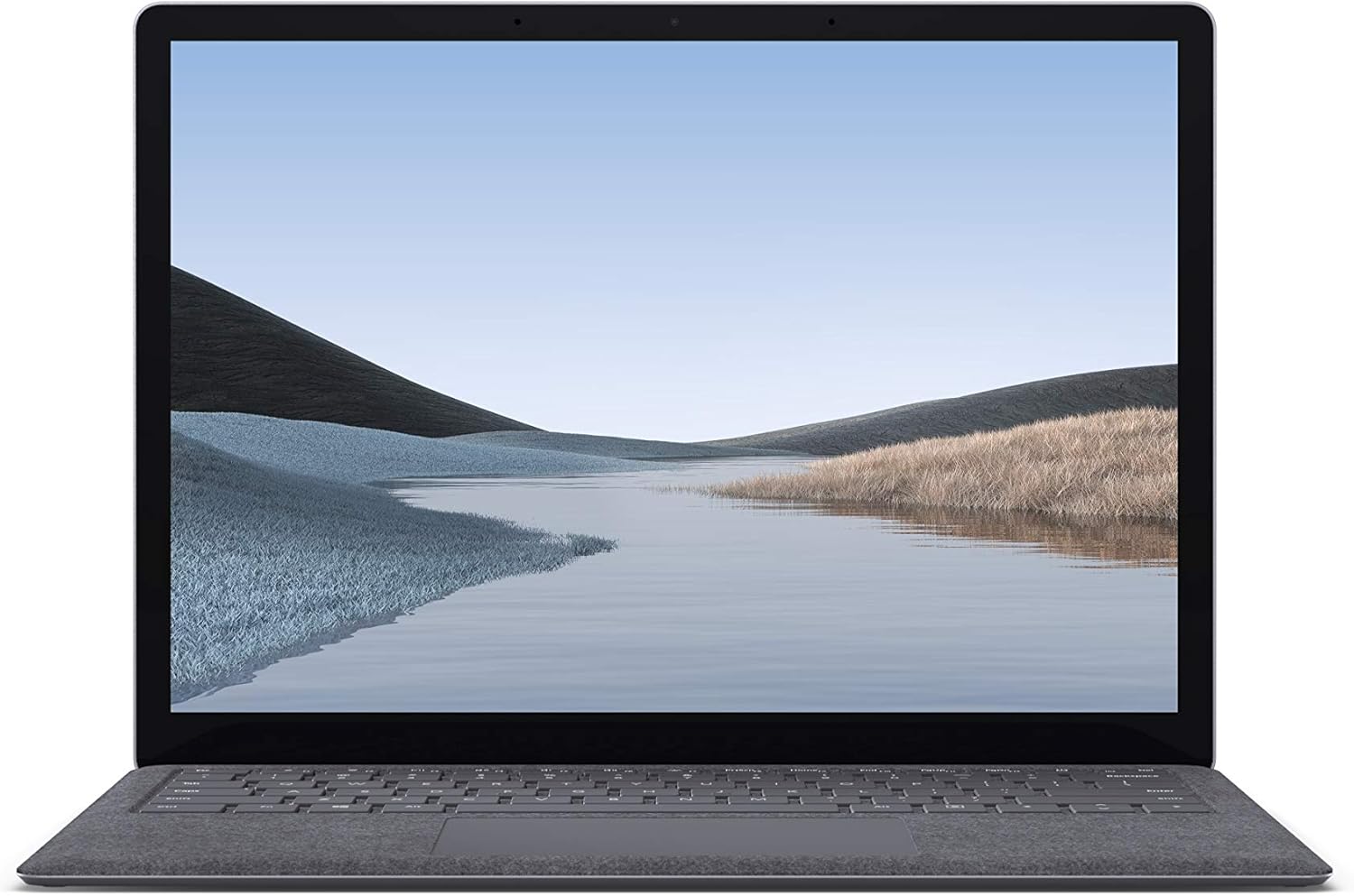
Imagem 1.1: Frente view of the Microsoft Surface Laptop 3 with its display active.
The Surface Laptop 3 offers a clean, elegant design, weighing approximately 2.79 pounds, making it easy to carry. It features improved speed and performance with its 10th Gen Intel Core processors, offering up to two times faster performance than previous models. Connectivity options include USB-C and USB-A ports for connecting to displays, docking stations, and accessories. The device provides up to 11.5 hours of battery life and supports fast charging, reaching up to 80% in about one hour.
2. O que está na caixa
Upon unboxing your Microsoft Surface Laptop 3, verify that all the following items are present:
- Microsoft Surface Laptop 3 (Model VGY-00001)
- Guia de início rápido (QSG)
- Power Supply (AC adapter)
3. Configuração
3.1 Inicialização Inicial
- Conecte a energia: Plug the power supply into a wall outlet and connect the magnetic Surface Connect port to your laptop. The LED indicator on the connector will light up when properly connected.
- Ligar: Open the laptop lid or press the power button located on the keyboard.
- Instalação do Windows: Follow the on-screen instructions to complete the Windows 10 Home setup. This includes selecting your region, connecting to a Wi-Fi network, and creating a user account.
- Windows Hello: Configure Windows Hello for secure and fast login using facial recognition.
3.2 Conectando Periféricos
Your Surface Laptop 3 includes various ports for connecting external devices:
- Porta USB-C: For data transfer, video output, and charging compatible devices.
- Porta USB-A: For connecting traditional USB devices like mice, keyboards, and external storage.
- Conector para fone de ouvido de 3.5 mm: Para saída de áudio para fones de ouvido ou alto-falantes externos.
- Porta de conexão de superfície: For the power supply and compatible Surface docking stations.

Imagem 3.1: Lateral view illustrating the available ports on the Surface Laptop 3.
4. Operating Your Surface Laptop 3
4.1 Tela e tela sensível ao toque
The 13.5-inch PixelSense touchscreen display offers a resolution of 2256 x 1504 pixels. It supports multi-touch gestures and is compatible with the Surface Pen (sold separately) for writing and drawing directly on the screen.
4.2 Teclado e touchpad
The full-size ergonomic keyboard features backlighting for comfortable typing in various lighting conditions. The large precision touchpad supports multi-finger gestures for navigation and control.
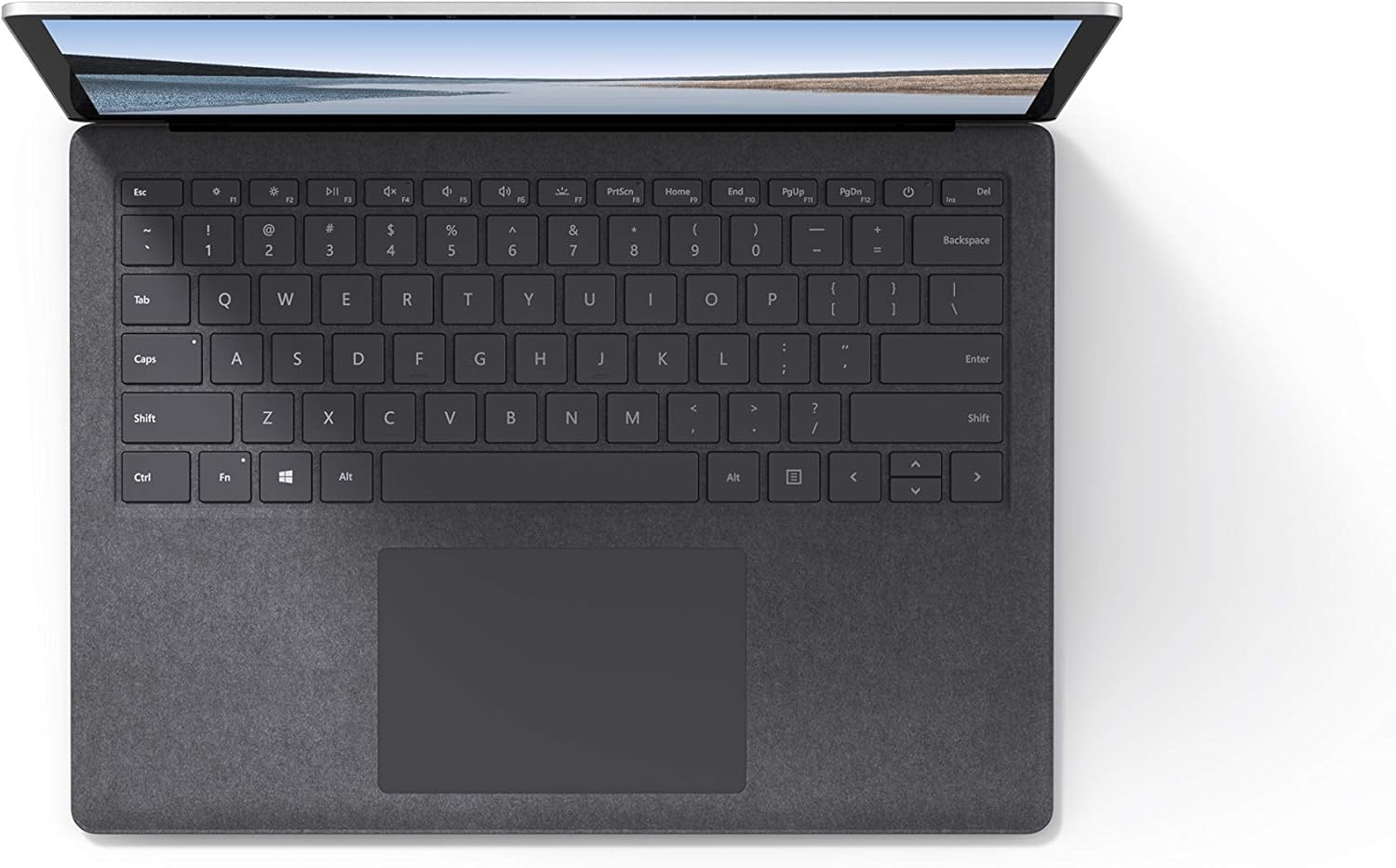
Imagem 4.1: Vista de cima para baixo view da área do teclado e do touchpad.
4.3 Áudio e Câmera
The laptop is equipped with Omnisonic Speakers with Dolby Audio Premium for clear sound. Dual far-field Studio Mics enhance voice clarity for calls and recordings. A front-facing 720p HD camera supports video conferencing and Windows Hello facial authentication.
4.4 Conectividade sem fio
The Surface Laptop 3 supports Wi-Fi 6 (802.11ax) for fast and reliable internet access, and Bluetooth 5.0 for connecting wireless accessories.
Video 4.1: Official Microsoft video showcasing the Surface Laptop 3's features and design.
5. Manutenção
5.1 Limpando seu dispositivo
- Use um pano macio e sem fiapos dampened with water or an approved screen cleaner to clean the display.
- Para o teclado e o chassi, use um pano macio e seco. Evite produtos químicos agressivos ou materiais abrasivos.
- Mantenha as portas livres de poeira e detritos.
5.2 Atualizações de Software
Verifique e instale regularmente as atualizações do Windows para garantir o melhor desempenho, segurança e acesso aos recursos mais recentes. Acesse Configurações > Atualização e segurança > Windows Update.
5.3 Cuidados com a bateria
- Evite temperaturas extremas.
- For optimal battery longevity, avoid consistently discharging the battery to 0% or keeping it at 100% for extended periods.
- Use apenas a fonte de alimentação fornecida.
6. Solução De Problemas
6.1 Problemas de energia
- Dispositivo não liga: Ensure the power supply is securely connected and the outlet is functional. Try a forced shutdown by holding the power button for 30 seconds, then release and press again briefly to restart.
- A bateria não carrega: Verify the Surface Connect cable is properly attached. Check for any damage to the cable or port.
6.2 Problemas de desempenho
- Desempenho lento: Close unnecessary applications. Check Task Manager for resource-intensive processes. Ensure Windows is up to date.
- Superaquecimento: Ensure ventilation vents are not blocked. Avoid using the laptop on soft surfaces that can obstruct airflow.
6.3 Problemas de conectividade
- A conexão Wi-Fi não está funcionando: Restart your router and the laptop. Check Wi-Fi settings and ensure the correct network is selected and password entered.
- Dispositivo Bluetooth não está emparelhando: Ensure the Bluetooth device is in pairing mode and within range. Check Bluetooth settings on your laptop.
7. Especificações
| Recurso | Detalhe |
|---|---|
| Marca | Microsoft |
| Nome do modelo | Laptop de superfície 3 |
| Número do modelo | VGY-00001 |
| Tamanho da tela | 13.5 polegadas |
| Resolução | 2256 x 1504 pixels |
| Modelo de CPU | Intel Core i5 (10th Generation) |
| Velocidade do processador | 1.2 GHz (up to 3.7 GHz with Turbo Boost) |
| Tamanho da memória RAM instalada | 8 GB LPDDR4 |
| Tamanho do disco rígido | SSD de 128 GB |
| Sistema operacional | Windows 10 Home (Free Upgrade to Windows 11 when available) |
| Coprocessador gráfico | Intel Iris Plus |
| Tecnologia de Conectividade | 1 x USB-C, 1 x USB-A, 3.5 mm headphone jack, 1 x Surface Connect port |
| Tecnologia sem fio | Wi-Fi 6 (802.11ax), Bluetooth 5.0 |
| Duração da bateria | Até 11.5 horas |
| Peso do item | 2.79 libras |
| Dimensions (L x W x Thickness) | 8.8"C x 12.1"L x 0.57"E |
| Câmera | Front-facing 720p HD camera with Windows Hello face authentication |
| Áudio | Caixas de som Omnisonic com Dolby Audio Premium, dois microfones de estúdio de campo distante. |
8. Garantia e Suporte
8.1 Garantia do Produto
The Microsoft Surface Laptop 3 (Model VGY-00001) comes with a Garantia limitada do fabricante de 1 anos. This warranty covers defects in materials and workmanship under normal use. For specific terms and conditions, please refer to the warranty documentation included with your product or visit the official Microsoft support website.
8.2 Suporte ao cliente
For technical assistance, troubleshooting, or warranty claims, please contact Microsoft Support. You can find contact information and additional resources on the official Microsoft Surface support website. Keep your proof of purchase and product serial number readily available when contacting support.
Suporte online: Visita support.microsoft.com/surface Para perguntas frequentes, drivers e downloads de software.