
1. Introdução
Thank you for choosing the alphatronics T-22 SBI+ LED display. This manual provides essential information for the safe and efficient use of your device. Please read it thoroughly before operating the product and keep it for future reference.
The alphatronics T-22 SBI+ is equipped with a Basic-Smart Function, allowing easy internet browsing via an integrated browser and access to a selection of applications. It features a Triple Tuner for versatile reception options.
2. O que está na caixa
Por favor, verifique o conteúdo da sua encomenda:
- alphatronics T-22 SBI+ LED Display
- DVB-T Antenna AN5
- Base de suporte
- Controle remoto e acessórios
- Manual do usuário (este documento)
Caso algum item esteja faltando ou danificado, entre em contato com o revendedor.
3. Principais características
- Sintonizador Triplo: Integrated DVB-S2, DVB-T2 HD, and DVB-C Tuner for HDTV (MPEG2/4).
- 100% Pixel-Free Display: Ensures a perfect visual experience without pixel defects.
- Bluetooth 4.2: For wireless audio connectivity with compatible devices.
- alphatronics Basic-Smart Function: Enables easy internet browsing and access to selected apps.
- Visor de LED: High-quality display technology for vibrant images.

Image: The alphatronics T-22 SBI+ display highlighting its Basic-Smart Functionality.
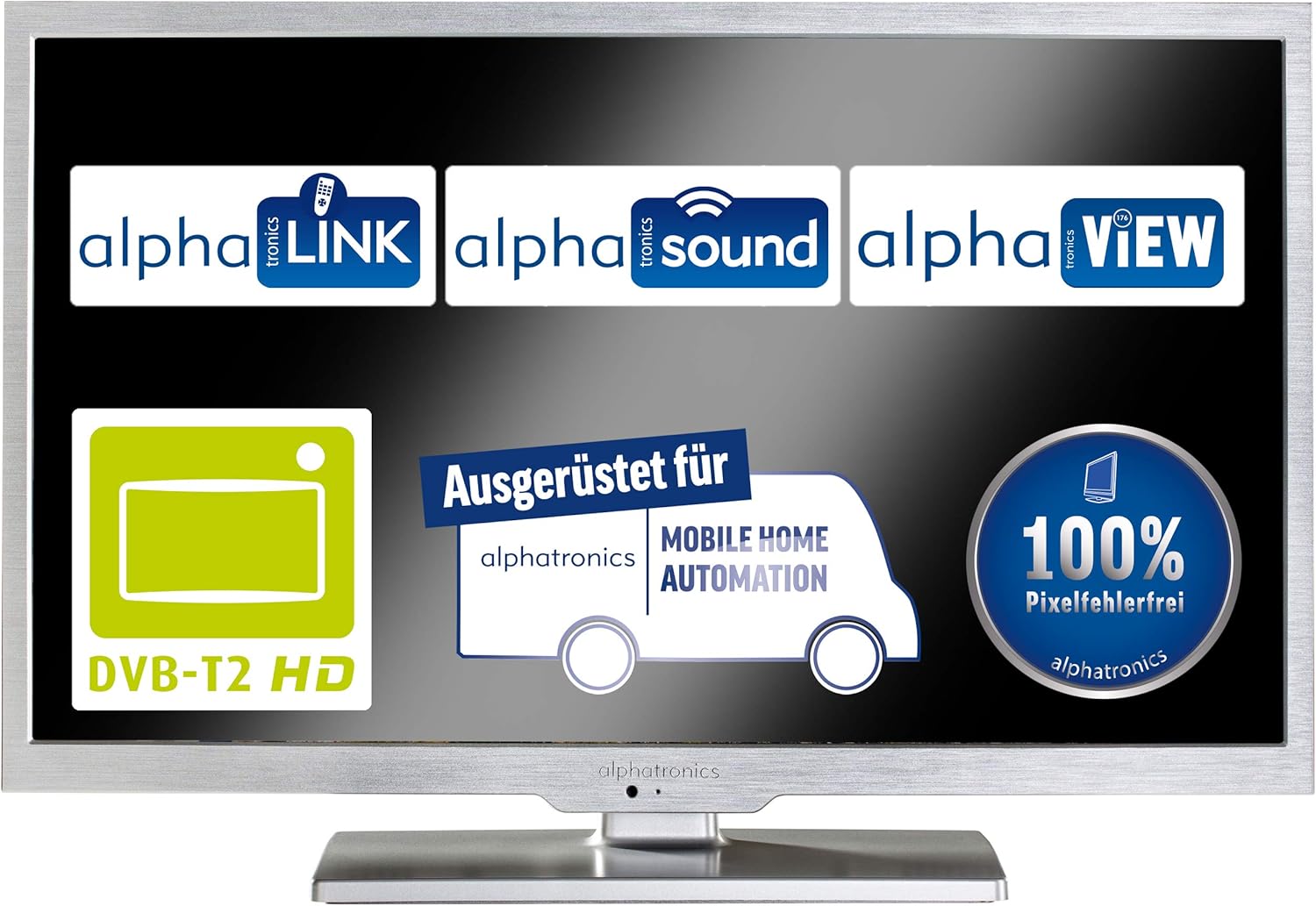
Imagem: Exibição mostrandoasing key features such as DVB-T2 HD compatibility and 100% pixel-free guarantee.
4. Configuração
4.1 Montagem do suporte
- Carefully place the display face down on a soft, clean surface to prevent scratches.
- Attach the stand base to the bottom of the display using the provided screws. Ensure it is securely fastened.
- Gently lift the display and place it on a stable, flat surface.

Image: Dimensions of the alphatronics T-22 SBI+ including the stand, useful for placement.
4.2 cabos de conexão
- Poder: Conecte o cabo de alimentação ao monitor e, em seguida, a uma tomada de parede.
- Antena/Satélite: Connect your DVB-T antenna (AN5 included) or satellite cable to the corresponding input on the display.
- Dispositivos Externos: Use HDMI, USB, or other available ports to connect external devices such as media players or game consoles.
4.3 First Power On and Initial Setup
- Press the power button on the display or remote control to turn on the device.
- Follow the on-screen prompts to select your language, country, and perform an automatic channel scan for DVB-S2, DVB-T2 HD, or DVB-C.
- Connect to your Wi-Fi network to enable the Basic-Smart Function and access online features.

Image: The alphatronics T-22 SBI+ display, ready for use after setup.
5. Instruções de operação
5.1 Operação básica
- Ligar/desligar: Use the power button on the remote or display.
- Seleção de canais: Use os botões CH+/- ou o teclado numérico do controle remoto.
- Controle de volume: Use os botões VOL+/- no controle remoto.
- Fonte de entrada: Press the 'Source' or 'Input' button on the remote to switch between TV, HDMI, USB, etc.
5.2 Using the Basic-Smart Function
The integrated Basic-Smart Function allows you to access internet content directly on your display.
- Ensure the display is connected to a stable Wi-Fi network.
- Navigate to the 'Smart' or 'Apps' menu using your remote control.
- Select the integrated browser to surf the internet or choose from the pre-installed applications.
5.3 Conectividade Bluetooth
To connect Bluetooth audio devices (e.g., headphones, speakers):
- Acesse o menu 'Configurações' e selecione 'Bluetooth'.
- Enable Bluetooth on the display and put your audio device into pairing mode.
- Select your device from the list of available devices on the display to pair.
6. Manutenção
6.1 Limpando a tela
- Always unplug the display from the power outlet before cleaning.
- Use um pano macio e sem fiapos para limpar delicadamente a tela e o gabinete.
- Para marcas persistentes, dampen the cloth slightly with water or a specialized screen cleaner. Never spray liquid directly onto the screen.
- Evite usar produtos de limpeza abrasivos, ceras ou solventes.
6.2 Cuidados Gerais
- Não bloqueie as aberturas de ventilação.
- Keep the display away from direct sunlight, heat sources, and excessive moisture.
- Avoid placing heavy objects on top of the display.
7. Solução De Problemas
If you encounter issues with your alphatronics T-22 SBI+, please refer to the following common problems and solutions:
| Problema | Possível causa | Solução |
|---|---|---|
| No power / Display does not turn on | Power cable not connected; Power outlet faulty; Remote control batteries low. | Check power cable connection; Try a different outlet; Replace remote control batteries. |
| Sem sinal / Tela em branco | Incorrect input source selected; Antenna/cable not connected; Channel scan not performed. | Press 'Source' button to select correct input; Check antenna/cable connections; Perform a channel scan. |
| No internet connection (Basic-Smart Function) | Wi-Fi not connected; Incorrect Wi-Fi password; Router issue. | Check Wi-Fi settings and password; Restart your Wi-Fi router; Ensure strong Wi-Fi signal. |
| Controle remoto não funciona | Batteries depleted; Obstruction between remote and display; Remote not paired (if applicable). | Replace batteries; Remove obstructions; Refer to remote control pairing instructions if necessary. |
If the problem persists after trying these solutions, please contact alphatronics customer support.
8. Especificações
| Recurso | Detalhe |
|---|---|
| Nome do modelo | T-22 Sbi+ |
| Dimensões do produto (com suporte) | 50.3 x 34.2 x 15.3 cm |
| Peso do item | 3.3 quilos |
| Tecnologia de tela | LIDERADO |
| Resolução | HD |
| Tecnologia de Conectividade | Bluetooth |
| Serviços de Internet suportados | Navegador |
| Tipo de montagem | Montagem na parede |
| Cor | Prata escovada |
| Fabricante | alfatrônicos |
| ASIN | B087B76663 |

Image: Dimensions of the alphatronics T-22 SBI+ without the stand, useful for wall mounting.
9. Garantia e Suporte
For information regarding warranty coverage, technical support, or service, please refer to the warranty card included with your product or visit the official alphatronics webVocê também pode entrar em contato com seu revendedor para obter assistência.
alphatronics Official Website: www.alphatronics.de