
ThiEYE UYH3
Carro ThiEYEview 3 Mirror Dash Camera User Manual
Model: UYH3 | Brand: ThiEYE
1. Introdução
The ThiEYE Carview 3 Mirror Dash Camera is an advanced vehicle recording system designed to enhance driving safety and provide comprehensive video evidence. Featuring a 10-inch IPS touchscreen, 2.5K front camera, and 1080P rear camera, it offers clear, wide-angle views of your surroundings. This manual provides detailed instructions for the proper installation, operation, and maintenance of your device.
2. Conteúdo da embalagem
Verifique se todos os itens listados abaixo estão incluídos no seu pacote:
- Carro ThiEYEview 3 Mirror Dash Camera (Main Unit)
- Câmera Traseira Impermeável
- 8-meter Rear Camera Cable
- 0.2-meter Rear Camera Cable (for interior use)
- Cartão Micro SD de 32 GB
- Car Charger with extra USB port
- 2 x Long Mounting Straps
- 2 x Short Mounting Straps
- Leitor de cartão
- Ferramenta de alavanca
- Manual do usuário
- 3M Tape & Screws (for rear camera mounting)

Image: All components included in the ThiEYE Carview 3 package, including the main mirror dash cam unit, rear camera, cables, mounting straps, and accessories.
3. Produto acabadoview
The ThiEYE Carview 3 integrates a high-resolution camera and a large touchscreen display into a rearview mirror form factor. It features a front-facing camera on the right side, optimized for right-hand drive vehicles, and supports an external rear camera for comprehensive coverage.

Image: The main ThiEYE Carview 3 mirror dash camera unit, showcasing its sleek design, integrated front camera, and large display area.
4. Configuração e instalação
4.1 Instalando a Unidade Principal
- Attach the main unit to your vehicle's existing rearview mirror using the provided mounting straps. Ensure it is securely fastened and does not obstruct your view.
- Ajuste o ângulo da câmera frontal para garantir que ela capture a estrada à frente com clareza.
4.2 Instalando a câmera traseira
The rear camera offers two installation options:
- Option A: Interior Cabin Recording
Use the 0.2-meter rear camera cable. Mount the rear camera on the front windshield to record the interior of the car. This is useful for taxi or ride-share drivers. - Option B: Exterior Rear Recording
Use the 8-meter rear camera cable. Mount the rear camera on the rear windshield or near the license plate to record the view behind your vehicle. This provides a full range of rear views and aids in parking.

Image: Illustration showing the two ways to install the rear camera: either facing the rear of the vehicle for external recording or facing the cabin for interior recording.
Route the rear camera cable discreetly using the provided pry tool to tuck it under vehicle trim. Connect the rear camera cable to the main unit.
4.3 Conexão de Energia
- Insert the provided car charger into your vehicle's 12V power outlet (cigarette lighter socket).
- Connect the car charger's USB cable to the main unit's power input. The device requires 5V/3A power for optimal performance.
Inserção do cartão Micro SD de 4.4 polegadas
- Insert the 32GB Micro SD card (Class 10 or higher, 32GB-128GB recommended) into the designated slot on the main unit.
- Before first use, format the Micro SD card through the device's settings menu to ensure proper functionality and prevent recording issues.
5. Instruções de operação
5.1 Operação básica
- Ligar/desligar: The device will automatically power on and begin recording when the car engine starts. It will power off automatically when the engine is turned off.
- Navegação com tela sensível ao toque: Use the 10-inch IPS touchscreen to navigate through menus, adjust settings, and switch display modes.
5.2 Recording Functions
- Gravação em loop: The camera continuously records video in segments (e.g., 1, 3, or 5 minutes). When the memory card is full, it automatically overwrites the oldest unlocked footage.
- Gravação de emergência (sensor G): The built-in G-sensor detects sudden impacts or collisions. In such an event, the current video segment is automatically locked and protected from being overwritten, serving as crucial evidence.
5.3 Modos e recursos de exibição
- Função de tela dividida: View both front and rear camera feeds simultaneously on the display.
- Ajustável View Escopo: Swipe up or down on the screen to adjust the viewing angle of the displayed camera feed.
- Super Visão Noturna: Enhanced night resolution algorithms provide clear images in low-light conditions.
- Dual 170° Wide Angle: Both front and rear cameras offer a 170-degree wide viewângulo de visão, minimizando os pontos cegos.
- Monitor de estacionamento: When enabled, the device will automatically record if it detects a collision or vibration while the vehicle is parked. This requires a hardwiring kit for 24-hour monitoring.
- Reversing Aid System: When the vehicle is put into reverse, the display automatically switches to the rear camera view with parking guidelines (requires proper connection to reverse light trigger).

Image: Visual representation of key features including Loop Recording, G-sensor, Parking Monitor, and Adjustable View Scope.

Image: Comparison demonstrating the enhanced clarity and detail provided by the Super Night Mode in low-light conditions.

Image: Diagram illustrating the extensive 170-degree wide-angle coverage of both the front and rear cameras, reducing blind spots.
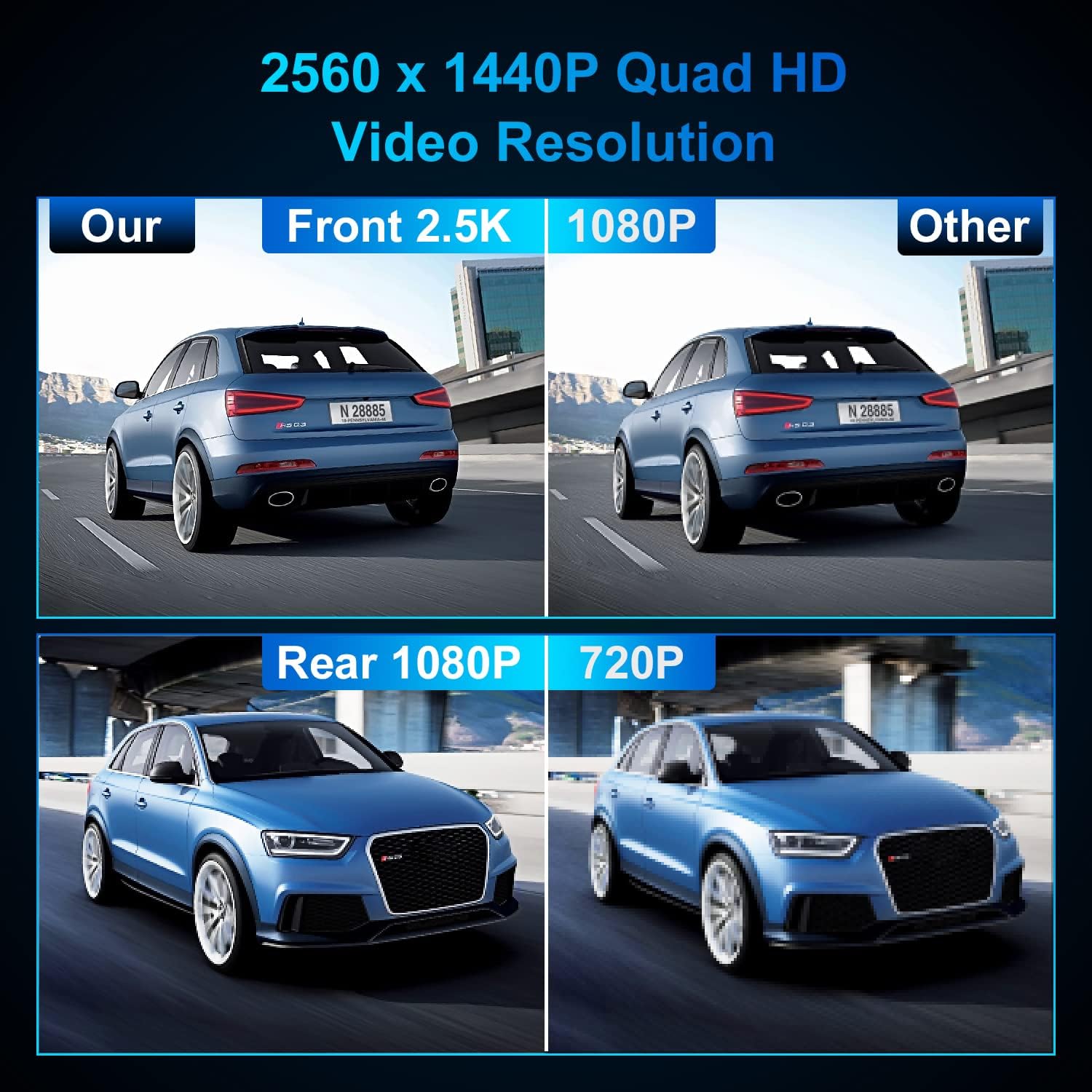
Image: Visual comparison highlighting the superior clarity and detail of 2.5K (front) and 1080P (rear) video resolution compared to standard definitions.
6. Manutenção
- Limpeza: Use a soft, dry cloth to clean the camera lenses and the touchscreen. Avoid abrasive materials or chemical cleaners that could damage the surfaces.
- Manutenção do cartão SD: Regularly format the Micro SD card (at least once a month) to ensure optimal performance and prevent data corruption. Back up any important footage antes da formatação.
- Atualizações de firmware: Check the official ThiEYE webVisite o site periodicamente para verificar se há atualizações de firmware disponíveis e garantir que seu dispositivo tenha os recursos mais recentes e as correções de bugs.
7. Solução De Problemas
- O dispositivo não liga: Ensure the car charger is properly connected and the vehicle's 12V power outlet is functioning. The device requires continuous power from the car charger during operation. The internal battery is for emergency file backup only.
- Touchscreen is unresponsive or insensitive: Ensure you are using the original ThiEYE car charger. Using third-party chargers with insufficient power (less than 5V/3A) can affect touchscreen sensitivity.
- Recording issues (e.g., footage not saving, errors): Format the Micro SD card through the device settings. Ensure the SD card is a Brand Class 10 or higher and within the recommended capacity (32GB-128GB). A read/write speed higher than 20MB/s is recommended.
- Rear camera image is unclear at night: Headlights from vehicles behind can sometimes overwhelm the rear camera's sensor. Ensure the camera lens is clean. Adjusting the camera tilt slightly may help.
- Device occasionally freezes or hangs: This can sometimes be resolved by restarting the device. Ensure the firmware is up to date and the SD card is properly formatted and functioning.
- Reversing lines do not appear: Ensure the red wire from the rear camera cable is correctly connected to your vehicle's reverse light power source (12V trigger).
8. Especificações
| Recurso | Especificação |
|---|---|
| Marca | ThiEYE |
| Número do modelo | UYH3 |
| Tamanho da tela | 10 polegada (26 cm) |
| Tipo de exibição | LCD (IPS Ultra HD Full-Size streaming media mirror touchscreen) |
| Resolução de vídeo frontal | 2.5K (2560x1440P) |
| Resolução de vídeo traseira | 1080P (1920x1080P) |
| Viewângulo de engate | 170 Degrees (Front & Rear) |
| Suporte para cartão de memória | MicroSD, up to 128GB (32GB included) |
| Características especiais | 8MP camera, Super Night Vision, G-Sensor, Loop Recording, Parking Monitor, Reversing Aid System, Split Screen Function |
| Composição da Bateria | Lithium-ion (1 battery included, for emergency backup only) |
| Entrada de energia | 5V/3A (via car charger) |
| Dimensões do produto | 30 x 11 x 4 cm |
| Peso do produto | 850 g |
9. Garantia e Suporte
ThiEYE offers a comprehensive after-sales service policy for the Carview 3 Mirror Dash Camera:
- Política de devolução: 30-day return policy from the date of purchase.
- Garantia do produto: 365-day product warranty period.
- Atendimento ao Cliente: Atendimento ao cliente amigável disponível em até 24 horas.
For any inquiries, technical support, or warranty claims, please contact us via email:
thieye.nl@thieye.com