
1. Introdução
Thank you for choosing the Reebok RDVNEG9P2S2B2N Digital Watch. This manual provides essential information for the proper setup, operation, and maintenance of your new timepiece. Please read this manual thoroughly before using the watch to ensure optimal performance and longevity.
2. Informações de segurança
- Resistência à água: This watch is water resistant up to 100 meters. It is suitable for swimming and snorkeling but not for diving. Do not operate buttons underwater.
- Temperatura: Avoid exposing the watch to extreme temperatures (hot or cold) for extended periods, as this may affect its accuracy and battery life.
- Produtos químicos: Keep the watch away from solvents, detergents, perfumes, and cosmetics, as these can damage the strap, case, or seals.
- Impacto: Protect the watch from strong impacts or drops, which can damage internal components or the crystal.
- Bateria: Do not attempt to open the watch case or replace the battery yourself, as this may void the warranty and damage the watch. Refer to qualified service personnel.
3. Conteúdo da embalagem
Verifique se todos os itens estão presentes no seu pacote:
- Reebok RDVNEG9P2S2B2N Digital Watch (with Stainless Steel Strap)
- Extra Silicone Strap
- Spring Bar Tool for strap replacement
- Manual do usuário (este documento)
4. Produto acabadoview
Familiarize yourself with the main components of your Reebok digital watch.
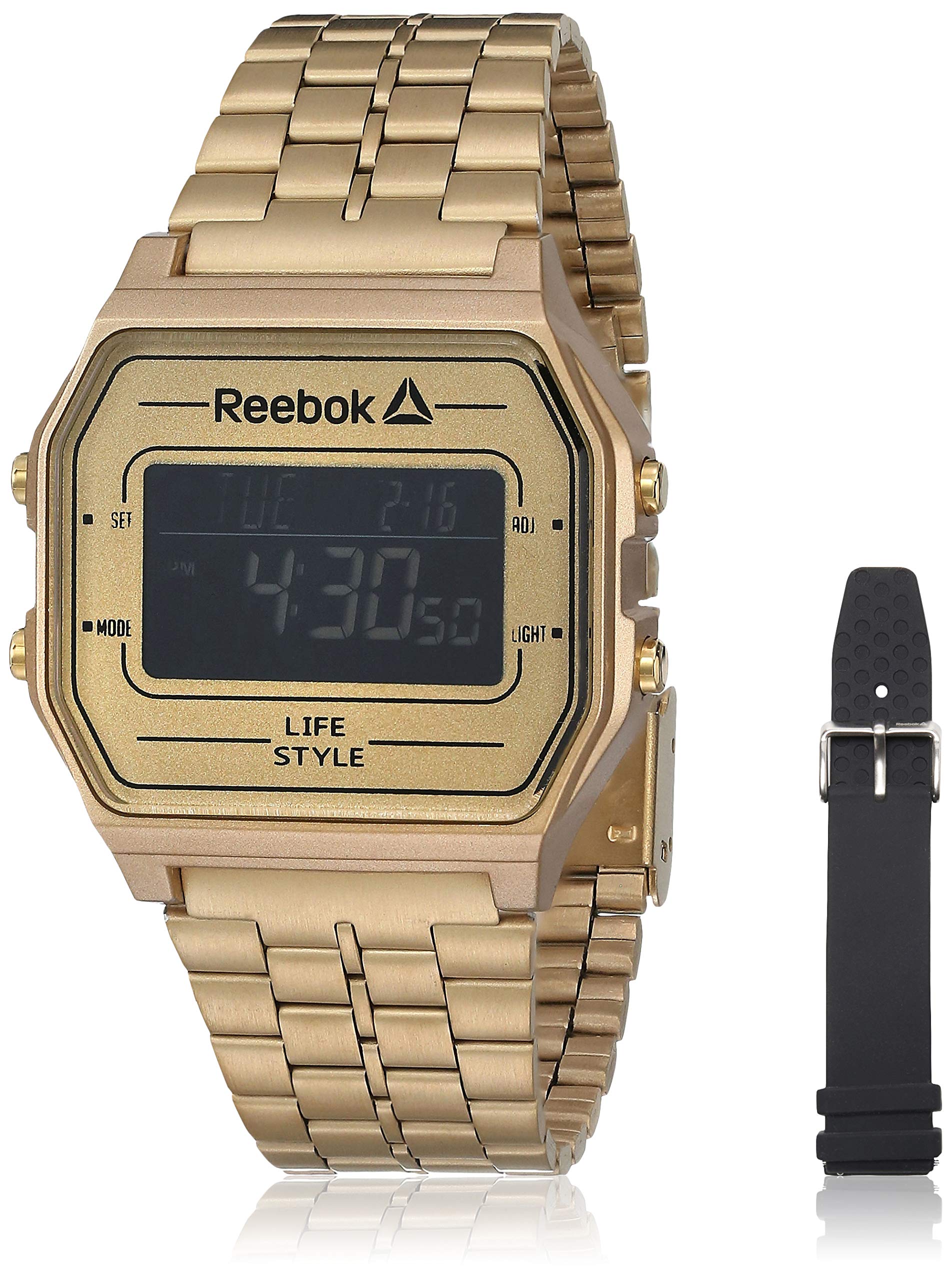
Imagem 1: Frente view of the Reebok RDVNEG9P2S2B2N Digital Watch with its gold stainless steel strap. The digital display shows time and date, and control buttons are visible on the sides.
- Mostrar: Tela digital que exibe hora, data e outras funções.
- Botão de configuração: Utilizado para inserir e confirmar configurações.
- Botão MODE: Cycles through different watch modes (Time, Alarm, Stopwatch, etc.).
- Botão ADJ: Adjusts values during setting.
- Botão LIGHT: Ativa a luz de fundo para visibilidade em condições de pouca luz.
- Caso: Gold-colored stainless steel case.
- Correia: Interchangeable straps (Stainless Steel and Silicone).
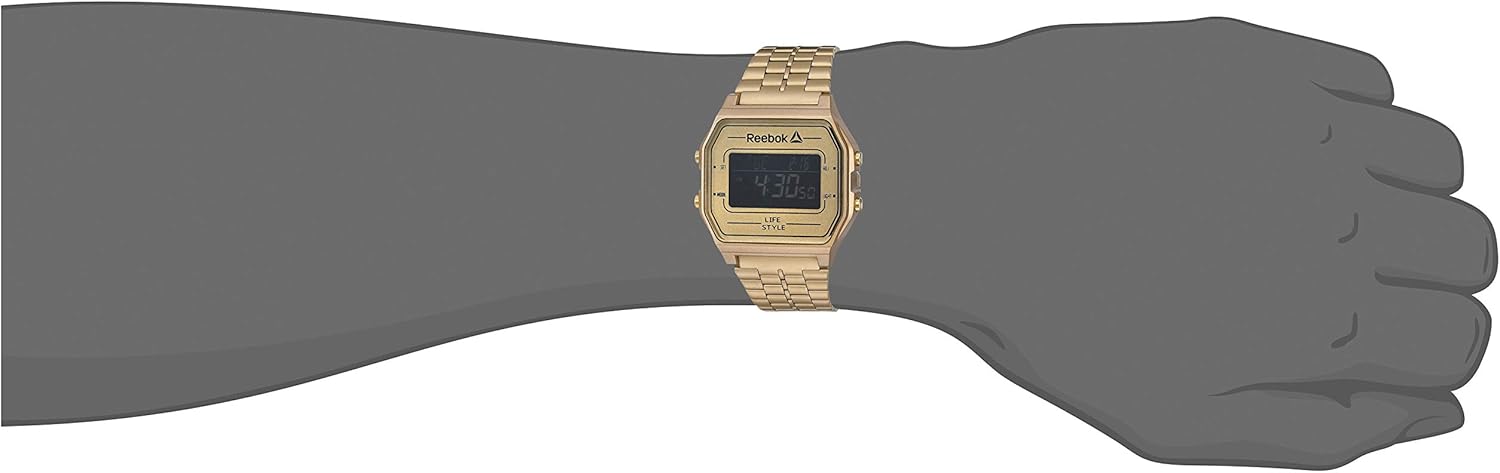
Imagem 2: The Reebok RDVNEG9P2S2B2N Digital Watch worn on a wrist, showcasing its size and fit with the gold stainless steel strap.
5. Configuração
5.1 Configuração inicial de data e hora
- In normal timekeeping mode, press and hold the DEFINIR Pressione o botão até que os segundos comecem a piscar. Isso indica que você está no modo de configuração.
- Pressione o MODO Botão para alternar entre as configurações: Segundos → Hora → Minuto → Ano → Mês → Dia.
- Use o AJUSTADO botão para aumentar a intensidade da intermitência. Mantenha pressionado AJUSTADO botão para avançar rapidamente o valor.
- Após ajustar todas as configurações, pressione o DEFINIR Pressione o botão novamente para sair do modo de configuração e salvar suas alterações.
5.2 Formato de 12/24 horas
While in time setting mode (seconds flashing), press the AJUSTADO Pressione o botão quando o visor da hora estiver piscando para alternar entre os formatos de 12 horas (com indicador AM/PM) e 24 horas.
6. Operando o Relógio
Seleção de 6.1 modos
Pressione o MODO button repeatedly to cycle through the available functions:
- Modo de marcação de tempo (exibe a hora e a data atuais)
- Modo de alarme
- Modo cronômetro
6.2 Usando a luz de fundo
Pressione o LUZ button to illuminate the display for a few seconds. This is useful in dark environments.
6.3 Função de Alarme
- No modo de cronometragem, pressione MODO until "AL" or "Alarm" appears on the display.
- Pressione e segure o DEFINIR Pressione o botão até que a hora do alarme comece a piscar.
- Use o AJUSTADO botão para definir a hora desejada. Imprensa MODO para passar para minutos.
- Use o AJUSTADO botão para definir os minutos desejados.
- Imprensa DEFINIR para confirmar e sair da configuração do alarme.
- Para ativar/desativar o alarme, pressione o AJUSTADO button while in Alarm Mode (without holding SET). An alarm icon will appear/disappear.
6.4 Função Cronômetro
- No modo de cronometragem, pressione MODO until "ST" or "Stopwatch" appears on the display.
- Pressione o AJUSTADO botão para iniciar o cronômetro.
- Pressione o AJUSTADO Pressione o botão novamente para pausar o cronômetro.
- Pressione o DEFINIR botão para zerar o cronômetro.
- To exit Stopwatch Mode, press the MODO botão.
7. Strap Replacement
Your Reebok watch comes with an extra silicone strap and a spring bar tool for easy strap changes. Follow these steps carefully to avoid scratching your watch or damaging the spring bars.
7.1 Removing the Current Strap
- Place the watch face down on a soft, clean cloth to prevent scratches.
- Locate the spring bar tool. It typically has a forked end.
- Insert the forked end of the tool between the strap and the watch lug (the part of the watch case where the strap attaches).
- Gently push the spring bar inwards (towards the center of the strap) to compress it.
- Once one end of the spring bar is disengaged from the lug hole, carefully pull the strap away from the watch.
- Repeat for the other side of the strap and for the second strap piece.
- Keep the spring bars in a safe place if you intend to reuse the strap.
7.2 Attaching a New Strap
- Insert one end of a spring bar into one of the lug holes on the watch case.
- With the spring bar tool, compress the other end of the spring bar.
- Guide the compressed end into the opposite lug hole.
- Release the spring bar tool, ensuring both ends of the spring bar are securely seated in the lug holes. Gently tug on the strap to confirm it is firmly attached.
- Repeat for the second strap piece.
8. Manutenção
8.1 Limpeza
- Watch Case and Stainless Steel Strap: Wipe regularly with a soft, dry cloth. For stubborn dirt, use a slightly damp pano e sabão neutro e seque bem.
- Pulseira de silicone: Wash with mild soap and water, then rinse and dry completely.
- Avoid using abrasive cleaners or chemical solvents.
8.2 Cuidados com a resistência à água
- Ensure the watch crown (if applicable, though this is a digital watch with buttons) and buttons are fully pressed in before any contact with water.
- Não pressione os botões enquanto o relógio estiver submerso em água.
- Após exposição à água salgada, enxágue o relógio com água doce e seque-o completamente.
- Water resistance is not a permanent condition and may decrease over time. Have the seals checked periodically by a qualified technician.
8.3 Substituição da bateria
When the display becomes dim or the watch stops functioning, the battery may need replacement. It is recommended to have the battery replaced by a professional watch technician to ensure proper sealing and water resistance integrity.
9. Solução De Problemas
| Problema | Possível causa | Solução |
|---|---|---|
| O visor do relógio está apagado ou com brilho reduzido. | Bateria fraca ou descarregada. | Substitua a bateria (recomendado por um profissional). |
| O tempo é impreciso. | Incorrect time setting; exposure to strong magnetic fields; low battery. | Reset the time and date (refer to Section 5.1). Keep away from strong magnets. Replace battery if issue persists. |
| Os botões não respondem. | O relógio está molhado; apresenta defeito interno. | Certifique-se de que o relógio esteja seco. Se o problema persistir, entre em contato com o suporte ao cliente. |
| Água dentro do relógio. | Resistência à água comprometida; botões acionados debaixo d'água. | Leve imediatamente o relógio a um profissional para inspeção e reparo, a fim de evitar maiores danos. |
10. Especificações
- Número do modelo: RDVNEG9P2S2B2N
- Tipo de exibição: Digital
- Movimento: Quartzo
- Material da caixa: Aço inoxidável
- Diâmetro da caixa: 42 milímetros
- Espessura da caixa: 5 milímetros
- Material da alça: Stainless Steel (Gold), Silicone (Extra)
- Largura da alça: 4 centímetros
- Cristal: Mineral
- Resistência à água: 100 Metros (330 Pés)
- Fonte de energia: Bateria
- Tipo de fecho: Buckle (for silicone), Elegant Clasp (for stainless steel)
11. Garantia e Suporte
11.1 Garantia do Fabricante
This Reebok watch is covered by a manufacturer's warranty. Please refer to the warranty card included in your original packaging for specific terms, conditions, and duration. The warranty typically covers manufacturing defects but does not cover damage resulting from misuse, accidents, unauthorized repairs, or normal wear and tear.
11.2 Suporte ao cliente
For technical assistance, warranty claims, or service inquiries, please contact Reebok customer support through their official website or the contact information provided with your purchase documentation. When contacting support, please have your watch model number (RDVNEG9P2S2B2N) and proof of purchase readily available.