
Introdução
Thank you for choosing the JBL Tune 225 TWS Wireless In-Ear Headphones. This manual provides essential information for setting up, operating, and maintaining your device. Please read it carefully to ensure optimal performance and longevity of your headphones.
O que está na caixa
Your JBL Tune 225 TWS package includes the following items:
- JBL Tune 225 TWS Wireless In-Ear Headphones (Left and Right earbuds)
- Estojo de carregamento compacto
- Cabo de carregamento USB-C

Image: JBL Tune 225 TWS earbuds and their charging case, showing the components included in the package.
Configurar
1. Carregando os fones de ouvido e o estojo
Before first use, fully charge both the earbuds and the charging case. Connect the provided USB-C cable to the charging case and a power source. The LED indicators on the case will show the charging status. A full charge typically takes approximately 2 hours.
- Vida útil da bateria do estojo de carregamento: Up to 20 hours capacity, providing an average of 25 hours of combined playtime with the earbuds.
- Vida útil da bateria do fone de ouvido: Até 5 horas com uma única carga.

Image: JBL Tune 225 TWS earbuds placed inside their open charging case, showing the LED battery indicators.
2. Emparelhamento Bluetooth
- Abra o estojo de carregamento. Os fones de ouvido entrarão automaticamente no modo de emparelhamento.
- No seu dispositivo (smartphone, tablet, etc.), acesse as configurações de Bluetooth.
- Select "JBL Tune 225 TWS" from the list of available devices.
- Após a conexão, você ouvirá uma confirmação sonora e o LED nos fones de ouvido indicará que a conexão foi bem-sucedida.
The JBL Tune 225 TWS uses Bluetooth version 5.0 for a stable connection up to 10 meters (33 feet).
Operando os fones de ouvido
Controles de toque
The JBL Tune 225 TWS features touch controls on each earbud for managing audio playback and calls.
| Ação | Fone de ouvido esquerdo | Fone de ouvido direito |
|---|---|---|
| Reproduzir/Pausar | N / D | Toque Único |
| Próxima faixa | Toque duplo | N / D |
| Faixa anterior | Toque triplo | N / D |
| Atender/encerrar chamada | Toque Único | Toque Único |
| Rejeitar chamada | Pressione e segure (2s) | Pressione e segure (2s) |
| Ativar Assistente de Voz | N / D | Toque duplo |
Note: Volume control is not directly available on the earbuds and must be adjusted via your connected device.
Single or Dual Earbud Use
The JBL Tune 225 TWS allows for flexible use of either a single earbud or both earbuds simultaneously. Simply remove one or both from the charging case, and they will automatically connect to your paired device. If you place one earbud back into the case, the other will continue to play.

Imagem: Close-up view of the left and right JBL Tune 225 TWS earbuds, highlighting their individual design.
Manutenção
Limpeza
Regular cleaning helps maintain sound quality and hygiene. Use a soft, dry, lint-free cloth to wipe the earbuds and charging case. Do not use harsh chemicals or abrasive materials. For earbud grilles, gently use a dry cotton swab to remove any debris.
Armazenar
Quando não estiverem em uso, guarde sempre os fones de ouvido no estojo de carregamento para protegê-los e mantê-los carregados. Guarde o estojo em local fresco e seco, longe de temperaturas extremas e da luz solar direta.
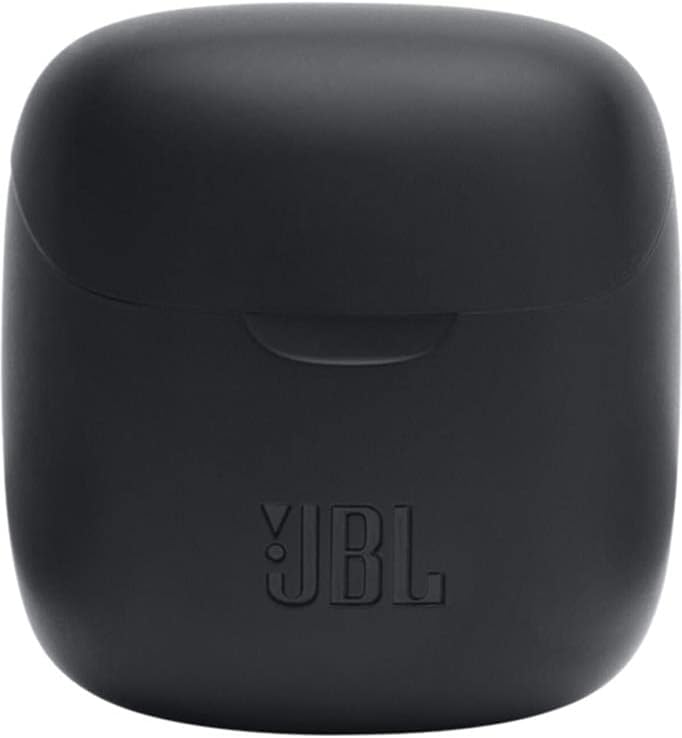
Image: The closed charging case for the JBL Tune 225 TWS, ready for storage or transport.
Solução de problemas
- Sem problemas de som/conexão: Ensure both earbuds are charged. Place them back in the case, close it, then reopen to re-initiate pairing. Check your device's Bluetooth settings to ensure "JBL Tune 225 TWS" is connected. Try forgetting the device and re-pairing.
- Um fone de ouvido não funciona: Ensure both earbuds are charged. Try placing both back in the case, closing it, and then taking them out again. Sometimes a simple reset by placing them in the case can resolve this.
- Problemas de carregamento: Ensure the USB-C cable is securely connected to both the case and the power source. Check if the charging port is clean and free of debris. Try a different USB-C cable or power adapter.
- Volume baixo: Adjust the volume on your connected device. Ensure the earbuds are properly seated in your ears.
Especificações
| Recurso | Detalhe |
|---|---|
| Marca | JBL |
| Nome do modelo | Sintonize 225TWS |
| Número do modelo | Sintonize 225TWS |
| Cor | Preto |
| Colocação da orelha | Intra-auricular |
| Fator de forma | Intra-auricular |
| Impedância | 32 Ohm |
| Tipo de driver | Driver Dinâmico |
| Tamanho do driver | 12.5 milímetros |
| Faixa de frequência | 20 Hz - 20000 Hz |
| Sensibilidade | 105 dB |
| Tecnologia de Conectividade | Wireless (Bluetooth) |
| Versão Bluetooth | 5.0 |
| Alcance Bluetooth | 10 metros |
| Método de controle | Tocar |
| Vida útil da bateria do fone de ouvido | 5 horas |
| Vida útil da bateria do estojo de carregamento | Up to 20 Hours (additional) |
| Total Combined Playtime | Até 25 horas |
| Tempo de carregamento | 2 horas |
| Nível de resistência à água | Resistente à água |
| Peso do produto | 57 gramas |
| Peso do estojo de carregamento | 100 gramas |
| UPC | 050036374019 |
Garantia e Suporte
Para informações sobre garantia e suporte ao cliente, consulte o site oficial da JBL. website or contact your local JBL authorized dealer. Keep your proof of purchase for warranty claims.
Uma cópia digital do manual do usuário está disponível para download: JBL Tune 225 TWS User Manual (PDF)