
Fitbit FB511BKBK
Manual do usuário do Fitbit Versa 3 Health & Fitness Smartwatch
Modelo: FB511BKBK
Introdução
The Fitbit Versa 3 is a health and fitness smartwatch designed to help you track your activities, monitor your health, and stay connected. It features built-in GPS, 24/7 heart rate tracking, Alexa Built-in, and a long battery life.
This manual provides detailed instructions for setting up, operating, maintaining, and troubleshooting your Fitbit Versa 3.
Configurar
1. Desembalagem e carga inicial
Upon unboxing your Fitbit Versa 3, ensure all components are present: the smartwatch, charging cable, and small/large bands. Before first use, fully charge the device.

Image: The Fitbit Versa 3 smartwatch in black, showing the display and the black silicone band.
- Conecte o cabo de carregamento a uma fonte de alimentação USB.
- Align the magnetic charger with the charging contacts on the back of your Versa 3 until it snaps into place.
- A full charge takes approximately 1 hour, providing 6+ days of battery life. A 12-minute fast charge provides 24 hours of battery.
2. Fixação das bandas
The Versa 3 comes with both small and large bands. Choose the size that provides a comfortable, secure fit.
- To attach a band, slide the pin into the notch on the watch's lug.
- Press the lever and slide the other end of the band into place.
- Solte a alavanca e puxe a pulseira suavemente para garantir que esteja bem presa.
3. Emparelhamento com seu dispositivo
The Fitbit Versa 3 requires the Fitbit app for setup and data synchronization. The app is compatible with iPhone and Android devices.
- Download and install the Fitbit app from your device's app store.
- Abra o aplicativo Fitbit e faça login ou crie uma nova conta.
- Follow the on-screen instructions in the app to pair your Versa 3. This typically involves enabling Bluetooth on your phone and entering a code displayed on the watch.
- Complete the setup process, including connecting to Wi-Fi and setting up voice assistants if desired.
Operating Your Fitbit Versa 3
Navegação básica
- Deslize para baixo: Access quick settings (e.g., Do Not Disturb, Sleep Mode, Screen Wake).
- Deslize para cima: View daily stats (e.g., steps, heart rate, Active Zone Minutes).
- Deslize para a esquerda/direita: Navigate through apps and widgets.
- Capacitive Button: Press once firmly to return to the home screen. Press twice for shortcut features. Long press to activate your chosen voice assistant (Alexa or Google Assistant).
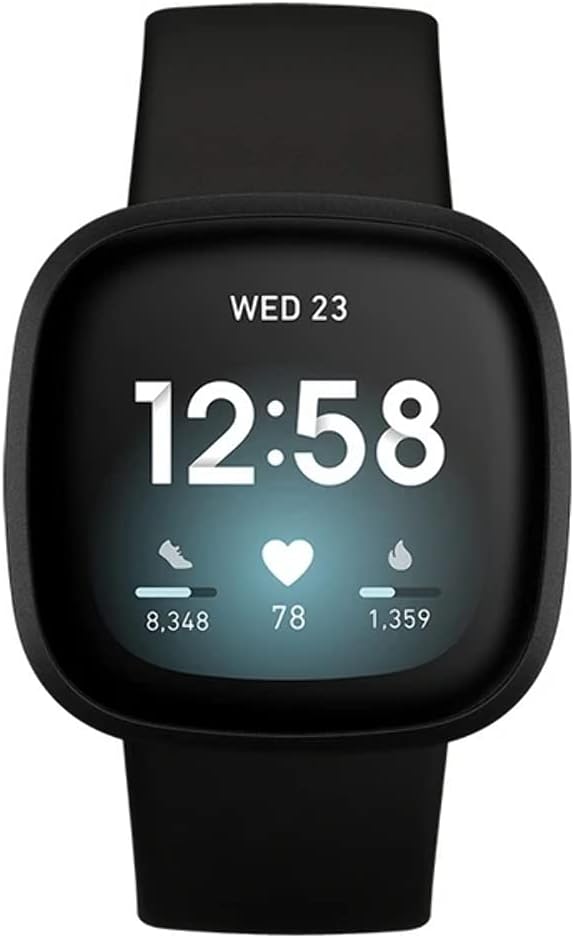
Image: The Fitbit Versa 3 display showing the time, date, steps, heart rate, and calories burned.
Principais recursos e uso
- Rastreamento de atividades: The Versa 3 automatically tracks steps, distance, calories burned, and Active Zone Minutes. View detailed stats in the Fitbit app.
- Monitorização da frequência cardíaca: Continuous 24/7 heart rate tracking with PurePulse 2.0 technology.
- GPS integrado: Track pace and distance during runs, bike rides, and other outdoor activities without your phone. View workout intensity maps in the Fitbit app.
- Monitoramento do sono: Monitor your time in light, deep, and REM sleep stages. Receive a Sleep Score in the Fitbit app to understand your sleep quality.
- Notificações: Receba notificações de chamadas, mensagens de texto e aplicativos diretamente no seu pulso.
- Assistente de voz: Use Amazon Alexa Built-in or Google Assistant to get news, set reminders, control smart home devices, and more.
- Controle de música: Control music playback from your wrist. Subscriptions may be required for music services like Spotify.
- Fitbit Pay: Make secure payments from your wrist (check Fitbit app for participating banks).
Vídeo: Um vídeo de 23 segundosview of the Fitbit Versa 3, showcasing its design and various angles, including the heart rate sensor on the back. This video highlights the physical aspects of the device.
Manutenção
Cleaning Your Versa 3
- Regularly clean your Versa 3 and its band to prevent skin irritation and maintain device functionality.
- Remove the watch from your wrist and wipe the device and band with a soft, lint-free cloth.
- For silicone bands, you can use a mild soap-free cleanser if needed, then rinse thoroughly and dry.
- Certifique-se de que os contatos de carregamento na parte traseira do relógio estejam limpos e secos antes de carregá-lo.
Resistência à água
The Fitbit Versa 3 is water resistant to 50 meters. This means it is safe for showering, swimming, and other shallow water activities. It is not recommended for scuba diving or high-velocity water sports.
- After getting the device wet, dry it thoroughly before wearing or charging.
Solução de problemas
| Emitir | Solução |
|---|---|
| Dispositivo não carrega | Ensure the charging cable is securely connected to both the watch and the power source. Clean the charging contacts on the back of the watch. Try a different USB port or power adapter. |
| Dispositivo não sincroniza | Ensure Bluetooth is enabled on your phone and the Versa 3 is within range. Restart your phone and the Versa 3. Check for app updates. If issues persist, try re-pairing the device. |
| GPS não conecta | Certifique-se de estar em uma área aberta e desobstruída. view of the sky. Wait a few moments for the GPS to acquire a signal. |
| Irritação da pele | Ensure the band is not too tight. Clean the band and your wrist regularly. If irritation persists, consult a dermatologist and consider using a different band material. |
Para obter mais ajuda, consulte o suporte oficial da Fitbit. website ou entre em contato com o atendimento ao cliente.
Especificações
- Modelo: FB511BKBK
- Mostrar: Tela AMOLED de 1.58 polegadas
- Conectividade: Bluetooth, GPS
- Duração da bateria: 6+ days (up to 12 hours with continuous GPS)
- Resistência à água: 50 metros
- Capacidade de armazenamento em memória: 4 GB
- Sistema operacional: Android (compatível com iOS)
- Dimensões: 1.59 x 1.59 x 0.49 polegadas
- Peso: 0.7 onças
- Sensores: 24/7 Heart Rate Monitor (PurePulse 2.0), SpO2, Temperature Sensor, Accelerometer, Gyroscope, Altimeter
Informações de garantia
Fitbit products typically come with a limited warranty. For specific warranty terms and conditions, including duration and coverage, please refer to the warranty card included with your product or visit the official Fitbit support website. Guarde o comprovante de compra para solicitações de garantia.
Apoiar
For additional support, FAQs, and community forums, please visit the official Fitbit Help Center:
You can also contact Fitbit Customer Support directly through their webSite para assistência personalizada.
Ask a question about this manual
Ask about setup, troubleshooting, compatibility, parts, safety, or missing instructions. Manuals+ will review the question and use this page’s manual context to help answer it.