
PlayZoom GoCam
PlayZoom GoCam User Manual
Câmera de ação infantil à prova d'água
Model: GoCam | Brand: PlayZoom
Introdução
The PlayZoom GoCam is a durable and fun waterproof action camera designed specifically for kids. It allows young adventurers to capture their exciting moments in 1080P HD video and 12MP photos, whether on land or underwater. With its robust waterproof casing, built-in microphone and speaker, and a variety of mounting options, the GoCam is ready for any adventure.

The PlayZoom GoCam, enclosed in its protective waterproof housing, ready for action.
Produto acimaview
Familiarize yourself with the various parts and components of your PlayZoom GoCam.

Detalhado view of the GoCam's buttons and ports, including the Power/Mode button, Shutter/Select button, Micro SD slot, and Micro USB port.
Componentes da câmera:
- Lente: Captura imagens e vídeos.
- Tela LCD de 2 polegadas: Para viewao vivotage, playback, and menu navigation.
- Botão Liga / Desliga / Modo: Turns the camera on/off and switches between video, photo, and playback modes.
- Botão Obturador/Selecionar: Starts/stops recording, takes photos, and confirms selections.
- Botão para cima: Navigates menus upwards or zooms in.
- Down/Shutter Button: Navigates menus downwards or acts as an alternative shutter button.
- Microfone: Grava áudio.
- Palestrante: Para reprodução de áudio.
- Slot Micro SD: For inserting a Micro SD card (up to 32GB, not included) to store recordings.
- Porta Micro USB: For charging the camera and transferring data.
- Luz indicadora de status: Shows camera status (e.g., charging, recording).
Acessórios incluídos:
- Caixa à prova d'água: Protects the camera underwater up to 90 feet (30 meters).
- Kit de montagem: Various mounts for attaching the camera to helmets, bikes, skateboards, and more.
- Cabo de carregamento USB: Para carregar a câmera.

Key features of the GoCam, including its 2-inch LCD screen and built-in battery.
Configurar
1. Carregando a câmera
Before first use, fully charge your GoCam. Connect the included USB charging cable to the camera's Micro USB port and the other end to a USB power adapter (not included) or a computer's USB port. The status indicator light will show charging progress and turn off when fully charged. A full charge provides approximately 1.5 hours of recording time.
2. Instalando um cartão Micro SD
The GoCam requires a Micro SD card (not included) to save photos and videos. It supports cards up to 32GB. Locate the Micro SD slot on the side of the camera. Gently insert the Micro SD card with the gold contacts facing the back of the camera until it clicks into place. To remove, push the card in again until it springs out.
3. Attaching the Waterproof Case and Mounts
For underwater adventures or added protection, place the GoCam inside its waterproof case. Ensure the case is securely latched before submersion. The included mounting kit allows you to attach the camera to various surfaces and gear.
- Abra a caixa à prova d'água liberandoasing a trava.
- Carefully place the GoCam inside, ensuring it fits snugly.
- Close the case firmly, making sure the latch is secure.
- Attach the desired mount (e.g., helmet mount, bike mount) to the bottom of the waterproof case using the provided screws and adapters.
- Secure the mount to your gear.

Examples of how to use the mounting kit for different activities like skateboarding and biking.

The GoCam is versatile for various adventures, from roller coasters to mountain climbing.
Instruções de operação
Ligar/Desligar
- Para ligar: Pressione e segure o Botão de energia/modo for a few seconds until the screen lights up.
- Para desligar: Pressione e segure o Botão de energia/modo novamente até que a tela desligue.
Modos de comutação
Once the camera is on, short press the Botão de energia/modo to cycle through the different modes: Video Recording, Photo Capture, and Playback.
Gravando vídeos
- Switch to Video Recording mode (indicated by a video camera icon on the screen).
- Pressione o Botão Obturador/Selecionar once to start recording. A red dot or recording timer will appear on the screen.
- Pressione o Botão Obturador/Selecionar again to stop recording. The video file será salvo no cartão Micro SD.
Tirando fotos
- Switch to Photo Capture mode (indicated by a camera icon on the screen).
- Enquadre a sua foto usando a tela LCD.
- Pressione o Botão Obturador/Selecionar once to take a photo. The image will be saved to the Micro SD card.
Reprodução
- Switch to Playback mode (indicated by a play icon).
- Use o Up e Abaixo buttons to navigate through your recorded videos and photos.
- Pressione o Botão Obturador/Selecionar reproduzir um vídeo ou view uma foto em tela cheia.
Uso subaquático
The PlayZoom GoCam is waterproof up to 90 feet (30 meters) when properly enclosed in its waterproof case. Always ensure the case is clean and securely sealed before taking it underwater. After use in saltwater, rinse the case with fresh water and let it air dry.
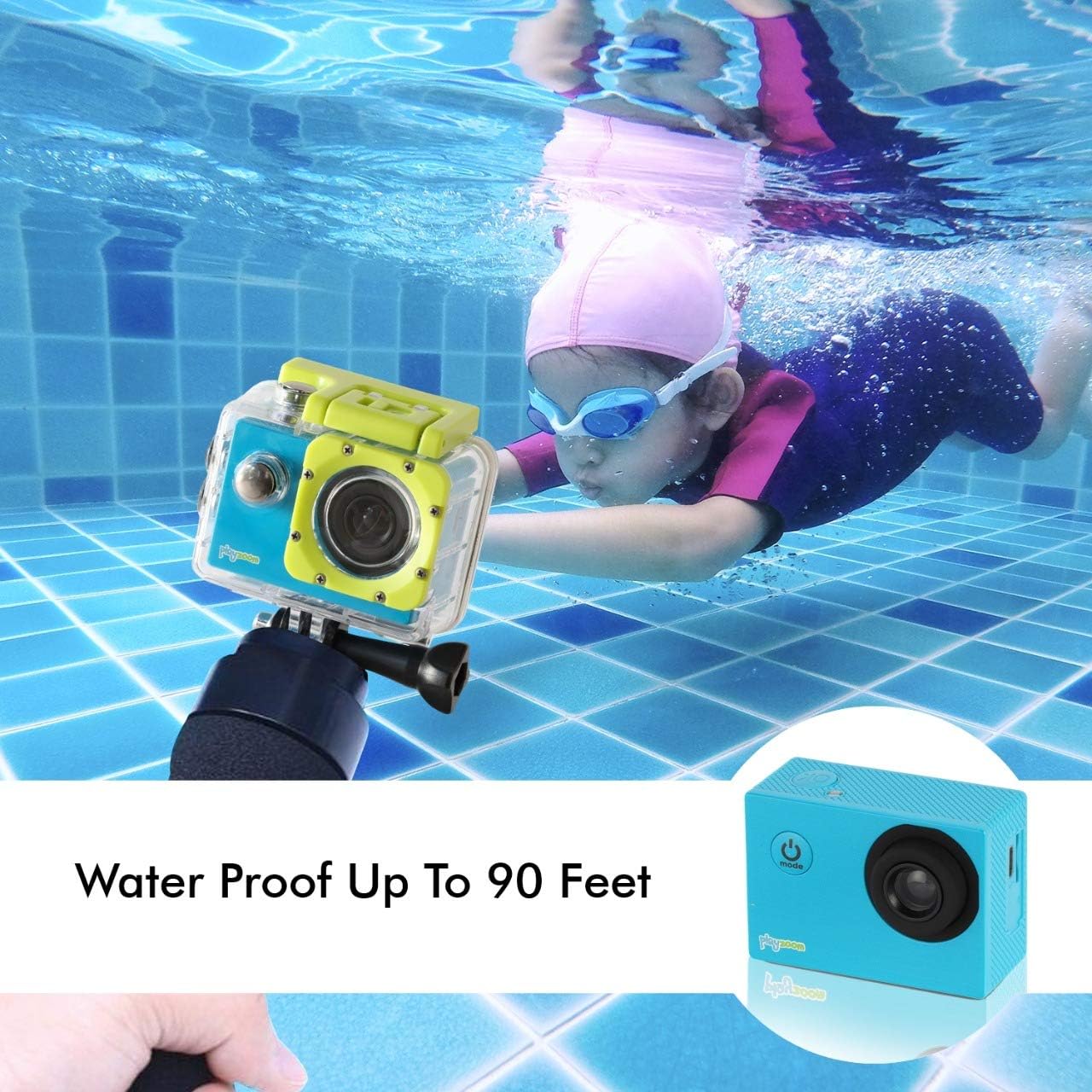
The GoCam is designed for underwater adventures, waterproof up to 90 feet.
Manutenção
- Limpeza: Use a soft, dry cloth to clean the camera body. For the lens, use a lens cleaning cloth. For the waterproof case, rinse with fresh water after each use, especially in saltwater, and wipe dry.
- Armazenar: Guarde a câmera em local fresco e seco, longe da luz solar direta e de temperaturas extremas. Remova o cartão Micro SD se for armazená-la por longos períodos.
- Cuidados com a bateria: Para prolongar a vida útil da bateria, evite descarregá-la completamente com frequência. Carregue a câmera regularmente, mesmo quando não estiver em uso, para manter a saúde da bateria.
- Vedação à prova d'água para a caixa: Periodically inspect the rubber seal of the waterproof case for any dirt, debris, or damage. A clean and intact seal is crucial for maintaining its waterproof integrity.
Solução de problemas
| Problema | Possível causa | Solução |
|---|---|---|
| A câmera não liga. | A bateria está descarregada. | Charge the camera fully using the USB cable. |
| Não é possível gravar vídeos nem tirar fotos. | Nenhum cartão Micro SD inserido ou o cartão está cheio/corrompido. | Insert a Micro SD card. If already inserted, check if it's full and delete files or format the card (this will erase all data). Try a different Micro SD card. |
| Má qualidade de imagem/vídeo. | A lente está suja ou as condições de iluminação são ruins. | Clean the camera lens with a soft cloth. Ensure adequate lighting for best results. |
| A câmera congela ou não responde. | Falha no software. | Press and hold the Power/Mode button for 10-15 seconds to force a shutdown. Restart the camera. |
Especificações
| Recurso | Detalhe |
|---|---|
| Marca | Reproduzir Zoom |
| Nome do modelo | GoCam |
| Resolução de captura de vídeo | 1080p HD |
| Resolução Estática Efetiva | 12 MP |
| Tamanho da tela | 2 polegadas (LCD) |
| Nível de resistência à água | Waterproof (up to 90 feet / 30 meters with case) |
| Tipo de Memória Flash | Micro SD (suporta até 32 GB) |
| Bateria embutida | Bateria de lítio recarregável de 400 mAh |
| Tempo de gravação | Aproximadamente 1.5 horas |
| Peso do item | 4 onças |
| Dimensões do produto | 3 x 1 x 3.5 polegadas |
Garantia e Suporte
For warranty information and customer support, please refer to the contact details provided with your product packaging or visit the official PlayZoom webGuarde o comprovante de compra como prova para eventuais solicitações de garantia.
For additional assistance or frequently asked questions, you may visit the PlayZoom Store on Amazon.
Ask a question about this manual
Ask about setup, troubleshooting, compatibility, parts, safety, or missing instructions. Manuals+ will review the question and use this page’s manual context to help answer it.