
Goshyda KX-T6001CID
Goshyda KX-T6001CID Big Button Corded Telephone User Manual
Model: KX-T6001CID | Brand: Goshyda
Introdução
Thank you for choosing the Goshyda KX-T6001CID Big Button Corded Telephone. This manual provides detailed instructions to help you set up, operate, and maintain your new telephone. Please read this manual thoroughly before use to ensure proper functionality and to take full advantage de suas características.
Informações de segurança
- Do not expose the telephone to water or moisture.
- Avoid placing the telephone in direct sunlight or near heat sources.
- Use only the provided telephone line cord.
- Não tente abrir ou consertar o telefone por conta própria. Encaminhe todos os serviços de manutenção a pessoal qualificado.
- Mantenha fora do alcance de crianças.
Conteúdo da embalagem
Verifique se todos os itens estão presentes na embalagem:
- 1 x monofone
- 1 x Telephone Base Unit
- 1 x Cabo do monofone
- 1 x Cabo de Linha Telefônica
- 1 x Manual do Usuário

Image: The Goshyda KX-T6001CID telephone, showing the base unit, handset, and coiled cord.
Produto acimaview
Familiarize yourself with the main components and controls of your telephone.

Imagem: Frente view of the telephone, highlighting the LCD display, large numeric keypad, and function buttons.
Keypad and Display:
- Teclado numérico (0-9, *, #): For dialing phone numbers.
- Tela LCD: Shows caller ID, time, date, and menu options.
- Botões M1/M2: One-touch memory dialing keys.
- SET/STORE Button: Used for entering settings menu and saving entries.
- Botões PARA CIMA/PARA BAIXO: Navigate through menu options or adjust volume.
- RING Button: Adjust ringer volume.
- Botão VOL: Adjust earpiece/speaker volume.
- FL/BRT (Flash/Brightness) Button: Flash function for call waiting, also adjusts LCD brightness.
- REDIAL Button: Redisca o último número discado.
- H.F (Hands-Free) Button: Ativa o modo viva-voz.

Imagem: Um close-up view of the large, easy-to-read buttons on the telephone's keypad.
Configurar
1. Connecting the Telephone:
- Connect one end of the coiled handset cord to the handset and the other end to the handset jack on the left side of the telephone base unit.
- Connect one end of the telephone line cord to the LINE jack on the back of the telephone base unit.
- Conecte a outra extremidade do cabo da linha telefônica à tomada telefônica de parede.
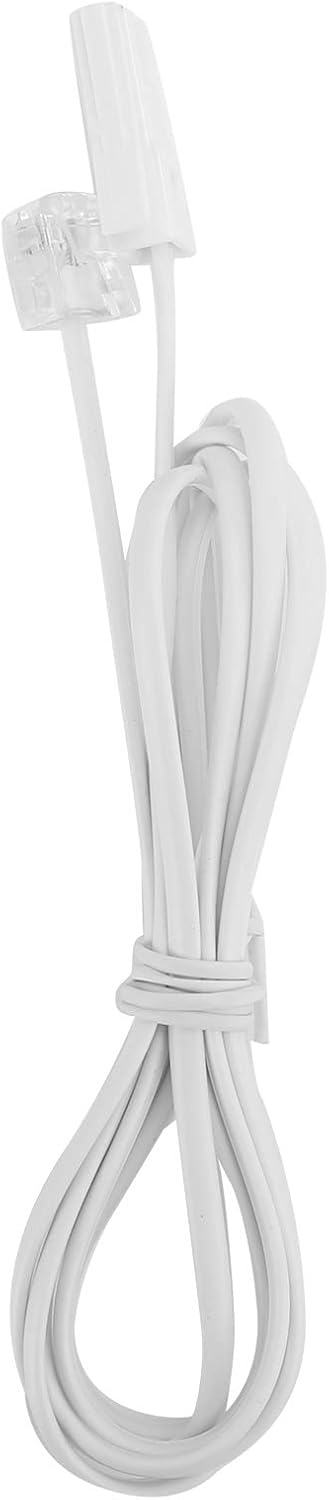
Image: The telephone line cord, used to connect the phone to the wall jack.
2. Configurações iniciais:
Upon initial connection, the LCD display may prompt you to set the date and time. Follow the on-screen instructions using the UP e ABAIXO buttons to adjust values and the CONFIGURAR/ARMAZENAR botão para confirmar.
Instruções de operação
Fazer uma chamada:
- Levante o monofone ou pressione o HF button for speakerphone.
- Disque o número de telefone desejado usando o teclado numérico.
- Aguarde até que a chamada seja conectada.
- Para encerrar a chamada, coloque o fone no gancho ou pressione o botão. HF botão novamente.
Atender uma chamada:
Quando o telefone tocar, levante o fone ou pressione o botão. HF botão para responder.
Rediscagem:
Tire o fone do gancho ou pressione HF, então pressione o REDISCAR Botão para ligar para o último número discado.
Using Memory Keys (M1/M2):
Storing a Number:
- Tire o fone do gancho ou pressione HF.
- Imprensa CONFIGURAR/ARMAZENAR.
- Disque o número de telefone que deseja armazenar.
- Imprensa CONFIGURAR/ARMAZENAR de novo.
- Pressione qualquer um M1 or M2 to save the number to that memory key.
Dialing from Memory:
Tire o fone do gancho ou pressione HF, then press either M1 or M2 to dial the stored number.
Características
- DTMF/FSK Dual System Caller ID: Supports both DTMF and FSK caller ID systems for displaying incoming call information.

Image: The telephone's display, showing its capability for DTMF/FSK dual system caller ID function.
- FLASH Time Adjustment: Adjustable FLASH time (90/95/100/120/180/300/600/1000ms) for compatibility with various PBX systems or call waiting services.
- 16 Ringtone Options: Choose from 16 different ringtones.

Image: The telephone with graphic elements suggesting a choice of 16 ringtones.
- Ajuste de brilho do LCD: Five levels of LCD screen brightness adjustment for optimal viewindo.
- 3 Alarm Clock Functions: Set up to 3 different alarm clocks, each with unique alarm sounds.
- 10 Groups of Dual Key Memory: Store up to 10 frequently called numbers using dual-key memory functions.
- 1-99 Hours Do Not Disturb Function: Set a "Do Not Disturb" period from 1 to 99 hours.
Manutenção
- Clean the telephone with a soft, damp pano. Não use produtos de limpeza abrasivos ou solventes.
- Keep the telephone away from dust and extreme temperatures.
- Ensure cords are not tangled or pinched to prevent damage.
Solução de problemas
| Problema | Possível causa | Solução |
|---|---|---|
| Sem tom de discagem | O cabo da linha telefônica está desconectado ou com defeito. | Check all cable connections. Try a different telephone line cord. Test the wall jack with another phone. |
| Não consigo fazer nem receber chamadas. | Line issue, or phone is in "Do Not Disturb" mode. | Verify phone line service. Check if "Do Not Disturb" is active and disable it. |
| Identificador de chamadas não exibido | Caller ID service not subscribed or incompatible system. | Entre em contato com sua operadora de telefonia para garantir que o serviço de identificação de chamadas esteja ativo. |
| A tela está escura ou em branco | LCD brightness setting is too low. | Adjust the LCD brightness using the FL/BRT button or menu settings. |
Especificações
| Recurso | Detalhe |
|---|---|
| Modelo | KX-T6001CID |
| Marca | Goshyda |
| Material | Acrilonitrila Butadieno Estireno (ABS) |
| Cor | Branco |
| Tipo | Telefone com fio |
| Tipo de discador | Teclado único |
| Identificador de chamadas | Yes (DTMF/FSK Dual System) |
| Tempo de flash | 90/95/100/120/180/300/600/1000ms |
| Toques | 16 opções |
| Brilho do LCD | 5 níveis ajustáveis |
| Funções de alarme | 3 grupos |
| Função de memória | 10 groups of dual key memory |
| Não incomodar | 1-99 horas |
| Peso do item | 481 gramas |
| Dimensões (C x L x A) | 10 x 10 x 10 millimeters (approximate) |
| Fonte de energia | Battery Powered (likely referring to LCD/memory backup, as corded phones are line-powered for basic functions) |
Garantia e Suporte
This Goshyda product is covered by a standard manufacturer's warranty. For specific warranty details, please refer to the documentation included with your purchase or contact Goshyda customer support.
For technical assistance or further inquiries, please contact Goshyda customer service through their official website ou as informações de contato fornecidas com o seu produto.
Documentos relacionados - KX-T6001CID
 |
Aibecy KX-T504 Desktop Telephone Instruction Manual Instruction manual for the Aibecy KX-T504 corded desktop telephone. Includes specifications, package contents, and usage instructions. |
 |
User Manual: Aibecy KX-T433 Mini Desktop Corded Landline Phone User manual and setup guide for the Aibecy KX-T433 Mini Desktop Corded Landline Phone, featuring mute, pause, redial, and adjustable ring volume. |
 |
Panasonic KX-TGF350 Series Digital Corded/Cordless Answering System Operating Instructions Comprehensive operating instructions for the Panasonic KX-TGF350 series digital corded/cordless answering system, including models KX-TGF350, KX-TGF352, KX-TG572SK, and KX-TGF353. Includes setup, call management, and troubleshooting guides. |
 |
Instruções de operação do telefone sem fio Panasonic Manual de instruções para telefones sem fio e secretárias eletrônicas digitais da Panasonic, incluindo modelos como a série KX-TGD510 e KX-TGD530. Contém informações sobre configuração, recursos, solução de problemas e especificações. |
 |
Manual de Serviço do Sistema de Atendimento Eletrônico Sem Fio Digital Panasonic - Série KX-TGE Manual de serviço completo para sistemas de atendimento telefônico sem fio digitais da Panasonic, incluindo os modelos KX-TGE240, KX-TGE260, KX-TGE270 e KX-TGEA20. Abrange especificações técnicas, diagramas de circuito, solução de problemas e listas de peças para esses telefones com Bluetooth. |
 |
Instruções de operação do sistema telefônico integrado Panasonic KX-TSC11W/KX-TSC11B Manual de instruções completo para os sistemas telefônicos integrados Panasonic KX-TSC11W e KX-TSC11B, abrangendo configuração, operação básica e avançada, identificação de chamadas, agenda telefônica e solução de problemas. |
Ask a question about this manual
Ask about setup, troubleshooting, compatibility, parts, safety, or missing instructions. Manuals+ will review the question and use this page’s manual context to help answer it.