
VANBAR D500
VANBAR Wildlife Camera D500 User Manual
20MP Night Vision Motion Activated Trail Camera
Produto acimaview
The VANBAR Wildlife Camera D500 is a high-performance trail camera designed for capturing images and videos of wildlife, for home security, or for monitoring farm areas. It features a 20-megapixel camera for clear still images and records full HD 1080P video. Equipped with advanced night vision capabilities and a rapid 0.2-second trigger speed, it ensures you capture every moment. Its IP66 waterproof design makes it suitable for various outdoor environments.

Imagem: Frente view of the VANBAR Wildlife Camera D500, showcasing its robust, camouflage design and sensor layout.
Conteúdo da embalagem
Ao abrir a embalagem, verifique se todos os seguintes itens estão incluídos:
- VANBAR Wildlife Camera D500
- Correia de montagem
- Suporte de montagem ajustável
- Cabo USB
- Parafusos de montagem e buchas de parede
- Manual do usuário

Image: The VANBAR Wildlife Camera D500 and its included accessories laid out, showing the camera, box, mounting strap, bracket, USB cable, and manual.
Principais características
- Velocidade de disparo de 0.2s: The camera activates in less than 0.2 seconds upon detecting movement, ensuring minimal delay in capturing events. The trigger distance extends up to 20 meters (65 feet).

Image: A fox captured mid-movement, demonstrating the camera's fast 0.2-second trigger speed.
- 20MP Images & 1080P Video: Captures high-resolution 20-megapixel still images and full HD 1080P videos, providing clear and detailed recordings.

Image: Two deer in a natural setting, illustrating the camera's ability to capture high-resolution images and videos.
- 120° Wide Detection Angle & Night Vision: Features three passive infrared (PIR) sensors for a 120° wide detection range. 850nm infrared technology provides clear night vision up to 65 feet (20m) without disturbing wildlife.

Image: A visual representation of the camera's 120-degree wide detection angle, capturing a broad area.

Image: Bears in a nighttime forest, demonstrating the camera's advanced infrared night vision capabilities.
- À prova d'água e durável com classificação IP66: Built with an IP66 waterproof rating, making it resistant to rain, dust, and fog, ensuring reliable operation in challenging outdoor conditions.
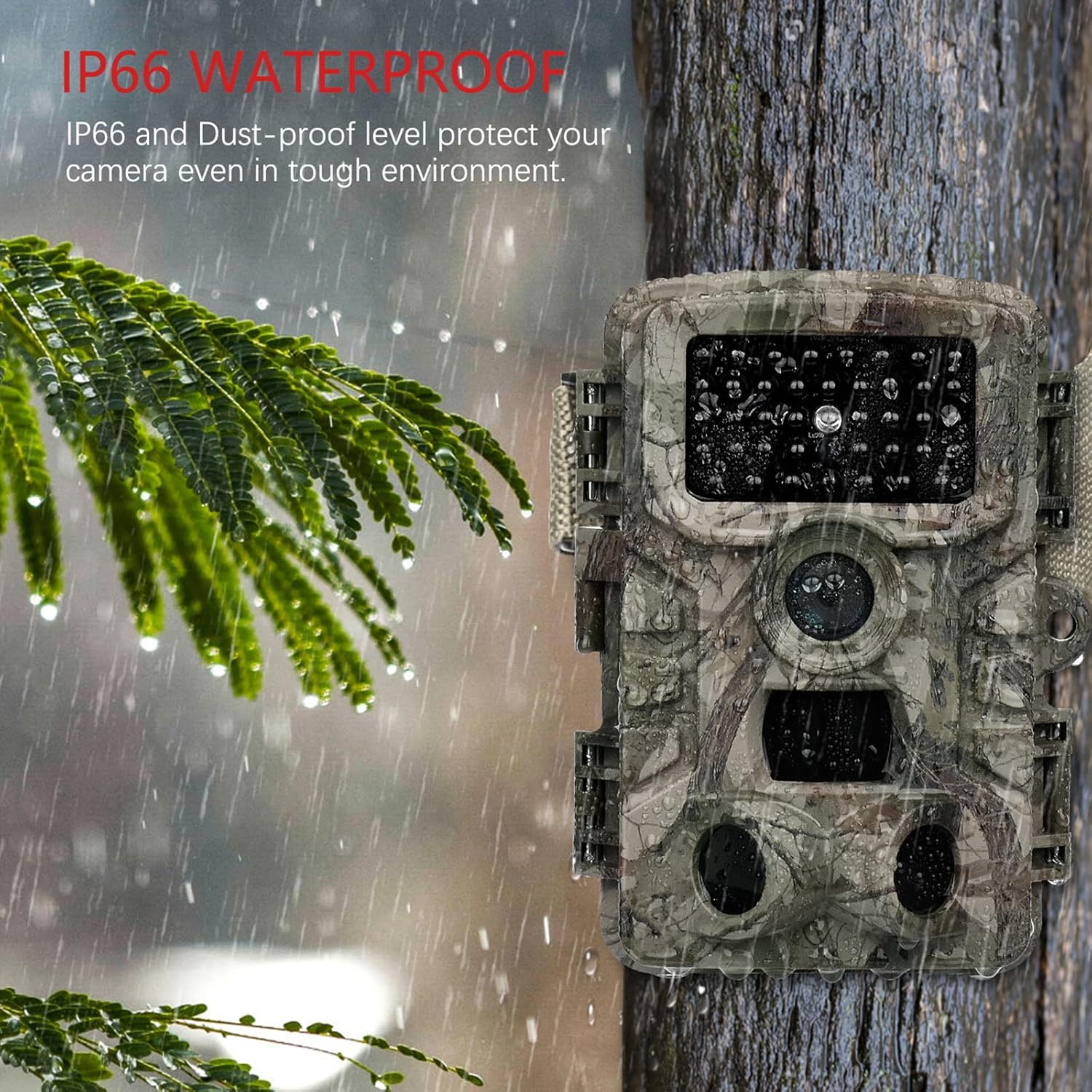
Image: The camera mounted on a tree during rainfall, showcasing its IP66 waterproof protection.
- Aplicações versáteis: Suitable for various uses including hunting, home security, farm monitoring, and general wildlife observation.

Imagem: Examples of the camera's diverse applications, including hunting, home security, farm surveillance, and wildlife monitoring.
Guia de configuração
1. Instalação da bateria
The VANBAR Wildlife Camera requires 8 x 1.5V Alkaline AA LR6 batteries for optimal performance and maximum battery life. Batteries are not included with the camera.
- Abra a câmera casing destravando as presilhas laterais.
- Localize o compartimento da bateria.
- Insira 8 pilhas AA, certificando-se da polaridade correta (+/-) indicada dentro do compartimento.
- Feche o compartimento da bateria com segurança.
2. Instalação e formatação do cartão micro SD
A Micro SD card (Class 10, up to 32GB capacity) is required for storing images and videos. The Micro SD card is not included.
- Com a câmera casing open, locate the Micro SD card slot.
- Insira o cartão Micro SD no slot até ouvir um clique.
- Importante: Before first use, format the Micro SD card using the camera's menu. Refer to the "Operating Instructions" section for menu navigation. Formatting ensures compatibility and proper function.
3. Montando a Câmera
The camera can be mounted using the included strap or the adjustable mounting bracket.
- Usando a alça: Passe a alça pelas aberturas na parte traseira da câmera e prenda-a em uma árvore ou poste.
- Using the Mounting Bracket: Attach the bracket to a wall or flat surface using the provided screws. Then, attach the camera to the bracket.
Ensure the camera is positioned to capture the desired area, considering the 120° detection angle and night vision range of 65 feet.
Instruções de operação
1. Ligar/Desligar e Seleção de Modo
The camera typically has a mode switch (OFF/TEST/ON).
- OFF: Powers down the camera.
- TESTE: Allows access to the camera's menu, settings, and manual photo/video capture. The internal screen will be active.
- EM: Activates the camera for automatic motion-triggered recording. The screen will turn off after a few seconds to conserve power.
2. Navegação e configurações do menu
In TEST mode, use the navigation buttons (usually Up, Down, Left, Right, OK/Menu) to browse and adjust settings. Key settings include:
- Modo: Select Photo, Video, or Photo + Video.
- Resolução da foto: Set to 20MP for highest quality.
- Resolução de vídeo: Set to 1080P for highest quality.
- Sensibilidade PIR: Adjust for desired motion detection range (High, Medium, Low).
- Intervalo de disparo: Defina o intervalo de tempo entre acionamentos consecutivos.
- Lapso de tempo: Configure for periodic captures.
- Data/Hora: Defina a data e a hora atuais para obter a hora correta.amps em gravações.
- Formate o cartão SD: Essential for new or problematic SD cards.
3. Viewing e transferindo Files
Files pode ser viewed directly on the camera's screen in TEST mode or transferred to a computer.
- Direto Viewing: In TEST mode, navigate to the playback option to review fotos e vídeos capturados.
- Via cabo USB: Connect the camera to your computer using the provided USB cable. The camera should appear as a removable disk, allowing you to copy files.
- Via leitor de cartão SD: Remove the Micro SD card from the camera and insert it into a compatible card reader connected to your computer or mobile device for faster file transferir.
- Using Mobile App (if applicable): Some models may support a mobile application for wireless connection and file management. Refer to the camera's display or packaging for app details.
Manutenção
- Cleaning the Lens and PIR Sensors: Gently wipe the camera lens and the three PIR sensors with a soft, lint-free cloth. Avoid touching the PIR sensors directly with fingers, as this can cause scratches that may affect performance.
- Cuidados com a bateria: Replace all 8 AA batteries when the low battery indicator appears. For prolonged periods of inactivity, remove the batteries to prevent leakage.
- Selo à prova d'água: Regularly inspect the rubber seal around the camera casing to ensure it is clean and free from debris. A clean, intact seal is crucial for maintaining the IP66 waterproof rating.
- Armazenar: Quando não estiver em uso, guarde a câmera em local fresco e seco, longe da luz solar direta e de temperaturas extremas.
Solução de problemas
| Problema | Possível causa | Solução |
|---|---|---|
| A câmera não liga. | As pilhas estão fracas ou inseridas incorretamente. | Substitua por pilhas AA novas, certificando-se da polaridade correta. |
| Camera not recording images/videos. | SD card not formatted, full, or faulty. Camera in wrong mode. | Format the SD card in the camera menu. Check SD card capacity. Ensure camera is in ON mode. |
| Qualidade de imagem/vídeo ruim à noite. | Subject too far from camera. PIR sensors obstructed. | Ensure subject is within 65ft (20m) night vision range. Clean PIR sensors. |
| Excessive blank recordings. | PIR sensitivity too high. Camera pointed at moving branches/grass. | Reduce PIR sensitivity. Reposition camera to avoid false triggers. |
| Não é possível conectar ao computador. | USB cable faulty. Camera not in correct mode. | Try a different USB cable. Ensure camera is in TEST mode when connecting. Use an SD card reader as an alternative. |
Especificações
| Recurso | Detalhe |
|---|---|
| Número do modelo | D500 |
| Resolução da imagem | 20 MP |
| Resolução de vídeo | 1080P Full HD |
| Velocidade do Gatilho | 0.2 segundos |
| Ângulo de detecção | 120 graus |
| Alcance de visão noturna | 65 pés (20 metros) |
| Classificação à prova d'água | IP66 |
| Fonte de energia | 8 pilhas alcalinas AA (não incluídas) |
| Armazenar | Micro SD Card (Class 10, up to 32GB, not included) |
| Dimensões (C x L x A) | 50 x 80 x 60 mm |
| Peso | 530 g |
| Material | Plástico |
Garantia e Suporte
VANBAR offers comprehensive customer support for its products:
- Política de reembolso: Está disponível uma política de reembolso de 30 dias.
- Serviço de produto: Enjoy 24 months of free product service.
- Serviço pós-venda profissional: Our dedicated customer service team is available to assist you with any product-related inquiries or issues.
For any product problems or questions regarding wildlife protection and observation, please do not hesitate to contact the VANBAR Customer Service Team. We are committed to providing satisfactory solutions and support.
Ask a question about this manual
Ask about setup, troubleshooting, compatibility, parts, safety, or missing instructions. Manuals+ will review the question and use this page’s manual context to help answer it.