
1. Introdução
Thank you for choosing the Caliber HPG318DAB Portable DAB+/FM Radio. This device offers high-quality digital and analog radio reception, a compact design for portability, and convenient alarm functions. This manual provides essential information for the safe and efficient use of your radio.
2. Informações de segurança
- Leia atentamente todas as instruções antes de usar e guarde-as para futuras consultas.
- Não exponha o dispositivo à chuva, umidade ou temperaturas extremas.
- Evite colocar o dispositivo perto de fontes de calor ou sob luz solar direta.
- Não desmonte nem tente reparar o dispositivo por conta própria. Encaminhe todos os serviços de manutenção a pessoal qualificado.
- Utilize apenas o cabo de carregamento e o adaptador fornecidos.
- Mantenha fora do alcance de crianças.
3. Conteúdo da embalagem
Verifique se todos os itens estão presentes na embalagem:
- Caliber HPG318DAB Portable DAB+/FM Radio Unit
- Manual do usuário
- Cabo de carregamento USB
- Adaptador de energia
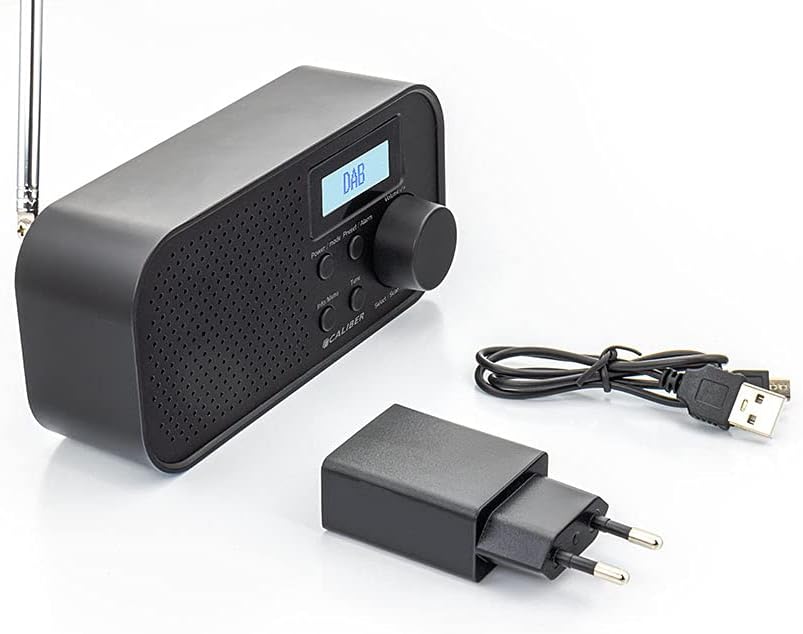
Image: Caliber HPG318DAB radio unit, USB charging cable, and power adapter.
4. Produto acabadoview
4.1 Controles do painel frontal
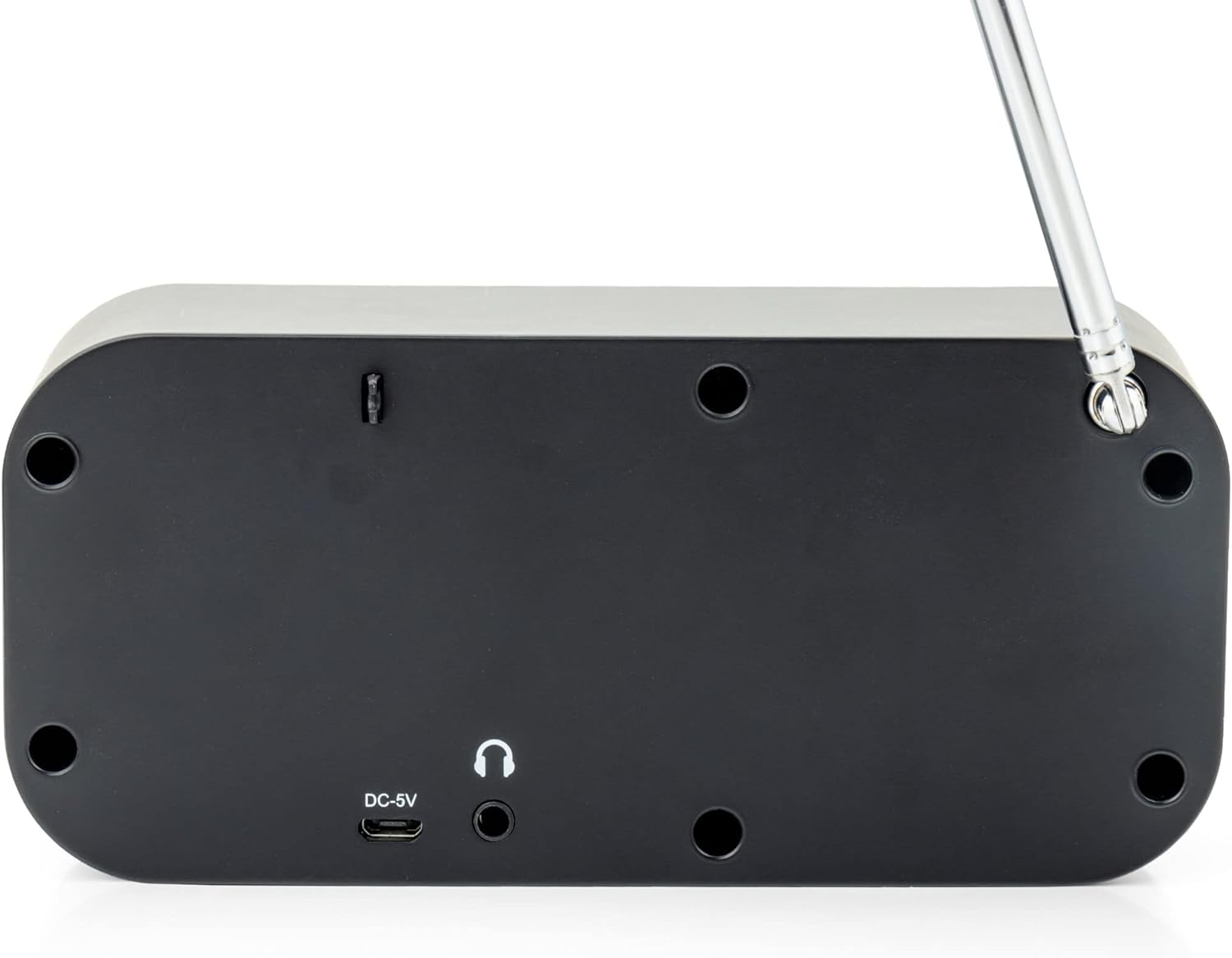
Imagem: Frente view of the Caliber HPG318DAB radio, highlighting the LCD screen, speaker grille, and control buttons.
- Tela LCD: Exibe informações da estação, horário e opções de menu.
- Botão Liga / Desliga / Modo: Turns the radio on/off and switches between DAB+ and FM modes.
- Botão Menu/Informações: Accesses menu settings and displays additional information.
- Preset/Alarm Button: Saves/recalls preset stations and sets alarm functions.
- Select/Scan Button: Confirms selections and initiates station scans.
- Botão soneca: Silencia temporariamente o alarme.
- Botão de volume: Ajusta o volume do áudio.
- Grade do alto-falante: Saída de áudio.
4.2 Conexões do Painel Traseiro

Imagem: Traseira view of the Caliber HPG318DAB radio, showing the DC-5V charging port, 3.5mm headphone jack, and telescopic antenna.
- DC-5V Input: Conecte o cabo de carregamento USB aqui.
- Tomada de fone de ouvido de 3.5 mm: For connecting headphones or earphones.
- Antena Telescópica: Estenda para obter a melhor recepção de rádio.
5. Configuração
5.1 Carregando a bateria
The Caliber HPG318DAB features a built-in rechargeable battery, providing up to 8 hours of playback on a full charge.
- Conecte a extremidade menor do cabo de carregamento USB fornecido ao Entrada DC-5V port on the rear of the radio.
- Connect the larger end of the USB cable to the provided power adapter.
- Conecte o adaptador de energia a uma tomada de parede padrão.
- The charging indicator on the LCD screen will show the charging status. Once fully charged, the indicator will change.
Note: It is recommended to fully charge the battery before first use.
5.2 Ajuste da Antena
For optimal radio reception, fully extend the telescopic antenna located on the rear of the device. Adjust its position to improve signal strength if reception is poor.
6. Instruções de operação
6.1 Ligar/Desligar e Seleção de Modo
- Para ligar o rádio ON, pressione e segure o Potência/Modo botão.
- Para ligar o rádio DESLIGADO, pressione e segure o Potência/Modo botão novamente.
- Para alternar entre DAB+ e FM modes, short press the Potência/Modo button while the radio is on. The current mode will be displayed on the LCD screen.
6.2 Operação de rádio DAB+
- Mude para o modo DAB+ usando o Potência/Modo botão.
- The radio will automatically perform a full scan for available DAB+ stations upon first use or if no stations are found. To initiate a manual scan, press the Menu / Informação button, navigate to 'Full Scan', and press Select/Scan.
- Use o Botão de Volume Para percorrer a lista de estações disponíveis, pressione Select/Scan para selecionar uma estação.
- To save a station as a preset (up to 10 presets): While listening to a station, press and hold the Preset/Alarm botão. Use o Botão de Volume Para selecionar um número predefinido (1-10), pressione Select/Scan para confirmar.
- Para acessar uma estação predefinida: Pressione rapidamente o Preset/Alarm botão, use o Botão de Volume Para selecionar o número predefinido desejado, pressione Select/Scan.
- Pressione o Menu / Informação botão para view additional information (e.g., program type, signal strength, time) provided by Radio Data System (RDS).
6.3 Operação de rádio FM
- Mude para o modo FM usando o Potência/Modo botão.
- To automatically scan for stations: Press and hold the Select/Scan botão. O rádio fará uma busca automática e parará na próxima estação com sinal forte.
- To manually tune: Rotate the Botão de Volume to adjust the frequency in small increments.
- To save a station as a preset (up to 10 presets): While listening to a station, press and hold the Preset/Alarm botão. Use o Botão de Volume Para selecionar um número predefinido (1-10), pressione Select/Scan para confirmar.
- Para acessar uma estação predefinida: Pressione rapidamente o Preset/Alarm botão, use o Botão de Volume Para selecionar o número predefinido desejado, pressione Select/Scan.
- Pressione o Menu / Informação botão para view additional information (e.g., station name, program type) provided by Radio Data System (RDS).
6.4 Controle de volume
Gire o grande Botão de Volume clockwise to increase the volume and counter-clockwise to decrease it.
6.5 Uso de fones de ouvido
Connect any standard 3.5mm headphones or earphones to the Conector de fone de ouvido de 3.5 mm on the rear of the radio for private listening. The internal speaker will automatically mute when headphones are connected.
6.6 funções de alarme
The radio includes alarm clock and sleep timer functions.
Configurando o despertador:
- Pressione e segure o Preset/Alarm button until the alarm setup menu appears.
- Use o Botão de Volume to navigate through options like Alarm 1, Alarm 2, Time, Source (Buzzer/DAB/FM), and Volume. Press Select/Scan para confirmar cada configuração.
- Set the desired alarm time, choose your preferred alarm source (buzzer, DAB+ station, or FM station), and set the alarm volume.
- Ensure the alarm is set to 'On' in the menu.
Usando a função soneca:
Quando o alarme tocar, pressione o Soneca button to temporarily pause the alarm for a short period (e.g., 9 minutes). The alarm will sound again after the snooze period.
Configurando o Sleep Timer:
- Pressione o Menu / Informação botão.
- Navigate to the 'Sleep' option using the Botão de Volume e pressione Select/Scan.
- Select the desired sleep timer duration (e.g., 15, 30, 45, 60, 90 minutes, or Off). The radio will automatically turn off after the selected time.
7. Manutenção
7.1 Limpeza
To clean the radio, use a soft, dry cloth. Do not use abrasive cleaners, waxes, or solvents as they may damage the finish.
7.2 Armazenamento
When not in use for extended periods, store the radio in a cool, dry place away from direct sunlight and extreme temperatures. Ensure the battery is partially charged before storage to maintain its lifespan.
7.3 Cuidados com a bateria
To prolong the life of the built-in Lithium-ion battery, avoid fully discharging it frequently. Charge the radio regularly, even if not in constant use.
8. Solução De Problemas
| Problema | Possível causa | Solução |
|---|---|---|
| O rádio não liga. | A bateria está esgotada. | Connect the radio to power using the USB cable and adapter to charge the battery. |
| Recepção de rádio fraca (DAB+/FM). | Antena não estendida ou área de sinal fraca. | Fully extend the telescopic antenna and adjust its position. Try moving the radio to a different location. |
| Nenhum som. | Volume is too low or headphones are connected. | Aumente o volume usando o Botão de Volume. Disconnect headphones if you want sound from the speaker. |
| O alarme não dispara. | Alarm not set correctly or turned off. | Check alarm settings (time, source, volume, 'On' status) in the menu. |
9. Especificações
| Recurso | Especificação |
|---|---|
| Número do modelo | HPG318DAB |
| Dimensões (C x L x A) | 15 x 4 x 6.5 cm |
| Peso | 255 g |
| Fonte de energia | Battery-Powered (1 Lithium-ion battery required) |
| Duração da bateria | Até 8 horas |
| Faixas de rádio suportadas | DAB+,FM |
| Tecnologia de Conectividade | AUX (for headphones), USB (for charging) |
| Maximum Speaker Output | 25 watts |
| Material | Plástico |
| Cor | Preto |
| Características especiais | Portable, Alarm Function, RDS, LCD Screen |
10. Garantia e Suporte
For warranty information and customer support, please refer to the documentation provided with your purchase or visit the official Caliber webGuarde seu comprovante de compra para eventuais solicitações de garantia.