
1. Introdução
Obrigado pela compra.asing the Heayzoki K605 Portable Digital Tuning Radio Receiver. This device combines a multi-band radio with an MP3 player, offering versatility and portability. Please read this manual carefully to ensure proper use and to maximize your enjoyment of the product.

Image: The Heayzoki K605 portable radio, highlighting its compact and lightweight design.
Principais características:
- Design compacto e portátil para fácil transporte.
- MP3 playback mode supporting WAV and MP3 formats.
- Memory card support for audio playback.
- FM stereo reception for improved sound clarity.
- High sensitivity and good selectivity for clear reception.
- Simple and intuitive operation, suitable for all ages.
2. Informações de segurança
To prevent damage and ensure safe operation, please observe the following precautions:
- Não exponha o dispositivo a temperaturas extremas, luz solar direta ou alta umidade.
- Evite deixar cair ou submeter o dispositivo a impactos fortes.
- Não desmonte nem tente reparar o dispositivo por conta própria. Encaminhe todos os serviços de manutenção a pessoal qualificado.
- Mantenha o dispositivo longe de água e outros líquidos.
- Use only the specified battery and charging accessories.
- When using earphones, keep the volume at a moderate level to prevent hearing damage.
3. Conteúdo da embalagem
Verifique se todos os itens estão presentes na embalagem:
- Heayzoki K605 Portable Radio Receiver
- Bateria recarregável (pré-instalada ou vendida separadamente)
- Cabo de carregamento USB
- Fones de ouvido
- Manual do Proprietário (este documento)
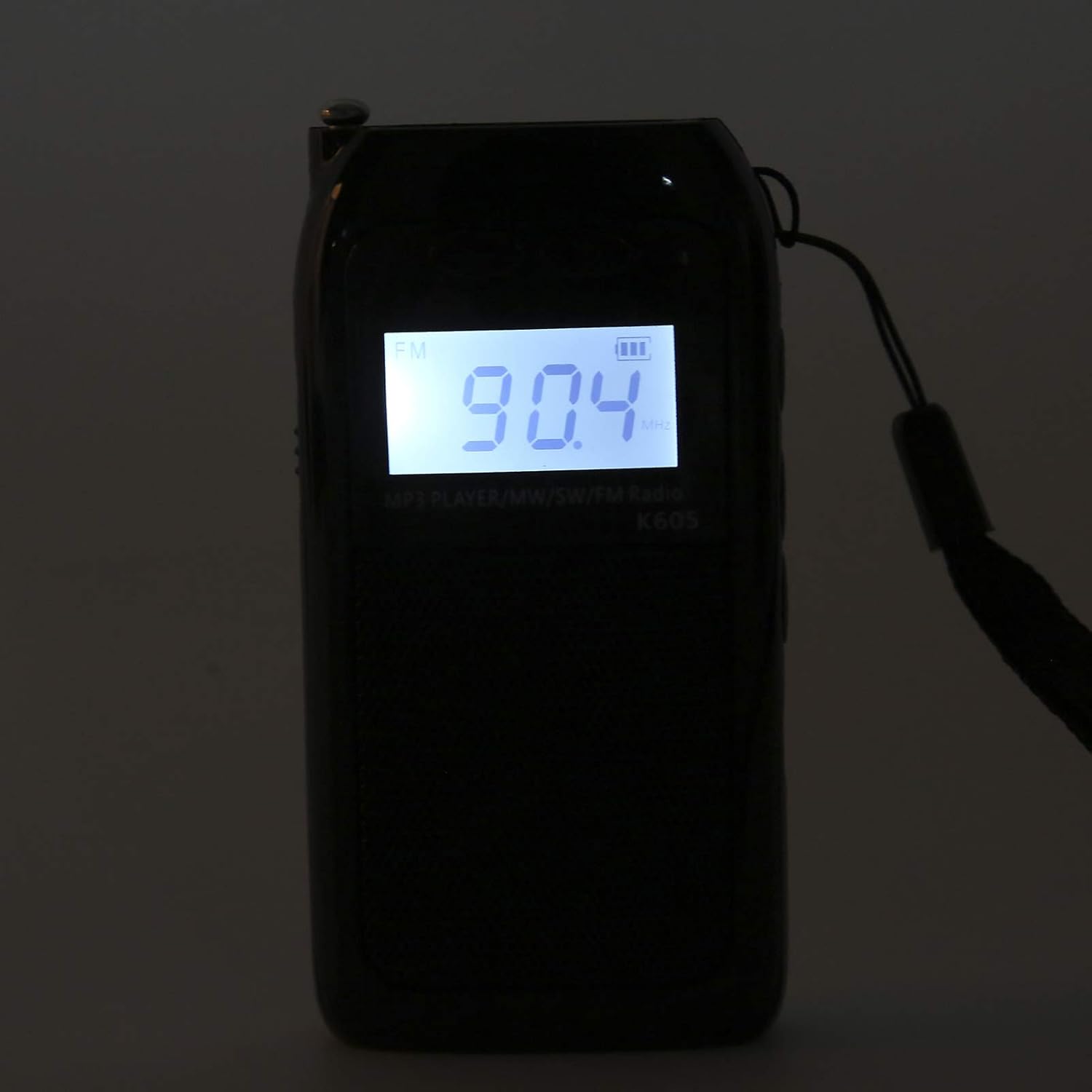
Image: The Heayzoki K605 radio displayed with its accessories, including earphones and a charging cable.
4. Produto acabadoview
Familiarize yourself with the buttons and ports of your K605 radio.

Imagem: Frente view of the K605 radio, highlighting the LCD screen and speaker.

Imagem: Lado view of the K605 radio, illustrating the control buttons for tuning and volume.

Imagem: Traseira view of the K605 radio, showing the battery compartment and additional ports.
Controles e portas:
- Tela LCD: Shows frequency, time, battery status, and MP3 track information.
- Botão de energia: Liga/desliga o dispositivo.
- Botão de modo: Switches between FM, SW, MW radio, and MP3 player modes.
- Botões de volume +/-: Ajusta o volume do áudio.
- Tuning +/- Buttons: Scans or manually tunes radio frequencies; navigates MP3 tracks.
- Botão Reproduzir/Pausar: Controls MP3 playback.
- Antena: Antena extensível para melhor recepção de rádio.
- Conector para fone de ouvido (3.5 mm): Para audição privada.
- Porta Micro USB: Para carregar o dispositivo.
- Ranhura para cartão de memória: For inserting a microSD card with MP3/WAV files.
5. Configuração
5.1. Carregando a bateria
- Connect the small end of the USB charging cable to the Micro USB port on the radio.
- Conecte a extremidade maior do cabo de carregamento USB a um adaptador de energia USB (não incluído) ou à porta USB de um computador.
- O indicador de bateria no visor LCD mostrará o status do carregamento.
- Depois de totalmente carregado, desconecte o cabo de carregamento.
5.2. Inserting a Memory Card (for MP3 Playback)
- Locate the memory card slot on the side or back of the radio.
- Gently insert a microSD card (up to 32GB, not included) with the metal contacts facing down until it clicks into place.
- To remove, push the card in slightly until it clicks out.
6. Instruções de operação
6.1. Ligar/desligar
Pressione e segure o Poder botão para ligar ou desligar o rádio.
6.2. Seleção de modos
Pressione o Modo button repeatedly to cycle through the available modes: FM Radio, SW Radio, MW Radio, and MP3 Player.
6.3. Radio Operation (FM/SW/MW)
- Estenda a antena: Para uma recepção ideal, estenda completamente a antena telescópica.
- Selecione a banda: Pressione o Modo button until the desired band (FM, SW, or MW) is displayed.
- Sintonia automática: Pressione e segure o Ajuste +/- botões para buscar automaticamente a próxima estação disponível.
- Sintonia manual: Pressione brevemente o Ajuste +/- buttons to fine-tune the frequency step by step.
- Ajuste de volume: Use o Volume +/- botões para ajustar o nível de som.

Image: The K605 radio with its antenna extended, ready for radio reception.
6.4. MP3 Player Operation
Ensure a memory card with MP3 or WAV file"s" é inserido.
- Select MP3 Mode: Pressione o Modo button until "MP3" or similar is displayed.
- Reproduzir/Pausar: Pressione o Reproduzir/Pausar botão para iniciar ou pausar a reprodução.
- Faixa seguinte / anterior: Use o Ajuste +/- botões para pular para a faixa seguinte ou anterior.
- Ajuste de volume: Use o Volume +/- botões para ajustar o nível de som.

Image: The K605 radio in MP3 playback mode, showing the MP3 indicator on the display.
6.5. Usando fones de ouvido
Plug your 3.5mm earphones into the earphone jack for private listening. The internal speaker will automatically mute.
7. Manutenção
7.1. Limpeza
- Limpe o dispositivo com um pano macio e seco.
- Não utilize produtos de limpeza abrasivos, solventes ou produtos químicos fortes.
7.2. Armazenamento
- Guarde o rádio em local fresco e seco, longe da luz solar direta e de temperaturas extremas.
- If storing for an extended period, ensure the battery is partially charged and recharge it periodically to maintain battery health.
8. Solução De Problemas
| Problema | Possível causa | Solução |
|---|---|---|
| Sem energia | A bateria está esgotada. | Carregue a bateria usando o cabo USB fornecido. |
| Má recepção de rádio | Antena não estendida; sinal fraco; interferência. | Fully extend the antenna. Try repositioning the radio. Move away from electronic devices causing interference. |
| MP3 filenão está jogando | Memory card not inserted correctly; unsupported file formato; corrompido files. | Ensure the memory card is properly inserted. Verify files are in WAV or MP3 format. Try another memory card or re-format the current one. |
| No sound from speaker/earphones | Volume is too low; earphones not fully plugged in; faulty earphones. | Increase the volume. Ensure earphones are fully inserted. Test with another pair of earphones. |
9. Especificações
| Recurso | Detalhe |
|---|---|
| Modelo | K605 |
| Marca | Heyzoki |
| Bandas de rádio suportadas | FM, SW, MW (3-Band) |
| Faixa de frequência FM | 76-108 MHz |
| MW Frequency Range | 522-1620 KHz (9KHz) / 520-1710 KHz (10KHz) |
| Faixa de frequência SW | 4.75-21.85 MHz |
| Formatos de áudio suportados | WAV, MP3 |
| Tecnologia de Conectividade | áudio de 3.5 mm |
| Tipo de exibição | LCD |
| Fonte de energia | Battery Powered (500mA 3.7V Lithium battery) |
| Potência máxima de saída do alto-falante | 2 Watts |
| Material | Acrilonitrila Butadieno Estireno (ABS) |
| Dimensões do produto | 1 x 1 x 1 cm |
| Peso do item | 156 gramas |
10. Informações de garantia
Heayzoki products are designed and manufactured to the highest quality standards. This product is covered by a limited warranty against defects in materials and workmanship for a period specified by your retailer or local laws from the original date of purchase. Please retain your proof of purchase for warranty claims. The warranty does not cover damage caused by misuse, accident, unauthorized modification, or normal wear and tear.
11. Suporte ao cliente
If you encounter any issues or have questions regarding your Heayzoki K605 Portable Digital Tuning Radio Receiver that are not addressed in this manual, please contact your retailer or the Heayzoki customer support team for assistance. Please have your model number and purchase details ready when contacting support.
Para obter mais informações, você pode visitar o Heayzoki Store on Amazon.