
Introdução
This manual provides detailed instructions for the setup, operation, and maintenance of your Arducam 5MP Wide Angle USB Camera, Model UB0233. Please read this manual thoroughly before using the product to ensure proper functionality and longevity.
Produto acimaview
The Arducam 5MP Wide Angle USB Camera (Model UB0233) is a compact, UVC-compliant camera featuring a 5MP OV5648 CMOS sensor and a 95-degree horizontal view angle M12 lens with an IR-cut filter. It is designed for various applications including video surveillance, live streaming, videoconferencing, and dashcams.

Image: The Arducam 5MP Wide Angle USB Camera, showing its compact design and lens.
O que está na caixa
- Arducam 5MP Wide Angle USB Camera (Model UB0233)
- USB Cable (3.3ft/1m)
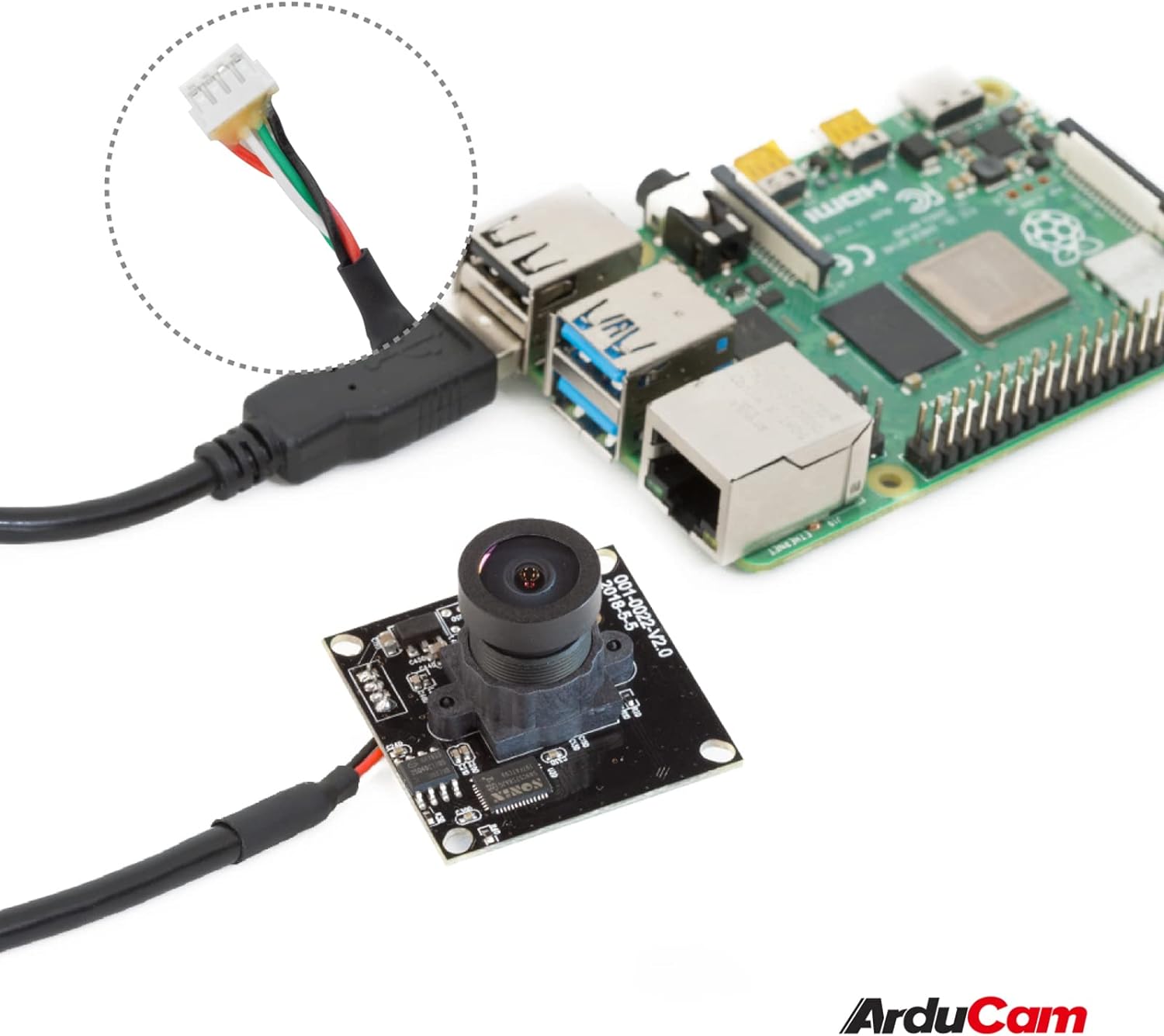
Image: The Arducam USB camera with its included USB cable, shown connected to a Raspberry Pi for illustration.
Instruções de configuração
- Conecte a câmera: Insert the USB cable into the camera's USB port and then connect the other end to a compatible device (PC, laptop, Android device, or Raspberry Pi).
- Instalação do driver: The camera is UVC-compliant, meaning it is plug-and-play. No additional drivers are required for Windows, Linux, or Mac operating systems. The system should automatically detect and install the necessary drivers.
- Verifique a conexão: After connecting, check your device's system settings or camera application to ensure the camera is recognized and functioning.
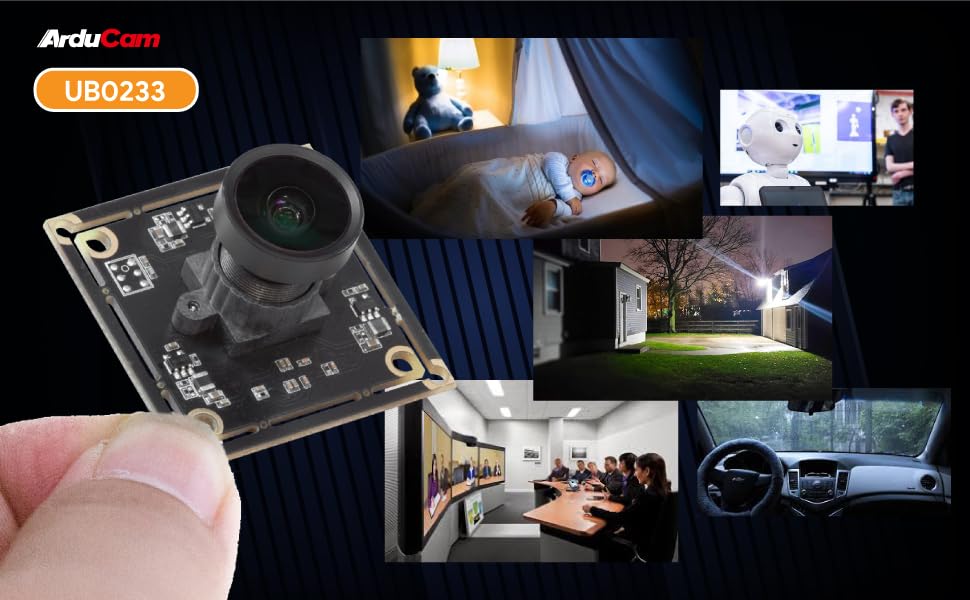
Image: Diagram illustrating the Arducam USB camera's compatibility with various operating systems including Windows, Mac, and Linux, and devices like PCs, laptops, and Raspberry Pi.
Instruções de operação
Operação básica
Once connected and recognized by your device, the Arducam 5MP USB Camera can be used with any standard camera application or software that supports UVC devices. This includes common video conferencing software, surveillance applications, and custom vision projects.
Ajuste de foco
The camera features a manual focus lens. To adjust the focus, gently rotate the lens barrel until the image appears clear and sharp. This allows for precise focus depending on your application's distance requirements.
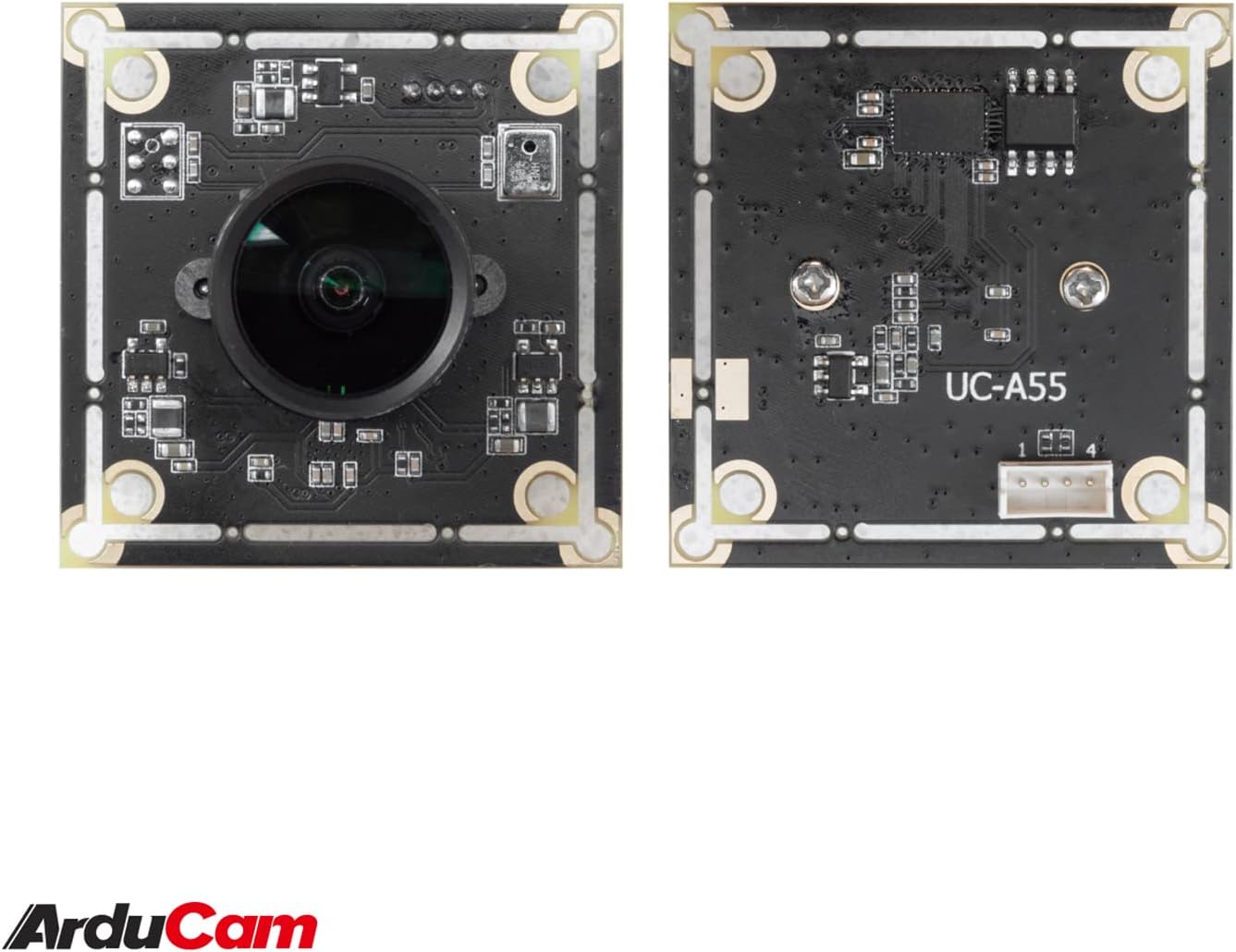
Image: The compact Arducam 5MP USB Camera being held, demonstrating its small form factor suitable for various integrations.
Frame Rates and Resolutions
The camera supports various frame rates and resolutions:
- MJPG:
- 15fps@2592*1944 / 2048*1536 / 1600*1200
- 30fps@1920*1080 / 1280*960 / 1280*720 / 1024*768 / 800*600 / 640*360 / 640*480
- YUY2:
- 2fps@2592*1944 / 2048*1536
- 5fps@1920*1080
- 7.5fps@1600*1200 / 1280*960
- 10fps@1280*720 / 1024*768
- 20fps@800*600
- 30fps@640*360 / 640*480
Aplicações
This camera is suitable for a variety of applications, including:
- Video surveillance systems
- Transmissão ao vivo
- Videoconferência
- Dashcam functionality
- Other vision applications requiring a wide field of view and high resolution
Video: An official video demonstrating the Arducam 5MP Wide Angle USB Camera's various applications, including live streaming, home surveillance, and meetings.
Manutenção
- Limpeza: Use um pano macio e seco para limpar a lente e o corpo da câmera. Evite usar produtos químicos agressivos ou materiais abrasivos.
- Armazenar: Guarde a câmera em local fresco e seco, longe da luz solar direta e de temperaturas extremas quando não estiver em uso.
- Manuseio: Handle the camera with care to prevent damage to the lens or circuit board.
Solução de problemas
- Camera not detected by the device:
- Ensure the USB cable is securely connected to both the camera and the device.
- Try connecting the camera to a different USB port on your device.
- Test the camera on another computer or compatible device to rule out a device-specific issue.
- Reinicie o computador ou dispositivo.
- A imagem está desfocada ou fora de foco:
- Gently rotate the lens barrel to adjust the manual focus until the image is clear.
- Certifique-se de que a lente esteja limpa e livre de poeira ou manchas.
- Low frame rate or video lag:
- Ensure your device meets the minimum system requirements for the desired resolution and frame rate.
- Feche outros aplicativos que possam estar consumindo recursos do sistema.
- Try a different USB port, preferably a USB 2.0 port for optimal compatibility.
Especificações
| Recurso | Detalhe |
|---|---|
| Marca | Arducam |
| Número do modelo | UB0233 |
| Tecnologia de sensor fotográfico | CMOS |
| Resolução Estática Efetiva | 5 MP |
| Resolução de captura de vídeo | Up to 1944p (MJPG) |
| Tipo de lente | Grande Angular |
| Viewângulo de engate | 95 graus |
| Tipo de foco | Foco manual |
| Tecnologia de Conectividade | USB 2.0 |
| Compatibilidade do sistema operacional | Windows 7/8/10, Linux, Mac |
| Recurso especial | Low Light performance |
| Peso do item | 0.06 kg |
| Dimensões do item (P x L x A) | 1.26"P x 1.26"L x 1.26"A |
| Mídia Integrada | Cabo USB |
| Distância focal máxima | 32 milímetros |
| Distância focal mínima | 6 milímetros |
| Abertura Máxima | 4 f_stop |
| Abertura Mínima | 4 milímetros |
| Proporção da imagem | 1.33:1 |
| Configurações de equilíbrio de branco | Auto |
| Tipo de controle de exposição | Manual |

Imagem: Detalhada view of the Arducam 5MP USB Camera with its physical dimensions (32mm x 28mm) indicated.
Informações de garantia
The Arducam 5MP Wide Angle USB Camera (Model UB0233) comes with a Garantia de 6 meses from the date of purchase. This warranty covers manufacturing defects and malfunctions under normal use. Please retain your proof of purchase for warranty claims. For detailed warranty terms and conditions, please refer to the official Arducam website ou entre em contato com o suporte ao cliente.
Suporte ao cliente
For technical assistance, troubleshooting, or further inquiries regarding your Arducam 5MP Wide Angle USB Camera, please visit the official Arducam website ou entre em contato com a equipe de suporte ao cliente.
- Recursos on-line: www.arducam.com
- Loja da marca: Arducam Amazon Store