
Introdução
This manual provides essential instructions for the safe and efficient operation, setup, and maintenance of your GBC ShredMaster AUTO+ 50X Auto Feed Cross Cut Shredder. Please read this manual thoroughly before using the shredder and retain it for future reference.
The GBC ShredMaster AUTO+ 50X is designed for shredding paper documents and credit cards, offering a P-4 security level for confidential information. It features both automatic and manual feed options for convenience.
Informações de segurança
- Mantenha as mãos, o cabelo e roupas soltas longe da abertura para entrada de papel.
- Mantenha crianças e animais de estimação longe do triturador.
- Do not spray any flammable products onto the shredder or use near flammable materials.
- Desligue o triturador da tomada antes de mover, limpar ou esvaziar o recipiente de lixo.
- Do not shred metal objects, large paper clips, or adhesive labels as these can damage the cutting mechanism. Small paper clips and staples are generally acceptable for this model.
- Operate the shredder on a flat, stable surface.
Configurar
- Desembalagem: Carefully remove the shredder from its packaging. Ensure all packing materials are removed from around the shredder and inside the waste bin.
- Colocação: Position the shredder on a level, stable surface near a power outlet. Ensure there is adequate space around the unit for ventilation and access to the waste bin.
- Conexão de energia: Conecte o cabo de alimentação a uma tomada elétrica padrão.
- Lixeira: Ensure the waste bin is correctly inserted into the shredder housing. The shredder will not operate if the bin is not properly seated.
Instruções de operação
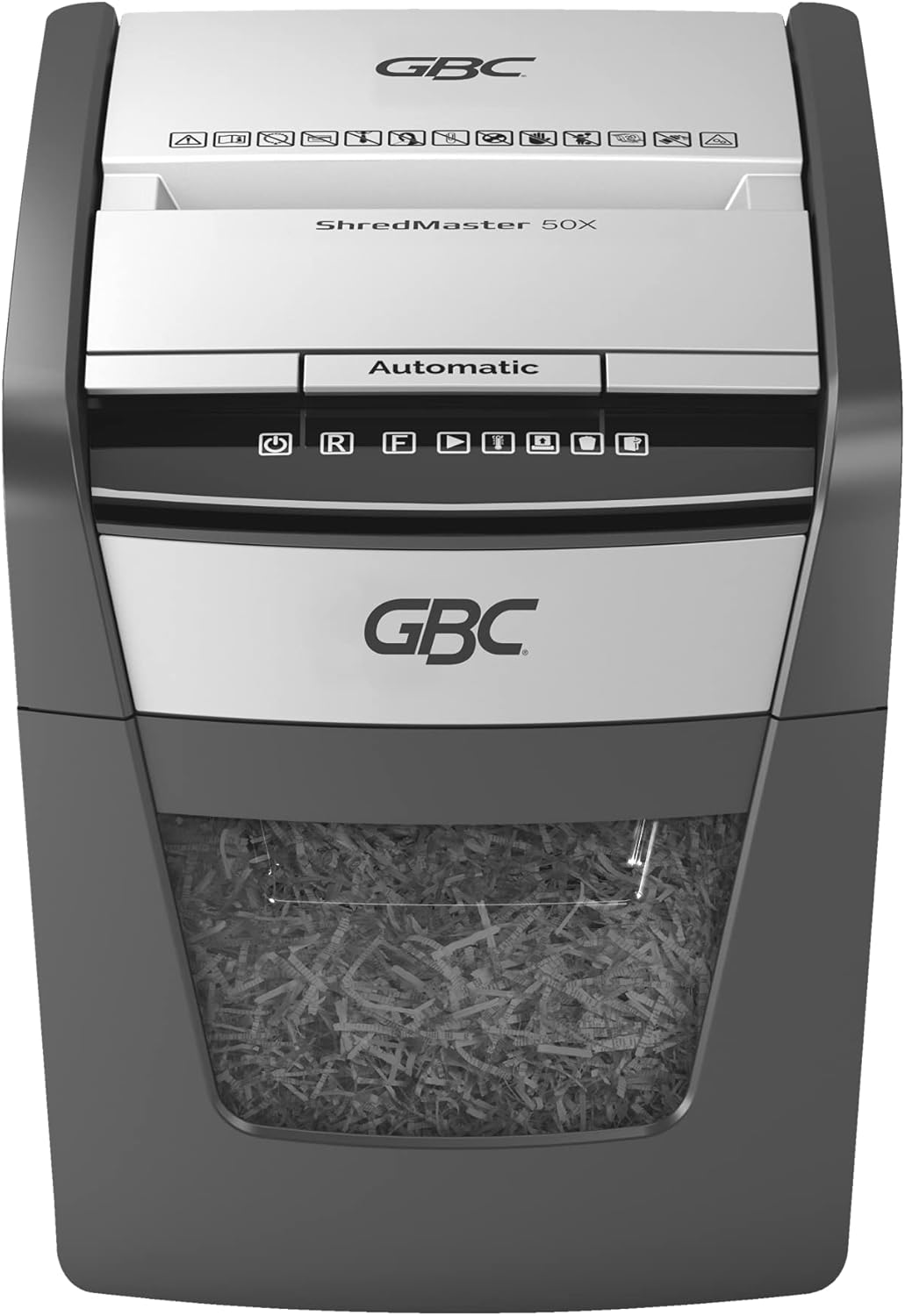
Painel de controle encerradoview
The control panel features intuitive touch controls for easy operation.

Automatic Feed Operation
The AUTO+ 50X features an automatic feed tray for shredding up to 50 sheets of 80 gsm paper at once.
- Certifique-se de que o triturador esteja conectado à tomada e que o recipiente de resíduos esteja inserido corretamente.
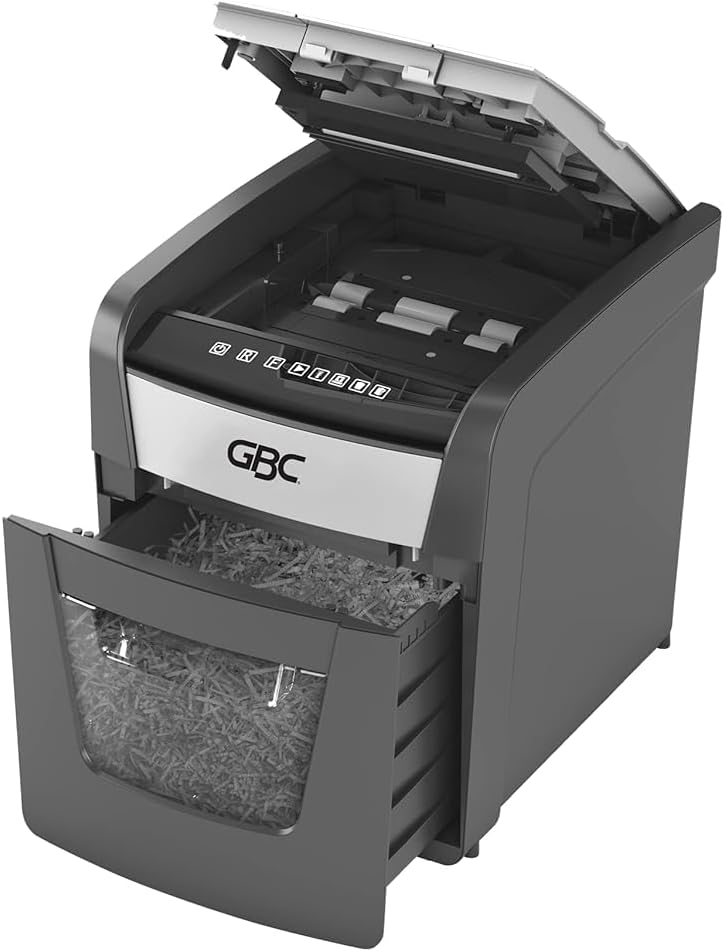
- Levante a tampa da bandeja de alimentação automática.
- Stack up to 50 sheets of paper neatly into the automatic feed tray. Ensure there are no folded or crumpled sheets.
- Close the automatic feed tray cover. The shredder will automatically detect the paper and begin shredding.


Operação de alimentação manual
For smaller quantities of paper (up to 6 sheets of 80 gsm) or credit cards, use the manual feed slot.
- Certifique-se de que o triturador esteja conectado à tomada e que o recipiente de resíduos esteja inserido corretamente.
- Insert paper or a credit card into the manual feed slot. The shredder will automatically start and stop.
- For credit cards, insert one card at a time into the designated slot.

Proteção contra superaquecimento
To prevent motor overheating, the shredder is equipped with an automatic thermal overload protection system. After approximately 10 minutes of continuous shredding, the machine will automatically rest for 45 minutes to cool down. During this cool-down period, the shredder will not operate. Resume operation once the cool-down period is complete.
Manutenção
Esvaziar o caixote do lixo
The shredder features an easy-to-empty 20-liter pull-out bin with a viewing window to monitor fill levels.
- Desligue o triturador da tomada.
- Retire o recipiente de resíduos da parte frontal do triturador.
- Empty the shredded material into a suitable receptacle.
- Slide the waste bin back into the shredder until it is securely seated.
- Plug the shredder back into the power outlet.

Oiling the Shredder
Regular oiling of the shredder blades is recommended to maintain optimal performance and extend the life of your shredder. Use GBC shredder oil or a vegetable-based oil (avoid aerosol oils).
- Aplique uma fina camada de óleo para triturador de papel na abertura de entrada do papel.
- Run the shredder in reverse for 10 seconds to distribute the oil.
- Repeat this process after every 30 minutes of accumulated shredding or at least twice a month.
Limpeza
Limpe a parte externa do triturador com um pano macio e seco. Não utilize produtos de limpeza abrasivos ou solventes.
Solução de problemas
| Problema | Possível causa | Solução |
|---|---|---|
| O triturador não liga. |
|
|
| Atolamento de papel. |
|
|
| Shredder runs slowly or makes unusual noise. |
|
|
Especificações
- Modelo: G2020050X
- Tipo de fragmento: Corte transversal
- Nível de segurança: P-4 (DIN 66399)
- Tamanho do fragmento: 4 x 28 mm confetti cut
- Auto Feed Capacity: 50 folhas (80 g/m²)
- Capacidade de alimentação manual: 6 folhas (80 g/m²)
- Pedaços: Paper, small paper clips, staples, credit cards
- Capacidade do compartimento: 20 litros
- Tempo de execução: 10 minutes continuous, 45 minutes cool-down
- Dimensões aproximadas (A x L x P): 40.6 cm x 43.2 cm x 38.1 cm (16" H x 17" W x 15" D, based on product images)
- Peso: 11.6 kg
- Fonte de energia: Elétrico com fio
- Características especiais: Automatic Start/Stop, Jam Proof

Garantia e Suporte
For warranty information and customer support, please refer to the documentation included with your purchase or visit the official GBC website. Guarde o comprovante de compra para solicitações de garantia.
For further assistance, you may contact GBC customer service through their official channels. Details are typically available on the manufacturer's website ou embalagem do produto.