
1. Informações de segurança
Please read and understand all safety warnings and instructions before operating the Elitech SVP-7 vacuum pump. Failure to follow these instructions may result in electric shock, fire, and/or serious injury.
- Always wear appropriate personal protective equipment (PPE), including safety glasses and gloves, when operating the pump.
- Ensure the pump is connected to a properly grounded power outlet.
- Não utilize a bomba em condições de umidade ou a exponha à chuva.
- Maintain proper ventilation around the pump during operation to prevent overheating.
- Use only industrial-grade ISO 46 vacuum pump oil. Regularly check and maintain the oil level.
- The pump features a 122°F auto-shutdown to prevent overheating. Do not bypass this safety feature.
- Desligue a energia antes de realizar qualquer manutenção ou serviço.
2. Conteúdo da embalagem
Verifique se todos os itens estão presentes na embalagem:
- 1 x Elitech SVP-7 Vacuum Pump
- 1 x Manual do Usuário
- 1 x 450ml Vacuum Oil
- 1 x 350ml Vacuum Oil

Image: Elitech SVP-7 Vacuum Pump and its included accessories, such as vacuum oil and the user manual.
3. Recursos do Produto
The Elitech SVP-7 Smart Vacuum Pump is designed with advanced features for efficient and reliable HVAC/R system evacuation:
- Smart Leak Detection System: Precisely measures leakage levels on a 0-100 risk scale (0=sealed, 100=critical leak), using real-time diagnostics to pinpoint weak spots faster than manual testing.
- Real-Time Vacuum Graph: Watch the evacuation process unfold live below 60,000 microns – spot leaks, clogs, or slow pumping instantly with visual trends (vs. guessing from numbers alone).
- Fully Automated Operation: Self-regulating motor and solenoid valve with auto shutoff prevents oil backflow and estimates job completion time.
- Mobile App Control (iOS/Android): Remotely start/stop, monitor vacuum levels, and export PDF reports via Elitech Tools Bluetooth app.
- 4" Touchscreen Interface: User-friendly display shows live metrics (temp/leakage/motor status) with one-touch parameter adjustment.
- Dual Safety Protection: Industrial-grade ISO 46 oil + 122°F auto-shutdown defend against meltdowns – meets OSHA standards for worry-free operation.

Imagem: Um excessoview of the Elitech SVP-7's smart features, including touchscreen, app control, and leak detection.
4. Configuração
4.1 Initial Inspection and Oil Filling
- Unpack the vacuum pump and inspect for any shipping damage.
- Ensure the power switch is in the 'OFF' position.
- Remove the oil fill cap and fill the pump with the provided vacuum oil until the oil level is between the 'MIN' and 'MAX' marks on the sight glass.
- Recoloque a tampa de abastecimento de óleo com segurança.
4.2 Connecting the Vacuum Gauge
For precise vacuum measurement, connect a compatible micron gauge to the pump or system:
Video: This video demonstrates the process of connecting a vacuum pump with a micron gauge for accurate readings during HVAC/R system evacuation.
4.3 Ligando
Connect the power cord to a suitable electrical outlet. Press the power switch to turn on the pump. The 4-inch touchscreen will illuminate, displaying the main interface.

Image: The large touchscreen display of the Elitech SVP-7, showing real-time vacuum changes and operational data.
5. Instruções de operação
5.1 Operação básica
- From the main screen, tap 'Measure' to view real-time vacuum data.
- Tap 'Run' to start the vacuum pump. The pump will begin evacuating the system.
- Monitor the vacuum level and other parameters on the touchscreen.
- Tap 'Stop' to halt the pump operation.
5.2 Controle do aplicativo móvel
The Elitech SVP-7 can be controlled and monitored remotely via the Elitech Tools mobile app (iOS/Android):
- Download and install the 'Elitech Tools' app from your device's app store.
- Ensure Bluetooth is enabled on your mobile device and the vacuum pump.
- Open the app, search for the SVP-7, and connect.
- From the app, you can remotely start/stop the pump, monitor vacuum levels, and export PDF reports.
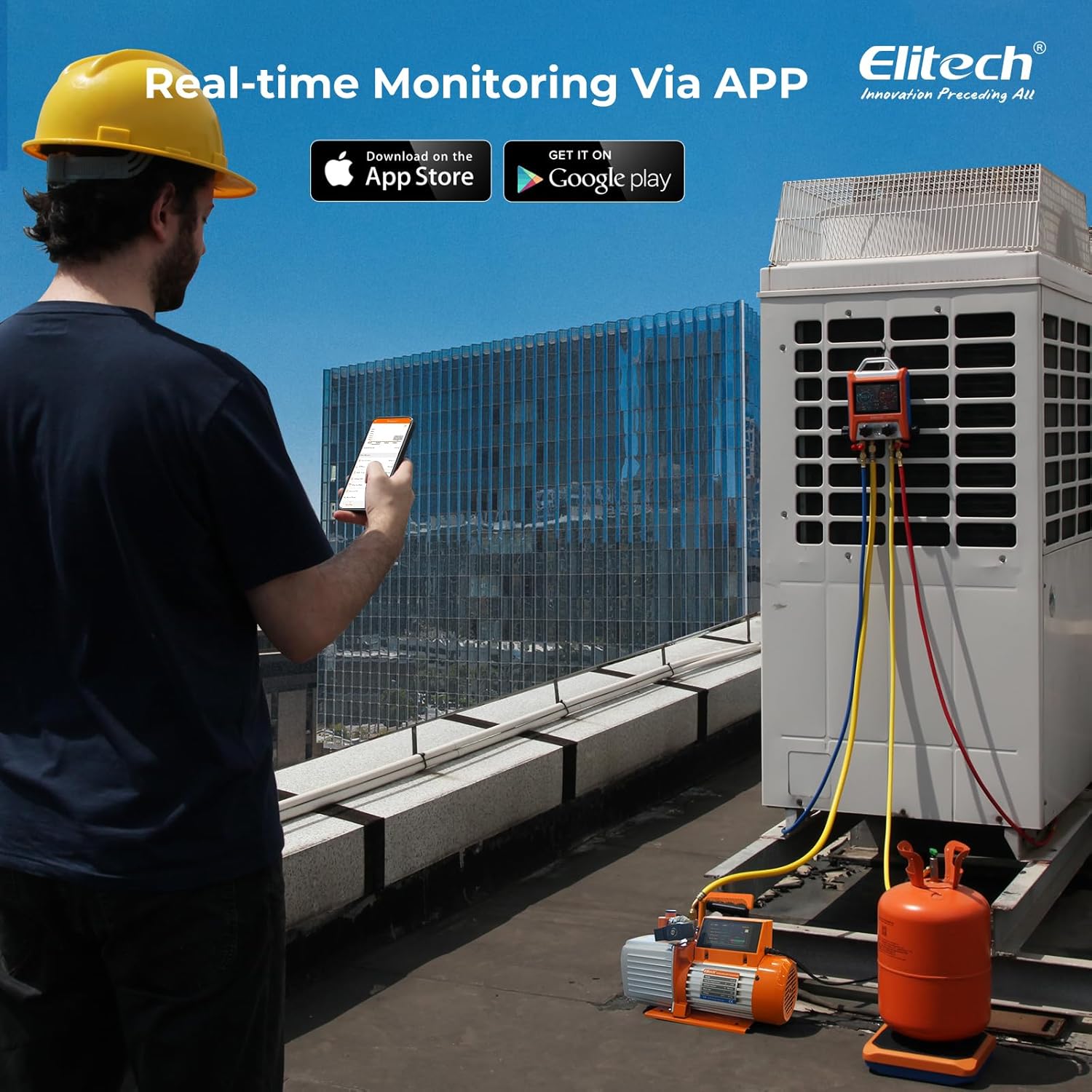
Image: A technician monitoring the Elitech SVP-7 via the mobile app on a rooftop HVAC unit.
Video: This video demonstrates the features and usage of the Elitech PGW Wireless Digital Pressure Gauge, including app connectivity and data management.
5.3 Smart Leak Detection System
The integrated leak detection system provides a risk scale (0-100) to identify potential leaks:
- During evacuation, the pump continuously monitors the system for pressure changes.
- A higher leakage level indicates a greater risk of leaks. Address any identified leaks before proceeding.

Image: The Elitech SVP-7 touchscreen displaying the system leakage level and other operational statuses.
5.4 Real-Time Vacuum Graph
The touchscreen and app display a real-time vacuum graph, allowing visual monitoring of the evacuation process:
- Observe the graph for stable vacuum levels, which indicate a successful evacuation.
- Sudden drops or plateaus may suggest leaks or blockages.

Image: The Elitech SVP-7's intelligent and simple interface, highlighting the vacuum graph and other smart features.
5.5 Automated Operation
The pump features automated functions for convenience:
- The self-regulating motor adjusts operation based on system needs.
- The solenoid valve prevents oil backflow into the system during power outages or shutdown.
- The pump can estimate job completion time, allowing for unattended operation.

Image: The Elitech SVP-7 operating automatically, allowing a technician to monitor progress remotely.
6. Manutenção
6.1 Troca de óleo
Regular oil changes are crucial for optimal pump performance and longevity. Change the vacuum pump oil after every 10-20 hours of operation or if the oil appears cloudy or discolored.
- Certifique-se de que a bomba esteja desligada e desconectada da energia.
- Coloque um recipiente adequado sob o bujão de drenagem de óleo.
- Remove the oil drain plug and the oil fill cap to allow the old oil to drain completely.
- Substitua o bujão de drenagem de óleo.
- Refill with new industrial-grade ISO 46 vacuum pump oil until the level is between the 'MIN' and 'MAX' marks on the sight glass.
- Substitua a tampa de abastecimento de óleo.
6.2 Limpeza Geral
Keep the pump clean and free from dust and debris. Wipe down the exterior with a damp pano. Não use produtos químicos ou solventes agressivos.
6.3 Armazenamento
When not in use, store the vacuum pump in a dry, clean environment, protected from extreme temperatures and direct sunlight.
7. Solução De Problemas
| Problema | Possível causa | Solução |
|---|---|---|
| A bomba não inicia | Sem energia, interruptor com defeito, problema no motor | Check power connection, ensure switch is ON. If problem persists, contact support. |
| Mau desempenho de vácuo | Low oil level, contaminated oil, system leak, clogged intake | Check/change oil, use leak detection system, inspect connections, clean intake. |
| Bomba superaquece | Insufficient ventilation, prolonged operation, low oil level | Ensure adequate airflow, allow pump to cool, check oil level. Auto-shutdown will activate at 122°F. |
| Oil backflow | Poder foratage during operation, faulty solenoid valve | The solenoid valve is designed to prevent this. If it occurs, check valve function and system integrity. |
8. Especificações
| Recurso | Detalhe |
|---|---|
| Marca | Elitech |
| Modelo | SVP-7 |
| Taxa de fluxo | 7 CFM (3 Liters Per Second) |
| Aspirador de pó Ultimate | 15 Mícron |
| Stages | 2-Stage |
| Potência do motor | 3 / 4 HP |
| Fonte de energia | Elétrico com fio |
| Peso do item | 38.4 libras |
| Dimensões do produto | 20.47 x 16.93 x 14.96 polegadas |
| Mostrar | Tela sensível ao toque de 4" |
| Conectividade | Bluetooth (Mobile App Control) |
| Características de segurança | Solenoid Valve, 122°F Auto-Shutdown |

Image: A detailed graphic outlining the technical specifications of the Elitech SVP-7 vacuum pump.
9. Garantia e Suporte
Elitech products are designed for reliability and performance. This product comes with a standard manufacturer's warranty against defects in materials and workmanship. For specific warranty terms and conditions, please refer to the warranty card included in your package or visit the official Elitech website.
For technical support, troubleshooting assistance, or service inquiries, please contact Elitech customer service through the contact information provided in your user manual or on the Elitech website. Our dedicated support team is available to assist you.
You can also find additional resources, FAQs, and product updates on the Elitech website: Loja Elitech