
Introdução
The NETUM S6 is a versatile 1D wireless barcode scanner designed for efficient data capture. It offers both 2.4GHz wireless and USB cable connectivity, ensuring flexible operation. Featuring advanced 32-bit duplex ARM+DSP digital signal processing technology, the S6 provides fast and reliable barcode reading for various applications on Windows PCs.
Configurar
Conteúdo da embalagem
- NETUM S6 Wireless Barcode Scanner
- Mini USB Receiver (2.4G dongle)
- Carregamento USB / cabo de dados
Conectando o Scanner
- Conexão sem fio (2.4 GHz): Insert the Mini USB Receiver into an available USB port on your Windows PC. The scanner will automatically pair with the receiver.
- Wired Connection (USB Cable): Connect the USB cable to the scanner and then to a USB port on your PC. The scanner will function as a wired device and also charge simultaneously.
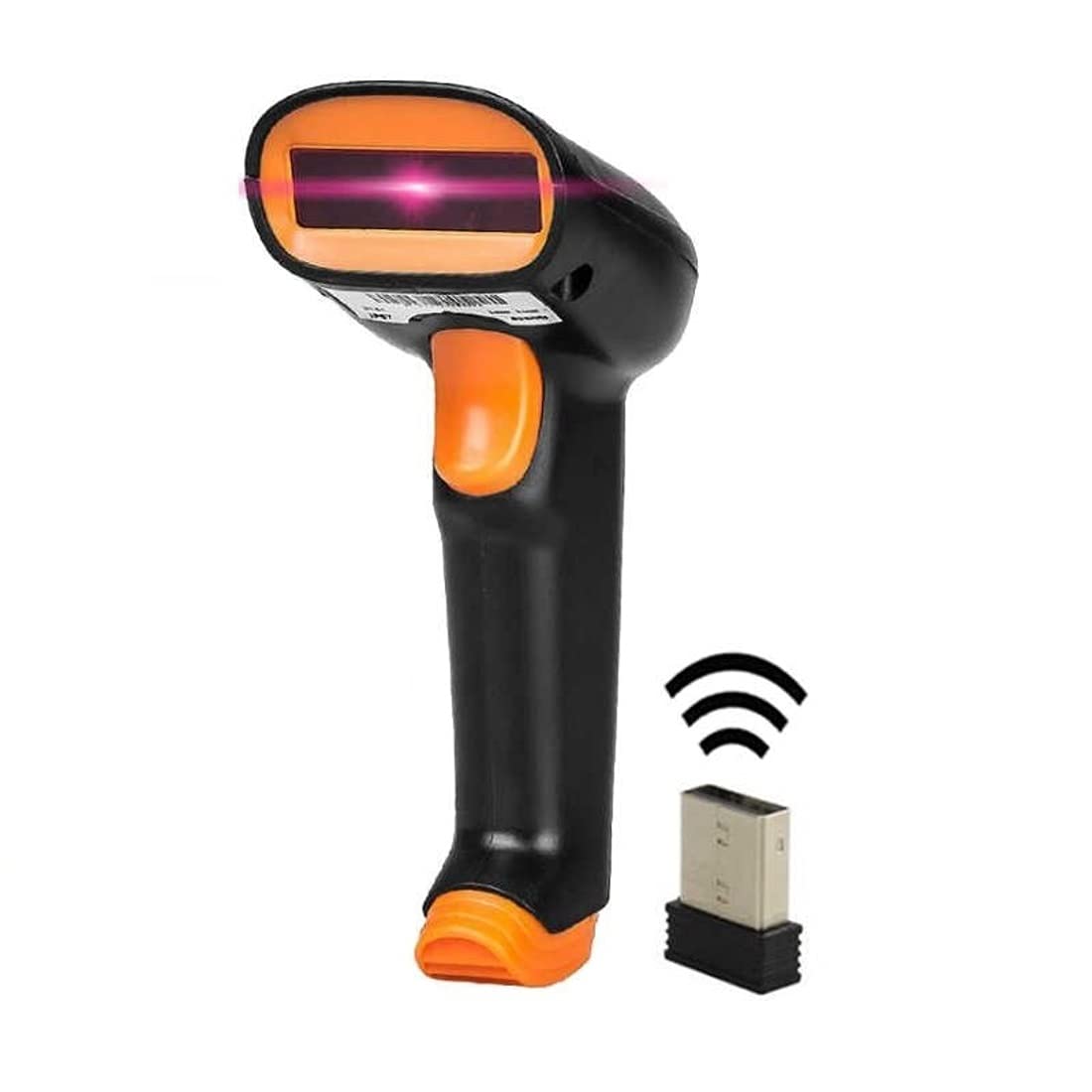
Image: The NETUM S6 barcode scanner shown with its accompanying USB receiver, illustrating the wireless connectivity components.
Carregamento inicial
Before first use, ensure the scanner is fully charged. Connect the scanner to a USB power source using the provided USB cable. The LED indicator will show charging status.
Instruções de operação
Digitalizar códigos de barras
- Ensure the scanner is powered on and connected to your PC (either wirelessly or via USB cable).
- Aponte o feixe de laser do scanner para o código de barras que deseja ler.
- Press the trigger button. A successful scan will be indicated by an audible beep and/or an LED flash.
- The scanned data will appear in the active application on your computer.

Image: The NETUM S6 scanner demonstrating its capability to quickly and accurately read various 1D barcodes, including high-density and damaged ones.
Data Storage (Offline Mode)
The scanner features an internal memory of 256 KB, capable of storing over 2600 data strings. This allows for scanning barcodes even when not connected to a host device. To upload stored data, connect the scanner to your PC and follow the instructions in the advanced user guide (if applicable) or scan the appropriate function barcode for data upload.
Idiomas suportados
The scanner supports various keyboard layouts, including English, French, German, Spanish, and Italian. Configuration may require scanning specific setup barcodes.
Manutenção
Gerenciamento de bateria
The NETUM S6 is equipped with an integrated 2000mAh Li-Ion battery. A full charge takes approximately 4-5 hours and provides continuous scanning for over one week, with a standby time of more than half a year. Charge the device using any standard USB 2.0 port.

Image: The NETUM S6 barcode scanner depicted in a low-power state, highlighting its extended 48-hour continuous use and long standby capabilities due to its efficient battery management.
Durabilidade e cuidados
The scanner is designed to withstand drops from a height of 5ft (1.5m). To maintain optimal performance, keep the scanning window clean and free from dust or debris. Use a soft, dry cloth for cleaning. Avoid exposing the device to extreme temperatures or harsh chemicals.
Indicadores
The device provides sound and LED indications for power status, successful scans, and operating conditions. Refer to the full user manual for a detailed explanation of indicator patterns.
Solução de problemas
- O scanner não está conectando: Ensure the USB receiver is properly inserted or the USB cable is securely connected. Check if the scanner is powered on. Try restarting your PC.
- Nenhuma saída de dados após a digitalização: Verify that the scanner is successfully paired/connected. Check if the cursor is in an active text field on your computer. Ensure the barcode is not damaged or poorly printed.
- Scanner not charging: Confirm the USB cable is connected to a working USB port or power adapter. Check the cable for damage.
- Slow scanning or misreads: Clean the scanning window with a soft, dry cloth. Ensure adequate lighting for the barcode.
Especificações
| Recurso | Especificação |
|---|---|
| Número do modelo | NETUM S6 |
| Tecnologia de Conectividade | Conexão sem fio de 2.4 GHz, conexão com fio USB |
| Taxa de digitalização | 200 varredura por segundo |
| Dispositivos compatíveis | Desktop, Laptop (Windows PC) |
| Fonte de energia | Battery Powered (2000mAh Li-Ion) |
| Memória interna | 256 KB (stores >2600 data strings) |
| Durabilidade | Designed to survive 5ft (1.5m) drops |
| Fabricante | Gaungzhou Netum Electronic Technology Co., Ltd |
Garantia e Suporte
Informações de garantia
This NETUM S6 Wireless Barcode Scanner comes with a GARANTIA DE 3 MESES A garantia é válida a partir da data da compra e cobre defeitos de fabricação em condições normais de uso. Guarde o comprovante de compra para eventuais solicitações de garantia.
Suporte ao cliente
For technical assistance, troubleshooting, or warranty inquiries, please contact NETUM customer support through the retailer's platform or the official NETUM website. Please have your model number (S6) and purchase details ready when contacting support.