
Introdução
Thank you for choosing the Sengled Smart Bulb. This manual provides essential information for setting up, operating, and maintaining your new smart lighting product. The Sengled Smart Bulb offers advanced features including app and voice control, 16 million colors, tunable white light, scheduling, and remote access, all without requiring a separate hub.
Guia de configuração
Follow these steps to set up your Sengled Smart Bulb:
- Download the Sengled Home App: Procurar 'Sengled Home' in the App Store (iOS) or Google Play Store (Android) and install the application.
- Cadastre-se/Faça login: Abra o aplicativo e siga as instruções na tela para criar uma nova conta ou fazer login, caso já possua uma.
- Instale a lâmpada: Twist the Sengled Smart LED bulb into a standard E26 medium base socket. Ensure the power is turned off before installation.
- Ligar: Turn on the light switch to power on the bulb. The bulb should blink to indicate it's in pairing mode.
- Adicionar dispositivo no aplicativo: In the Sengled Home app, tap the '+' icon to add a new device. Select 'Light Bulb' and follow the in-app guide to complete the setup.
- Conectar ao Wi-Fi: The bulb will connect to your home's 2.4GHz Wi-Fi network. No additional hub is required.
- Integração com assistente de voz (opcional): If you wish to use voice control, link your Sengled Home account with your Amazon Alexa or Google Assistant account through their respective apps.
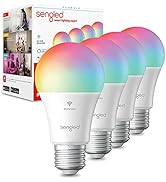
Image: Steps for setting up the Sengled Smart Bulb using the Sengled Home app.

Image: A Sengled Smart Bulb installed in a ceiling light fixture.
Instruções de operação
The Sengled Smart Bulb offers versatile control options:
Controle de aplicativo
- Ligado/Desligado: Toggle the bulb's power directly from the app.
- Escurecimento: Ajuste o brilho de 1% a 100%.
- Seleção de cores: Choose from 16 million colors to match your mood or decor.
- Branco sintonizável: Select white light temperatures from 2000K (warm white) to 6500K (cool white).
- Agendamento: Set timers and routines for automatic on/off times, dimming, or color changes.
- Controle de Grupo: Crie grupos de lâmpadas para controlar várias luzes simultaneamente.
- Modo de cena: Apply pre-set or custom scenes for various activities or moods.
Image: A smartphone screen displaying the Sengled Home app interface for color selection.
Controle de voz
Control your smart bulbs hands-free using voice commands with Amazon Alexa or Google Assistant. Exampos:
- "Alexa, acenda a luz da sala de estar."
- "Ei, Google, defina a luz do quarto para azul."
- "Alexa, dim the kitchen to 50%."
Image: A person interacting with a smart speaker to control the Sengled Smart Bulb via voice commands.
Controle remoto
Manage your lighting from anywhere using the Sengled Home app on your smartphone, ensuring your home always looks occupied, even when you're away.
Wake Up to Light Feature
Program your bulbs to slowly brighten over a set period, simulating a natural sunrise to help you wake up gently.
Video: Official Sengled video demonstrating the 100-watt smart bulb's features and Alexa compatibility.
Manutenção
Sengled Smart Bulbs are designed for long-term use with a service life of 22.8 years. No specific maintenance is required beyond occasional dusting with a soft, dry cloth. Ensure the bulb is not exposed to water or excessive humidity.
Solução de problemas
If you encounter issues with your Sengled Smart Bulb, consider the following:
- Problemas de conectividade: Ensure your Wi-Fi network is 2.4GHz (5G networks are not supported). Try restarting your router and the bulb.
- Lâmpada não responde: Check if the bulb is securely screwed into the socket and if the power switch is on. Try turning the power off and on again to reset the bulb.
- Voice Command Problems: Verify that your Alexa or Google Assistant device is properly linked to your Sengled Home account and that the device names are correctly configured.
- Problemas de aplicativos: Ensure your Sengled Home app is updated to the latest version. Try force-closing and reopening the app.
Para obter mais assistência, consulte a seção de suporte ou entre em contato com o serviço de atendimento ao cliente.
Especificações
| Recurso | Detalhe |
|---|---|
| Marca | Selecionado |
| Número do modelo | W12-N15 |
| Tipo de luz | LIDERADO |
| O quetage | 100 watts equivalent (actual power consumption not specified, but typically lower for LED) |
| Brilho | 1500 Lúmens |
| Tamanho do formato do bulbo | A19 |
| Base de lâmpada | E26 Médio |
| Cor clara | Multicolor (16 Million Colors) & Tunable White (2000K to 6500K) |
| Índice de reprodução de cor (CRI) | >90 |
| Tecnologia de Conectividade | Wi-Fi (somente 2.4 GHz) |
| Tipo de controlador | Amazon Alexa, Google Assistant, SmartThings |
| Vida útil da fonte de luz | 22.8 anos |
| Uso interno/externo | Interior |
| Tipo de material | Polímero Sintético (PMMA) |
Garantia e Suporte
Sengled Smart Bulbs come with a Garantia de 2 ano. For warranty claims or technical support, please visit the official Sengled website or contact their customer service. Live customer service is available in the U.S.
Para mais informações e suporte, visite sengled.com.