
HTC HTC TWS3
HTC True Wireless Bluetooth Earbuds 2 Instruction Manual
Model: HTC TWS3
Introdução
Thank you for choosing the HTC True Wireless Bluetooth Earbuds 2. This manual provides detailed instructions on how to set up, operate, and maintain your earbuds to ensure optimal performance and longevity. Please read this manual carefully before using the product.
O que está na caixa
- 1x estojo de carregamento
- 1 cabo USB tipo C
- 1x Guia de Iniciação Rápida
- 2x True Wireless Earbuds (Left and Right)
- 2x pairs of rubber tips (large and small) - Note: A medium pair is likely pre-installed.
Produto acimaview
Familiarize yourself with the components of your HTC True Wireless Bluetooth Earbuds 2 and their charging case.

Image: The HTC True Wireless Earbuds 2, with one earbud outside the open charging case, showing the charging contacts and indicator light.
The charging case features a USB-C port for charging and an LED indicator to show charging status. Each earbud has touch-sensitive surfaces for control and charging contacts at the bottom.
Configurar
1. Carregando os fones de ouvido e o estojo
Antes da primeira utilização, certifique-se de que tanto os fones de ouvido quanto o estojo de carregamento estejam totalmente carregados.
- Place the earbuds into the charging case. Ensure they are correctly seated; the indicator lights on the earbuds should illuminate, indicating charging.
- Conecte o cabo USB Type-C à porta de carregamento do estojo e a outra extremidade a uma fonte de alimentação USB (por exemplo, computador, adaptador de parede).
- The charging case's indicator light will show charging status. A full charge for the case provides up to 3 additional charges for the earbuds, extending total playtime to 32 hours.

Image: The HTC True Wireless Earbuds 2 in their charging case, illustrating the long battery life performance with up to 8 hours listening time per charge and 32 hours total with the 500mAh charging case.
2. Emparelhamento com um dispositivo
Os fones de ouvido utilizam Bluetooth 5.1 para conexões rápidas e estáveis.
- Abra o estojo de carregamento. Os fones de ouvido entrarão automaticamente no modo de emparelhamento.
- No seu dispositivo (smartphone, tablet, laptop), ative o Bluetooth.
- Procurar "HTC TWS3" or "HTC True Wireless Earbuds 2" in the list of available Bluetooth devices.
- Select the earbuds to connect. Once connected, you will hear a confirmation tone.

Image: The HTC True Wireless Earbuds 2 and their charging case positioned near a smartphone, demonstrating the quick and easy pairing process facilitated by the latest Bluetooth 5.1 chipset.
The earbuds can be used individually or together. For optimal stereo sound, use both earbuds. They maintain a stable connection up to 10 meters (32 feet) from your device.
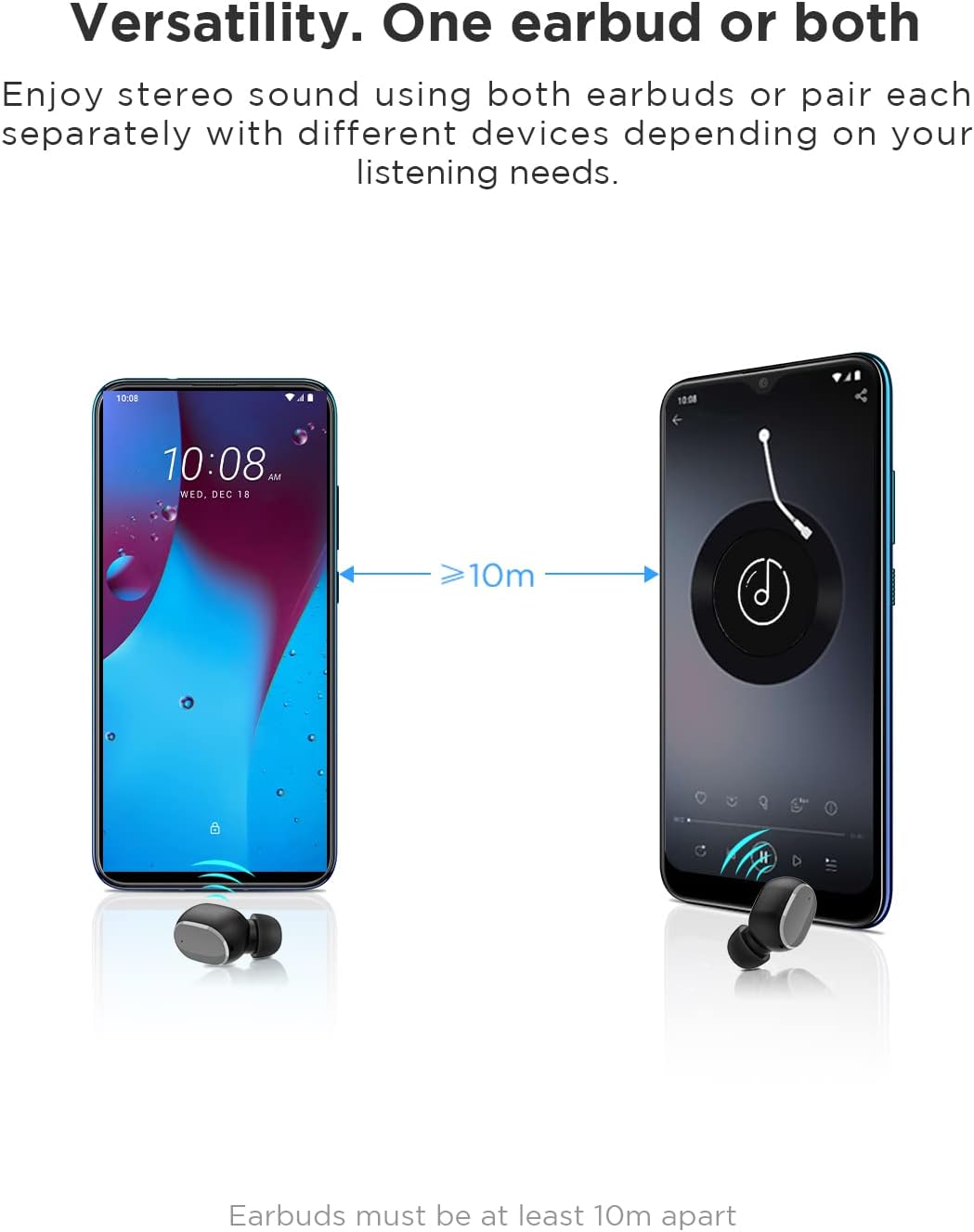
Image: An illustration showing two smartphones and earbuds, emphasizing the versatility of using one or both earbuds and the effective operating range of at least 10 meters.
Instruções de operação
The HTC True Wireless Bluetooth Earbuds 2 feature intuitive touch controls for various functions.

Image: A detailed diagram illustrating the simple touch controls for the HTC True Wireless Earbuds 2, including commands for play/pause, track navigation, call management, voice assistant, and volume control.
| Ação | Função |
|---|---|
| Toque em um dos fones de ouvido uma vez | Play / Pause music, Answer / End call |
| Toque no fone de ouvido esquerdo duas vezes | Aumentar o volume |
| Toque no fone de ouvido direito duas vezes | Diminuir volume |
| Toque em qualquer fone de ouvido três vezes | Ativar Assistente de Voz |
| Toque e segure o fone de ouvido esquerdo por 2 segundos | Tocar a música anterior |
| Toque e segure o fone de ouvido direito por 2 segundos | Tocar próxima música |
| Tap and hold either earbud for 2 seconds (during incoming call) | Recusar Chamada |
| Tap either earbud 5 times | Clear pairing / Restore factory settings |
The earbuds are designed for comfortable, long-term wear, weighing only 4.4g per earbud. They come with three different sizes of ear tips to ensure a secure and comfortable fit.

Image: A person comfortably wearing an HTC earbud, accompanied by illustrations highlighting the ergonomic design, skin-friendly material, and the inclusion of three different earplug sizes for optimal fit and comfort.
Manutenção
Limpeza
A limpeza regular ajuda a manter a qualidade do som e a higiene.
- Use um pano macio, seco e sem fiapos para limpar os fones de ouvido e o estojo de carregamento.
- For earwax or debris in the ear tips or speaker mesh, use a small, soft brush or cotton swab. Do not use sharp objects.
- Evite usar produtos de limpeza abrasivos, álcool ou solventes químicos.
Armazenar
Quando não estiverem em uso, guarde os fones de ouvido no estojo de carregamento para protegê-los e mantê-los carregados.
- Conservar em local fresco e seco, longe de temperaturas extremas e da luz solar direta.
- Avoid storing in dusty or dirty environments.
Resistência à água (IPX5)
The HTC True Wireless Bluetooth Earbuds 2 are rated IPX5 water-resistant, meaning they can withstand a sustained, low-pressure water jet spray. This makes them suitable for workouts and light rain.
- Não mergulhe os fones de ouvido em água.
- O estojo de carregamento não é resistente à água. Mantenha-o seco.
- Certifique-se de que os fones de ouvido estejam secos antes de colocá-los de volta no estojo de carregamento para evitar danos.
Solução de problemas
Se você tiver problemas com seus fones de ouvido, consulte as seguintes soluções comuns:
| Problema | Solução |
|---|---|
| Os fones de ouvido não estão pareando com o dispositivo |
|
| Apenas um dos fones de ouvido emite som. |
|
| Fones de ouvido não carregam |
|
| Poor sound quality or disconnections |
|
Especificações
Detailed technical specifications for the HTC True Wireless Bluetooth Earbuds 2.
| Recurso | Detalhe |
|---|---|
| Nome do modelo | TWS 2 (HTC TWS3) |
| Tecnologia de Conectividade | Sem fio (Bluetooth 5.1) |
| Entrada para fones de ouvido | USB (para estojo de carregamento) |
| Tipo de controle | Controle de volume por toque |
| Nível de resistência à água | IPX5 (fones de ouvido) |
| Formato do microfone | Built-In, Stereo |
| Tempo de reprodução (fones de ouvido) | Até 8 horas (carga única) |
| Tempo de conversação (fones de ouvido) | Até 6 horas (carga única) |
| Tempo total de jogo com o estojo de carregamento | Até 32 horas |
| Capacidade da bateria do estojo de carregamento | 500mAh |
| Earbud Weight (Single) | 4.4g |
| Distância máxima de operação | 32 pés (aproximadamente 10 metros) |
| Dispositivos compatíveis | Android, Laptops, iPhone |
| Material | Plástico |
| Dimensões do produto | 4.34 x 4.34 x 3.45 cm; 160 g (overall package) |
Informações de segurança
Please observe the following safety guidelines for safe and effective use:
- Não desmonte, repare ou modifique o produto. Isso pode causar incêndio, choque elétrico ou danos irreparáveis ao produto.
- Mantenha o produto longe de temperaturas extremas, luz solar direta e alta umidade.
- Evite deixar cair ou submeter o produto a impactos fortes.
- Não utilize os fones de ouvido em volumes excessivamente altos por períodos prolongados, pois isso pode causar danos à audição.
- Mantenha fora do alcance de crianças e animais de estimação.
- Descarte o produto e suas baterias de forma responsável, de acordo com as normas locais.
Suporte ao cliente
For further assistance or inquiries, please contact HTC customer support through their official channels. Refer to the product packaging or the official HTC website para informações de contato.
Note: Specific warranty details are not provided in this manual. Please refer to your purchase documentation or the manufacturer's website para obter informações sobre garantia.
Ask a question about this manual
Ask about setup, troubleshooting, compatibility, parts, safety, or missing instructions. Manuals+ will review the question and use this page’s manual context to help answer it.