
Introdução
The SPACETALK Adventurer 4G Smart Watch is designed to provide communication and safety features for children. This manual will guide you through the setup, operation, maintenance, and troubleshooting of your device.
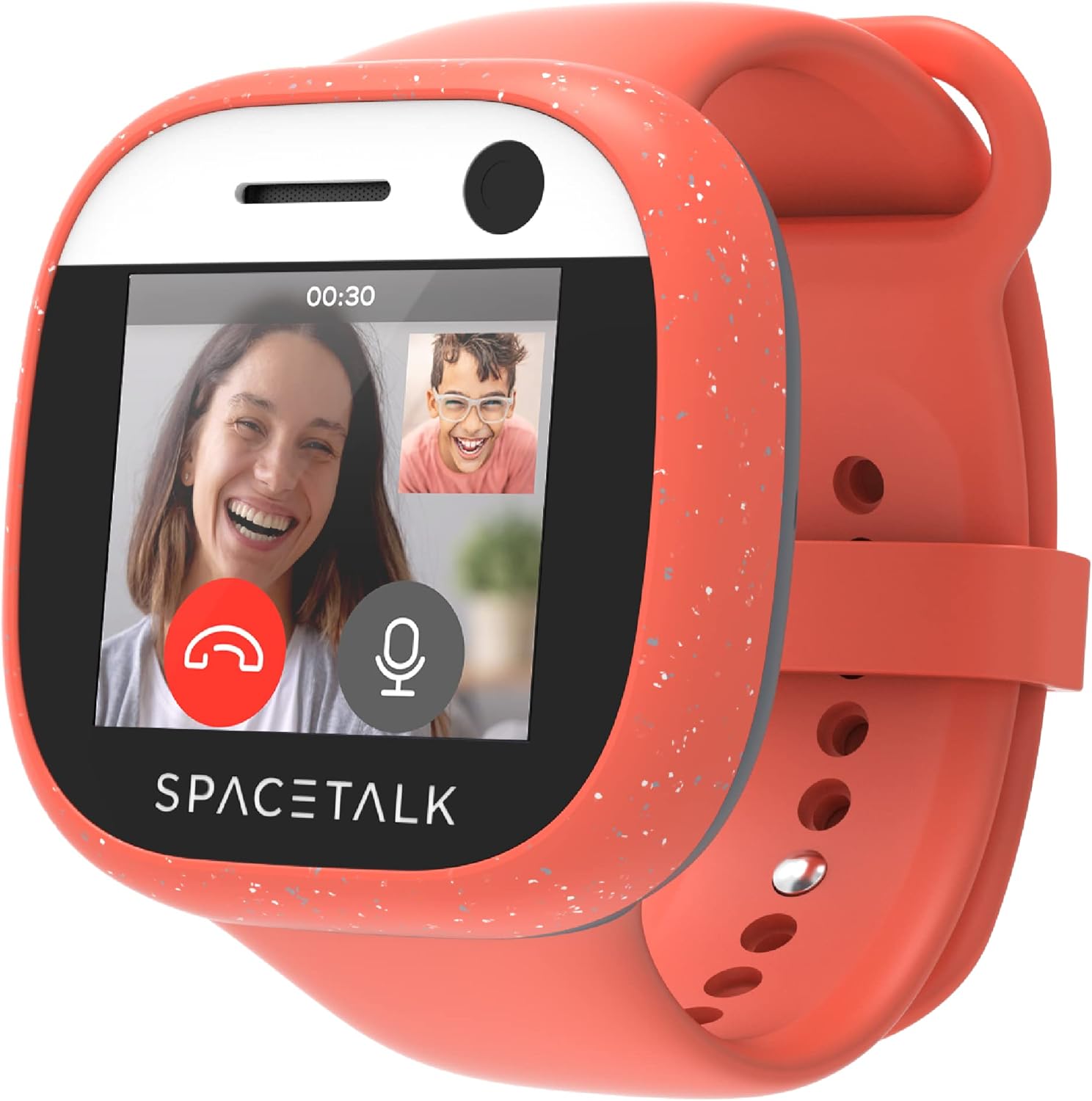
Image: The SPACETALK Adventurer Smart Watch, showcasing its video calling capability.
1. Configuração
1.1 Desembalagem e Carga Inicial
Upon unboxing your SPACETALK Adventurer, ensure all components are present: the smartwatch, charging cable, and pre-installed SIM card. Connect the charging cable to the watch and a power source. A full charge is recommended before first use. Note that the charging connection may require careful placement to ensure a stable connection.

Image: The charging dock for the SPACETALK Adventurer Smart Watch.
1.2 SIM Card Activation and App Installation
The Adventurer comes with a pre-installed SIM card. To activate its full functionality, a SPACETALK Mobile plan is required. Download the SPACETALK App on your smartphone (available for iOS and Android). The app is essential for managing the watch's features, including contacts, GPS tracking, and settings.

Image: SPACETALK Adventurer Smart Watch, mobile app, and SIM card.
1.3 Emparelhamento de dispositivos
Follow the on-screen instructions on the watch and within the SPACETALK App to pair your device. This process links the watch to your account, enabling remote management and communication features. Ensure a stable internet connection during pairing.
2. Operando seu Smartwatch
2.1 Navegação básica
The SPACETALK Adventurer features a touch screen for navigation. Swipe left or right to access different applications and settings. Tap icons to select functions. The screen size is 1.4 inches.
2.2 Recursos de comunicação
- 4G Phone and Video Calling: Make and receive calls from approved contacts. The watch supports video calls for face-to-face communication.
- SMS Text and Chat: Send and receive text messages and engage in secure encrypted chats with contacts managed through the app.
- Safe Contact List: Only contacts approved by the parent/guardian via the SPACETALK App can communicate with the watch, blocking unknown callers and texts.

Image: HD Video Calling feature on the SPACETALK Adventurer.
2.3 Safety and Location Features
- Rastreamento de localização por GPS: Real-time GPS allows monitoring of the watch's location via the SPACETALK App.
- Zonas Seguras: Set up designated safe areas. The app will alert you if the watch enters or exits these zones.
- SOS de emergência: In an emergency, the wearer can activate an SOS alert, notifying pre-selected contacts with their location.

Image: GPS Locator and Safe Zones features.
2.4 Recursos Adicionais
- Câmera 5MP: Capture photos directly from the watch.
- Modo Escolar: Configure settings to limit watch functions during school hours, preventing distractions.
- Monitoramento de saúde e condicionamento físico: Monitor steps and heart rate to track activity levels.
- No Social Media or Web Navegador: The watch is designed without access to social media platforms or web browsing for a focused and safer experience.

Imagem: Acimaview of SPACETALK Adventurer features.
3. Manutenção
3.1 Limpeza
Wipe the watch screen and body with a soft, dry, lint-free cloth. Avoid using abrasive materials or harsh chemicals, which can damage the screen and finish.
3.2 Resistência à água
The SPACETALK Adventurer is rated IP67 splashproof. This means it is resistant to splashes and brief immersion in shallow water. It is not designed for swimming, showering, or prolonged exposure to water. Avoid exposing the watch to heavy sweat, as this may also lead to moisture ingress and damage.

Image: Durability features including IP67 water resistance.
3.3 Cuidados com a bateria
Charge the watch regularly. While the battery life is designed to last a full day, consistent charging habits will prolong battery health. Ensure the charging cable is securely attached to the watch to prevent interruptions during charging.
4. Solução De Problemas
- Dispositivo não emparelhado: Ensure the watch is fully charged, the SPACETALK App is updated, and your smartphone has a stable internet connection. Restart both the watch and your phone, then attempt pairing again.
- "No Service" or SIM Card Issues: Verify that the SIM card is correctly inserted and activated with a SPACETALK Mobile plan. If issues persist, contact your mobile service provider or SPACETALK support.
- Superaquecimento durante o carregamento: If the watch indicates overheating during charging, disconnect it immediately. Ensure you are using the provided charging cable and a compatible power adapter. Avoid charging in direct sunlight or hot environments.
- Tela sensível ao toque que não responde: Restart the watch. If the issue continues, ensure the screen is clean and dry. Persistent unresponsiveness may indicate a hardware issue.
- Inaccurate GPS Location: GPS accuracy can be affected by environmental factors (e.g., dense buildings, indoors). Check the SPACETALK App settings for location update frequency and ensure the watch has a clear view do céu para um desempenho ideal.
- Bateria de curta duração: Adjust screen brightness, reduce the frequency of location updates, and close unused applications to conserve battery. Ensure the watch is fully charged before each use.
5. Especificações
| Recurso | Detalhe |
|---|---|
| Número do modelo | RY-R23I-GEA0 |
| Dimensões do produto | 1.77 x 1.85 x 0.63 polegadas |
| Peso do item | 10.2 onças |
| Tamanho da tela | 1.4 polegadas |
| Capacidade de armazenamento de memória | 8 GB |
| Tamanho da memória RAM instalada | 1 GB |
| Sistema operacional | Androide 8.1 |
| Capacidade da bateria | 750 Miliamp Horas |
| Tecnologia de Conectividade | Bluetooth, Celular (4G) |
| Padrão de comunicação sem fio | 802.11bgn, Bluetooth |
| Características especiais | Camera, GPS |
| Classificação de resistência à água | IP67 (à prova de respingos) |
| Componentes incluídos | Smartwatch, SIM Card, Charging Cable |
6. Garantia e Suporte
6.1 Informações de garantia
For detailed warranty information, please refer to the documentation included with your purchase or visit the official SPACETALK webOs termos e condições da garantia podem variar conforme a região e o revendedor.
6.2 Suporte ao cliente
If you encounter issues not covered in this manual or require further assistance, please visit the official SPACETALK support website or contact their customer service. You can find contact details on the SPACETALK website: www.spacetalkwatch.com