Introdução
The TALOYA Flush Mount Smart LED Ceiling Light offers versatile lighting solutions with advanced control options. This 12-inch, 24W light features adjustable white light (3000K~6500K) and a vibrant RGB ambiance backlight. It can be controlled via a dedicated remote, a mobile application, or voice commands through Amazon Alexa and Google Home. Designed for easy installation and energy efficiency, this manual provides comprehensive instructions for setup, operation, and maintenance.

Image: The TALOYA Smart LED Ceiling Light, showcasing its main features including remote, app, and voice control compatibility.
O que está na caixa
- Luminária
- Controle remoto
- Hardware de montagem
- Manual de instruções

Imagem: Todos os componentes incluídos na embalagem do produto.
Especificações
| Recurso | Descrição |
|---|---|
| Marca | TALOIA |
| Nome do modelo | RK300-24W-AI-BKMG41 |
| Dimensões do produto | 12"C x 12"L x 1.34"A |
| O quetage | 24 Watts (20W White + 4W RGB) |
| Brilho | 2000 Lúmens |
| Cor clara | RGB Backlight, White Main Light (3000-6500K) |
| Métodos de controle | Mobile App, Remote Control, Voice Control (Alexa, Google Assistant) |
| Conectividade | WiFi (2.4G) |
| Tipo de instalação | Montagem embutida |
| Uso interno/externo | Somente em ambientes internos |
| Material | Plástico |
| Vida média | 30000 horas |

Image: Product dimensions and included accessories for installation.
Configuração e instalação
Follow these steps for safe and proper installation of your TALOYA Smart LED Ceiling Light. Ensure power is turned off at the circuit breaker before beginning installation.
- Prepare the Base Plate: Carefully remove the base plate from the lamp girando-o no sentido anti-horário.
- Prenda a placa de base: Mount the base plate to your ceiling. Use tapered tapping screws for solid ceilings or flat head screws for wire boxes. Ensure the base plate is securely fastened.
- Connect AC Cables: Connect the AC cables from your ceiling to the light fixture's wires. Use the provided fast wire connectors or wire nuts, ensuring a secure connection for both live and neutral wires.
- Fixe a luminária: Push the wire nuts upwards into the ceiling box. Align the light fixture with the secured base plate and rotate it clockwise until it locks into place.
Guia de vídeo de instalação
Video: A detailed guide demonstrating the physical installation steps for the TALOYA Smart LED Ceiling Light.
Instruções de operação
The TALOYA Smart LED Ceiling Light offers multiple ways to control your lighting experience.
1. Controle do aplicativo móvel
Control your light from anywhere using the Smart Life app (available for iOS & Android). This allows for dimming, color changes, scene selection, and scheduling.
- Color-Changeable: Access 16 million RGB colors for the backlight and adjust white light from 3000K to 6500K.
- Regulável: Ajuste o brilho de 10% a 100%.
- Cenas: Choose from various preset scenes or create custom lighting effects.
- Temporizador e agendamento: Set automatic on/off times to suit your daily routine.
- Controle de Grupo: Control multiple TALOYA smart lights simultaneously.
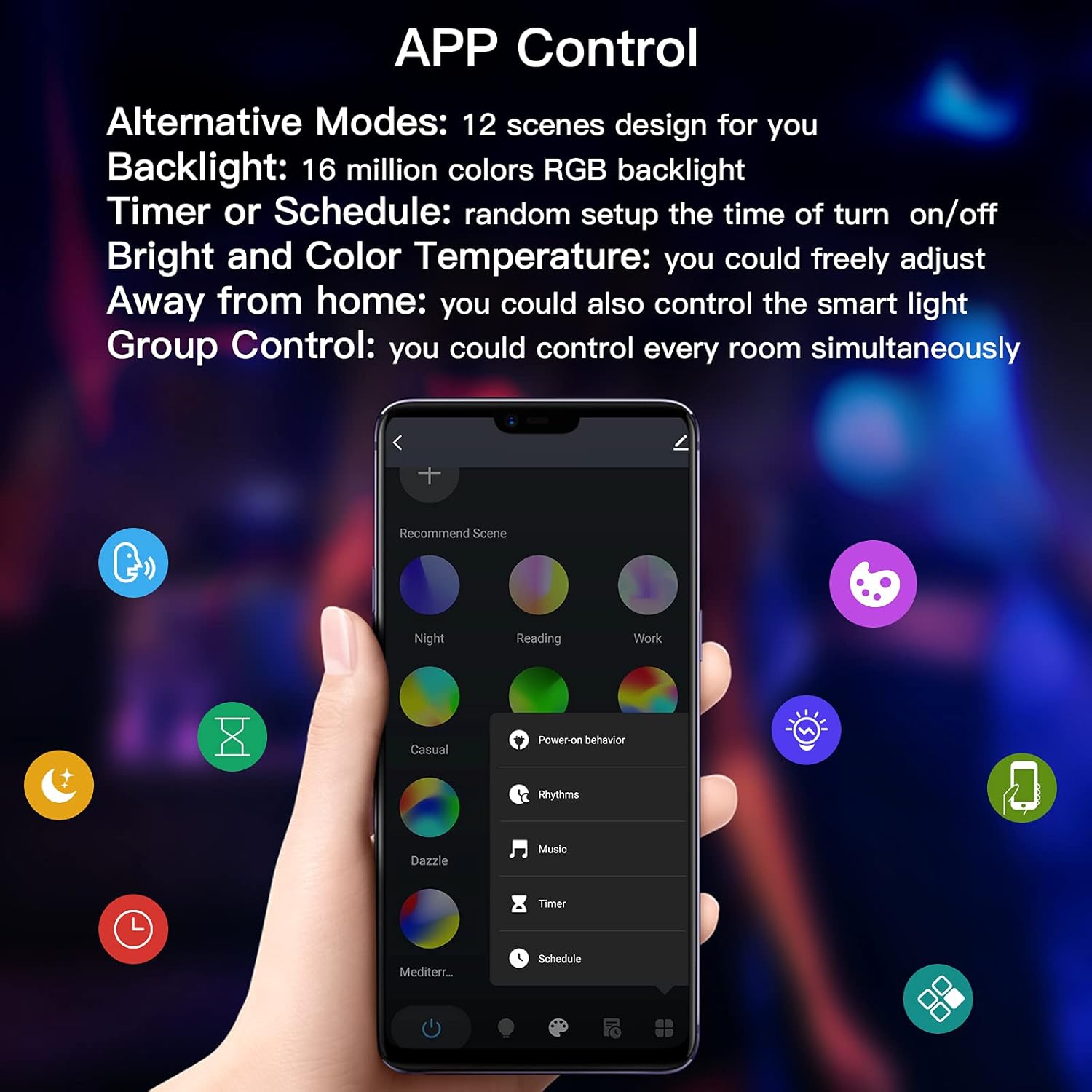
Image: The mobile app interface for controlling light settings, including color and brightness.

Imagem: Examples of 16 million RGB backlight colors and multiple scene options.
2. Controle de voz
Integrate your light with Amazon Alexa or Google Home for convenient voice commands.
- Ligar/Desligar: "Alexa, acenda a luz do quarto."
- Ajuste de cor: "Google, change the light to blue."
- Ajuste de brilho: "Alexa, diminua a intensidade da luz do teto para 50%."

Image: Voice control compatibility with Amazon Alexa and Google Assistant.
3. Controle remoto
Use the included remote control for quick adjustments without needing your phone or voice assistant.
- LIGADO/DESLIGADO: Ligar ou desligar a luz.
- Brilho / velocidade: Adjust brightness or the speed of dynamic modes.
- Temperatura de cor: Switch between Cool White, Warm White, and Neutral White.
- 12 Colors Option: Select from 12 preset colors.
- Smooth/Flash Mode: Activate smooth color transitions or flashing effects.

Image: Layout and functions of the included remote control.
Vídeos em destaque
Video: An introduction to the various smart functions of the TALOYA ceiling light.
Video: Demonstrating the RGB ambient light feature of the smart ceiling light.
Vídeo: Showcasing the remote control functionality of the smart light.
Manutenção
To ensure the longevity and optimal performance of your TALOYA Smart LED Ceiling Light, follow these simple maintenance guidelines:
- Limpeza: Gently wipe the surface of the light fixture with a soft, dry cloth. Avoid using abrasive cleaners, solvents, or harsh chemicals, as these can damage the finish or electronic components.
- Desligue antes de limpar: Always ensure the power to the light fixture is turned off at the circuit breaker before cleaning to prevent electrical shock.
- Nenhuma peça que possa ser reparada pelo usuário: The LED chips are integrated and not user-replaceable. Do not attempt to disassemble the light fixture.
Solução de problemas
If you encounter issues with your TALOYA Smart LED Ceiling Light, refer to the following common solutions:
Connection Issues with Mobile App
If the light fails to connect to the Smart Life app:
- Reset the Light: Cycle the light switch ON and OFF three times. The light should then start fast blinking (0.5s/time), indicating it's in pairing mode.
- Check Wi-Fi Network: Ensure your mobile device is connected to a 2.4GHz Wi-Fi network. The light does not support 5GHz Wi-Fi.
- Verifique a senha: Double-check that you are entering the correct Wi-Fi password in the app.
- AP Mode Connection: If fast blinking connection fails, try AP mode. Reset the light again (ON/OFF 3 times) until it blinks slowly (2s/time). In the app, select AP Mode for connection and follow the on-screen instructions to connect to the light's hotspot.
- Router Stability: If your home Wi-Fi router has an unstable signal, create a new Wi-Fi network by turning on the hotspot with an extra 4G phone. Use this new Wi-Fi to connect your light with the controlled phone which has the Smart Life App.
- Clear Existing Devices: If you have many smart devices in your app, it might interfere with adding new ones. Try removing or emptying other devices in the app before connecting the light.
App Connection Troubleshooting Video
Video: A step-by-step guide on how to connect the smart light to your mobile phone, including solutions for common connection problems.
Garantia e Suporte
TALOYA stands behind the quality of its products. This Smart LED Ceiling Light comes with the following:
- Substituição gratuita por 2 ano: Enjoy a free replacement within 2 years for any quality-related issues from the original purchase date.
- 30-Day Money-back Guarantee: If you are not satisfied, a 30-day money-back guarantee is provided.
- 7*24 Hours Customer Support: For any questions or concerns, please do not hesitate to contact the TALOYA service team.
Informações de contato:
- E-mail: info@taloya.com
- WhatsApp/WeChat: +86 18370998400