
HTC TWS2
HTC True Wireless Earbuds 1 (Model TWS2) User Manual
Instruções completas para instalação, operação e manutenção.
1. Introdução
Thank you for choosing the HTC True Wireless Earbuds 1. This manual provides essential information to help you set up, operate, and maintain your earbuds for optimal performance.
Conteúdo da embalagem
Verifique se todos os itens estão presentes em sua embalagem:
- 1 Pair HTC True Wireless Earbuds
- 1 cabo de carregamento USB-C
- 2 pares de pontas auriculares de borracha (P/G)
- 1 Guia rápido
- 1 Cartão de garantia
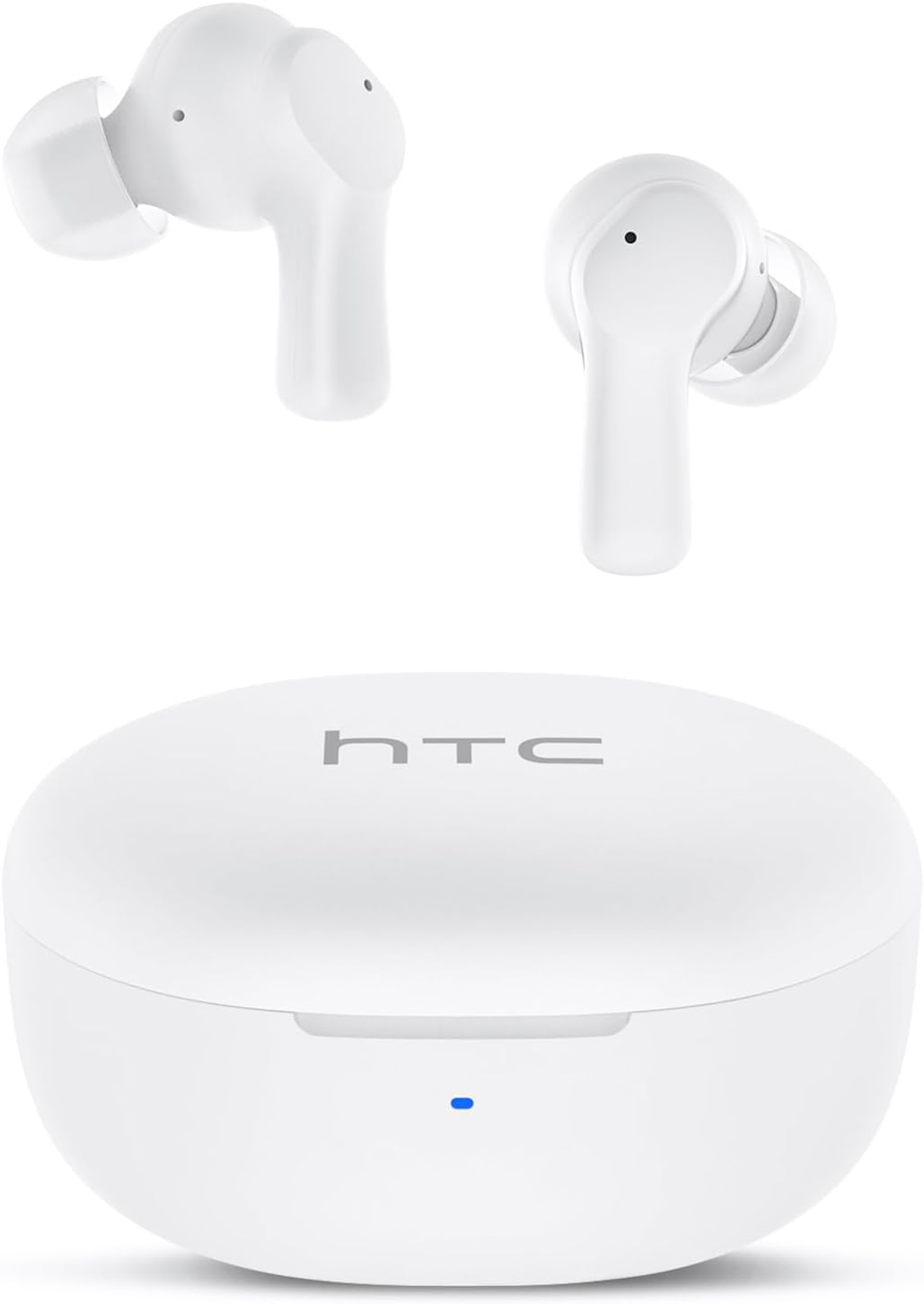
Image: HTC True Wireless Earbuds 1 and their charging case.

Image: The charging case opened, showing the two earbuds nestled inside.
2. Configuração e Emparelhamento
Configuração inicial
- Remova a película protetora: Before first use, remove the protective film from the charging contacts on both earbuds.
- Fones de ouvido com carregamento: Place the earbuds back into the charging case and close the lid. Connect the charging case to a USB power source using the provided USB-C cable. Ensure the earbuds and case are fully charged before initial use.
- Ligar: Abra a tampa do estojo de carregamento. Os fones de ouvido ligarão automaticamente e entrarão no modo de emparelhamento.
Emparelhamento Bluetooth
The HTC True Wireless Earbuds 1 feature one-step auto-pairing after the initial setup.
- Ative o Bluetooth: No seu dispositivo (smartphone, tablet, computador), ative o Bluetooth.
- Procurar Dispositivos: Nas configurações de Bluetooth do seu dispositivo, procure por dispositivos disponíveis.
- Select 'HTC TWS2': From the list of found devices, select 'HTC TWS2' to connect.
- Confirmação: Após a conexão, você ouvirá um aviso sonoro e os fones de ouvido estarão prontos para uso.
After the first successful pairing, the earbuds will automatically connect to the last paired device when taken out of the charging case, provided Bluetooth is enabled on the device.

Image: Illustration of the one-step auto-pairing process, showing earbuds connecting to a smartphone.
3. Como usar
For optimal sound quality and comfort, it is important to wear the earbuds correctly.
- Escolha as ponteiras auriculares: Select the rubber eartips (S, M, L) that best fit your ear canal. A proper seal enhances bass response and noise isolation.
- Insira os fones de ouvido: Insira cuidadosamente cada fone de ouvido em seu ouvido correspondente (E para esquerdo, D para direito).
- Rotate to Lock: Rotate the earbud slightly forward or backward until it feels secure and comfortable in your ear canal.

Image: Diagram showing how to properly insert the earbuds and the available S/M/L silicone eartips.
4. Operating Instructions (Touch Control)
The HTC True Wireless Earbuds 1 feature intuitive touch controls on each earbud. The following actions can be performed:
| Ação | Controlar | Função |
|---|---|---|
| Reprodução de música | Um toque (em qualquer um dos fones de ouvido) | Reproduzir / Pausar |
| Reprodução de música | Toque duas vezes no fone de ouvido esquerdo | Música Anterior |
| Reprodução de música | Toque duas vezes no fone de ouvido direito | Próxima música |
| Chamadas | Um toque (em qualquer um dos fones de ouvido) | Atender / terminar chamada |
| Chamadas | Pressione e segure (qualquer um dos fones de ouvido) | Rejeitar chamada |
| Assistente de voz | Toque três vezes (em qualquer um dos fones de ouvido) | Ativar assistente de voz (Siri, Google Assistente, etc.) |
| Controle de volume | Pressione e segure o fone de ouvido esquerdo | Diminuir volume |
| Controle de volume | Pressione e segure o fone de ouvido direito | Aumentar o volume |
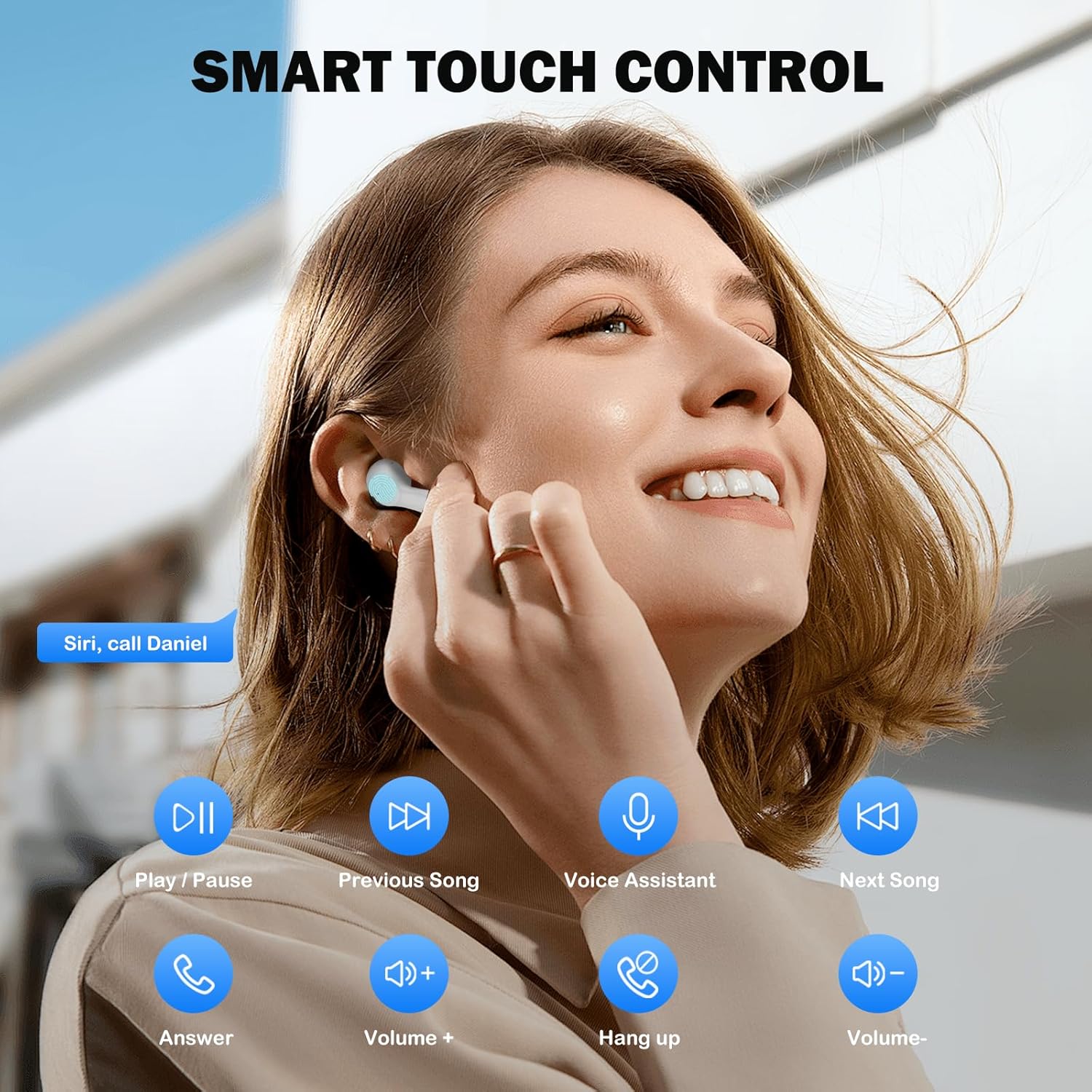
Image: Visual guide to the smart touch controls for music, calls, and voice assistant.
5. Carregamento
The earbuds and charging case are powered by internal rechargeable batteries.
Carregando os fones de ouvido
Place the earbuds into the charging case. They will automatically begin charging. The LED indicator on the case will show charging status.
Carregando o estojo
Connect the provided USB-C cable to the charging port on the case and to a USB power adapter (not included). The LED indicator on the case will show charging progress. A full charge for the earbuds takes approximately 40 minutes.
Duração da bateria
- Fones de ouvido: Up to 8 hours of listening time on a single charge (at 50% volume).
- Com estojo de carregamento: Até 40 horas de reprodução total com múltiplas recargas a partir do estojo.
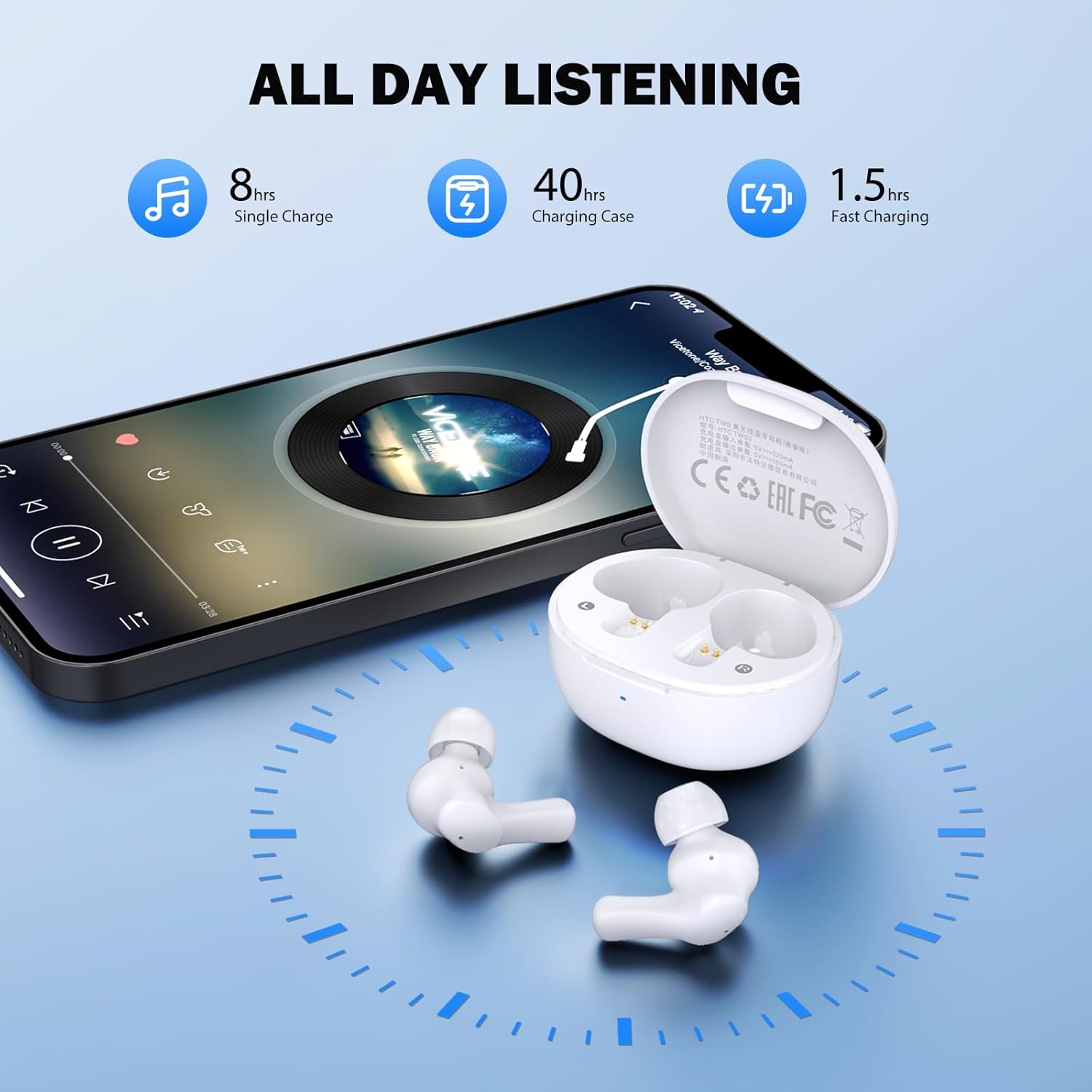
Image: Visual representation of 8 hours single charge, 40 hours with charging case, and 1.5 hours fast charging for the case.
6. Manutenção e Cuidados
Os cuidados adequados garantem a longevidade e o bom desempenho dos seus fones de ouvido.
Limpeza
- Limpe regularmente os fones de ouvido e o estojo de carregamento com um pano macio, seco e sem fiapos.
- Retire as pontas auriculares e limpe-as com água e sabão neutro, secando-as completamente antes de recolocá-las.
- Ensure charging contacts on both earbuds and inside the case are clean and free of debris.
Resistência à água
The earbuds are rated IPX4 resistente à água, meaning they are protected against splashing water from any direction. They are suitable for exercise and light rain, but should not be submerged in water or exposed to heavy downpours.
Armazenar
Quando não estiverem em uso, guarde os fones de ouvido no estojo de carregamento para protegê-los e mantê-los carregados.
7. Solução De Problemas
Se você encontrar problemas, tente as seguintes soluções:
- Sem som: Ensure earbuds are charged, connected to your device, and volume is up on both the earbuds and your device.
- Problemas de emparelhamento: Certifique-se de que o Bluetooth esteja ativado no seu dispositivo e que os fones de ouvido estejam no modo de emparelhamento. Tente desativar e ativar o Bluetooth novamente no seu dispositivo.
- Um fone de ouvido não funciona: Coloque os dois fones de ouvido de volta no estojo de carregamento, feche a tampa, espere alguns segundos e retire-os novamente. Isso geralmente os sincroniza novamente.
- Conexão intermitente: Ensure there are no obstructions between the earbuds and your device. Keep your device within the 10-meter Bluetooth range.
Redefinição de fábrica
If problems persist, a factory reset may resolve them:
- Coloque os dois fones de ouvido no estojo de carregamento.
- With the earbuds in the case, quickly tap each earbud 5 times.
- The LED on the earbuds will flash red, then turn off, indicating a successful reset.
- Close the charging case lid, then open it again to re-initiate pairing.

Image: Visual instructions for initial setup, wearing the earbuds, and performing a factory reset.
8. Especificações
| Recurso | Detalhe |
|---|---|
| Nome do modelo | HTC TWS2 |
| Tecnologia de Conectividade | Sem fio (Bluetooth 5.3) |
| Alcance Bluetooth | Até 10 metros (33 pés) |
| Tipo de driver de áudio | Driver dinâmico de 10 mm |
| Faixa de frequência | 20 Hz - 20,000 Hz |
| Vida útil da bateria do fone de ouvido | Até 8 horas (carga única) |
| Tempo total de reprodução (com estojo) | Até 40 horas |
| Tempo de carregamento do fone de ouvido | Aproximadamente 40 minutos |
| Nível de resistência à água | IPX4 (Sweatproof, Splash Resistant) |
| Tipo de controle | Controle de toque |
| Microfone | Built-in with Call Noise Cancellation |
| Baixa latência | 40ms (Modo Jogo) |
| Peso do fone de ouvido | Aproximadamente 3.8g por fone de ouvido. |
| Dispositivos compatíveis | Dispositivos iOS, Android e Windows |

Image: Diagram illustrating the 10mm diameter loud speaker for HiFi stereo sound.

Image: Visual representation of Bluetooth 5.3 technology benefits: low consumption, faster transmission, lower latency, and built-in microphone.
9. Garantia e Suporte
Informações de garantia
Your HTC True Wireless Earbuds 1 come with a warranty. Please refer to the included Warranty Card for detailed terms and conditions, including coverage period and what is covered.
Suporte ao cliente
For any questions, technical assistance, or warranty claims, please contact HTC customer support. Refer to the contact information provided in your Quick Guide or on the official HTC website.
Ask a question about this manual
Ask about setup, troubleshooting, compatibility, parts, safety, or missing instructions. Manuals+ will review the question and use this page’s manual context to help answer it.