
Fitbit FB422BKBK-cr
Fitbit Luxe Fitness and Wellness Tracker
Model: FB422BKBK-cr
1. Introdução
The Fitbit Luxe is a sophisticated fitness and wellness tracker designed to help you manage stress, track your sleep, and monitor your heart rate 24/7. Its sleek design and vibrant color display make it a comfortable and stylish accessory for daily wear. This manual provides essential information for setting up, operating, maintaining, and troubleshooting your Fitbit Luxe.

Figure 1: Fitbit Luxe Fitness and Wellness Tracker with black band.
2. O que está na caixa
Upon unboxing your Fitbit Luxe, ensure all components are present:
- Fitbit Luxe Tracker
- Cabo de carregamento
- Bandas pequenas e grandes
3. Guia de configuração
Follow these steps to set up your Fitbit Luxe for the first time:
- Carregue seu dispositivo: Connect the charging cable to the charging port on the back of your Fitbit Luxe and plug the other end into a USB power source. Ensure the tracker is securely attached to the charger.
- Baixe o aplicativo Fitbit: On your smartphone or tablet, download and install the Fitbit app from the App Store (iOS) or Google Play Store (Android).
- Criar/Acessar conta: Abra o aplicativo Fitbit e siga as instruções na tela para criar uma nova conta ou entrar em uma conta existente.
- Emparelhe seu dispositivo: In the Fitbit app, tap your profile imagem> Configurar um dispositivo. Select Fitbit Luxe and follow the pairing instructions. Ensure Bluetooth is enabled on your mobile device.
- Wear Your Device: Attach the appropriate size band (S or L) to your Luxe. Wear the tracker on your wrist, ensuring it is snug but comfortable, about a finger's width above your wrist bone for accurate heart rate tracking.

Figura 2: Traseira view of the Fitbit Luxe, highlighting the charging contacts.
4. Operating Your Fitbit Luxe
The Fitbit Luxe offers a range of features to help you monitor your health and fitness:
- Tela de cores vibrantes: Navigate through your stats and notifications with a simple tap or swipe on the bright, easy-to-read screen.
- Monitoramento contínuo da frequência cardíaca: Continuously monitors your heart rate to provide insights into your resting heart rate trends and more accurately estimate calorie burn during activities.
- Minutos na Zona Ativa: Get a gentle buzz when you enter your personalized target heart rate zones during exercise, helping you earn Active Zone Minutes towards your weekly goal.
- Monitoramento e pontuação do sono: Wear your Luxe to bed to track your sleep stages (Light, Deep, REM) and receive a daily Sleep Score in the Fitbit app, helping you understand and improve your sleep quality.
- Gestão do estresse: Utilize the stress management tools available through the Fitbit app, which work in conjunction with your Luxe's data to help you understand and respond to stress.
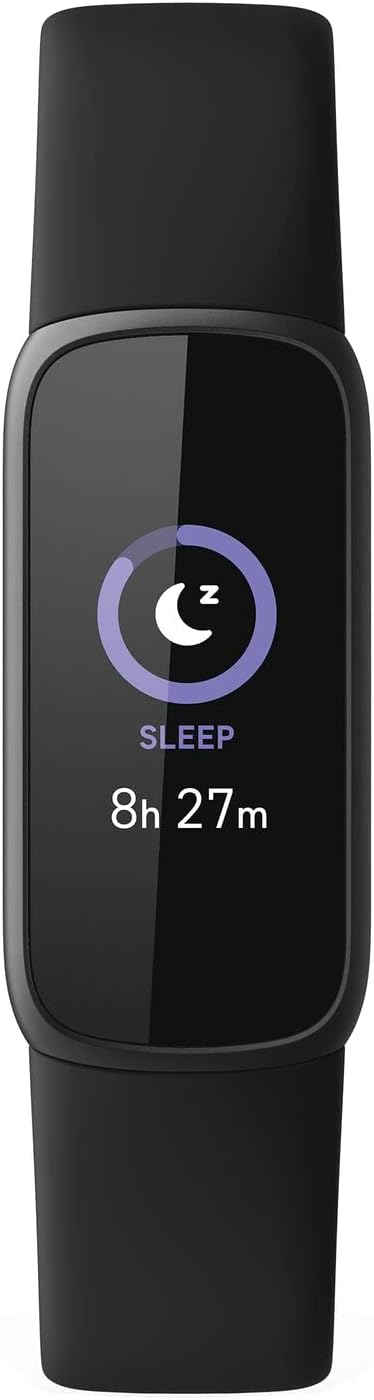
Figure 3: Fitbit Luxe display showing sleep duration.
5. Manutenção
To ensure the longevity and optimal performance of your Fitbit Luxe, follow these maintenance guidelines:
- Limpeza: Regularly clean your tracker and band, especially after workouts or prolonged wear. Use a mild, soap-free cleanser and rinse thoroughly with clean water. Dry completely before wearing.
- Resistência à água: The Fitbit Luxe is water-resistant up to 50 meters. It can be worn in the shower, pool, or ocean. However, it is recommended to dry the device and band after getting them wet to prevent skin irritation. Do not use in a hot tub or sauna.
- Carregamento: Charge your Luxe regularly. A full charge typically lasts up to 5 days, depending on usage. Charge the device when the battery indicator is low.
- Armazenar: When not in use, store your Fitbit Luxe in a cool, dry place away from direct sunlight and extreme temperatures.
6. Solução De Problemas
If you encounter issues with your Fitbit Luxe, try the following solutions:
- Dispositivo não responde: If your Luxe is unresponsive, try restarting it. Connect the device to its charging cable, then press the button on the charging cable three times within eight seconds, pausing for one second between presses. The Fitbit logo should appear on the screen.
- Problemas de sincronização: Ensure your mobile device's Bluetooth is on and the Fitbit app is open. If issues persist, try restarting both your Luxe and your mobile device.
- Leituras imprecisas: Ensure your Luxe is worn correctly (snug but comfortable, a finger's width above the wrist bone). Clean the sensors on the back of the device.
- Bateria descarregando rapidamente: Reduce features that consume more power, such as always-on display or frequent notifications. Ensure the device is fully charged.
- Tela não funciona: Check if the device is charged. If the screen remains black, try restarting the device as described above.
Se essas etapas não resolverem o problema, consulte a seção de suporte.
7. Especificações
| Recurso | Detalhe |
|---|---|
| Dimensões do produto | 1.43 x 0.69 x 0.4 polegadas |
| Peso do item | 0.923 onças (26.17 g) |
| Número do modelo | FB422BKBK-cr |
| Baterias | 1 bateria de polímero de lítio necessária |
| Capacidade da bateria | 50 Miliamp Horas |
| Sistema operacional | Sistema operacional Fitbit |
| Tecnologia de Conectividade | GPS (Connected GPS via smartphone) |
| Padrão de comunicação sem fio | Bluetooth |
| Recurso especial | Monitor de frequência cardíaca |
8. Garantia e Suporte
Your Fitbit Luxe (Renewed) product is eligible for replacement or refund under the Amazon Renewed Guarantee for 90 days from purchase. Additionally, consider enhancing your protection with available plans:
- 2-Year Protection Plan (Price: $9.99)
- 3-Year Protection Plan (Price: $11.99)
- Complete Protect (Monthly: $16.99/month)
For further assistance, visit the official Fitbit support webou entre em contato com o serviço de atendimento ao cliente. Guarde o comprovante de compra para eventuais solicitações de garantia.
Ask a question about this manual
Ask about setup, troubleshooting, compatibility, parts, safety, or missing instructions. Manuals+ will review the question and use this page’s manual context to help answer it.