
1. Introdução
This manual provides essential instructions for the proper use and maintenance of your LOTUS Smartwatch Model 50003/A. Please read this guide thoroughly before using your smartwatch to ensure optimal performance and longevity.
The LOTUS Smartwatch 50003/A features an intuitive interface and elegant design, offering a variety of smart functions. It is equipped with Bluetooth connectivity, allowing seamless synchronization with your mobile devices. This synchronization enables features such as call and message notifications, music control, and other practical functions for daily life.
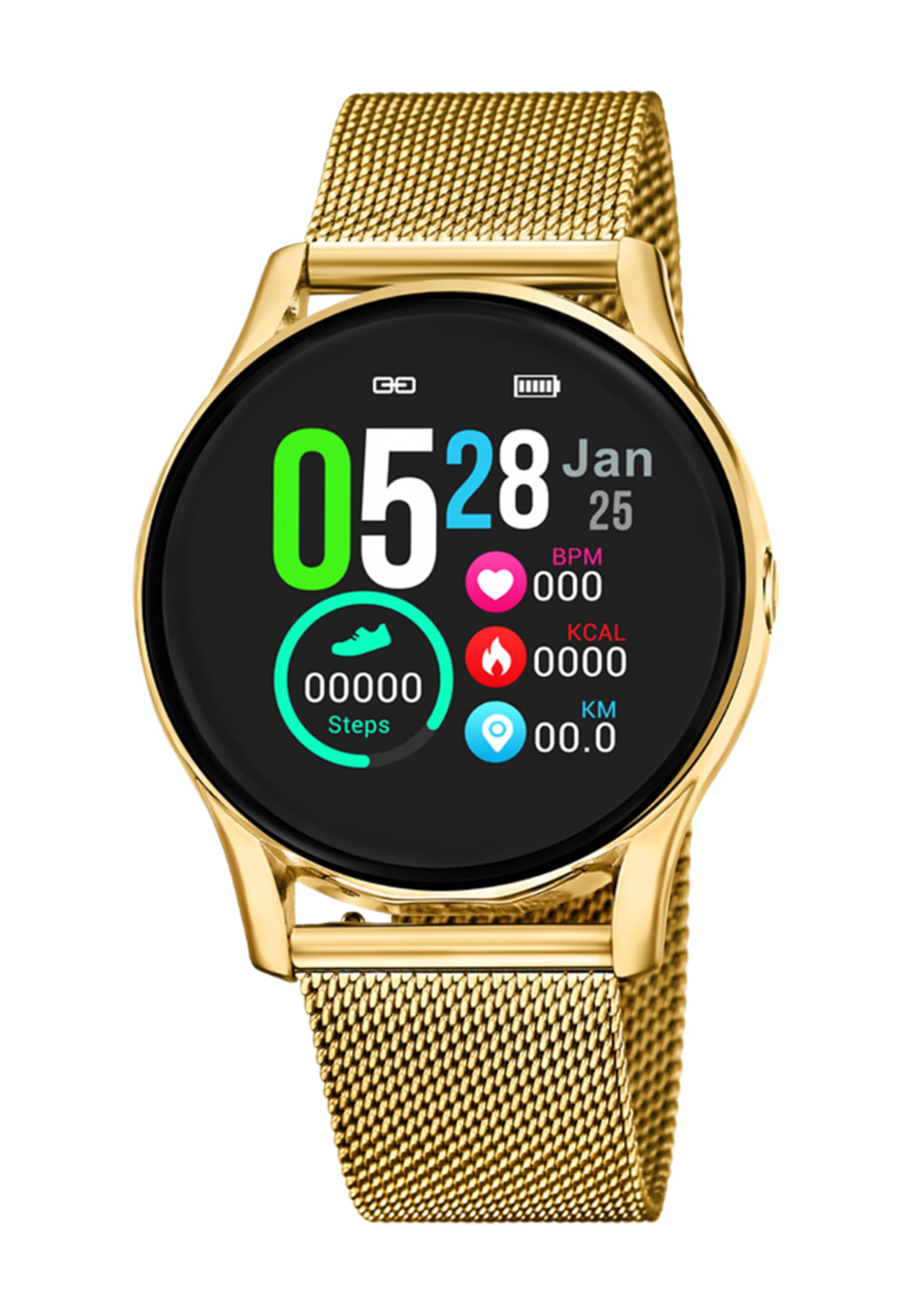
Imagem 1.1: Frente view of the LOTUS Smartwatch 50003/A.
2. Conteúdo da embalagem
Please check the package contents upon unboxing. The standard package for the LOTUS Smartwatch 50003/A should include:
- LOTUS Smartwatch 50003/A
- Cabo de carregamento
- Manual do usuário (este documento)
3. Guia de configuração
3.1. Carregando o smartwatch
Antes da primeira utilização, carregue totalmente o seu smartwatch.
- Conecte o cabo de carregamento à porta de carregamento na parte traseira do smartwatch.
- Conecte a outra extremidade do cabo de carregamento a um adaptador de energia USB (não incluído) ou à porta USB de um computador.
- O visor do relógio indicará o status do carregamento. Aguarde aproximadamente 2 a 3 horas para uma carga completa.
3.2. Instalando o aplicativo complementar
To unlock all features and synchronize your smartwatch with your smartphone, you need to install the official LOTUS Connected app.
- Scan the QR code provided in the watch packaging or search for "LOTUS Connected" in your smartphone's app store (Google Play Store for Android, Apple App Store for iOS).
- Baixe e instale o aplicativo.
- Siga as instruções na tela para criar uma conta ou fazer login.

Image 3.2: Synchronizing the smartwatch with the companion app on a smartphone.
3.3. Emparelhando com seu smartphone
Ensure Bluetooth is enabled on your smartphone and the smartwatch is charged.
- Open the LOTUS Connected app on your smartphone.
- Follow the app's instructions to add a new device.
- The app will search for available smartwatches. Select "LOTUS 50003/A" from the list.
- Confirme o pedido de emparelhamento tanto no seu smartphone quanto no seu smartwatch, caso seja solicitado.
- Uma vez pareado, o relógio sincronizará a hora e os dados com seu telefone.
4. Instruções de operação
4.1. Navegação Básica
- Tela sensível ao toque: Deslize para a esquerda/direita ou para cima/para baixo para navegar pelos menus e recursos. Toque para selecionar.
- Botões laterais: The smartwatch may have one or more physical buttons. Typically, one button serves as a power on/off, back, or home button. Refer to the on-screen prompts for specific button functions.

Imagem 4.1: Example of a smartwatch display showing activity data.
4.2. Principais características
- Notificações: Receive alerts for incoming calls, messages, and app notifications directly on your wrist. Manage notification settings via the LOTUS Connected app.
- Controle de música: Control music playback on your connected smartphone (play, pause, skip tracks, adjust volume).
- Rastreamento de atividades: Monitor steps, distance, calories burned, and sleep patterns. View detailed statistics in the companion app.
- Resistência à água: The smartwatch is water resistant. Avoid prolonged submersion or use in hot water/steam. Refer to specifications for exact water resistance rating.
5. Manutenção
5.1. Limpando seu smartwatch
- Limpe a tela e a caixa do relógio com um pano macio e sem fiapos.
- Para sujeira persistente, levementeampUmedeça o pano com água. Evite produtos químicos agressivos ou materiais abrasivos.
- Certifique-se de que os contatos de carregamento estejam limpos e secos antes de carregar.
5.2. Cuidados com a bateria
- Charge the smartwatch regularly. Avoid letting the battery completely drain for extended periods.
- Do not expose the smartwatch to extreme temperatures, as this can affect battery life and performance.
- Se o relógio não for usado por um longo período, carregue-o até cerca de 50% antes de guardá-lo.
6. Solução De Problemas
6.1. Problemas e soluções comuns
- Relógio que não liga: Certifique-se de que o relógio esteja totalmente carregado. Conecte-o ao carregador e aguarde alguns minutos antes de tentar ligá-lo.
- Não foi possível emparelhar com o smartphone:
- Certifique-se de que o Bluetooth esteja ativado em seu smartphone.
- Certifique-se de que o smartwatch esteja dentro do alcance do seu telefone.
- Reinicie o smartphone e o smartwatch.
- Tente desemparelhar e emparelhar novamente o dispositivo através do aplicativo.
- Notificações não recebidas:
- Check notification settings in the LOTUS Connected app.
- Certifique-se de que o aplicativo tenha as permissões necessárias em seu smartphone.
- Verify that the smartwatch is properly connected via Bluetooth.
- Vida curta da bateria:
- Reduza o brilho da tela.
- Desative notificações ou recursos desnecessários.
- Certifique-se de que o relógio esteja totalmente carregado antes de usá-lo.
6.2. Redefinição de fábrica
If issues persist, a factory reset may resolve them. This will erase all data on the smartwatch and restore it to its original settings.
- Navigate to the "Settings" menu on your smartwatch.
- Look for an option like "System," "Reset," or "Factory Reset."
- Confirme a redefinição quando solicitado.
- After resetting, you will need to re-pair the smartwatch with your phone and set it up again.
7. Especificações
| Recurso | Detalhe |
|---|---|
| Marca | LÓTUS |
| Número do modelo | 50003/Um |
| Cor | Preto |
| Compatibilidade do sistema operacional | Androide, iOS |
| Tamanho da tela | 39.65 milímetros |
| Características especiais | Resistente à água |
| Dispositivos compatíveis | Smartphone |
| Composição da Bateria | Lítio metálico |
| Disponibilidade de peças de reposição | 5 anos |
8. Garantia e Suporte
Your LOTUS Smartwatch 50003/A comes with a manufacturer's warranty. Please refer to the warranty card included in your product packaging for specific terms and conditions.
As peças de reposição para este modelo estão disponíveis por até 5 anos a partir da data da compra.
For technical support, service, or warranty claims, please contact LOTUS customer service through their official website ou as informações de contato fornecidas na sua documentação de garantia.