
ZQDDBA SS127
Manual do Usuário do Drone Profissional para Fotografia Aérea ZQDDBA SS127 com Posicionamento GPS
Modelo: SS127
Introdução
This manual provides essential instructions for the safe operation, setup, and maintenance of your ZQDDBA SS127 GPS Positioning Professional Aerial Photography Drone. Please read this manual thoroughly before operating the drone to ensure proper function and to prevent damage or injury. This drone features an 8K high-definition camera, a three-axis anti-shake gimbal, 360° obstacle avoidance, and GPS global positioning for an enhanced aerial photography experience.
Conteúdo da embalagem

Image: The ZQDDBA SS127 drone, remote control, three batteries, and folded drone view.
Verifique se todos os itens listados abaixo estão presentes em sua embalagem:
- drone x 1
- Controle remoto x 1
- Body battery x 3 (7.4V 3000mAh)
- Spare fan blades x 4
- Cabo de carregamento USB x 1
- Saco de armazenamento x 1
Guia de configuração
- Carregar baterias:
Connect the drone's intelligent lithium batteries (7.4V 3000mAh) to the USB charging cable and a suitable USB power adapter. Charging time is approximately 2 hours per battery. Ensure the remote control battery (3.7V 300mAh) is also charged.
- Instalar a bateria do drone:
Insert a fully charged drone battery into the designated compartment on the drone. Ensure it clicks securely into place.
- Install Remote Control Battery:
Open the battery compartment on the remote control and insert the 3.7V 300mAh battery. Close the compartment securely.
- Desdobrar os braços do drone:
Desdobre cuidadosamente os braços do drone até que se encaixem na posição correta. Certifique-se de que todos os quatro braços estejam totalmente estendidos antes do voo.
- Propeller Installation (if required):
Caso as hélices não estejam pré-instaladas, fixe-as de acordo com as marcações (por exemplo, A e B) nas hélices e nos eixos do motor. Certifique-se de que estejam firmemente presas.
- Ligar:
Press and hold the power button on the drone until the indicator lights illuminate. Then, press the power button on the remote control to turn it on.
- Emparelhamento:
The drone and remote control should automatically pair. If not, follow the specific pairing instructions in the quick start guide (usually involves moving the left joystick up and down).
- Instalação do aplicativo:
Download and install the official ZQDDBA drone application on your smartphone. Connect your phone to the drone's Wi-Fi network to enable real-time image transmission and advanced control features.
Instruções de operação
Verificações pré-voo
- Certifique-se de que todas as baterias estejam totalmente carregadas.
- Verifique se as hélices estão danificadas e certifique-se de que estejam firmemente fixadas.
- Verify the drone's arms are fully unfolded and locked.
- Ensure you are in an open area, away from obstacles, people, and restricted airspace.
- Confirm GPS signal acquisition before takeoff for stable flight and return-to-home functions.
Controles básicos de voo
- Decolagem/Aterrissagem com um único toque: Pressione o botão designado no controle remoto para decolagem ou pouso automático.
- Modo sem cabeça: Activates a mode where the drone's orientation is irrelevant to control inputs, simplifying flight for beginners.
- Mobile Phone Control: Use the dedicated app on your smartphone for controlling the drone and accessing advanced features.
GPS Positioning and Return Functions

Image: Illustration of GPS return functions including one-key return, low power return, and runaway return.
The integrated GPS global positioning system ensures stable flight and provides critical safety features:
- Retorno de uma tecla: The drone will automatically return to its takeoff point with a single button press.
- Retorno de baixa potência: If the battery level drops critically low, the drone will automatically initiate a return to home.
- Runaway Return: In case of signal loss, the drone will automatically return to its takeoff point.
Prevenção de Obstáculos 360°

Image: The drone's 360° laser obstacle avoidance system detecting and avoiding obstacles.
The drone is equipped with a 360° omnidirectional laser obstacle avoidance system. This system senses obstacles in all directions and will automatically stop the drone's flight to prevent collisions, making operation safer and easier.
Camera and Gimbal Operation

Image: Close-up of the 8K ESC Dual Camera system, highlighting the 8K pixel lens with 90° remote control and the optical flow lens.
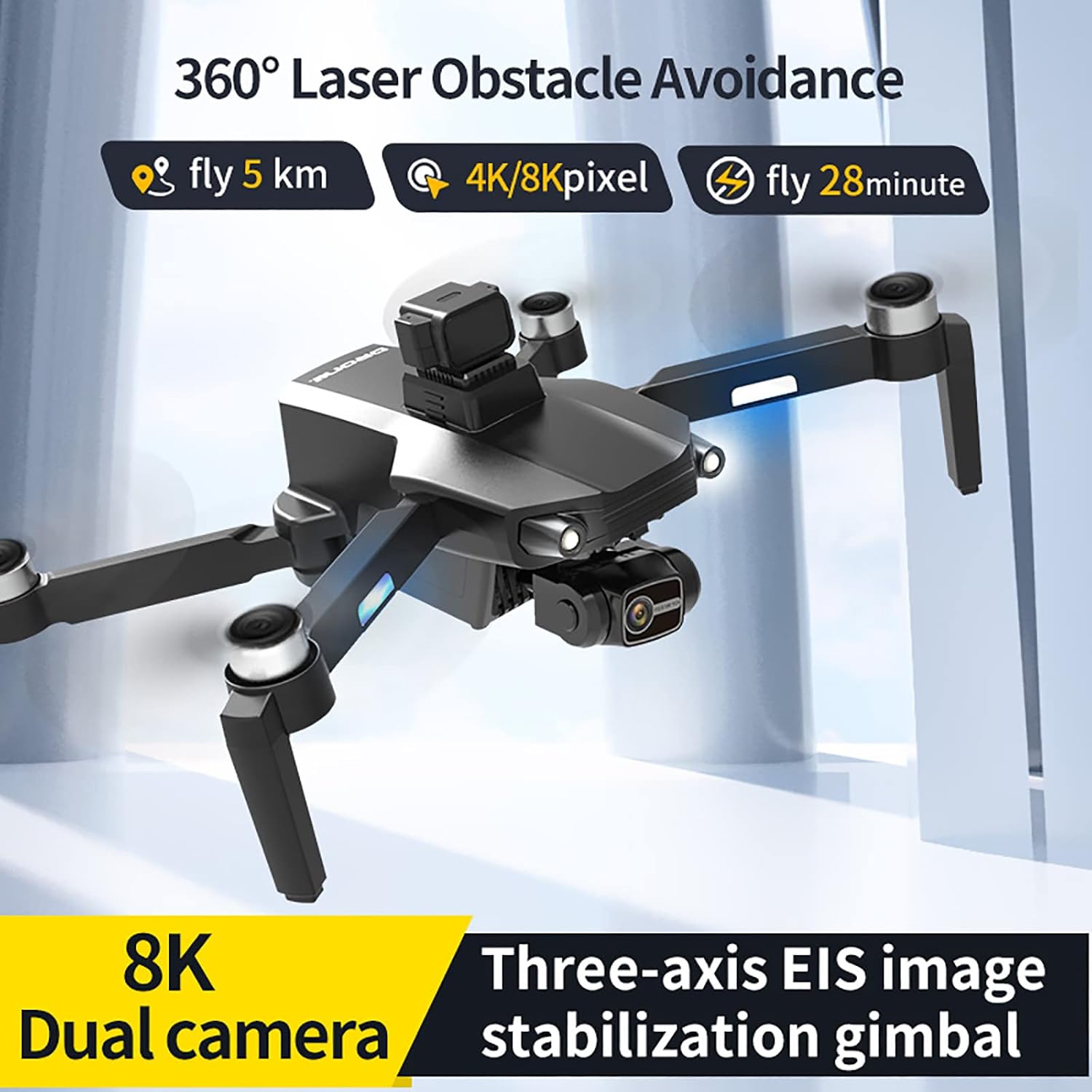
Image: The drone in flight, showcasing the three-axis mechanical stabilization gimbal and EIS electronic image stabilization keeping the camera balanced.
The drone features an 8K ESC Dual Camera system with a three-axis mechanical gimbal and EIS electronic image stabilization for superior aerial photography.
- 8K ESC Dual Camera: The front camera offers 8K resolution with a 120° wide-angle lens and supports 90° remote control adjustment. The bottom optical flow camera allows for flexible viewing angle switching.
- Three-Axis Gimbal + EIS: This combination provides stable shooting performance by effectively eliminating shaking during flight, ensuring clear and smooth footage.
- Controle de gestos: During flight, specific hand gestures can be used to trigger photo or video recording. Refer to the app for detailed gesture commands.
- Função de zoom: Utilize the 50x zoom feature through the mobile app to capture distant subjects.
- Voo com ponto de referência: Plan custom flight paths by setting waypoints on the map within the app.
- 360° Surround: Engage the 360° surround mode to orbit a point of interest, capturing dynamic footage.
Manutenção
- Limpeza: Use um pano macio e seco para limpar o corpo do drone e a lente da câmera. Evite usar produtos químicos ou solventes agressivos.
- Cuidados com a bateria:
- Guarde as baterias em local fresco e seco, longe da luz solar direta e de temperaturas extremas.
- Não sobrecarregue ou descarregue excessivamente as baterias.
- Se o armazenamento for prolongado, carregue as baterias até aproximadamente 50-60% da capacidade.
- Inspeção da hélice: Regularly inspect propellers for cracks, bends, or other damage. Replace damaged propellers immediately using the provided spare blades.
- Atualizações de firmware: Check the official ZQDDBA website or app periodically for firmware updates. Keeping your drone's firmware updated ensures optimal performance and access to new features.
Solução de problemas
| Problema | Possível causa | Solução |
|---|---|---|
| O drone não liga. | Bateria não carregada ou instalada incorretamente. | Certifique-se de que a bateria esteja totalmente carregada e inserida corretamente. |
| O controle remoto não está conectando. | Remote control battery low; pairing failed. | Charge remote control battery. Re-attempt pairing process. |
| Voo instável ou à deriva. | Poor GPS signal; uncalibrated sensors; damaged propellers. | Fly in an open area with clear sky. Perform IMU/compass calibration. Check and replace damaged propellers. |
| No image transmission to phone. | Phone not connected to drone's Wi-Fi; app not running. | Connect phone to drone's Wi-Fi network. Ensure app is open and connected. |
| Drone não responde aos controles. | Out of range; signal interference; low drone battery. | Fly within specified range. Avoid areas with strong interference. Check drone battery level. Drone may initiate automatic return if signal is lost. |
Especificações
| Recurso | Detalhe |
|---|---|
| Marca | ZQDDBA |
| Nome do modelo | GPS Positioning Professional Aerial Photography Drone |
| Número do modelo | SS127 |
| Câmera | 8K ESC Dual Camera (Front 120° wide-angle, 90° remote control; Bottom optical flow) |
| Gimbal | Three-axis mechanical gimbal + EIS electronic image stabilization |
| Evitação de obstáculos | 360° Omnidirectional Laser Obstacle Avoidance |
| Sistema de posicionamento | Sistema de Posicionamento Global GPS |
| Bateria Drone | 7.4V 3000mAh Intelligent Lithium Battery |
| Charging Time (Drone) | Approximately 2 hours (USB charging) |
| Tempo de voo | 28-30 minutos |
| Bateria do controle remoto | 3.7V 300mAh (included) |
| Distância do controle remoto | Maximum about 5000 meters (no interference, no blocking) |
| Remote Control Height | About 500 meters (no interference, no blocking) |
| Dimensões dobrado (C*L*A) | 17*9*6.5 cm |
| Unfolded Dimensions (L*W*H) | 32*30*6.5 cm |
| Peso corporal | Aproximadamente 300g |
| Tipo de motor | Brushless Motor (3200 rpm power output, Level 6 wind resistance) |
Garantia e Suporte
Warranty information for the ZQDDBA SS127 drone is typically provided at the point of purchase or within separate documentation included with your product. Please refer to these materials for details regarding warranty coverage, terms, and conditions.
For technical support, troubleshooting assistance beyond this manual, or inquiries regarding parts and service, please contact ZQDDBA customer support through their official website ou as informações de contato fornecidas com sua compra.