
Introdução
Thank you for choosing the HTC Neckband Headphones. These headphones are designed to provide a superior audio experience with advanced features such as Bluetooth 5.0 connectivity, Active Noise Cancellation (ANC), and Environmental Noise Cancellation (ENC) for clear calls. With an IPX5 waterproof rating and up to 16 hours of playtime, they are suitable for various activities, from daily commutes to intense workouts.

Image: The HTC Neckband Headphones in red, showcasing their ergonomic design and in-ear earbuds.
Informações de segurança
- Evite ouvir em volumes altos por períodos prolongados para prevenir danos à audição.
- Não utilize os fones de ouvido em situações em que a incapacidade de ouvir os sons ambientes possa ser perigosa (por exemplo, dirigir, andar de bicicleta, caminhar no trânsito).
- Keep the headphones dry. Do not expose them to extreme temperatures or humidity.
- Utilize apenas o cabo de carregamento fornecido ou um equivalente certificado.
- Elimine o produto de forma responsável de acordo com os regulamentos locais.
Conteúdo da embalagem
- HTC Neckband Headphones
- Cabo de carregamento USB Tipo-C
- Vários tamanhos de pontas auriculares
- Manual do usuário
Produto acimaview
The HTC Neckband Headphones feature a flexible neckband design with integrated controls and magnetic earbuds for secure storage. The earbuds are designed for comfortable in-ear fit, and the neckband rests lightly around your neck.
Controles e Indicadores

Imagem: Detalhada view of the control panel on the neckband, indicating buttons for On/Off, Volume +, Volume -, ANC Noise Reduction, Type-C charging port, and LED indicator.
- Botão liga/desliga: Liga ou desliga os fones de ouvido.
- Volume + Botão: Increases volume, next track (long press).
- Botão de volume: Decreases volume, previous track (long press).
- Botão ANC: Ativa ou desativa o cancelamento ativo de ruído.
- Tipo-C Porta de Carregamento: Para carregar o dispositivo.
- Indicador LED: Shows power status, charging status, and pairing mode.
Configurar
1. Carregando os fones de ouvido
Before first use, fully charge your headphones. Connect the provided USB Type-C charging cable to the charging port on the neckband and the other end to a USB power source. The LED indicator will show charging status. A full charge takes approximately 1 hour and 50 minutes, providing up to 16 hours of playtime.
2. Emparelhamento Bluetooth
- Certifique-se de que os fones de ouvido estejam desligados.
- Press and hold the On/Off button until the LED indicator flashes rapidly (usually blue and red), indicating pairing mode.
- No seu dispositivo (smartphone, tablet, etc.), ative o Bluetooth e procure por dispositivos disponíveis.
- Select "HTC Neckband Headphones" from the list of devices.
- Uma vez conectado, o indicador LED normalmente exibirá uma luz azul contínua ou piscará lentamente.
Instruções de operação
Ligar/Desligar
- Para ligar: Press and hold the On/Off button for approximately 3 seconds until the LED indicator lights up.
- Para desligar: Press and hold the On/Off button for approximately 5 seconds until the LED indicator turns off.
Reprodução de música
- Reproduzir/Pausar: Pressione o botão Liga/Desliga uma vez.
- Aumentar o volume: Pressione o botão Volume +.
- Volume baixo: Pressione o botão de diminuir o volume.
- Próxima faixa: Pressione e segure o botão Volume +.
- Faixa anterior: Pressione e segure o botão de diminuir o volume.
Gestão de Chamadas
- Atender/encerrar chamada: Pressione o botão Liga/Desliga uma vez.
- Rejeitar chamada: Pressione e segure o botão Liga/Desliga.
- Rediscar último número: Double-press the On/Off button.
Cancelamento de ruído ativo (ANC)
The ANC feature reduces ambient noise, allowing for a more immersive audio experience. The headphones also feature Environmental Noise Cancellation (ENC) for clearer voice calls.

Image: HTC Neckband Headphones with visual representation of sound waves, highlighting the ANC + ENC Noise Reduction feature for pure music enjoyment.
- Ativar/Desativar ANC: Press the ANC button once. The LED indicator may change to confirm activation/deactivation.
Usando os fones de ouvido
For optimal comfort and sound quality, ensure the earbuds fit snugly in your ears. The neckband is designed to rest comfortably around your neck. The magnetic design of the earbuds allows them to securely attach to each other when not in use, preventing tangling and ensuring they stay in place around your neck.

Image: A woman wearing the red HTC Neckband Headphones comfortably around her neck and in her ears while exercising, demonstrating the secure fit.

Image: A man and a woman wearing HTC Neckband Headphones, illustrating the comfortable and secure fit. Inset shows different ear tip sizes (L and S) for customization.
Manutenção e Cuidados
- Limpeza: Gently wipe the headphones with a soft, damp pano. Não use produtos químicos agressivos ou materiais abrasivos.
- Armazenar: When not in use, store the headphones in a cool, dry place, away from direct sunlight and extreme temperatures. The magnetic earbuds help keep them tidy.
- Resistência à água: The headphones are IPX5 waterproof, meaning they are resistant to sweat and light splashes of water. Do not submerge them in water or expose them to heavy rain.

Image: A man exercising, wearing the HTC Neckband Headphones, with an overlay indicating IPX5 Waterproof Design, suitable for sweat and light rain.
Solução de problemas
- Os fones de ouvido não ligam: Certifique-se de que os fones de ouvido estejam totalmente carregados.
- Sem som: Check if the headphones are paired correctly and the volume is turned up on both the headphones and your device.
- Problemas de emparelhamento: Make sure the headphones are in pairing mode (flashing LED). Turn off Bluetooth on other nearby devices to avoid interference. Try unpairing and re-pairing.
- Má qualidade da chamada: Ensure the microphone is not obstructed. Check for strong Bluetooth signal.
Especificações
| Recurso | Especificação |
|---|---|
| Marca | HTC |
| Nome do modelo | Neckband Headphones Bluetooth 5.0 ANC |
| Tecnologia de comunicação sem fio | Bluetooth |
| Nível de resistência à água | IPX5 (à prova d'água) |
| Capacidade da bateria | 130mAh (approximate, inferred from image) |
| Hora da música | Up to 16 hours (inferred from product title and image) |
| Call Duration Time | Up to 10 hours (inferred from image) |
| Tempo de espera | Up to 180 days (inferred from image) |
| Tempo de carregamento | Approx. 1 hour 50 minutes (inferred from video) |
| Material | Borracha, Silicone |
| Peso do item | 9.1 onças |
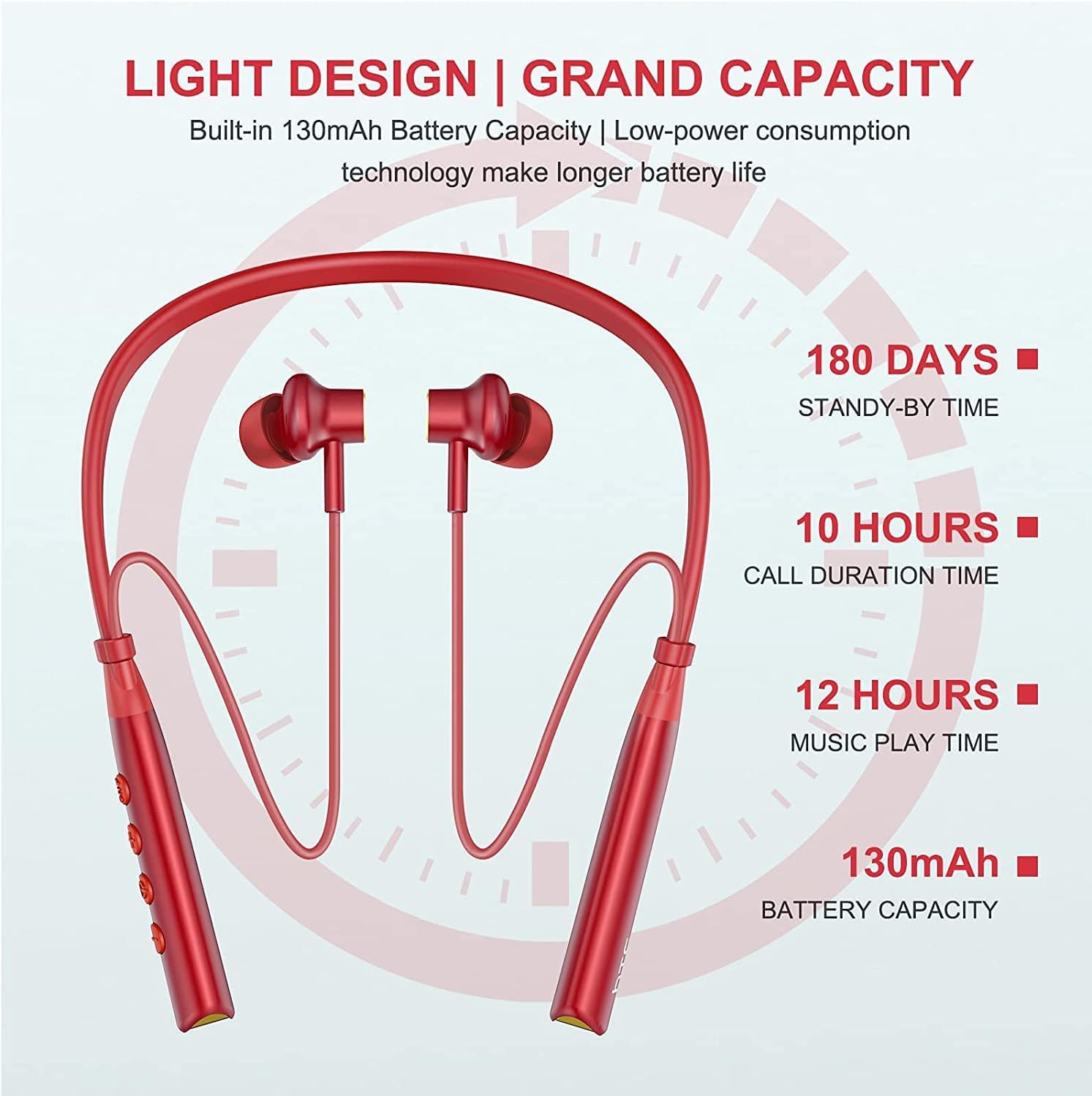
Image: Visual representation of battery specifications, including 180 days standby, 10 hours call duration, 12 hours music playtime, and 130mAh battery capacity.
Garantia e Suporte
HTC products are manufactured to the highest quality standards. For warranty information or technical support, please refer to the official HTC website or contact your local customer service representative. Keep your purchase receipt for warranty claims.
Guia em vídeo do produto
Video: An official product video demonstrating the features and usage of the HTC Wireless Neckband Bluetooth Headphones, including pairing, controls, and comfort.