
Singsação SPKA24
Singsation Karaoke Machine User Manual
Modelo: SPKA24
Introdução
Obrigado pela compra.asing the Singsation Karaoke Machine. This portable speaker system is designed to provide dynamic sound and an engaging karaoke experience with its built-in light show, Bluetooth connectivity, and multiple audio input options. This manual will guide you through the setup, operation, and maintenance of your device to ensure optimal performance and enjoyment.
Informações de segurança
Leia atentamente todas as instruções de segurança antes de usar o dispositivo. Guarde este manual para futuras consultas.
- Não exponha o aparelho à chuva ou umidade para evitar incêndio ou choque elétrico.
- Não obstrua nenhuma abertura de ventilação. Garanta a circulação adequada de ar ao redor do aparelho.
- Utilize somente acessórios/anexos especificados pelo fabricante.
- Desligue a unidade durante tempestades com raios ou quando não for utilizada por longos períodos.
- Não tente consertar a unidade por conta própria. Encaminhe todos os serviços de manutenção para pessoal qualificado.
- Mantenha o aparelho afastado de fontes de calor, como radiadores, aquecedores, fogões ou outros aparelhos que produzam calor.
Conteúdo da embalagem
Carefully unpack your Singsation Karaoke Machine and ensure all items are present:
- Singsation Karaoke Speaker
- Microfone com fio
- Controle remoto
- Cabo de carregamento USB
- Alça de transporte

Image: Included accessories: wired microphone, remote control, and USB charging cable.
Produto acimaview
The Singsation Karaoke Machine features an intuitive control panel and various ports for versatile use.

Imagem: Frente view of the Singsation Karaoke Machine.
Recursos do painel de controle:
- Telão LED: Exibe o modo atual, o número da faixa ou a frequência FM.
- Controle de volume do microfone: Adjusts the microphone input level.
- Controle de eco: Adds an echo effect to the microphone sound.
- Controle de volume mestre: Ajusta a saída de som geral.
- Botão de modo: Switches between Bluetooth, AUX, USB, Micro SD, and FM Radio modes.
- Botão Reproduzir/Pausar: Controla a reprodução de mídia.
- Botões de faixa anterior/próxima: Navigates through tracks or FM stations.
- Porta USB: Para reproduzir música a partir de unidades USB.
- Slot para cartão TF (Micro SD): For playing music from Micro SD cards.
- Entrada AUX: Para conectar dispositivos de áudio externos através de um cabo de 3.5 mm.
- Entrada de microfone: Para conectar o microfone com fio.
- Interruptor de alimentação: Liga / desliga a unidade.

Image: The built-in handle allows for easy portability.
Configurar
Carregando a Unidade:
Before first use, fully charge the karaoke machine. Connect the provided USB charging cable to the unit's charging port and the other end to a USB power adapter (not included) or a computer USB port. The charging indicator light will show the charging status.

Image: The unit provides up to 4 hours of playtime on a single charge.
Ligar/desligar:
Locate the Power switch on the unit and slide it to the 'ON' position to power on the device. Slide it to 'OFF' to power off.
Conectando o microfone:
Insert the plug of the wired microphone into the Microphone Input jack on the control panel.
Instruções de operação
Emparelhamento Bluetooth:
- Turn on the Singsation Karaoke Machine. It will automatically enter Bluetooth pairing mode, indicated by a flashing Bluetooth icon on the LED display.
- Ative o Bluetooth no seu smartphone, tablet ou outro dispositivo com Bluetooth.
- Procurar "Singsation" or the specific model name (e.g., "SPKA24") in your device's Bluetooth list.
- Select the device to pair. Once connected, the Bluetooth icon on the display will stop flashing.
- You can now stream audio wirelessly from your device to the karaoke machine.
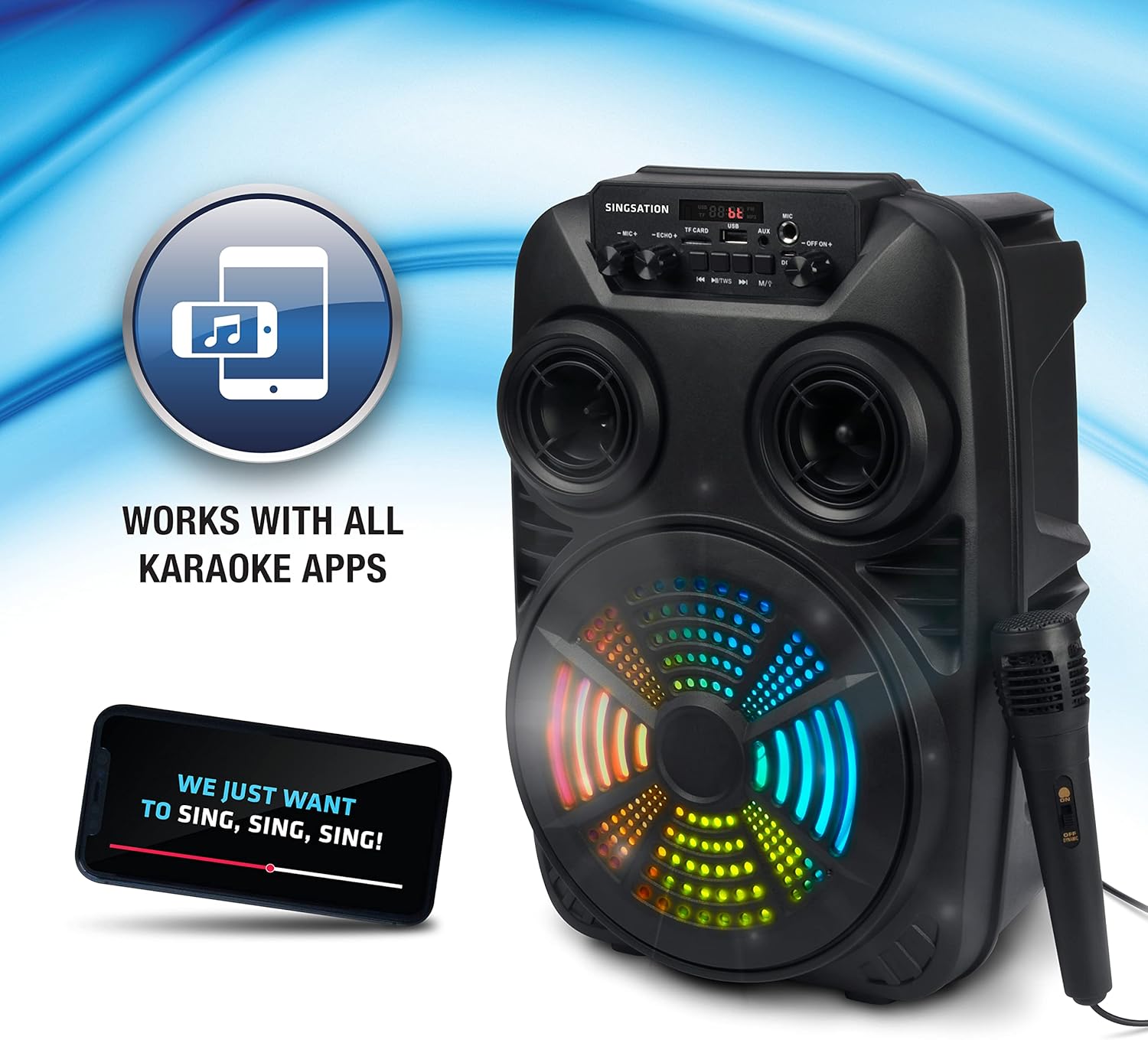
Image: The Singsation Karaoke Machine works seamlessly with all karaoke applications.
Using Other Audio Inputs (AUX, USB, Micro SD, FM Radio):
Press the 'Mode' button repeatedly to cycle through the available input modes: Bluetooth, AUX, USB, Micro SD, and FM Radio.
- Modo AUX: Connect an external audio device (e.g., MP3 player, computer) to the AUX input using a 3.5mm audio cable.
- Modo USB/Micro SD: Insert a USB drive or Micro SD card (TF card) containing MP3 audio files into the respective port/slot. The unit will automatically begin playing music.
- Modo de rádio FM: In FM mode, press the Play/Pause button to auto-scan and save available radio stations. Use the Previous/Next Track buttons to navigate between saved stations.

Image: Multiple connectivity options for enjoying your music.
Uso do microfone:
Once the microphone is connected, adjust the 'MIC VOL' knob to control the microphone's volume. Use the 'ECHO' knob to add an echo effect for a more professional vocal sound.
Light Show Features:
The Singsation Karaoke Machine features multi-color LED lights that synchronize with the music, creating a dynamic light show. These lights automatically activate when the unit is powered on.

Image: Features include vibrant color-changing lights and an adjustable echo effect.
Funções do controle remoto:
The included remote control allows you to manage playback, volume, and other settings from a distance.
- Botão de energia: Liga / desliga a unidade.
- Botão de modo: Cycles through input modes.
- Volume +/-: Ajusta o volume principal.
- Botão EQ: Alterna entre as predefinições do equalizador.
- Reproduzir/Pausar, Anterior/Próximo: Controla a reprodução de mídia.
- Botões numéricos: For direct track selection in USB/Micro SD mode or FM station selection.
Reforço de graves:
The unit is designed with an 8-inch dynamic driver and a rear heavy bass guide tube to deliver impressive bass tones and strong stereo sound. No specific button for bass boost, it's an inherent feature of the speaker design.

Image: Enjoy singing along with your favorite tunes.
Manutenção
- Limpeza: Use um pano macio e seco para limpar a parte externa da unidade. Não use produtos de limpeza abrasivos ou solventes.
- Armazenar: Quando não estiver em uso, guarde a unidade em local fresco e seco, longe da luz solar direta e de temperaturas extremas.
- Cuidados com a bateria: To prolong battery life, avoid fully discharging the battery frequently. Charge the unit regularly, even if not in use for extended periods.
Solução de problemas
If you encounter issues with your Singsation Karaoke Machine, refer to the table below for common problems and solutions.
| Problema | Possível causa | Solução |
|---|---|---|
| Sem energia | A bateria está descarregada; o interruptor de alimentação está desligado. | Charge the unit; Ensure the power switch is in the 'ON' position. |
| Sem som | O volume está muito baixo; o modo de entrada selecionado está incorreto; o dispositivo não está emparelhado (Bluetooth). | Increase master volume; Press 'Mode' button to select correct input; Re-pair Bluetooth device. |
| Microfone não funciona | Microphone not properly connected; Microphone volume too low. | Ensure microphone is fully plugged into the input jack; Increase 'MIC VOL' knob. |
| Conexão Bluetooth instável | Device is too far from the unit; Interference from other devices. | Move the Bluetooth device closer to the karaoke machine; Turn off other Bluetooth devices nearby. |
| Charging port feels loose/damaged | Physical damage to the port. | Handle charging cable with care. If damaged, contact customer support for repair options. |
Especificações
| Recurso | Detalhe |
|---|---|
| Número do modelo | SPKA24 |
| Tamanho do alto-falante | 8-inch Dynamic Driver |
| Conectividade | Bluetooth 5.0, AUX, USB, Micro SD, FM Radio |
| Fonte de energia | Bateria recarregável |
| Hora de brincar | Até 4 horas (com uma única carga) |
| Dimensões (aprox.) | 16.6 x 10.2 x 8.1 polegadas |
| Peso (aprox.) | 4.14 libras |
| Componentes incluídos | Karaoke Machine, Microphone, Remote Control, USB Charging Cable, Carrying Strap |
Garantia e Suporte
Singsation products are manufactured with high-quality standards. For warranty information, technical support, or service inquiries, please refer to the warranty card included with your product or visit the official Singsation webGuarde o comprovante de compra como prova de aquisição.
Ask a question about this manual
Ask about setup, troubleshooting, compatibility, parts, safety, or missing instructions. Manuals+ will review the question and use this page’s manual context to help answer it.