
MCGOR GLS-C010
MCGOR 10-inch Rechargeable Motion Sensor Under Cabinet Lights Instruction Manual
Model: GLS-C010
Produto acimaview
The MCGOR 10-inch Under Cabinet Lighting system provides versatile and convenient illumination for various indoor spaces. Featuring advanced motion sensing capabilities, dimmable brightness levels, and a rechargeable battery, these wireless lights offer an efficient and flexible lighting solution. Their magnetic design ensures easy installation and removal for charging.

Figure 1: MCGOR 10-inch Under Cabinet Lights product view.
O que está na caixa
- 2 x Cabinet Lights
- 2 x USB-C Charging Cords
- 6 x Adhesive Iron Plates
- 1 x Manual de Instruções
Configuração e instalação
The MCGOR under cabinet lights are designed for easy, tool-free installation thanks to their built-in magnets. Follow these steps for optimal placement:
- Preparar Superfície: Ensure the installation surface (e.g., under cabinet, closet wall) is clean, dry, and smooth.
- Fixação magnética: If installing on a metal surface (like a refrigerator), the light can be directly adsorbed due to its built-in strong magnets.
- Adhesive Plate Installation (for non-metal surfaces):
- Peel off the protective film from one side of an adhesive iron plate.
- Attach the adhesive side of the plate to the desired clean surface. Apply firm pressure for a few seconds to ensure strong adhesion.
- Align the magnetic back of the light with the installed iron plate. The light will snap securely into place.
- For optimal placement, attach the magnetic strips to the light first, peel off the adhesive backing, then press the light firmly onto the desired surface. This ensures the adhesive plates are perfectly aligned with the light's magnets.
- Charging Before First Use: It is recommended to fully charge the lights before their initial use to ensure maximum battery life.
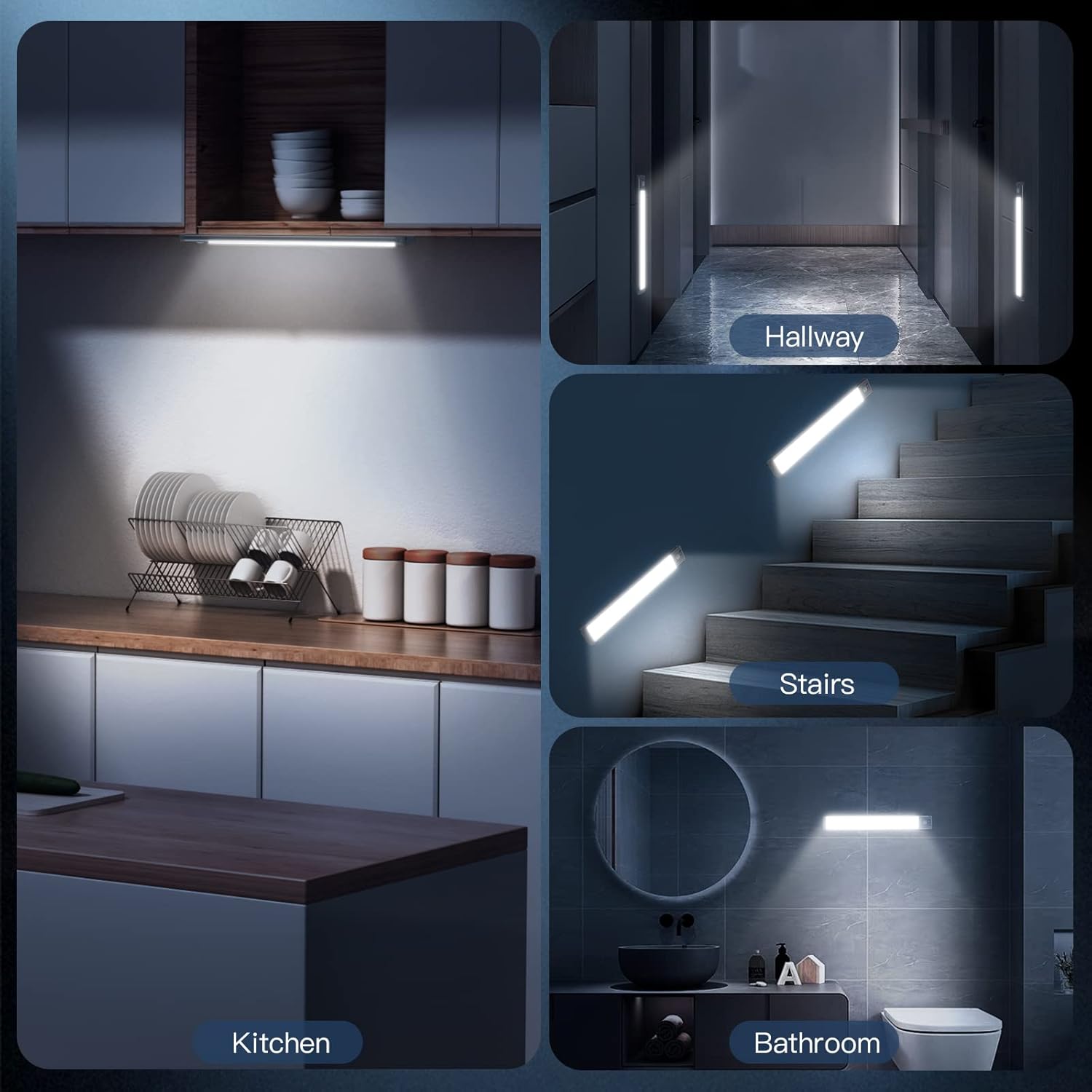
Figure 2: Two installation methods for the under cabinet lights.
Video 1: Demonstration of light installation and magnetic attachment.
Modos de operação e recursos
The MCGOR lights offer multiple operating modes to suit your needs:
- Motion Sensor Mode (AUTO):
In this mode, the lights automatically turn on when human motion is detected within a 120° angle and up to 10 feet distance in a dark or low-light environment. They will automatically turn off after approximately 20 seconds of no motion detected. This mode is ideal for areas like closets, stairs, or hallways where light is only needed when someone is present.

Figure 3: Motion Sensor Mode in action.
- Always-On Mode (ON):
The lights can be set to remain continuously on, providing constant illumination. This feature is useful for tasks requiring prolonged lighting, such as reading, cooking, or as a general flashlight.
- Off Mode (OFF):
Completely turns off the light, conserving battery power when not needed.
- Dimmable Brightness (5 Levels):
Unlike many fixed-brightness lights, these motion sensor lights offer 5 levels of brightness. This allows you to adjust the light intensity to your preference, from bright task lighting for meal preparation to a soft night light that won't disturb others.

Figure 4: Adjustable brightness levels.

Figure 5: Control panel with mode switch and dimming button.
Carregamento e duração da bateria
These lights are equipped with a built-in 1800mAh rechargeable battery, eliminating the need for constant battery replacement or complex wiring.
- Carregamento: Use the provided USB-C cable to recharge the lights. Simply detach the light from its magnetic mount and connect the cable to the USB-C port. A red indicator light typically signifies charging, turning green when fully charged.
- Duração da bateria:
- Modo de sensor de movimento: A full charge can last approximately 7-30 days, depending on usage frequency.
- Modo sempre ligado: At 100% brightness, a full charge provides about 8 hours of continuous light.

Figure 6: USB-C charging and battery capacity.
Manutenção
To ensure the longevity and optimal performance of your MCGOR lights, follow these simple maintenance guidelines:
- Limpeza: Wipe the light's surface with a soft, dry cloth. Avoid using abrasive cleaners or solvents that could damage the finish.
- Carregamento: Recharge the battery when the light's brightness noticeably diminishes or the indicator light signals low power.
- Armazenar: Se for guardar as luzes por um período prolongado, certifique-se de que estejam totalmente carregadas e armazene-as em local fresco e seco.
- Resistência à água: These lights are designed for indoor use only and are not water-resistant. Avoid exposure to water or high humidity.
Solução de problemas
| Problema | Possível causa | Solução |
|---|---|---|
| A luz não acende no modo AUTO. | Insufficient darkness; battery is low; motion not detected. | Ensure the environment is dark enough for the sensor to activate. Charge the light. Check if motion is within the 10ft/120° range. |
| A luz apaga muito rápido. | Nenhum movimento contínuo detectado. | Ensure continuous motion within sensor range or switch to ON mode for constant light. |
| A luz não é suficientemente forte. | Brightness setting is low; battery is low. | Adjust to a higher brightness level using the dimming button. Recharge the light. |
| A luz não adere à superfície. | Surface is not clean/smooth; adhesive plate not properly applied. | Clean the surface thoroughly. Ensure firm pressure is applied when attaching adhesive plates. |
Especificações
| Recurso | Detalhe |
|---|---|
| Marca | MCGOR |
| Nome do modelo | GLS-C010 |
| Dimensões do produto | 10"C x 1.57"L x 0.37"A |
| Peso do item | 0.33 quilogramas (11.6 onças) |
| Cor | White Light (Cool White, 7000 Kelvin) |
| Material | Alumínio, Plástico |
| Tipo de fonte de luz | LED (40pcs) |
| Brilho | 180 Lúmens |
| Fonte de energia | Alimentado por bateria (polímero de lítio de 1800 mAh) |
| Porta de carregamento | USB-C |
| Tipo de instalação | Montagem Magnética |
| Características especiais | Dimmable (5 levels), Rechargeable, Motion Sensor |
| Alcance do Sensor de Movimento | 120° angle, 10ft distance |
| Tempo de desligamento automático | Approx. 20 seconds (in AUTO mode) |
| Uso interno/externo | Interior |
| Nível de resistência à água | Não resistente à água |
Garantia e Suporte
MCGOR products typically come with a standard manufacturer's warranty covering defects in materials and workmanship. For specific warranty details, product support, or technical assistance, please refer to the contact information provided in the original product packaging or visit the official MCGOR website.
For further assistance, you may also contact the seller directly through the platform where the purchase was made.
Ask a question about this manual
Ask about setup, troubleshooting, compatibility, parts, safety, or missing instructions. Manuals+ will review the question and use this page’s manual context to help answer it.