
1. Introdução
This manual provides detailed instructions for the MEILAN M3 Mini GPS Bike Computer. Please read this manual thoroughly before using the device to ensure proper operation and to maximize your cycling experience. The MEILAN M3 is designed to track essential cycling data using a high-sensitivity GPS chip.

Figura 1: Frente view of the MEILAN M3 Mini GPS Bike Computer, displaying speed and time.
2. Recursos do Produto
- High-Sensitivity GPS Chip: Supports BEIDOU, GPS, and GLONASS for fast global positioning. Automatic time correction after GPS lock.
- Anti-Glare MONO LCD: 1.7-inch screen with full-screen white backlight for clear visibility in various lighting conditions. Backlight level is adjustable.
- Comprehensive Cycling Data Display: Shows riding time, riding distance, current speed, average speed, maximum speed, current time, altitude, ODO (odometer), total riding time, and total mileage.
- Recarregável USB: Provides approximately 8 hours of runtime with backlight after a full charge. Charges via any USB DC 5V port.
- History Record Storage: Stores up to 30 riding records.
- IP54 International Protection Rating: Indicates protection against dust and splashing water.
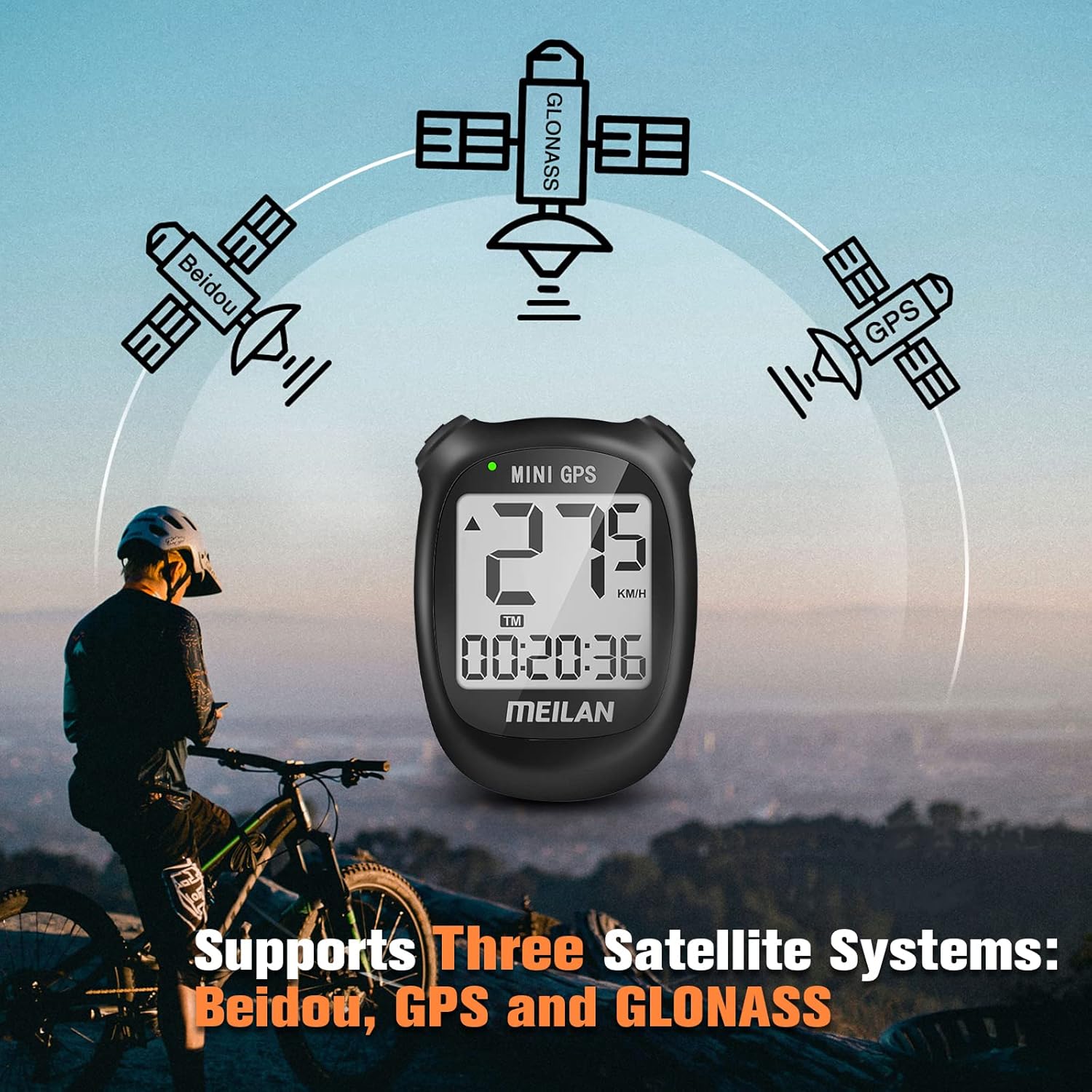
Figura 2: Illustration showing the MEILAN M3 Mini GPS Bike Computer's compatibility with Beidou, GPS, and GLONASS satellite systems.

Figura 3: Diagram illustrating the various cycling data points displayed on the M3 computer, including speed, distance, time, and altitude.
3. Configuração
3.1 Carregamento Inicial
Before first use, fully charge the device. Connect the MEILAN M3 to any USB DC 5V charging port using the provided USB cable. A full charge provides approximately 8 hours of runtime with the backlight enabled.

Figura 4: The MEILAN M3 Mini GPS Bike Computer being charged via a USB cable.
3.2 Montando o dispositivo
Securely attach the MEILAN M3 to your bicycle's handlebar using the provided mounting accessories. Ensure the device is firmly in place to prevent dislodgement during rides.

Figura 5: The MEILAN M3 Mini GPS Bike Computer mounted on a bicycle handlebar, demonstrating its IPX5 waterproof rating.
3.3 Configuração de fuso horário
The M3 does not require manual time setting. After initial power-on and GPS positioning, the device will automatically correct the time according to your local time zone. You only need to set the time zone once before first use.
4. Instruções de operação
4.1 Ligar/Desligar
- Ligar: Press and hold the left button for a few seconds.
- Desligar: Press and hold the left button for a few seconds.
4.2 Posicionamento GPS
Upon powering on, the device will automatically search for GPS signals. Ensure you are in an open area for faster acquisition. A successful GPS lock is indicated on the screen. It is crucial to ensure GPS is connected before starting your ride for accurate data recording.
Controle de luz de fundo 4.3
To turn the full-screen white backlight on or off, press both the left and right buttons simultaneously. The backlight level can also be adjusted for optimal visibility.

Figura 6: Comparison of the MEILAN M3 Mini GPS Bike Computer display with backlight off (daytime) and backlight on (nighttime).
4.4 Viewing Cycling Data
The device continuously displays various cycling metrics. Use the buttons to cycle through different data screens if available, or to adjust display settings.
4.5 Storing History Records
The M3 can store up to 30 riding records. After completing a ride, to save the data, long press the right button and then short press the left button. This action will automatically lead you to the history view page. Note that the M3 does not support track storage or ride data upload to external platforms.
5. Manutenção
- Limpeza: Limpe o dispositivo com um pano macio, damp pano. Evite usar produtos químicos agressivos ou produtos de limpeza abrasivos.
- Resistência à água: The device has an IP54 rating, meaning it is protected against dust and splashing water. Do not immerse the device in water or expose it to high-pressure water jets. Ensure the USB port cover is securely closed.
- Carregamento: Recharge the device when the battery indicator is low. Avoid overcharging or completely draining the battery for extended periods.
- Armazenar: Guarde o dispositivo em local fresco e seco, longe da luz solar direta e de temperaturas extremas quando não estiver em uso.
6. Solução De Problemas
6.1 Problemas na aquisição do sinal GPS
If the device struggles to acquire a GPS signal, ensure you are in an open outdoor area with a clear view of the sky. Buildings, dense foliage, or indoor environments can obstruct satellite signals. Note that GPS search can consume more power.
6.2 Bateria descarregando rapidamente
Continuous use of the backlight or prolonged GPS signal searching can lead to higher power consumption. Ensure the backlight is off when not needed and fully charge the device before long rides.
6.3 Dados não estão sendo salvos
Ensure you follow the correct procedure for saving records: long press the right button, then short press the left button. The device has a limit of 30 stored records; older records may be overwritten if the memory is full.
7. Especificações
| Recurso | Detalhe |
|---|---|
| Marca | MEILAN |
| Modelo | M3 Mini GPS Bike Computer |
| Tamanho da tela | 1.7 inches (Anti-Glare MONO LCD) |
| Tipo de exibição | LCD |
| GPS Systems Supported | BEIDOU, GPS, GLONASS |
| Duração da bateria | Up to 8 hours (with backlight) |
| Carregando | USB CC 5 V |
| Avaliação de proteção internacional | IP54 |
| Tipo de montagem | Suporte para guidão |
| Entrada de Interface Humana | Botões |
| History Records Storage | 30 registros |
8. Garantia e Suporte
MEILAN is committed to providing quality products and customer service. For any inquiries or support needs, please refer to the following:
- Resposta rápida: Customer service aims to respond within 24 hours.
- Exchange or Return: Eligible for exchange or return within 30 days of purchase.
- Garantia de um ano: O produto é coberto por uma garantia de 12 meses a partir da data de compra.
- Assistência pós-venda vitalícia: MEILAN provides lifetime after-sales support for this product.

Figura 7: Summary of MEILAN's customer support and warranty policies.