
1. Produto acabadoview
The WALI FTM-2 Full Motion TV Wall Mount is designed to securely hold most flat and curved screen televisions ranging from 32 to 70 inches. This mount offers extensive adjustability, including tilt, swivel, and extension, allowing for optimal viewing angles from various positions in a room. Constructed from reinforced cold-rolled steel, it ensures durability and stability for your television.
2. Informações importantes de segurança
AVISO: Read all instructions carefully before installation. If you do not understand these instructions or have doubts about the safety of the installation, consult a qualified installer. Improper installation may cause serious injury or damage.
- Capacidade de peso: Do not exceed the maximum weight capacity of 88 lbs (40 kg). This mount is intended for use only with the maximum weights indicated. Use with products heavier than the maximum weights indicated may result in instability causing possible injury.
- Tipo de parede: This mount is designed for installation on vertical wood studs, solid concrete walls, or brick walls. NÃO instale apenas em drywall. Ensure the mounting surface can safely support the combined weight of the equipment and all attached hardware.
- Compatibilidade VESA: Certifique-se de que o padrão de montagem VESA da sua TV esteja dentro da faixa suportada (100x100mm a 400x400mm).
- Ferramentas: Use appropriate tools for installation. Always wear safety gear, including eye protection.
- Crianças: Mantenha as crianças afastadas da área de instalação. Peças pequenas podem representar risco de asfixia.
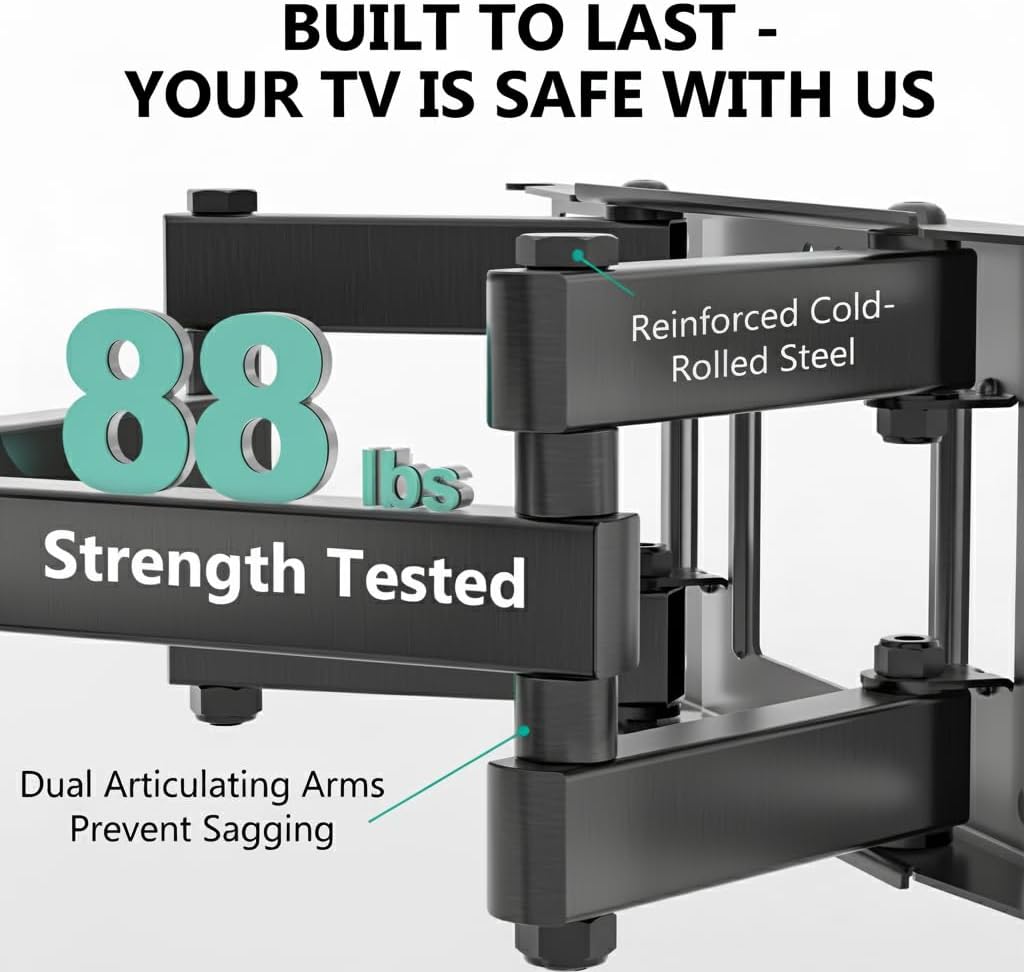
Image: The mount is constructed from reinforced cold-rolled steel, tested to support up to 88 lbs, ensuring structural integrity and safety for your television.
3. Conteúdo da embalagem
Verify that all components are present and undamaged before beginning installation. If any parts are missing or defective, contact WALI customer support.
- WALI FTM-2 TV Wall Mount (1 unit)
- Kit de ferragens para montagem (diversos parafusos, arruelas, espaçadores, buchas)
- Manual do usuário (este documento)

Image: All necessary hardware for installation is included, such as various bolts, washers, spacers, and wall anchors. A spirit level is also provided to assist with accurate mounting.
4. Verificação de compatibilidade
Before installation, confirm your television and wall meet the following requirements:
- Tamanho da TV: Compatible with most 32 to 70 inch flat or curved screen TVs.
- Peso da TV: Your TV must weigh no more than 88 lbs (40 kg).
- Padrão VESA: The mounting holes on the back of your TV must match VESA patterns from 100x100mm to 400x400mm.
- Tipo de parede: Suitable for 12" or 16" wood studs, concrete walls, and brick walls. Not for drywall-only installation.
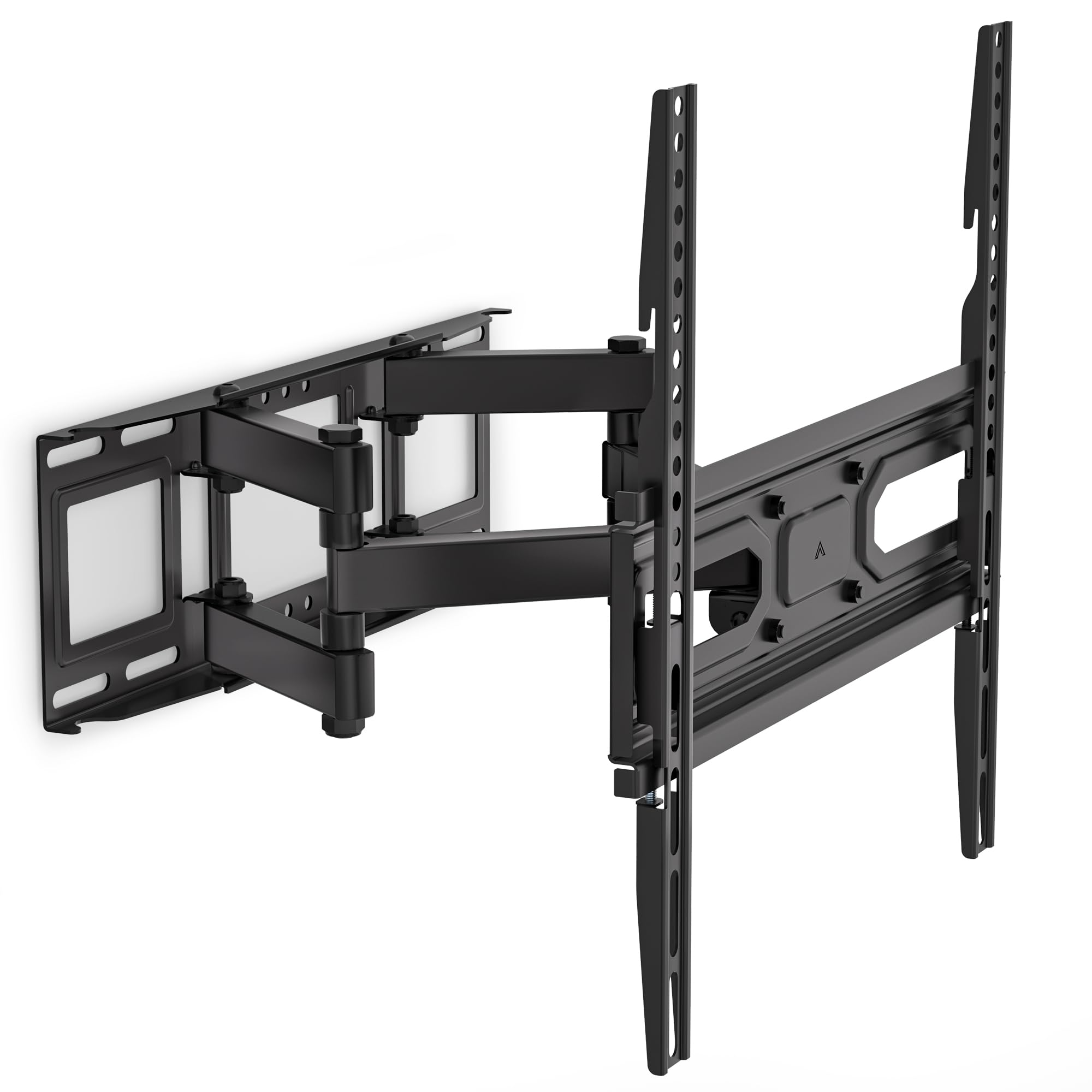
Image: This diagram outlines the four key compatibility checks: TV weight (up to 88 lbs), VESA pattern (100x100mm to 400x400mm), TV size (32-70 inches), and suitable wall types (wood studs, concrete, brick). Installation on drywall alone is not supported.
5. Instruções de instalação
Follow these steps carefully for a secure installation. It is recommended to have two people for installation.
Etapa 1: Fixe o suporte na parede
- Locate the desired mounting position on your wall. Use a stud finder to locate wood studs if applicable.
- Mark the drill holes for the wall plate. Ensure the marks are level using a spirit level.
- Drill pilot holes at the marked locations. For wood studs, use a 5/32 inch (4mm) drill bit. For concrete/brick walls, use a 3/8 inch (10mm) drill bit and insert wall anchors.
- Attach the wall plate to the wall using the appropriate lag bolts and washers. Tighten securely.
Step 2: Attach Plate to TV
- Para evitar arranhões, coloque a TV com a tela virada para baixo sobre uma superfície macia e limpa.
- Identifique os orifícios de montagem VESA na parte traseira da sua TV.
- Selecione os parafusos, arruelas e espaçadores corretos do kit de ferragens que se encaixem nos furos de montagem da sua TV.
- Attach the TV brackets to the back of your TV. Ensure they are securely fastened but do not overtighten.
Step 3: Hang TV on Bracket
- With assistance, carefully lift the TV and hook the TV brackets onto the wall plate.
- Certifique-se de que a TV esteja centralizada e nivelada.
- Fixe a TV à placa de parede utilizando os parafusos de segurança ou os mecanismos de travamento fornecidos.
6. Adjustments (Operating)
The WALI FTM-2 mount offers flexible adjustments to achieve your desired viewângulo de engate.
- Inclinar: The TV can be tilted +3° upwards and -15° downwards. Loosen the tilt adjustment knobs on the TV brackets, adjust to the desired angle, and then re-tighten the knobs.
- Giratório: The mount allows for a ±60° swivel (left and right) depending on TV size and wall distance. Gently push or pull the TV to the desired swivel angle.
- Nivelamento: After installation, if the TV is slightly unlevel, you can adjust it by ±3°. Loosen the leveling screws, adjust the TV, and re-tighten.
- Extensão/Retração: The mount extends from 2.6 inches (6.6 cm) to 14 inches (35.6 cm) from the wall. Gently pull the TV forward or push it back to adjust the distance.

Image: This diagram shows the full range of motion: 15 degrees of tilt, 60 degrees of swivel, extension up to 14 inches from the wall, and 4 degrees of leveling adjustment for a perfect viewexperiência.
7. Manutenção
A manutenção regular garante a longevidade e o funcionamento seguro do seu suporte de parede para TV.
- Verificações periódicas: Periodically check that all screws and connections are tight and secure. Re-tighten if necessary.
- Limpeza: Limpe o suporte com um pano macio e seco. Evite produtos de limpeza abrasivos ou solventes que possam danificar o acabamento.
- Partes móveis: The articulating arms are designed for smooth movement. No lubrication is typically required. If movement becomes stiff, check for obstructions or loose components.
8. Solução De Problemas
Se você encontrar problemas durante ou após a instalação, consulte os problemas e soluções comuns a seguir:
- A TV não está nivelada: Use the leveling adjustment feature (refer to Section 6) to correct the angle. Ensure the wall plate was installed level initially.
- A montanha parece instável: Double-check all wall and TV attachment screws to ensure they are securely tightened. Verify that the wall type is appropriate and that the TV weight does not exceed the mount's capacity.
- A TV não é compatível com o suporte: Re-check your TV's VESA pattern against the mount's specifications (refer to Section 4). Ensure you are using the correct screws and spacers for your TV model.
- Difficulty moving the arms: Ensure no cables are snagged or obstructing movement. Check for any overtightened bolts that might restrict articulation.
Caso os problemas persistam, entre em contato com o suporte ao cliente da WALI para obter assistência.
9. Especificações
| Número do modelo | FTM-2 |
| Compatibilidade com o tamanho da TV | 32 - 70 polegadas |
| Capacidade de peso | 88 libras (40 kg) |
| Compatibilidade VESA | 100x100mm a 400x400mm |
| Ângulo de inclinação | +3° / -15° |
| Ângulo de giro | ±60° |
| Ajuste de Nivelamento | ±3° |
| Extensão da parede | 2.6 polegadas (6.6 cm) a 14 polegadas (35.6 cm) |
| Material | Reinforced Cold-Rolled Steel |
| Cor | Preto |
10. Garantia e Suporte ao Cliente
WALI products are designed for quality and reliability. For warranty information or technical assistance, please contact WALI customer support.
WALI is committed to providing dedicated product support and aims to respond to inquiries within 12 hours.
- Contato: Refer to the WALI official webPara obter as informações de contato mais recentes, consulte o site ou a embalagem do produto.
- Comprovante de compra: Guarde o comprovante de compra para reclamações de garantia.