
1. Introdução
This manual provides detailed instructions for the safe and efficient operation of your Zebronics Zeb-Buddy 100 Portable Bluetooth Speaker. Please read this manual thoroughly before using the device and retain it for future reference.
2. Produto acabadoview e Características
The Zebronics Zeb-Buddy 100 is a portable Bluetooth v5.0 speaker designed for versatile audio playback. It features a compact design with an integrated handle for easy transport and a mobile holder for hands-free use. Key features include:
- Conectividade Bluetooth v5.0: Para transmissão de áudio sem fio.
- Função TWS: Allows pairing of two Zeb-Buddy 100 speakers for stereo audio.
- Microfone com fio: Includes a 6.3mm wired microphone for karaoke.
- Várias opções de reprodução: Supports AUX, micro SD card, and USB input.
- Rádio FM integrado: For listening to radio stations.
- Controles de mídia: Integrated buttons for easy control of playback.
- Bateria recarregável: Provides up to 5 hours of playback time.
- Modos de luz RGB: Multiple light modes for enhanced ambiance.
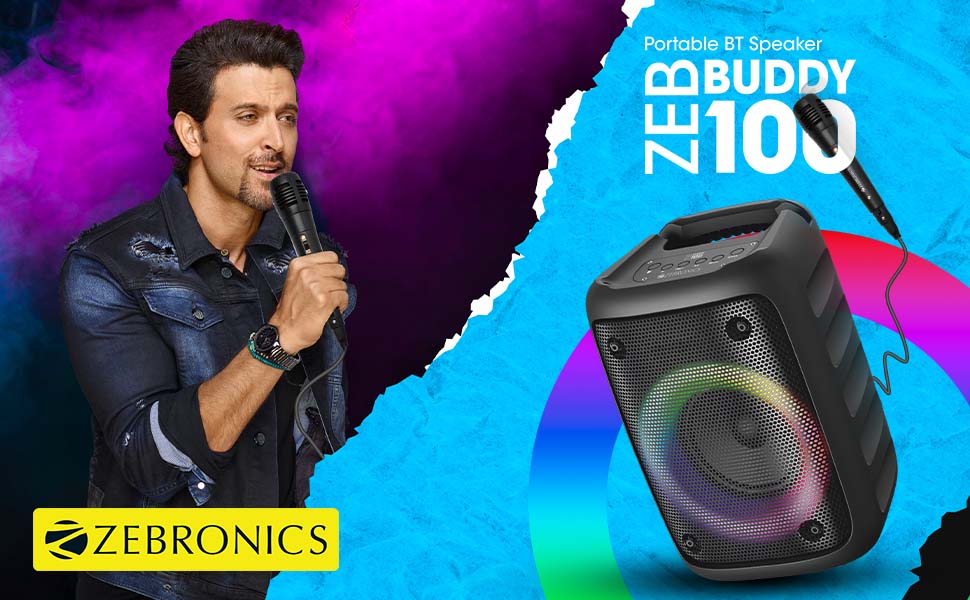
Image: The Zeb-Buddy 100 speaker shown with its included wired microphone, highlighting its portable design and control panel.
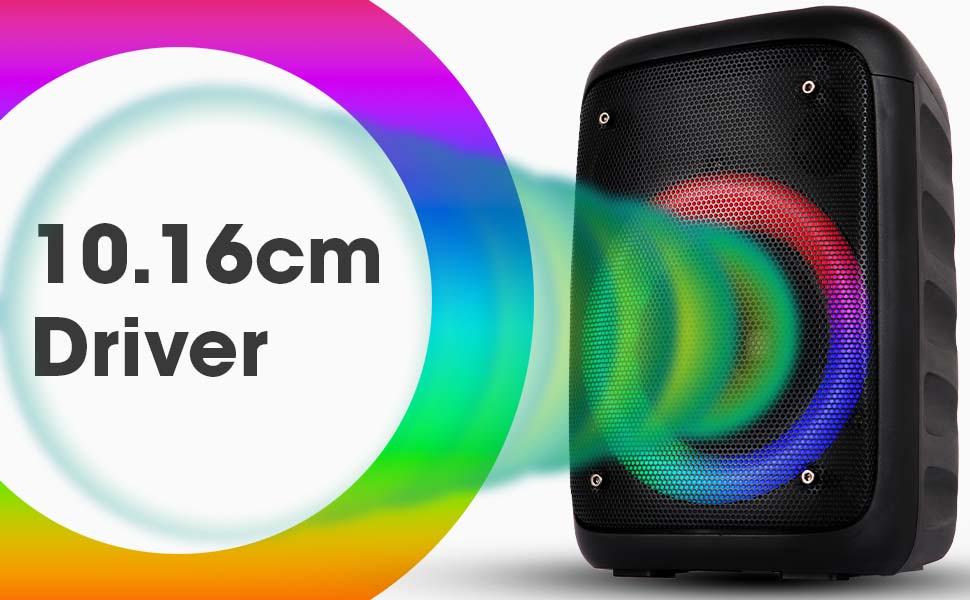
Imagem: Um ângulo view of the Zeb-Buddy 100 speaker, showcasing its compact form factor and side details.
3. Configuração
3.1 Carregando o alto-falante
- Conecte o cabo de carregamento à porta de carregamento da caixa de som.
- Conecte a outra extremidade do cabo a um adaptador de energia USB adequado (não incluído).
- O indicador de carregamento acenderá. Uma carga completa leva aproximadamente 4 horas.
3.2 Emparelhamento Bluetooth
- Ligue o alto-falante pressionando e segurando o botão liga/desliga.
- The speaker will enter Bluetooth pairing mode, indicated by a flashing LED.
- No seu dispositivo móvel, ative o Bluetooth e pesquise os dispositivos disponíveis.
- Select "Zeb-Buddy 100" from the list to pair.
- Once paired, the speaker will confirm the connection, and the LED will stop flashing.
Emparelhamento TWS (True Wireless Stereo) 3.3
To experience stereo audio, you can pair two Zeb-Buddy 100 speakers together:
- Ensure both Zeb-Buddy 100 speakers are powered on and not connected to any Bluetooth device.
- Em uma das caixas de som (esta será a caixa de som principal), pressione e segure o botão TWS.
- O falante principal procurará o falante secundário.
- Once connected, both speakers will indicate a successful TWS pairing.
- Agora, conecte seu dispositivo móvel à caixa de som principal via Bluetooth, conforme descrito na seção 3.2. O áudio será reproduzido em estéreo por ambas as caixas de som.

Image: Three Zeb-Buddy 100 speakers demonstrating their multiple RGB light modes, illustrating the TWS capability.
4. Instruções de operação
Seleção de 4.1 modos
Press the 'M' (Mode) button on the speaker to switch between Bluetooth, AUX, Micro SD, USB, and FM Radio modes.
4.2 Reprodução de áudio
- Reproduzir/Pausar: Pressione o botão Reproduzir/Pausar.
- Próxima faixa: Press the 'Next' button.
- Faixa anterior: Press the 'Previous' button.
- Aumentar o volume: Press and hold the 'Next' button.
- Volume baixo: Press and hold the 'Previous' button.
4.3 Função Karaokê
- Connect the wired microphone to the 6.3mm microphone input port on the speaker.
- Adjust the microphone volume using the dedicated knob on the speaker (if available) or through the main volume controls.
- Ensure music is playing from your chosen source (Bluetooth, AUX, etc.) for background audio.
4.4 Operação de rádio FM
- Alterne para o modo de rádio FM usando o botão 'M'.
- Press the Play/Pause button once to auto-scan and save available FM channels.
- Use the 'Next' and 'Previous' buttons to navigate between saved channels.
5. Manutenção
To ensure the longevity and optimal performance of your Zeb-Buddy 100 speaker:
- Keep the speaker away from water, moisture, and direct sunlight.
- Limpe o alto-falante com um pano macio e seco. Não use produtos químicos agressivos ou abrasivos.
- Evite deixar cair ou submeter o alto-falante a impactos fortes.
- Guarde em local fresco e seco quando não for utilizado por longos períodos.
6. Solução De Problemas
| Problema | Possível causa | Solução |
|---|---|---|
| A caixa de som não liga. | Bateria fraca ou sem carga. | Carregue totalmente a caixa de som. |
| Não foi possível emparelhar via Bluetooth. | O alto-falante não está em modo de emparelhamento; o Bluetooth do dispositivo está desligado; o dispositivo está muito longe do alto-falante. | Ensure speaker is in pairing mode. Turn Bluetooth on/off on your device. Move device closer to speaker. |
| Nenhum som. | Volume too low; incorrect mode selected; faulty cable (AUX/USB). | Increase volume. Select correct input mode. Check/replace cables. |
| O emparelhamento TWS falha. | Speakers already connected to another device; too far apart. | Disconnect speakers from other devices. Ensure speakers are close to each other. |
| O microfone não está funcionando. | Microphone not fully plugged in; volume too low. | Ensure microphone is securely connected. Adjust microphone volume. |
7. Especificações
- Marca: ZEBRÔNICOS
- Nome do modelo: Zeb-Buddy 100
- Tecnologia de conectividade: Auxiliary, Bluetooth, USB, Wireless
- Versão Bluetooth: v5.0
- Potência máxima de saída do alto-falante: 15 Watts
- Resposta de frequência: 100Hz - 20kHz
- Modo de saída de áudio: Estéreo (com TWS)
- Tamanho do alto-falante: 52 Millimetres (Driver)
- Fonte de energia: Alimentado por bateria
- Tempo de carga da bateria: 4 horas
- Tempo de reprodução: 5 horas
- Método de controle: Controle de toque
- Dispositivos compatíveis: Smartphone, Tablet
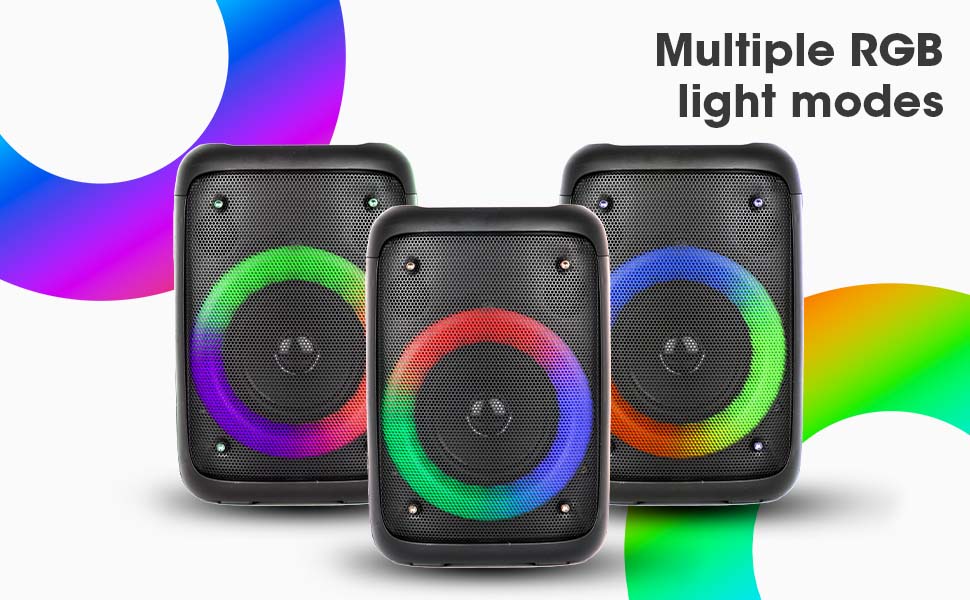
Image: The Zeb-Buddy 100 speaker with an overlay indicating its 10.16cm (4-inch) driver size.
8. Garantia e Suporte
The Zebronics Zeb-Buddy 100 comes with a 1-year carry-in warranty to the service center. For any support, service, or warranty claims, please contact Zebronics customer support or visit their official website for service center locations and contact information.
Please retain your purchase receipt for warranty validation.