
Agunto AGU-OC1
Manual do usuário da câmera de segurança externa Aginto AGU-OC1
Model: AGU-OC1
Introdução
Thank you for choosing the Agunto AGU-OC1 Outdoor Security Camera. This manual provides detailed instructions for setting up, operating, and maintaining your camera to ensure optimal performance and security for your property. The AGU-OC1 is designed for outdoor surveillance, featuring 1080p video resolution, advanced night vision, motion and sound detection, and seamless integration with smart home systems like Google Assistant.

Figura 1: Frente view of the Agunto AGU-OC1 Outdoor Security Camera.
Informações de segurança
- Ensure the camera is installed in a location where it is protected from direct tamperrante.
- Use only the provided USB-C cable and power adapter.
- Não exponha a câmera a temperaturas extremas fora de sua faixa de operação.
- Evite posicionar a câmera perto de campos eletromagnéticos fortes.
- Desligue a energia antes de limpar ou realizar qualquer manutenção.
Conteúdo da embalagem
Por favor, verifique se a embalagem contém os seguintes itens:
- Agunto AGU-OC1 Outdoor Security Camera
- USB-C Power Cable (3 meters)
- Parafusos de montagem e buchas de parede
- Manual do usuário (este documento)
Configurar
1. Montando a Câmera
The Agunto AGU-OC1 is designed for wall mounting. Choose a location that provides the desired viewing angle and is within reach of a power outlet.
- Marque os pontos de perfuração na parede usando a base de montagem da câmera como gabarito.
- Drill holes at the marked points. Insert the wall plugs if necessary.
- Secure the mounting base to the wall using the provided screws.
- Attach the camera to the mounted base and adjust the angle as needed. The camera features a 180-degree rotatable function for optimal positioning.

Figura 2: Angulado view of the Agunto AGU-OC1, showing its mounting bracket.

Figure 3: The camera installed outdoors, demonstrating its weather resistance.
2. Conexão de energia
Connect the provided 3-meter USB-C cable to the camera's USB-C port and plug the other end into a suitable power adapter (not always included, but implied by "Elektrisch met snoer" and "USB-C").

Figure 4: USB-C power connection for the Agunto AGU-OC1 camera.
3. Instalação e pareamento do aplicativo
Para controlar e view your camera, you will need to install the dedicated Agunto app on your smartphone or tablet. The app is available for both iOS and Android devices.
- Download the "Agunto Smart" app from the App Store (iOS) or Google Play Store (Android).
- Abra o aplicativo e crie uma nova conta ou faça login se já tiver uma.
- Follow the in-app instructions to add your new AGU-OC1 camera. This typically involves scanning a QR code on the camera or entering a device ID.
- Ensure your smartphone is connected to a 2.4GHz Wi-Fi network during the pairing process, as the camera uses Wi-Fi connectivity.
Operando a câmera
Ao vivo View e Gravação
Once paired, you can access the live video feed from your camera through the Agunto Smart app. From the live view screen, you can:
- View foo em tempo realtage.
- Manually record video clips or capture screenshots.
- Access recorded events stored on a microSD card (if installed) or cloud storage (if subscribed).
Visão noturna
The AGU-OC1 features advanced night vision capabilities, providing clear images even in low-light conditions. It supports color night vision for enhanced detail up to 10 meters.
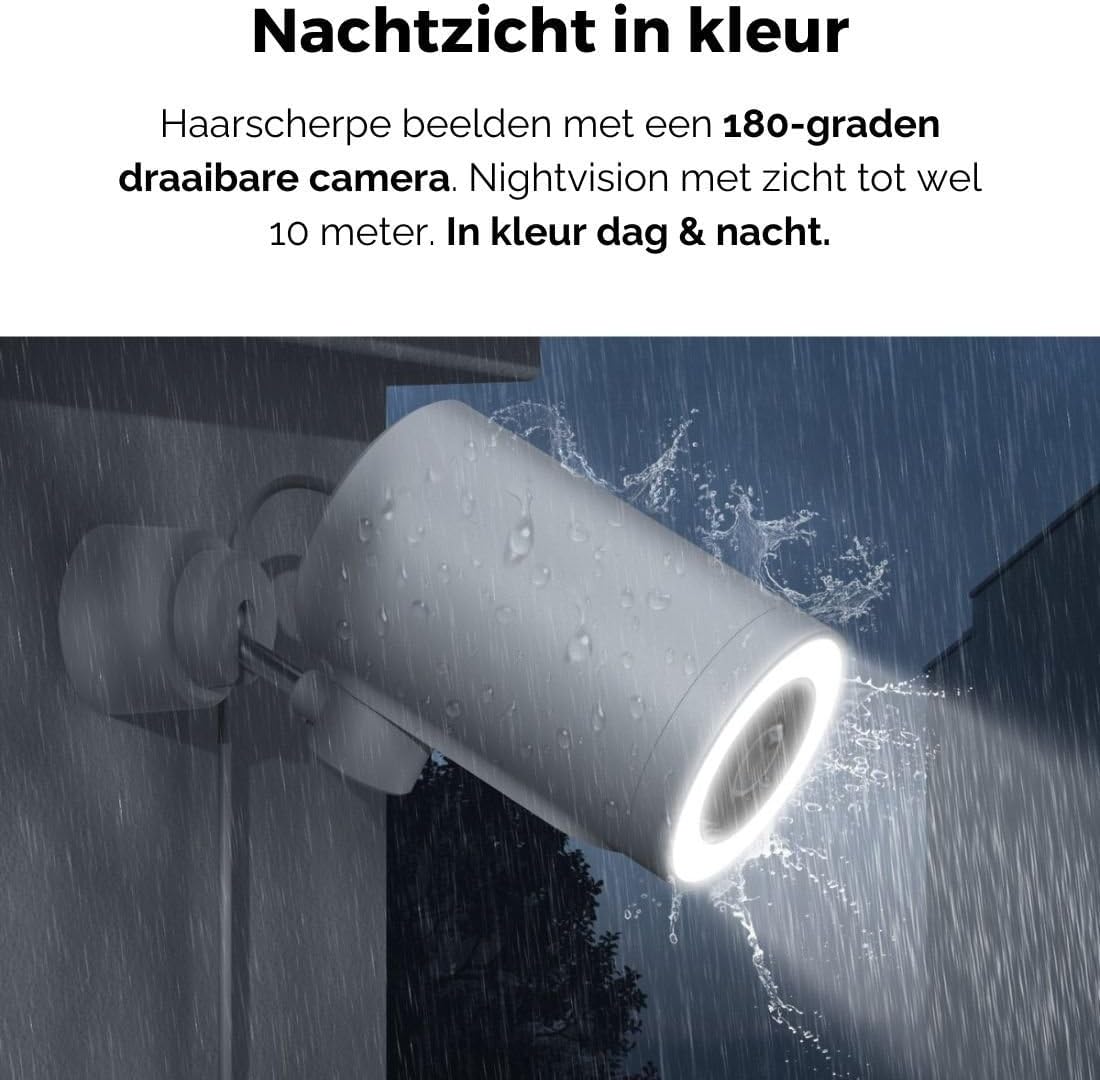
Figure 5: The camera's color night vision in action, providing clear images in the dark.
Detecção de movimento e som
The camera is equipped with intelligent motion and sound detection. When activity is detected, you will receive instant notifications on your smartphone or tablet, allowing you to monitor your property effectively.
You can customize detection zones and sensitivity settings within the app to minimize false alarms.
Integração com o Google Assistente
The Agunto AGU-OC1 seamlessly integrates with Google Assistant. You can link your camera to Google Home and stream live footage to compatible devices such as Google Nest Hub or Chromecast-enabled displays by voice command.
Example comando: "Hey Google, show me the backyard camera."
Manutenção
- Limpeza: Limpe delicadamente a lente e o corpo da câmera com um pano macio e seco. Não use produtos químicos agressivos ou abrasivos.
- Atualizações de software: Regularly check the Agunto Smart app for firmware updates. Keeping your camera's software up-to-date ensures optimal performance, security, and access to new features.
- Inspeção de cabos: Periodically inspect the USB-C cable for any signs of wear or damage, especially if exposed to outdoor elements.
Solução de problemas
| Problema | Solução possível |
|---|---|
| A câmera não liga. | Check the USB-C cable connection and ensure the power adapter is plugged into a working outlet. Try a different outlet or adapter if available. |
| Não é possível conectar ao Wi-Fi. | Ensure your Wi-Fi network is 2.4GHz. Check Wi-Fi signal strength at the camera's location. Restart your router and the camera. Re-attempt pairing through the app. |
| Má qualidade de vídeo. | Clean the camera lens. Ensure adequate lighting. Check your internet connection speed. |
| A detecção de movimento não funciona. | Verify motion detection is enabled in the app settings. Adjust sensitivity and detection zones. Ensure there are no obstructions blocking the camera's view. |
| Notificações não recebidas. | Check app notification settings on your phone. Ensure the app has permission to send notifications. Verify your phone has an active internet connection. |
Especificações
| Recurso | Detalhe |
|---|---|
| Número do modelo | AGU-OC1 |
| Resolução de vídeo eficaz | 1080 pixels |
| Material | Plástico |
| O quetage | 4 watts |
| Dimensões do item (C x L x A) | 10 x 4.4 x 7.3 centímetros |
| Peso do item | 78 gramas |
| Tecnologia de Conectividade | Wireless, Wired (USB-C) |
| Características especiais | Night Vision (Color), Motion Detection, Sound Detection, 180-degree rotatable |
| Ambiente de uso | Ar livre |
| Dispositivos compatíveis | Smartphone (via Agunto Smart app), Google Assistant devices |
| Fonte de energia | Cabo elétrico com fio (USB-C) |
| Tipo de montagem | Montagem na parede |
Garantia e Suporte
Agunto products are designed for reliability and performance. For information regarding warranty coverage, technical support, or service, please refer to the warranty card included with your product or visit the official Agunto website. You can also contact Agunto customer support through the contact information provided on their website or within the Agunto Smart app.
For the latest information and FAQs, please visit: Agunto Official Store
Ask a question about this manual
Ask about setup, troubleshooting, compatibility, parts, safety, or missing instructions. Manuals+ will review the question and use this page’s manual context to help answer it.