
Introdução
Welcome to the Wicked Audio Mojo 500 True Wireless Earbuds user manual. This guide provides detailed instructions to help you set up, operate, and maintain your new earbuds, ensuring you get the most out of their advanced features.

Figure 1: Wicked Audio Mojo 500 Earbuds and Charging Case.
O que está na caixa
- Cabo
- Almofadas de ouvido
- Estojo de carregamento
Produto acimaview
- WICKED AUDIO APP: Get the most out of your earbuds. App features include; GPS Bud Locator, Transparency Mode, Wear Detect, Endless EQ Modes, Active Noise Cancelling, Customizable Controls, Easy Access User Guide, Battery Life Indicator, Forever Future Updates, App Controlled Volume, Low Latency (Gaming Mode), Dark/Light Mode Control. Find the Wicked Audio App on the Google Play Store or the Apple App Store.
- 3 NOISE CONTROL MODES: How much ambient noise do you want? Get the best setup for your situation. Choose between transparency mode, passive noise cancelling, or active noise cancellation.
- EASY FLEX CONNECT: Dual options. Pair a single bud, pair them both. With ergonomic shaped housing to be small and comfortable, you’re ready to go right out of the case.
- LONG BATTERY LIFE: Up to 23 total hours of rockin’ bass. Up to 5 hours of playtime with an additional 18 hours from the charging case. Charge the case with included USB-C charging cable.
- CLEAR ADAPTIVE MICS: Multiple mics are adapting to the environment to make your voice as clear as possible.
Configurar
Initial Pairing (Easy Flex Connect)
The Mojo 500 earbuds offer dual pairing options. You can pair a single earbud or both simultaneously. Simply remove them from the charging case, and they will be ready to connect to your device.
Download do aplicativo móvel
To unlock the full potential of your Mojo 500 earbuds, download the Wicked Audio App. It is available on both the Google Play Store and the Apple App Store.
Instruções de operação
Controles básicos
The earbuds feature customizable controls for managing music playback, calls, and other functions directly from the earbuds. Refer to the Wicked Audio App for detailed customization options.
Wear Detect
The Wear Detect feature allows the earbuds to automatically pause playback when removed from your ears and resume when put back in. This provides seamless listening experience.

Figure 2: Earbuds in use, demonstrating Wear Detect functionality.
Recursos de aplicativos para dispositivos móveis
The Wicked Audio App enhances your earbud experience with a variety of features:
- GPS Bud Locator: Helps you find misplaced earbuds.
- Modo de transparência: Allows ambient sounds to pass through for awareness.
- Endless EQ Modes: Customize your audio experience with various equalizer settings.
- Cancelamento ativo de ruído: Reduz o ruído externo para uma experiência de audição imersiva.
- Controles personalizáveis: Personalize touch controls on your earbuds.
- Easy Access User Guide: Quick access to the manual within the app.
- Indicador de duração da bateria: Monitor earbud and case battery levels.
- App Controlled Volume: Adjust volume directly from the app.
- Low Latency (Gaming Mode): Reduz o atraso de áudio em jogos.
- Dark/Light Mode Control: Adjust app interface theme.

Figure 3: Wicked Audio App interface demonstrating EQ modes.
Modos de controle de ruído
The Mojo 500 offers three distinct noise control modes to suit your environment:
- Modo de transparência: Permite que você ouça o que está ao seu redor enquanto desfruta de áudio.
- Passive Noise Cancelling: Achieved through the physical design of the earbuds, blocking some ambient noise.
- Cancelamento ativo de ruído (ANC): Electronically reduces a wider range of ambient noise for a more immersive audio experience.
Duração da bateria e carregamento
Enjoy extended listening with the Mojo 500 earbuds:
- Até 5 horas de reprodução com uma única carga.
- An additional 18 hours of battery life provided by the charging case.
- Total playtime of up to 23 hours.
- The charging case is recharged using the included USB-C charging cable.
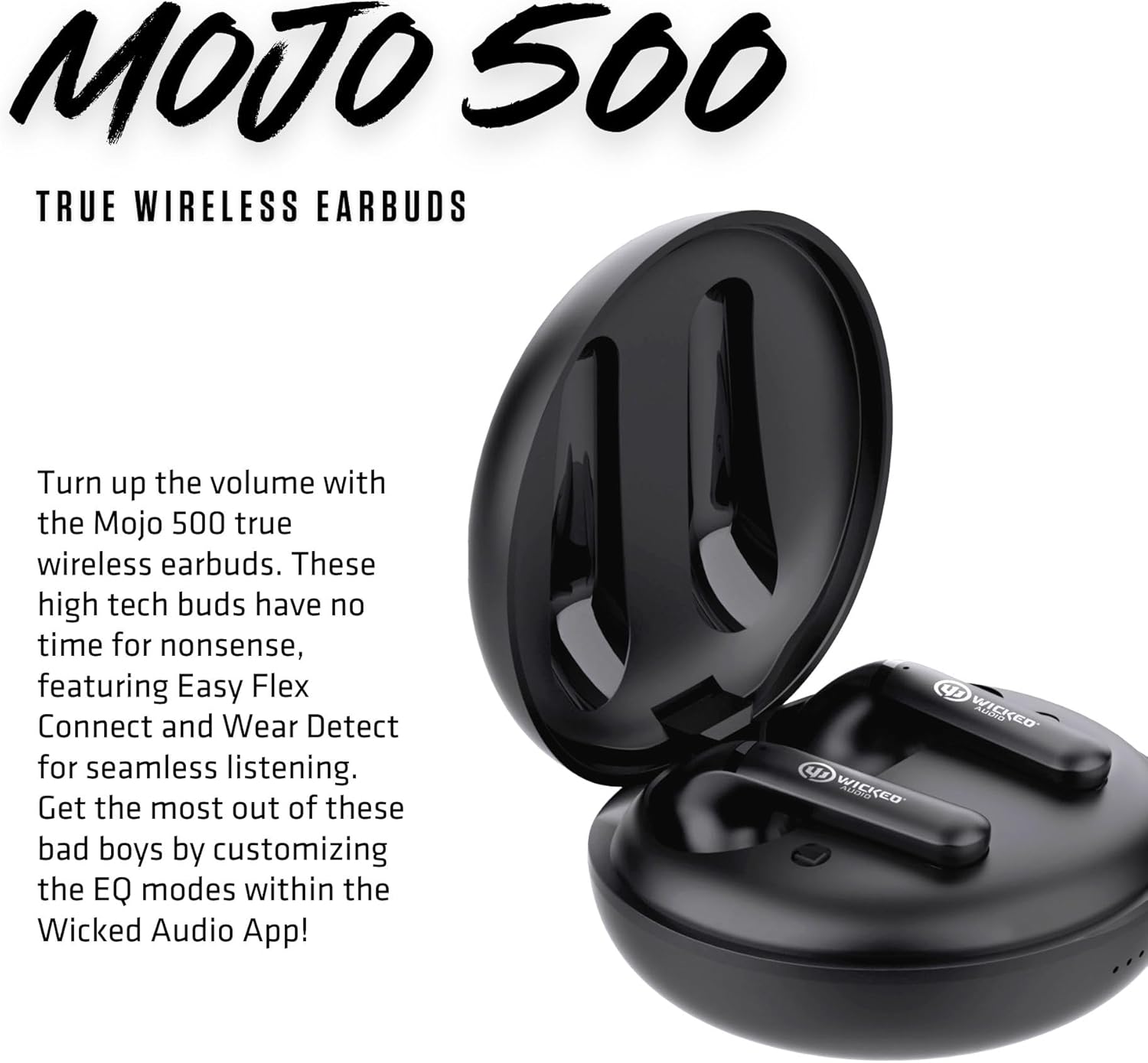
Figure 4: Earbuds inside the charging case.
Audio Quality & Calls
The Mojo 500 earbuds are designed for clear audio and communication:
- Equipped with Clear Adaptive Mics that adjust to your environment to ensure your voice is transmitted clearly during calls.
- Features a Dynamic Audio Driver for rich sound.
- Frequency Range: 20 Hz - 20,000 Hz.
Conectividade
The Mojo 500 earbuds utilize Bluetooth technology for seamless wireless connection:
- Wireless Communication Technology: Bluetooth.
- Bluetooth Range: 10 Meters.
- Compatible Devices: Cellphones, Gaming Consoles, Tablets, Laptops, Desktops.
Comfort & Durability
Designed for comfort and resilience:
- Ergonomic shaped housing ensures a small and comfortable fit.
- Water Resistance Level: Water Resistant, making them suitable for workouts and outdoor activities.
- Item Weight: 0.18 Pounds (earbuds only).
- Included Components: Ear Cushions for a secure and comfortable fit.

Figure 5: Earbuds designed for comfortable in-ear placement.
Especificações
| Recurso | Detalhe |
|---|---|
| Nome do modelo | Mojo 500 True Wireless Earbuds |
| Controle de Ruído | Cancelamento de ruído ativo |
| Tecnologia de Conectividade | Sem fio |
| Tecnologia de comunicação sem fio | Bluetooth |
| Componentes incluídos | Cable, Charging Case, Ear Cushions |
| Usos recomendados para o produto | Video Calls, Running, Skateboarding, Exercising |
| Dispositivos compatíveis | Celulares, consoles de jogos, tablets, laptops, desktops |
| Tipo de controle | Controle de Ruído |
| Nível de resistência à água | Resistente à água |
| Faixa de frequência | 20 Hz - 20,000 Hz |
| Duração da bateria | 27 Hours (Total) |
| Alcance Bluetooth | 10 metros |
| Peso do item | 2.88 onças |
| Cor | Preto |
| Colocação da orelha | No ouvido |
| Fator de forma | No ouvido |
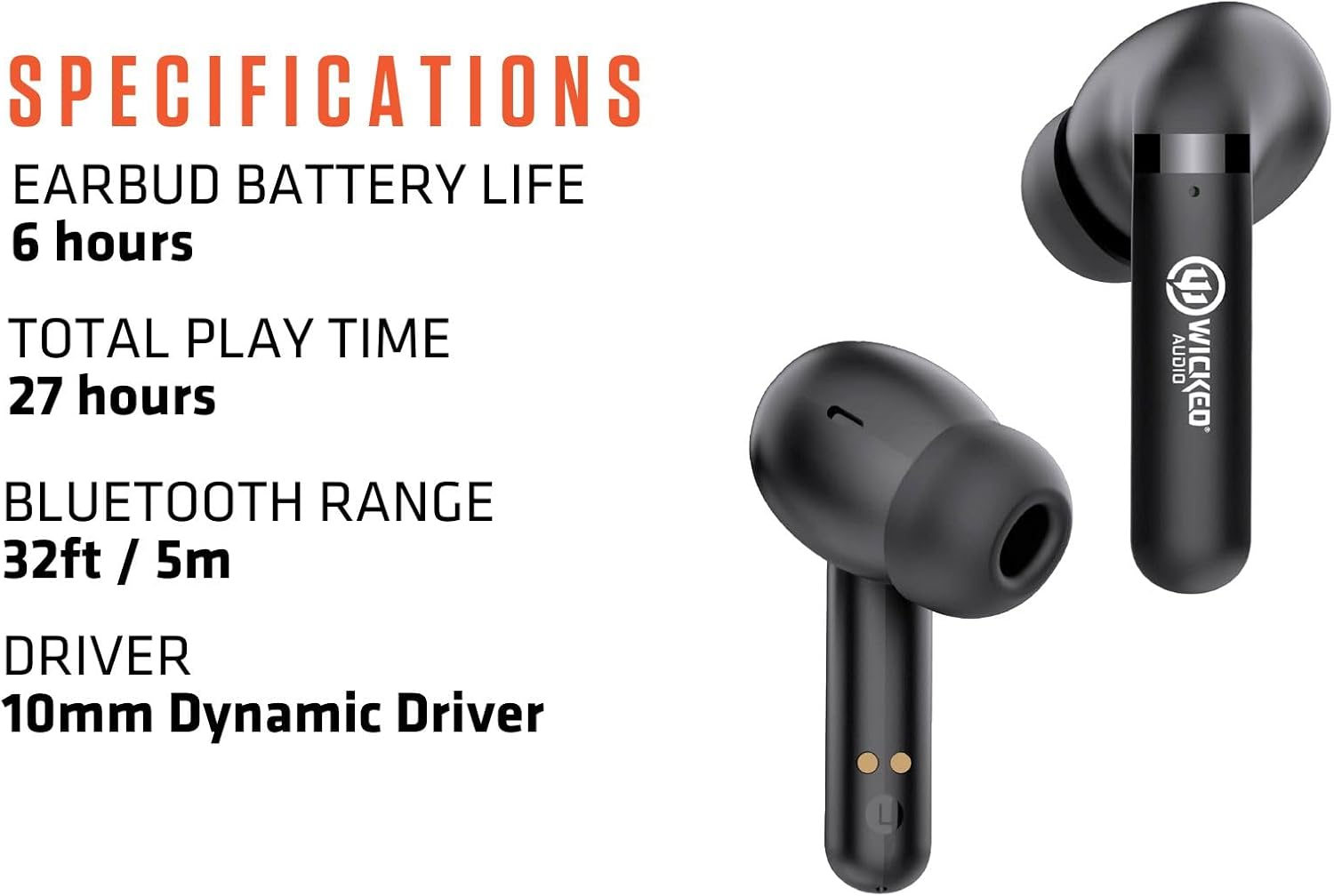
Figure 6: Key specifications of the Mojo 500 Earbuds.
Solução de problemas
If you encounter any issues with your Wicked Audio Mojo 500 earbuds, please refer to the Easy Access User Guide within the Wicked Audio App for detailed troubleshooting steps. Common issues often relate to pairing, connectivity, or charging.
- Sem som: Verifique se os fones de ouvido estão carregados e emparelhados corretamente. Verifique o volume do dispositivo.
- Problemas de emparelhamento: Turn off Bluetooth on other devices. Reset earbuds and try pairing again.
- Problemas de carregamento: Ensure USB-C cable is securely connected to both the case and power source. Check for debris in charging ports.
Garantia e Suporte
For warranty information and customer support, please visit the official Wicked Audio webou entre em contato diretamente com o serviço de atendimento ao cliente. Guarde o comprovante de compra para eventuais solicitações de garantia.
Informações de segurança
Please read all safety warnings and instructions before using this product to avoid injury or damage. Keep out of reach of children. Avoid prolonged exposure to high volume levels to prevent hearing damage. Do not disassemble or attempt to repair the device yourself.