
Introdução
This manual provides detailed instructions for the installation, operation, and maintenance of your LETIANPAI 82ft/25m Smart RGB LED Strip Lights. Please read this manual thoroughly before use to ensure proper functionality and safety.
Informações de segurança
- Certifique-se de que a fonte de alimentação esteja desconectada antes da instalação ou manutenção.
- Use only the provided power adapter. Using an incompatible adapter may damage the product or pose a safety risk.
- Do not expose the LED strips or controller to water or high humidity. This product is designed for indoor use.
- Avoid bending the LED strips sharply, as this can damage the circuit.
- Não cubra o adaptador de energia ou o controlador durante o funcionamento para evitar superaquecimento.
- Mantenha fora do alcance de crianças.
- If any damage occurs to the strip, power adapter, or controller, discontinue use immediately and contact customer support.
Conteúdo da embalagem
Verifique se todos os itens estão presentes no seu pacote:
- 2 x 41ft (12.5m) RGB LED Strip Lights (Total 82ft/25m)
- 1 x Smart Controller Box
- 1 x controle remoto IR
- 1 x Certified Power Adapter
- 1 x Manual do Usuário (Este documento)

Imagem: Acimaview of the LETIANPAI 82ft/25m Smart RGB LED Strip Lights, showing the two rolls of LED strips, smart controller, IR remote, and power adapter.
Configuração e instalação
1. Preparação da superfície
Before applying the LED strips, ensure the surface is clean, dry, and smooth. Dust, oil, or moisture can reduce the adhesive's effectiveness.
2. Connecting the Components
- Connect the LED strip(s) to the smart controller box. Ensure the arrows on the strip connector and the controller connector align.
- Connect the power adapter to the smart controller box.
- Conecte o adaptador de alimentação a uma tomada elétrica padrão.

Image: Connection diagram illustrating how to connect the LED strips to the controller, and the controller to the power adapter. Emphasizes aligning arrows on connectors.


Image: A certified power adapter and a close-up of the LED strip showing its adhesive backing.
3. Applying the LED Strips
- Unroll the LED strips carefully.
- Peel off the protective film from the adhesive backing.
- Press the strip firmly onto the desired clean surface.
4. Cutting the LED Strips (Optional)
The LED strips can be cut to your desired length. Locate the designated cutting marks (usually indicated by a scissor icon or copper pads) on the strip. Cut only at these marks to avoid damaging the circuit.
5. Download e pareamento do aplicativo
To utilize smart features, download the "HiLighting" app:
- Scan the QR code on the smart controller box or visit http://www.easytrack.net.cn/download/165JINGZEKONGGU to download the "HiLighting" app.
- Instale o aplicativo no seu smartphone.
- Certifique-se de que o Bluetooth esteja ativado em seu telefone.
- Open the "HiLighting" app. The app should automatically detect and connect to your LED strip lights.
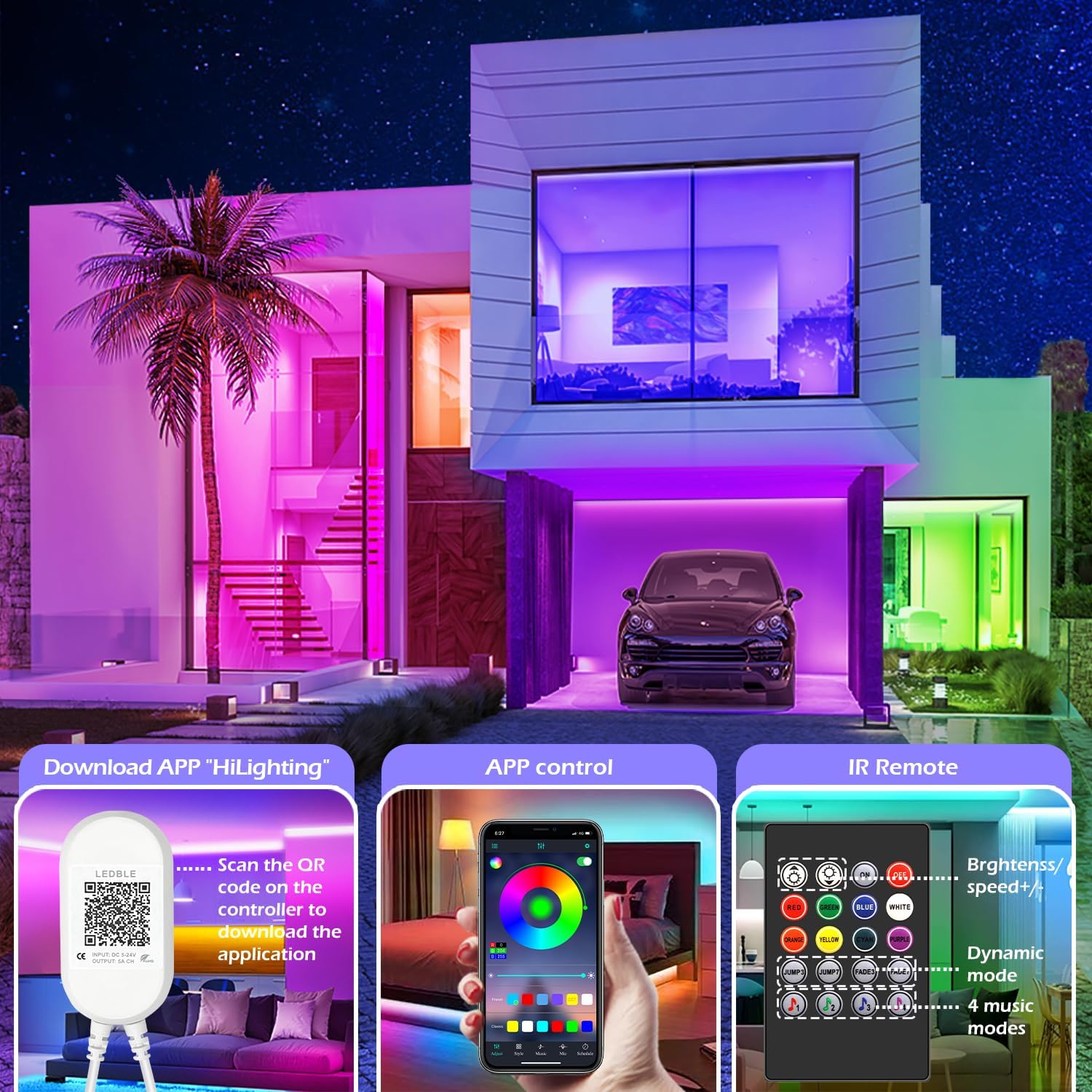
Image: Illustration of downloading the "HiLighting" app by scanning a QR code on the controller, and a preview of the app's color selection interface.

Image: Close-up of the LED controller showing the QR code for downloading the "HiLighting" application.
Instruções de operação
1. App Control (HiLighting App)
The "HiLighting" app offers comprehensive control over your LED strip lights:
- Seleção de cores: Choose from 16 million vivid colors using the color wheel.
- Ajuste de brilho: Ajuste a intensidade da luz de 0% a 100%.
- Modos dinâmicos: Select from 29 pre-set dynamic modes (e.g., flash, rotate, fade).
- Modo de sincronização de música: The lights will change color in rhythm with music played through your phone.
- Modo MIC: The lights will pulsate and change colors in response to ambient sounds or your voice, detected by the phone's microphone.
- Função de temporização: Set schedules for the lights to automatically turn on or off at specific times.
- Gestão de grupo: Control multiple sets of LETIANPAI LED strip lights simultaneously or individually by organizing them into groups within the app.


Image: Screenshots of the "HiLighting" app interface, demonstrating color selection and brightness adjustment features.

Image: Depicts individuals enjoying music, with text explaining Music Sync and MIC Mode functionalities of the LED strip lights.

Image: Illustrates the timing function, allowing users to set automatic on/off schedules for the LED lights, such as turning off at 11:00 PM and on at 7:00 AM.

Image: Shows the "Group Management" feature, enabling control of multiple light sets simultaneously or individually, with examples in different rooms.
2. Controle Remoto IR
The included IR remote control provides convenient access to basic functions:
- Ligar/desligar: Ligue ou desligue as luzes.
- Seleção de cores: Directly select common colors (Red, Green, Blue, White, Orange, Yellow, Cyan, Purple).
- Ajuste de brilho/velocidade: Increase or decrease brightness, or adjust the speed of dynamic modes.
- Modos dinâmicos: Access various pre-set dynamic modes (e.g., Jump3, Jump7, Fade3, Fade7).
- Music Modes: Activate 4 different music-responsive modes.

Image: Close-up of the IR remote control, detailing buttons for power, color selection, brightness/speed adjustment, dynamic modes, and music modes.
Manutenção
- Limpeza: Gently wipe the LED strips with a dry, soft cloth to remove dust. Do not use liquid cleaners or abrasive materials.
- Armazenar: If storing the lights for an extended period, ensure they are clean, dry, and stored in a cool, dark place.
- Inspeção: Periodically check the connections and the strip for any signs of damage.
Solução de problemas
| Problema | Possível causa | Solução |
|---|---|---|
| As luzes não acendem. | Adaptador de energia não está conectado ou está com defeito. LED strip not properly connected to controller. Bateria do controle remoto descarregada. | Certifique-se de que o adaptador de energia esteja conectado firmemente. Check all connections, ensuring arrows align. Replace remote control battery (CR2025, not included). |
| Lights show incorrect colors or only one color. | Incorrect connection between strip and controller. App/remote setting issue. | Disconnect and reconnect the LED strip to the controller, ensuring arrows align. Reset the lights via the app or remote, then re-select desired color. |
| App cannot connect to the lights. | Bluetooth está desligado. App is outdated. Interferência. | Certifique-se de que o Bluetooth esteja ativado em seu smartphone. Update the "HiLighting" app to the latest version. Move closer to the controller. Restart the app and try again. |
| O controle remoto não funciona. | Bateria descarregada. Obstruction between remote and controller. Plastic tab not removed. | Substitua a bateria CR2025. Ensure a clear line of sight to the controller. Remova a aba de plástico transparente do compartimento da bateria do controle remoto. |
Especificações
| Número do modelo | 100 PÉS |
| Marca | LETIANPAI |
| Comprimento | 82ft / 25m (2 rolls of 41ft) |
| Tipo de fonte de luz | LED (5050 RGB) |
| Cor clara | RGB (vermelho, verde, azul) |
| Método de controle | Bluetooth App ("HiLighting"), IR Remote Control |
| Fonte de energia | Elétrico com fio |
| Volumetage | 12 Volts |
| O quetage | 24 Watts |
| Uso interno/externo | Interior |
| Características especiais | Cuttable, Low energy consumption, Music Sync, Strong self-adhesive, Flexible |
| UPC | 611834347362 |
Garantia e Suporte
LETIANPAI is committed to providing quality products and customer service. All accessories included with your LED rope lights are officially certified, and the power adapter has undergone rigorous testing for safety.
If you encounter any issues during installation or operation, please contact LETIANPAI customer support directly. We aim to resolve all inquiries within 24 hours. Full refunds or free replacements are provided for quality-related issues.